mochoa/pgadmin4-docker-extension
Docker Extension for using an embedded PGAdmin4 Open Source management tool for PostgreSQL
100K+
mochoa/pgadmin4-docker-extension repository overview
Docker Extension
PGAdmin4 extension for Docker Desktop
Installation from Makertplace
Since Docker Desktop v4.11.0 PGAdmin4 Extension is available in Marketplace page, just click on + Add Extensions, find PGAdmin4 Extension, click Install and that's all; PGAdmin4 icon it shown at left side menu.
Manual Installation
If you are using Docker Desktop v4.10.1 or less you can install just by executing:
$ docker extension install mochoa/pgadmin4-docker-extension:9.14.0
Extensions can install binaries, invoke commands and access files on your machine.
Are you sure you want to continue? [y/N] y
Image not available locally, pulling mochoa/pgadmin4-docker-extension:9.14.0...
Installing new extension "mochoa/pgadmin4-docker-extension:9.14.0"
Installing service in Desktop VM...
Setting additional compose attributes
VM service started
Installing Desktop extension UI for tab "PGAdmin4"...
Extension UI tab "PGAdmin4" added.
Extension "PGAdmin" installed successfully
Using PGAdmin Docker Extension
Once the extension is installed a new extension is listed at the pane Extension of Docker Desktop.
By clicking at PGAdmin4 icon the extension main window will display the PGAdmin site once it has loaded.
First login will ask you for a master password for pgAdmin, fill it with your master password and click OK.
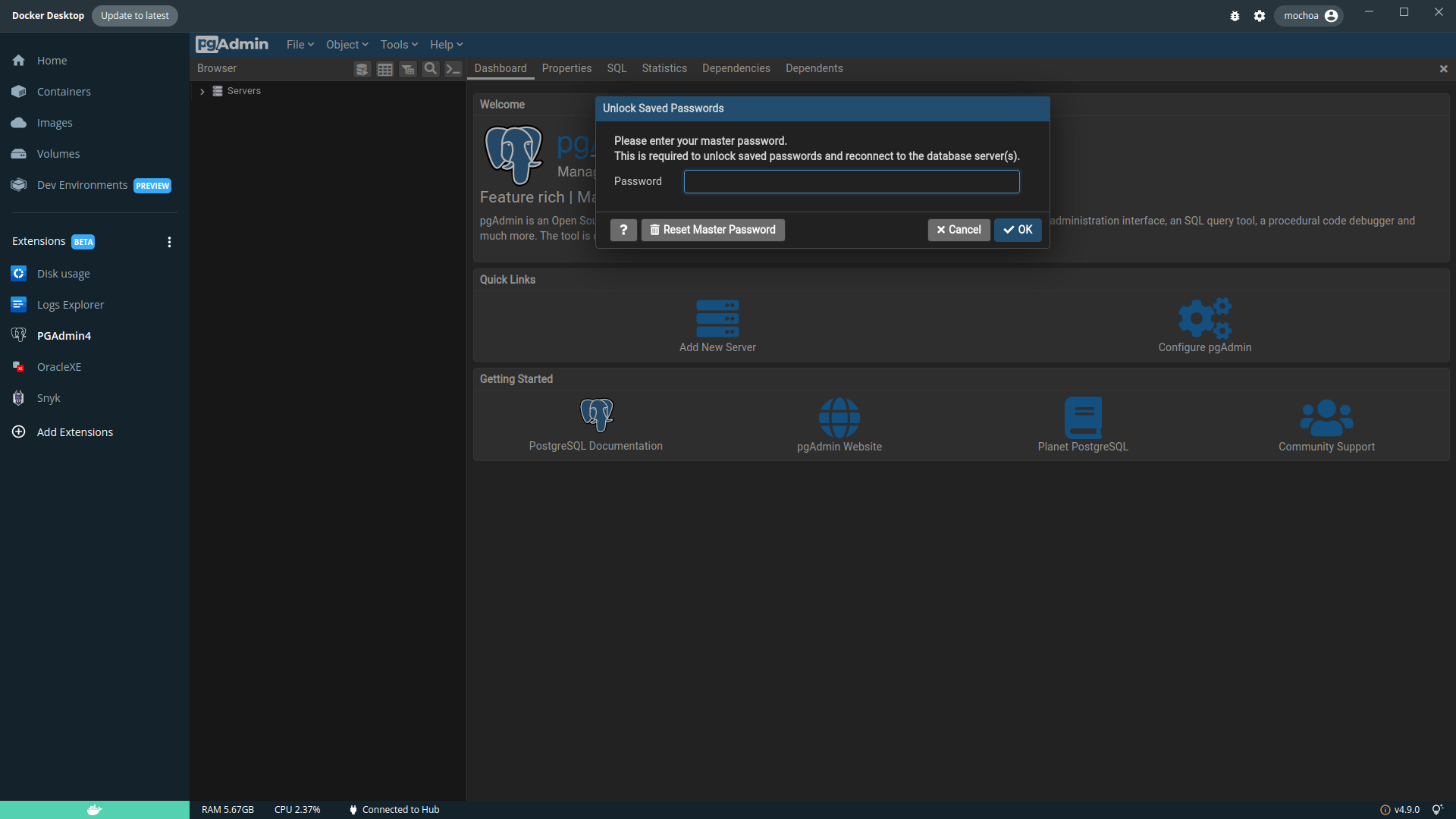
By clicking on Add New Server you can add PostgreSQL server running at Docker Desktop or externals, the IP for PostgreSQL running at Docker Desktop is available at the menu, Settings -> Resources -> Network -> Docker subnet, in my case is 192.168.65.0/24 so an internal IP for reaching PostgreSQL containers running at Docker Desktop will be 192.168.65.2, also there is an internal DNS name that resolve above IP named host.docker.internal.
Let see an example of PostgreSQL started using Docker Desktop Featured Images, PostgreSQL Overview shows this sample URL:
postgres://postgres:postgrespw@localhost:55000
which means for a PGAdmin Add New Server:
- Name: Test
- Hostname/address: host.docker.internal
- Port: 55000
- Maintenance database: postgres
- Username: postgres
- Password: postgrespw
by choosing Save Password, the above password is stored at PGAdmin4 internal storage and will remain until you de-install this extension.

Uninstall
To uninstall the extension just execute:
$ docker extension uninstall mochoa/pgadmin4-docker-extension:9.14.0
Extension "PGAdmin4" uninstalled successfully
Sources
As usual the code of this extension is at GitHub, feel free to suggest changes and make contributions, note that I am a beginner developer of React and TypeScript so contributions to make this UI better are welcome.
Export/Import Servers connections
You can Export/Import all your Servers connections, except passwords, using the menu Tools->Import/Export Servers, here a sequence:
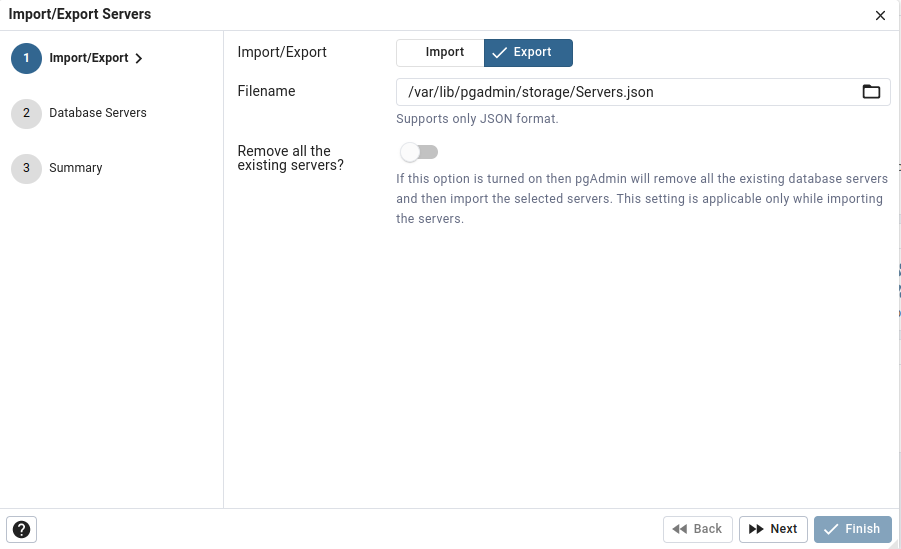
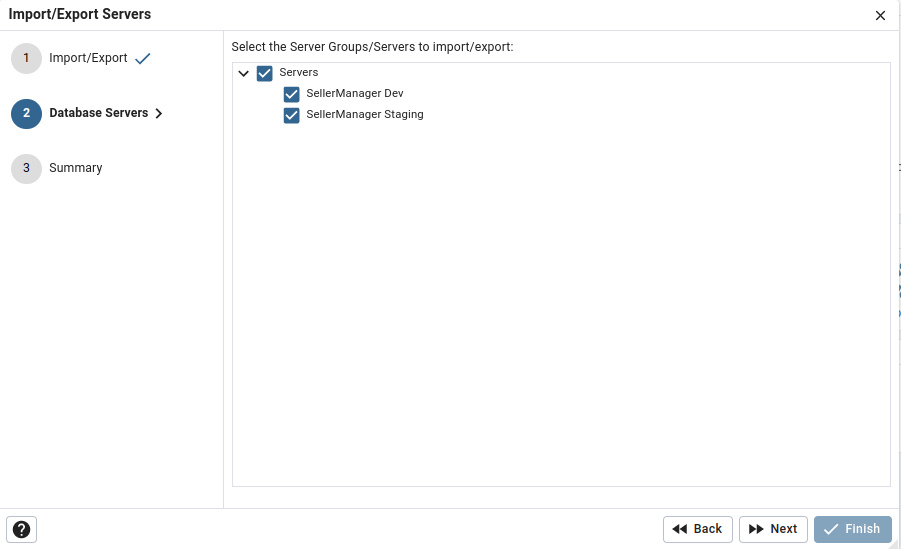
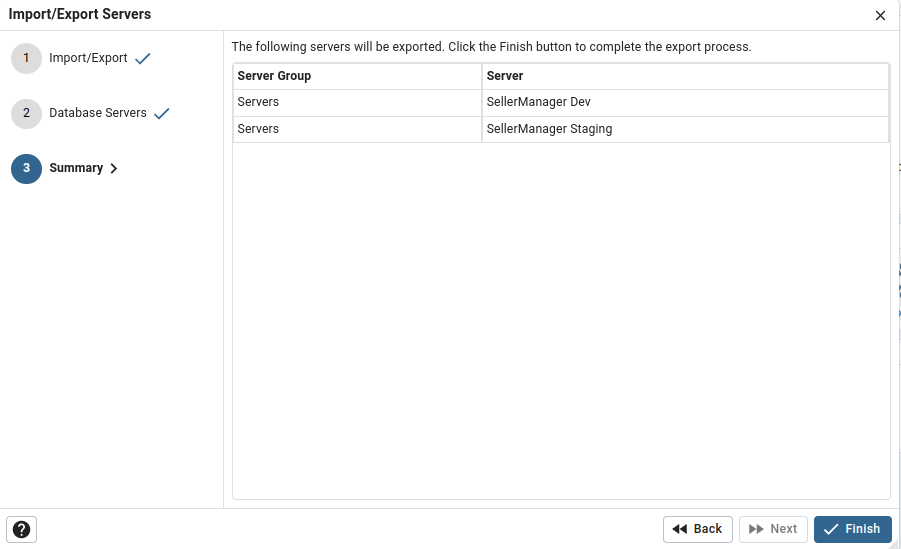
Finally open a terminal window and execute:
$ docker cp pgadmin4_embedded_dd_vm:/var/lib/pgadmin/storage/Servers.json Desktop/Servers.json
Successfully copied 3.07kB to /home/mochoa/Desktop/Servers.json
If you need to import above export connections in a new installed PGAdmin Docker Desktop Extension, do these steps:
- first copy your local copy of server connections using a terminal window:
$ docker cp Desktop/Servers.json pgadmin4_embedded_dd_vm:/var/lib/pgadmin/storage/
Successfully copied 3.07kB to pgadmin4_embedded_dd_vm:/var/lib/pgadmin/storage/
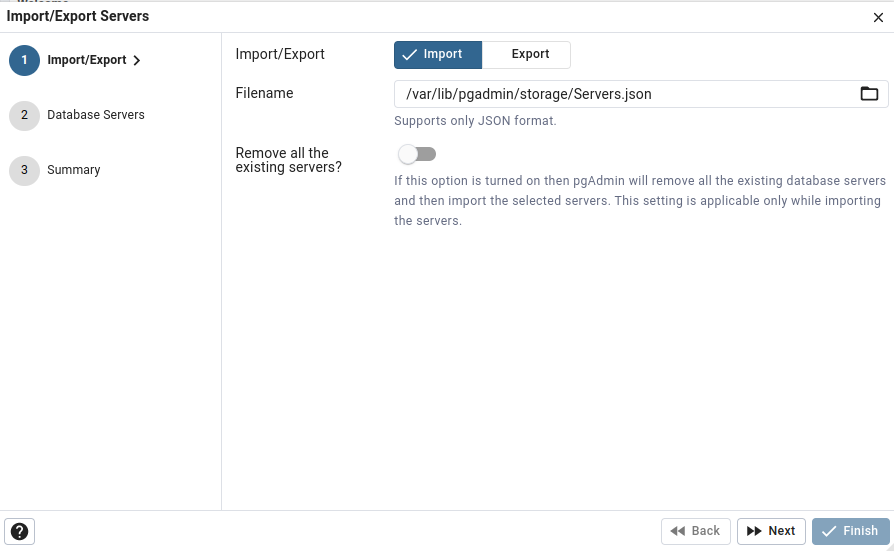
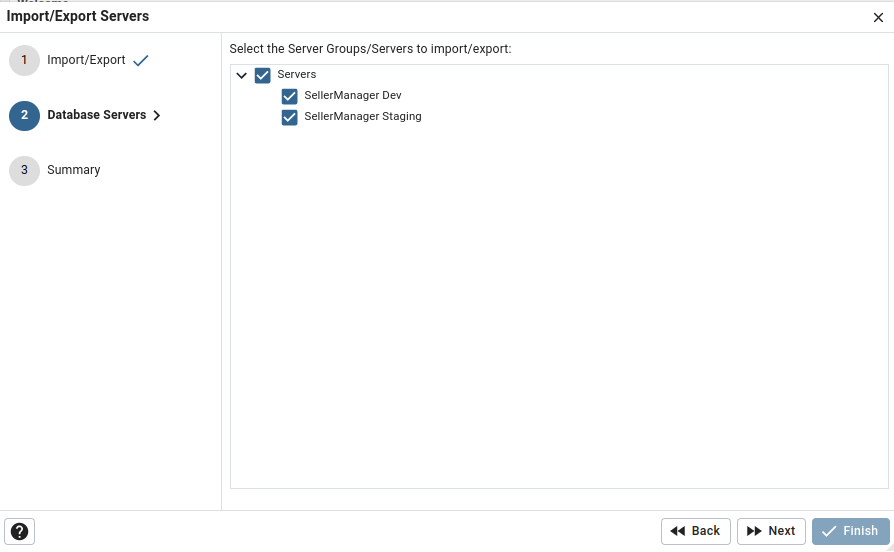
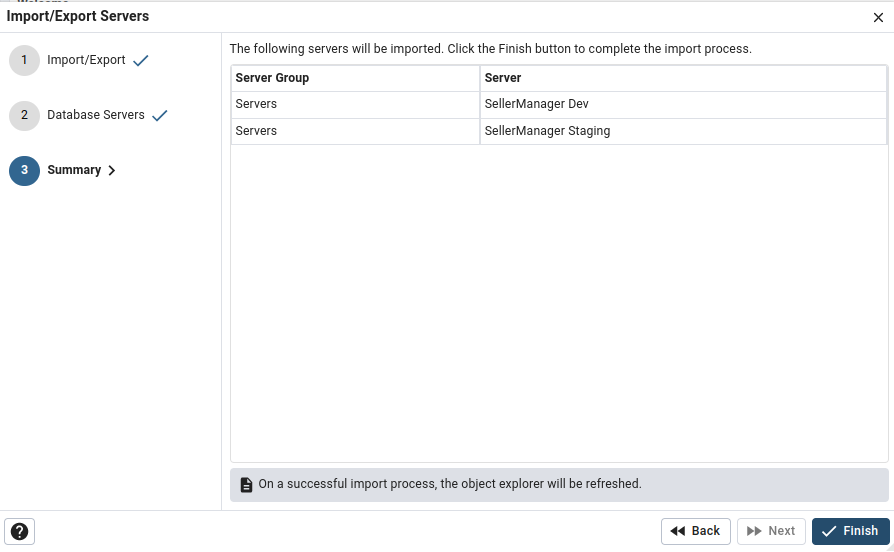
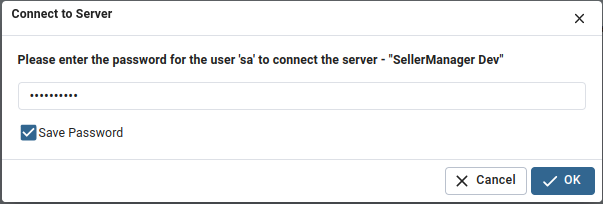
When you open a new imported connection PGAdmin Docker Desktop Extension will ask you for password
Tag summary
Content type
Image
Digest
sha256:96380903d…
Size
5.8 MB
Last updated
6 days ago
docker pull mochoa/pgadmin4-docker-extension:9.19.0