modenaf360/channel-vault-nas-api
Channel Vault NAS backend API. Archive YouTube channels to your NAS. Pull the -web image too.
1.7K
modenaf360/channel-vault-nas-api repository overview
Channel Vault NAS


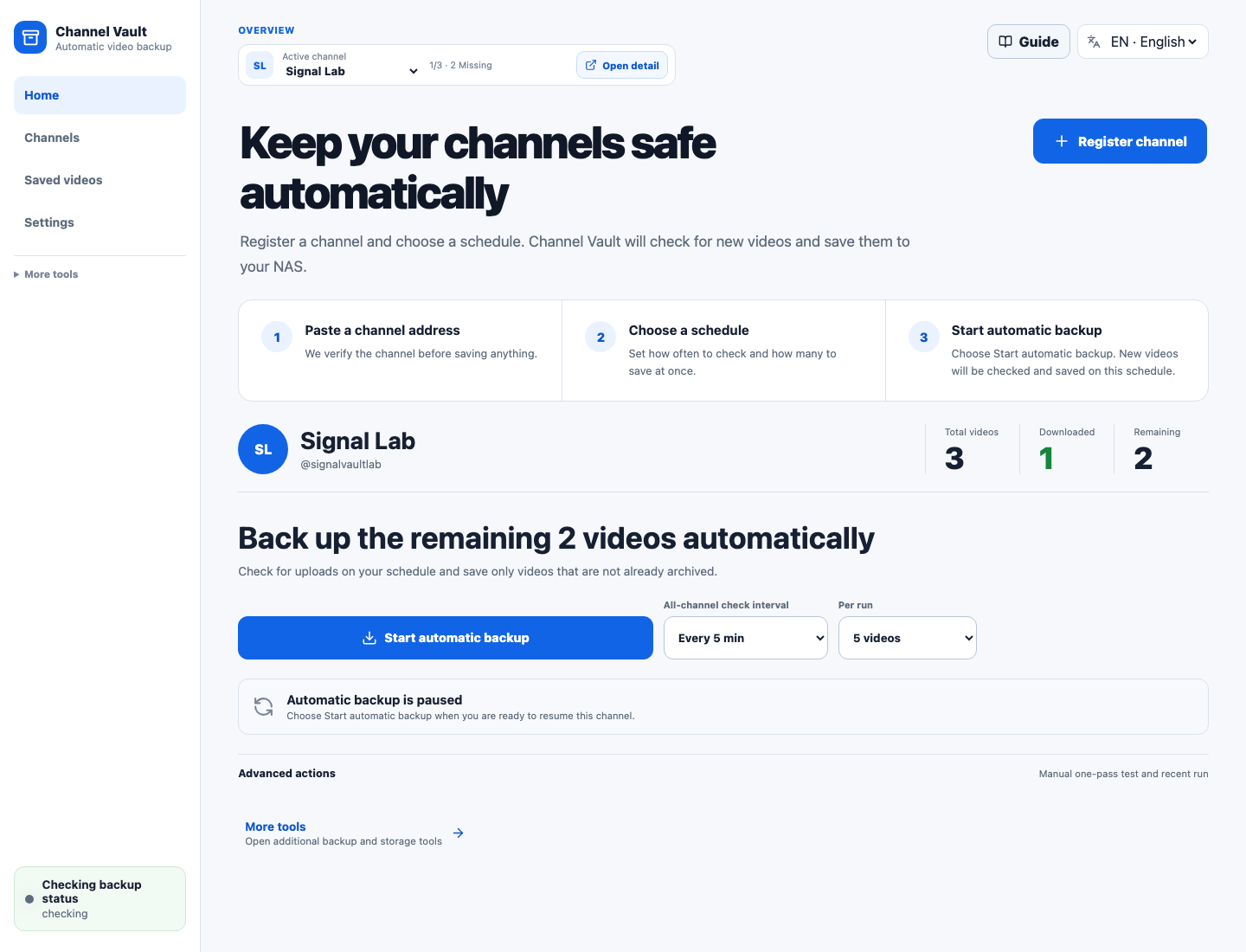
Turn a YouTube channel into a recoverable NAS archive in three steps: register
the channel, start a schedule, and check one clear backup status. Channel Vault
NAS reuses existing media and archive.txt, downloads only missing videos, and
keeps new uploads backed up with yt-dlp.
⚠️ Two containers, and you need both. Channel Vault NAS ships as two images that run together:
channel-vault-nas-api(backend) andchannel-vault-nas-web(the UI, which proxies/apiand/wsto the API). There is no single all-in-one image, so pulling only this one will not start the app.
Don't pull the images by hand. One command fetches both and wires them together (no clone, no build):
mkdir channel-vault-nas && cd channel-vault-nas
curl -fsSLO https://raw.githubusercontent.com/hyeonsangjeon/channel-vault-nas/main/compose.release.yml
docker compose -f compose.release.yml up -d
Then open http://127.0.0.1:5173/.
Guarded self-hosted release: designed for localhost, private LAN, VPN, or trusted reverse-proxy use. Do not expose the raw API directly to the public internet.
The two images
Both images are required, and both are multi-arch (linux/amd64 +
linux/arm64):
| Image | Role | You still need |
|---|---|---|
modenaf360/channel-vault-nas-api:0.3.0 | Backend API + scheduler + yt-dlp | …-web |
modenaf360/channel-vault-nas-web:0.3.0 | Browser UI, proxies /api and /ws to the API | …-api |
The compose.release.yml above pulls and connects both for you. GHCR mirrors
(ghcr.io/hyeonsangjeon/channel-vault-nas-api / -web) are also available.
Why use it
- A simple default UI for channel registration, schedules, and backup status
- Queue, storage, diagnostics, and runtime controls kept under Advanced management
- Import existing NAS folders without deliberately re-downloading them
- See downloaded, missing, queued, and skipped
archive.txtdecisions - Start or pause automatic backup from the channel screen
- Rebuild the searchable SQLite index from durable media and sidecars
- Library indexing for media files, sidecars, thumbnails, and coverage
- NAS storage scanner for drift, pressure, orphan sidecars, and recovery checks
Everyday workflow
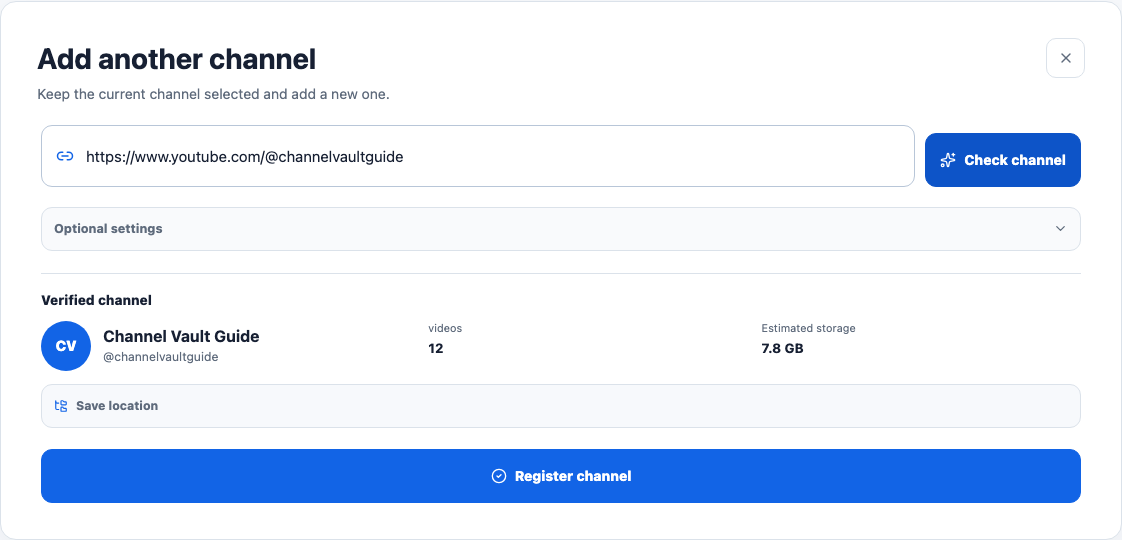
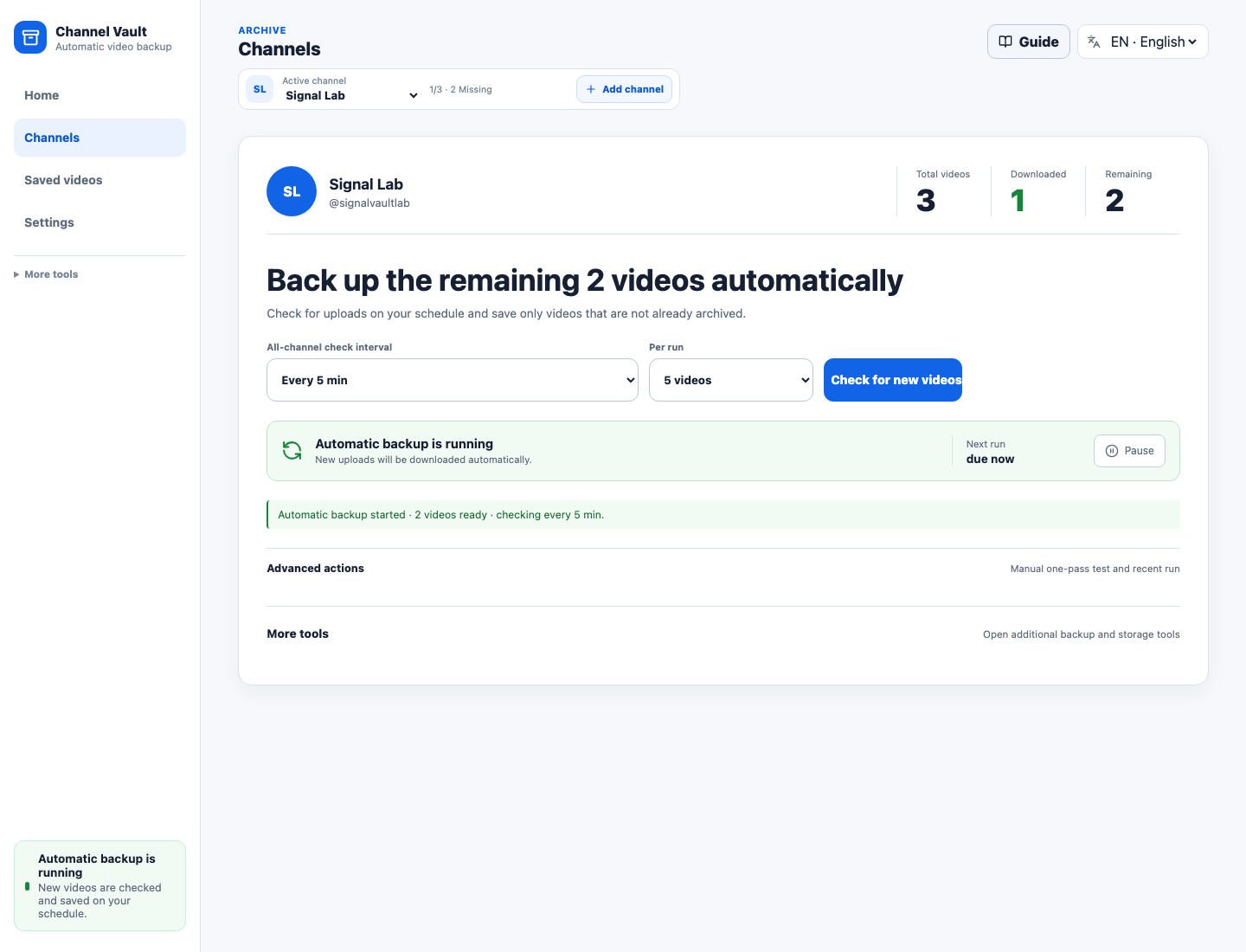
| 1. Register a channel | 2–3. Start the schedule and check its status |
|---|---|
 |  |
Already have files? Use the existing archive import before starting the schedule.
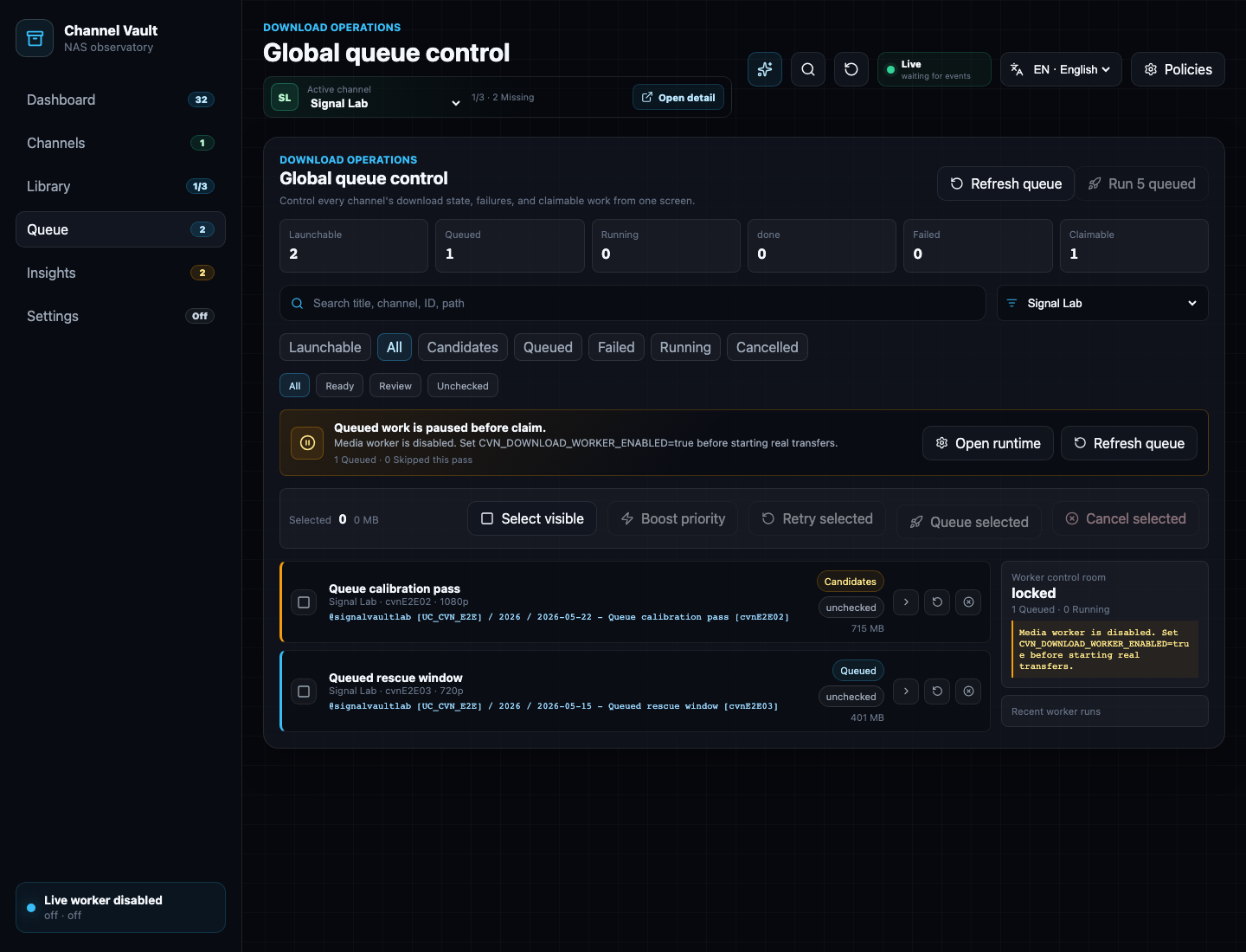
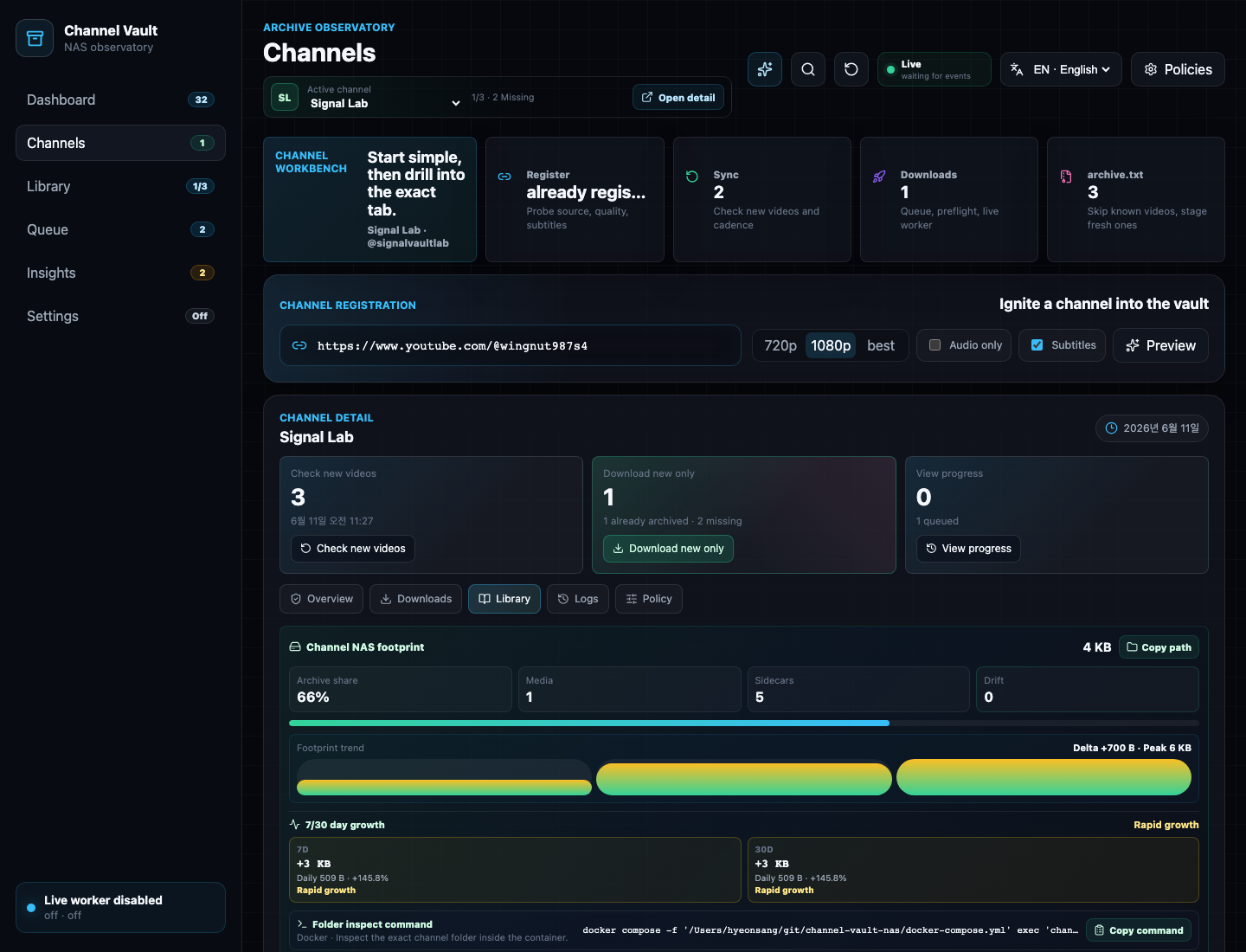
Advanced management stays available when you need queue or library detail:
| Queue | Saved videos |
|---|---|
 |  |
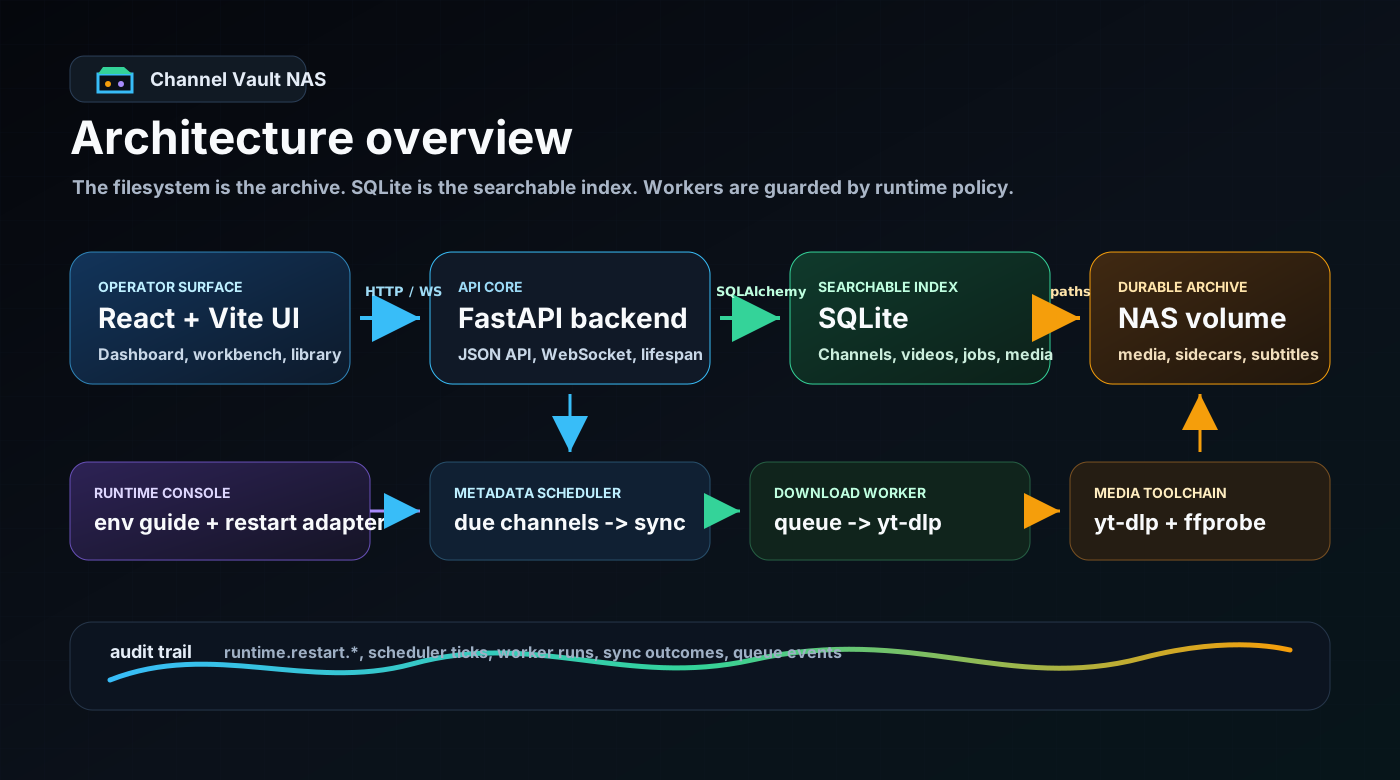
Architecture
Quick Start
mkdir channel-vault-nas && cd channel-vault-nas
curl -fsSLO https://raw.githubusercontent.com/hyeonsangjeon/channel-vault-nas/main/compose.release.yml
docker compose -f compose.release.yml up -d
Open http://127.0.0.1:5173/, then:
- Select Register channel, paste a channel address, select Check channel, and confirm it.
- Choose the interval and videos per run, then select Start automatic backup.
- Confirm the channel shows Automatic backup is on or Automatic backup is running and check the saved, remaining, and next-run details.
Guardrails
Downloads are disabled by default and worker passes are bounded. The filesystem remains the durable archive; SQLite is the searchable index.
For LAN/NAS demos, set CVN_AUTH_TOKEN and place the app behind a trusted
reverse proxy or VPN. Keep downloads limited to media you own, are authorized to
archive, or have already exported from your own account.
Links
- GitHub: https://github.com/hyeonsangjeon/channel-vault-nas
- Manual: https://hyeonsangjeon.github.io/channel-vault-nas/
- Compatibility reports: https://github.com/hyeonsangjeon/channel-vault-nas/discussions/7
- Release: https://github.com/hyeonsangjeon/channel-vault-nas/releases/tag/v0.3.0
- Security notes: https://github.com/hyeonsangjeon/channel-vault-nas/blob/main/SECURITY.md
Tag summary
Content type
Image
Digest
sha256:7fcd3ffaf…
Size
242.2 MB
Last updated
9 days ago
docker pull modenaf360/channel-vault-nas-api