monnierant/docker-flarum repository overview
mondedie/docker-flarum

What is this ?
Flarum is the next-generation forum software that makes online discussion fun. It's simple, fast, and free. http://flarum.org/
Features
- Lightweight & secure image
- Based on Alpine Linux with nginx and PHP 7
- Latest Flarum Beta (v0.1.0-beta.7.1)
- MySQL/Mariadb driver
- OPCache extension configured
Build-time variables
- VERSION = Version of flarum (default: v0.1.0-beta.7)
Ports
- 8888
Volume
- /flarum/app/assets : Flarum assets directory
- /flarum/app/extensions : Flarum extension directory
Environment variables
| Variable | Description | Type | Default value |
|---|---|---|---|
| UID | Flarum user id | optional | 991 |
| GID | Flarum group id | optional | 991 |
| DEBUG | Flarum debug mode | optional | false |
| FORUM_URL | Forum URL | required | none |
| DB_HOST | MariaDB instance ip/hostname | optional | mariadb |
| DB_USER | MariaDB database username | optional | flarum |
| DB_NAME | MariaDB database name | optional | flarum |
| DB_PASS | MariaDB database password | required | none |
| DB_PREF | Flarum tables prefix | optional | none |
| UPLOAD_MAX_SIZE | The maximum size of an uploaded file | optional | 50M |
| PHP_MEMORY_LIMIT | PHP memory limit | optional | 128M |
| OPCACHE_MEMORY_LIMIT | OPcache memory size in megabytes | optional | 128 |
| LOG_TO_STDOUT | Enable nginx and php error logs to stdout | optional | false |
Installation
1 - Pull flarum image
# Pull from hub.docker.com :
docker pull mondedie/docker-flarum:0.1.0-beta.7.1-stable

# or build it manually :
docker build -t mondedie/docker-flarum https://github.com/mondediefr/flarum.git#master
2 - Docker-compose.yml
version: "3"

services:
  flarum:
    image: mondedie/docker-flarum:0.1.0-beta.7.1-stable
    container_name: flarum
    environment:
      - FORUM_URL=http://flarum.local
      - DB_PASS=xxxxxx
    volumes:
      - /mnt/docker/flarum/assets:/flarum/app/assets
      - /mnt/docker/flarum/extensions:/flarum/app/extensions
    depends_on:
      - mariadb

  mariadb:
    image: mariadb:10.1
    container_name: mariadb
    environment:
      - MYSQL_ROOT_PASSWORD=xxxxxx
      - MYSQL_DATABASE=flarum
      - MYSQL_USER=flarum
      - MYSQL_PASSWORD=xxxxxx
    volumes:
      - /mnt/docker/mysql/db:/var/lib/mysql
3 - Run it
You need a reverse proxy to access flarum, this is not described here. You can use the solution of your choice (Traefik, Nginx, Apache, Haproxy, Caddy, H2O...etc).
docker-compose up -d
Fill out the installation form :
- Your admin password must contain at least 8 characters.
- You can't use MariaDB 10.2 or 10.3 for the moment. More information on this issue here.
- If you get an error 500 with Something went wrong message, switch the
DEBUGenvironment variable totrueto see the actual error message in your browser.

Click on Install Flarum and after few seconds the forum homepage should appear.

Upgrade from v0.1.0-beta.6
:warning: Disable 3rd party extensions prior to upgrading.
docker pull mondedie/docker-flarum:0.1.0-beta.7.1-stable && docker-compose up -d
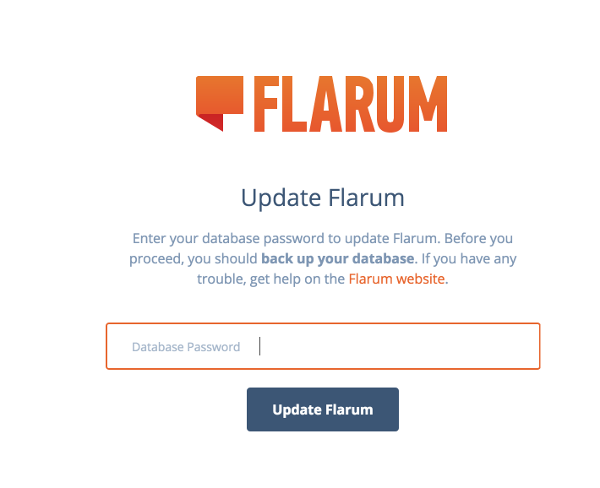
Navigate to yourforum.com/admin, enter your database password and update.
Remove and restart your container :
docker-compose stop flarum
docker-compose rm flarum
docker-compose up -d
Install custom extensions
Flarum extensions list : https://packagist.org/search/?q=flarum-ext
Install an extension
docker exec -ti flarum extension require some/extension
Remove an extension
docker exec -ti flarum extension remove some/extension
List all extensions
docker exec -ti flarum extension list
Custom error pages
To use custom error pages, add your .html files in /mnt/docker/flarum/assets/errors folder :
mkdir -p /mnt/docker/flarum/assets/errors
touch 403.html 404.html 500.html 503.html
chown -R 991:991 /mnt/docker/flarum
Custom composer repositories
To use the composer repository system, add your repo name and json representation in /mnt/docker/flarum/extensions/composer.repositories.txt :
my_private_repo|{"type":"path","url":"extensions/*/"}
my_public_repo|{"type":"vcs","url":"https://github.com/my/repo"}
https://getcomposer.org/doc/03-cli.md#modifying-repositories
Tag summary
Content type
Image
Digest
Size
41 MB
Last updated
about 8 years ago
docker pull monnierant/docker-flarum