mpgithubcode/probyte
Self-hosted database app: phone calendar/contacts sync, S3/WebDAV files as tables, MCP for AI assist
2.9K
mpgithubcode/probyte repository overview
Probyte
The self-hosted database that syncs with your phone, works on the files you already have, and talks to your AI.
Probyte is an Airtable/Teable-style database you run yourself: tables, formulas, links and seven kinds of views on PostgreSQL. What sets it apart is what it connects to. Your tables can be your phone's calendar, reminders and contacts. Your S3 bucket or Nextcloud folder can be a table you browse, preview and link. And Claude or ChatGPT can work with all of it, after you paste one URL.
Why Probyte
📅 Your tables are your phone's calendar, reminders and contacts. Not an export or a read-only feed: real two-way sync with CalDAV and CardDAV. Tick a task off in Apple Reminders and it's done in Probyte; drag an event on the calendar here and your phone moves it. Repeats, reminders and alerts, time zones and edits made offline all sync. A calendar server is built in, so it works out of the box, with your iPhone or any CalDAV app (DAVx5 on Android, Thunderbird…), or with your own CalDAV server such as Nextcloud, iCloud or Fastmail. More ↓
📁 Your files stay where they are, and become a database. Point a table at an S3 bucket (AWS, MinIO, Cloudflare R2, Backblaze, SeaweedFS…) or a WebDAV folder (Nextcloud, ownCloud, a NAS). Every file becomes a record you can search, tag, sort and link to your projects, clients or jobs. Open one and it's shown full screen, whole: PDF, Word, PowerPoint, Excel, video and images. Markdown files are edited WYSIWYG. Rename, move, upload whole folders or replace a file: the change happens in your storage, because Probyte never keeps its own copies. More ↓
🤖 Made for AI assistants. Probyte is an MCP server with proper sign-in (OAuth): paste its address into Claude, ChatGPT, Claude Code, Cursor or VS Code, approve read-only or read & write access for chosen bases, and the assistant can search, create and update your records. Alongside: a clean REST API (with OpenAPI docs and a JSON Schema of every table), signed webhooks with retries, and history that shows which edits an assistant made. More ↓
🔗 Share a table as an app, and link tables across servers. A public link turns a view into a page anyone can open, embed, or install on a phone as its own app, with exactly the rights you choose (view, add, edit, delete), a password and an expiry date. Another Probyte server can add that link as a linked table, and combined databases merge tables, even from different servers, into one calendar, board or list. More ↓
🧮 Real spreadsheet power. Teable-compatible formulas (about 80 functions, with autocomplete and live preview), links, lookups, rollups and conditional lookups, validation rules and default values, and Table, Board, Calendar, Timeline, List, Gallery and Chart views. Also: keyboard-driven editing, pasting from Excel, nested filters, totals, and import/export in xlsx, csv, ods and json. More ↓
🏠 Yours to run, and hard to lose.
One docker compose up, plain PostgreSQL, live updates in every open window, and 20,000-record tables that load in under a second. Daily backups (database, calendars and uploaded attachments) with one-command restore, a 30-day trash with Undo, per-record history, and encrypted stored passwords. More ↓
At a glance
| The usual no-code database | Probyte | |
|---|---|---|
| Calendar & contacts | Export a read-only calendar feed | Two-way sync with your phone's Calendar, Reminders and Contacts |
| Files | Uploaded into the app, as attachments | Stay in your own S3 / WebDAV; previewed, edited and linked in place |
| AI assistants | An API key and glue code | MCP: paste the URL, sign in, done |
| Sharing | A view-only link | An installable app with add / edit / delete rights, usable from other servers |
| Where it lives | Someone else's cloud, often priced per seat | Your server, your PostgreSQL, your backups |
Up and running
One command, on any machine with Docker:
curl -fsSL https://raw.githubusercontent.com/mpgithubcode/Probyte/main/deploy/install.sh | sh
It makes a probyte folder, starts Probyte from the Docker Hub images and prints the address: open it and create an account (the first one is the admin). Nothing to configure: the database password is generated, and phones sync through Probyte's own address. Run it again to upgrade. More ways ↓
Screenshots
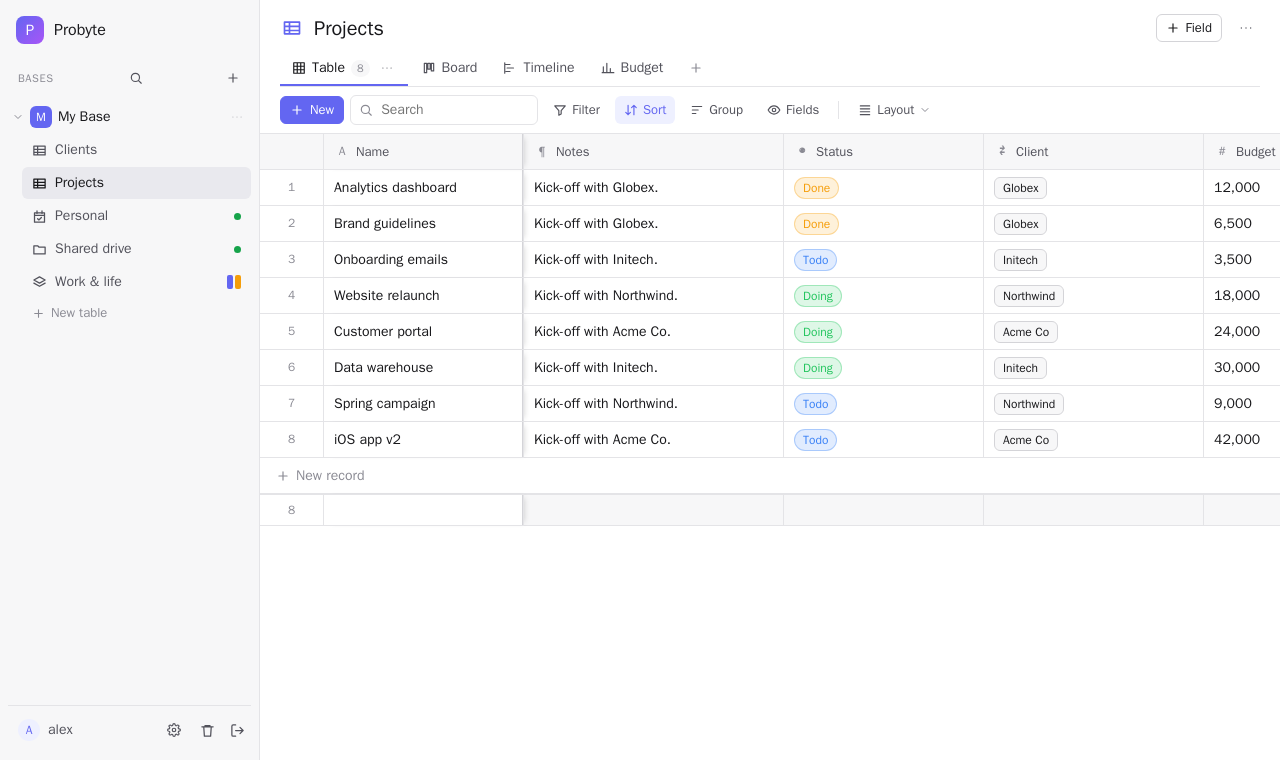 Table — links, lookups, formulas, a frozen title column Table — links, lookups, formulas, a frozen title column | 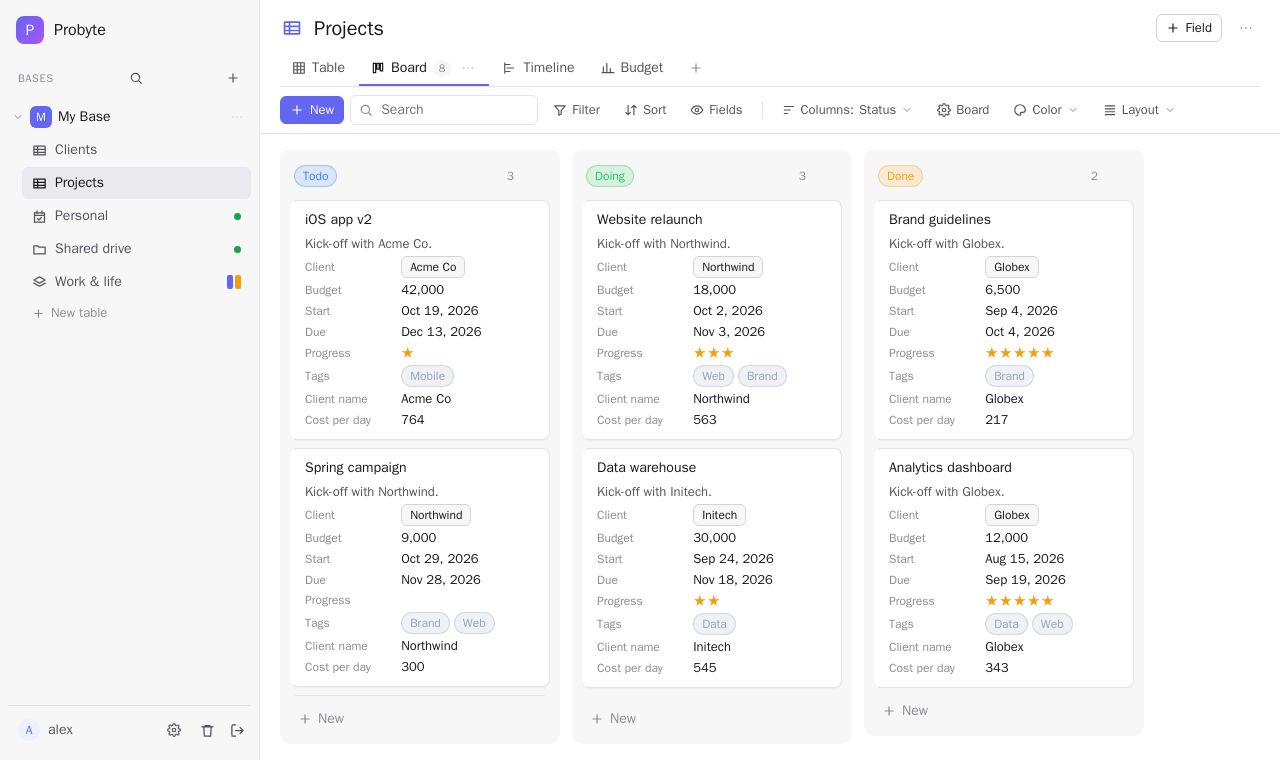 Board — drag cards between columns Board — drag cards between columns |
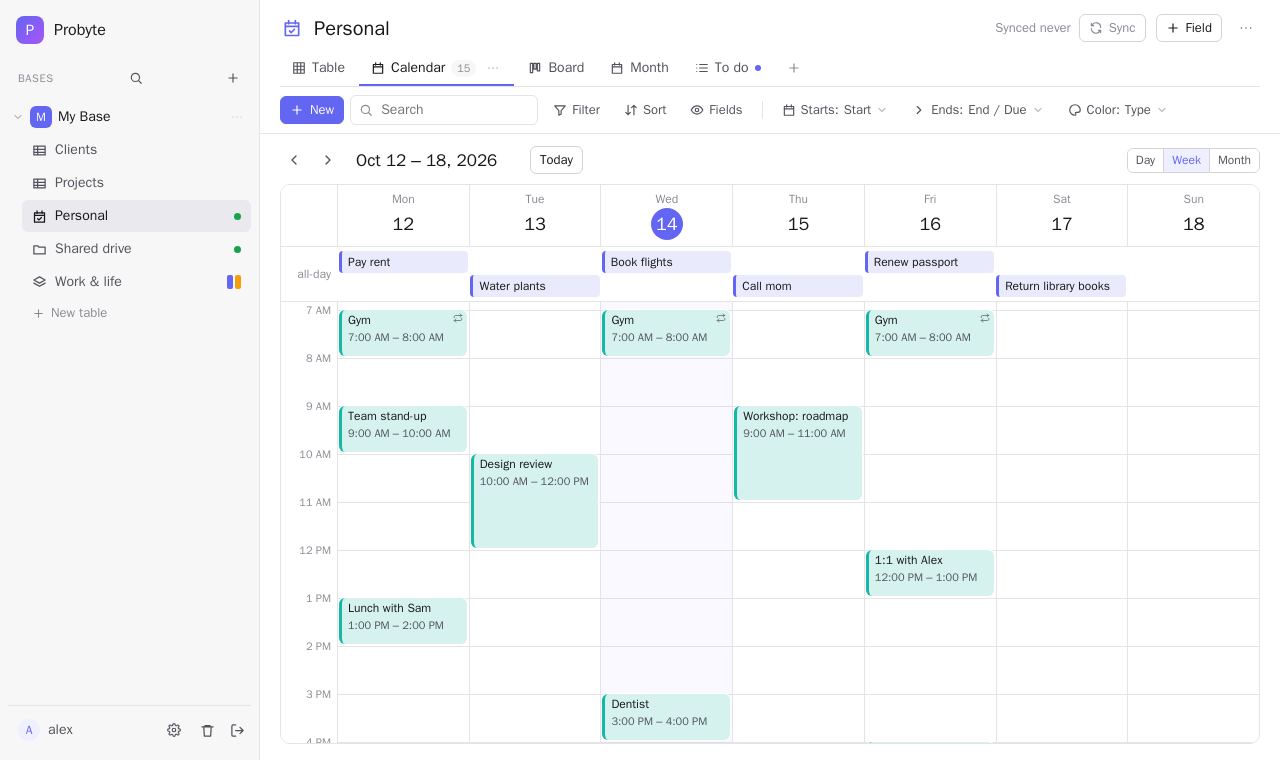 Calendar — tasks & events synced with your phone (week view) Calendar — tasks & events synced with your phone (week view) | 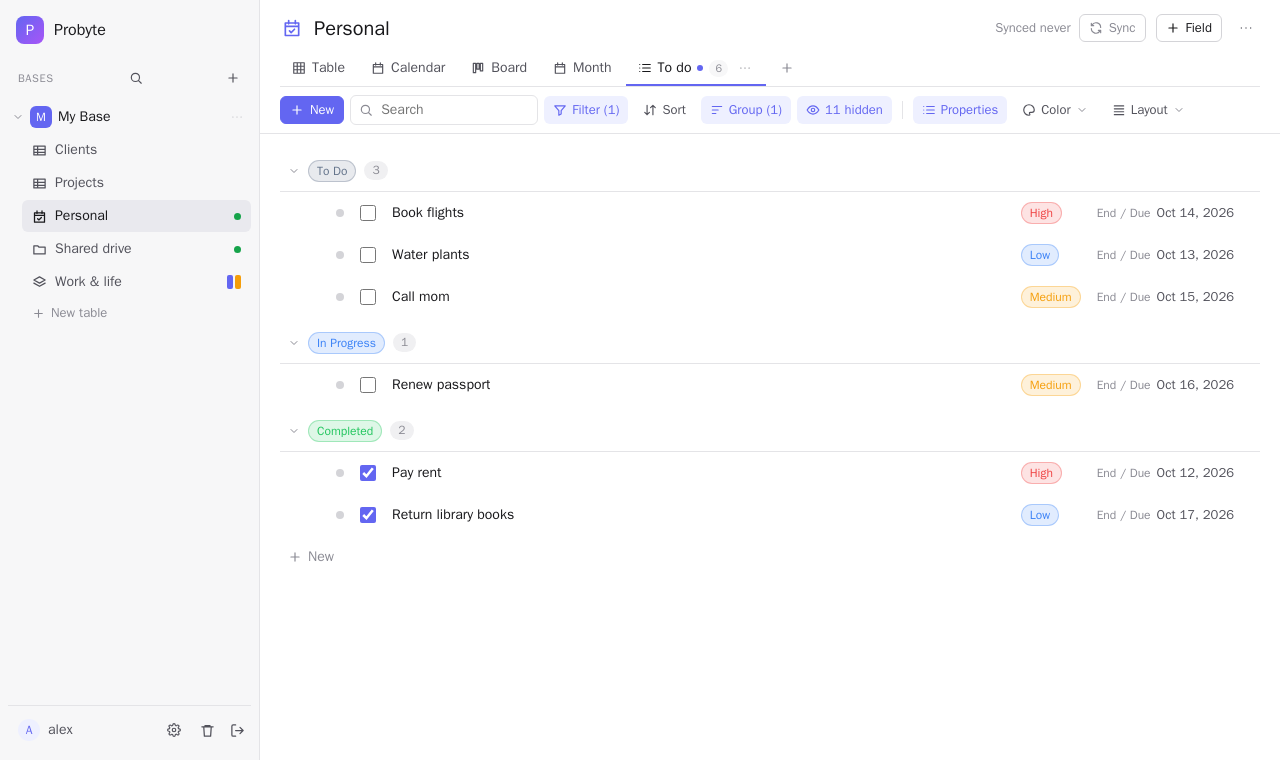 List — checkboxes first, grouped, columns that line up List — checkboxes first, grouped, columns that line up |
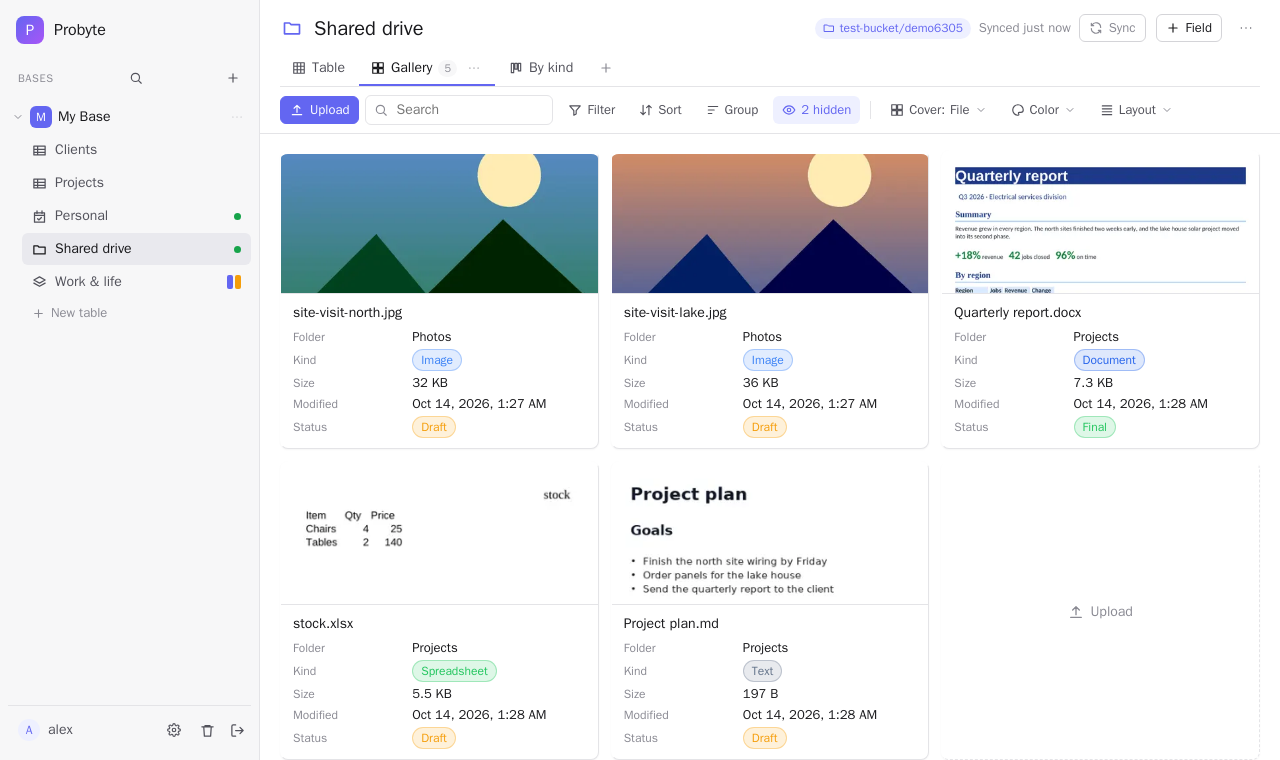 Files — an S3 bucket as a table, with cover images Files — an S3 bucket as a table, with cover images | 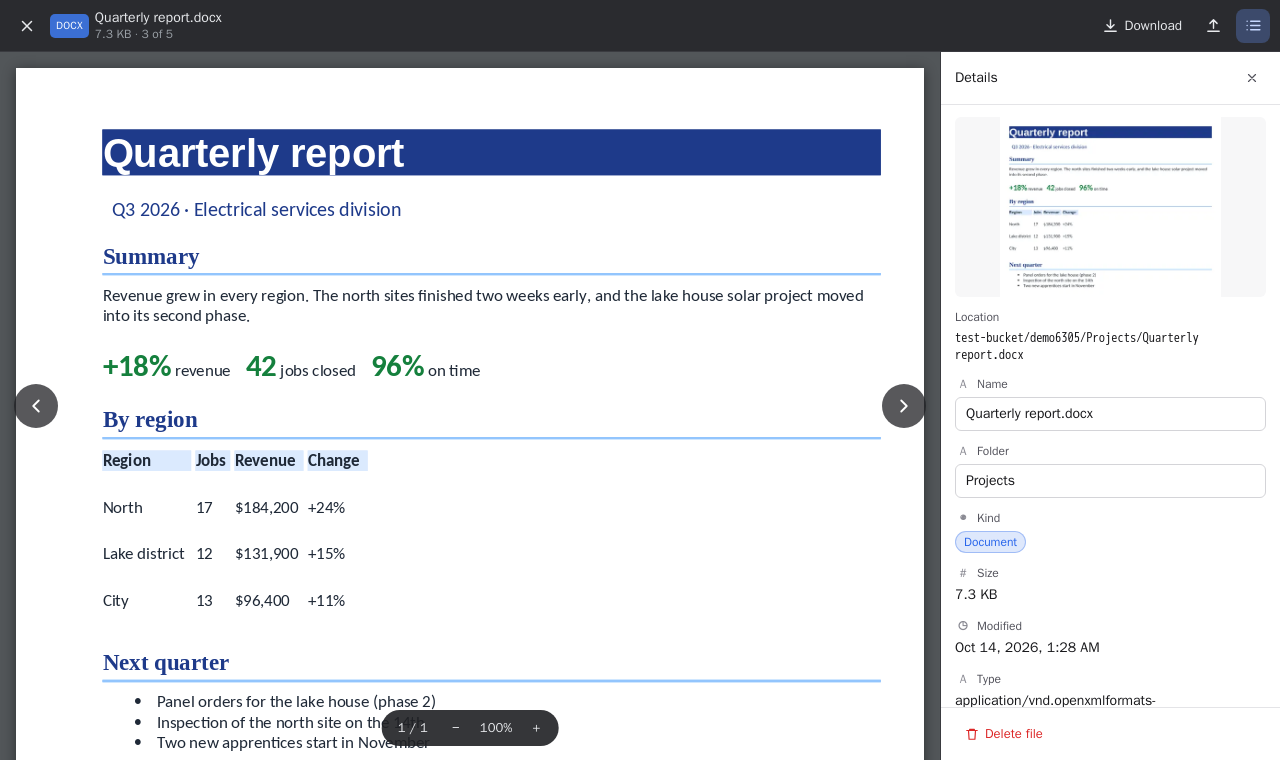 File viewer — Word, PDF, Excel and more, full screen File viewer — Word, PDF, Excel and more, full screen |
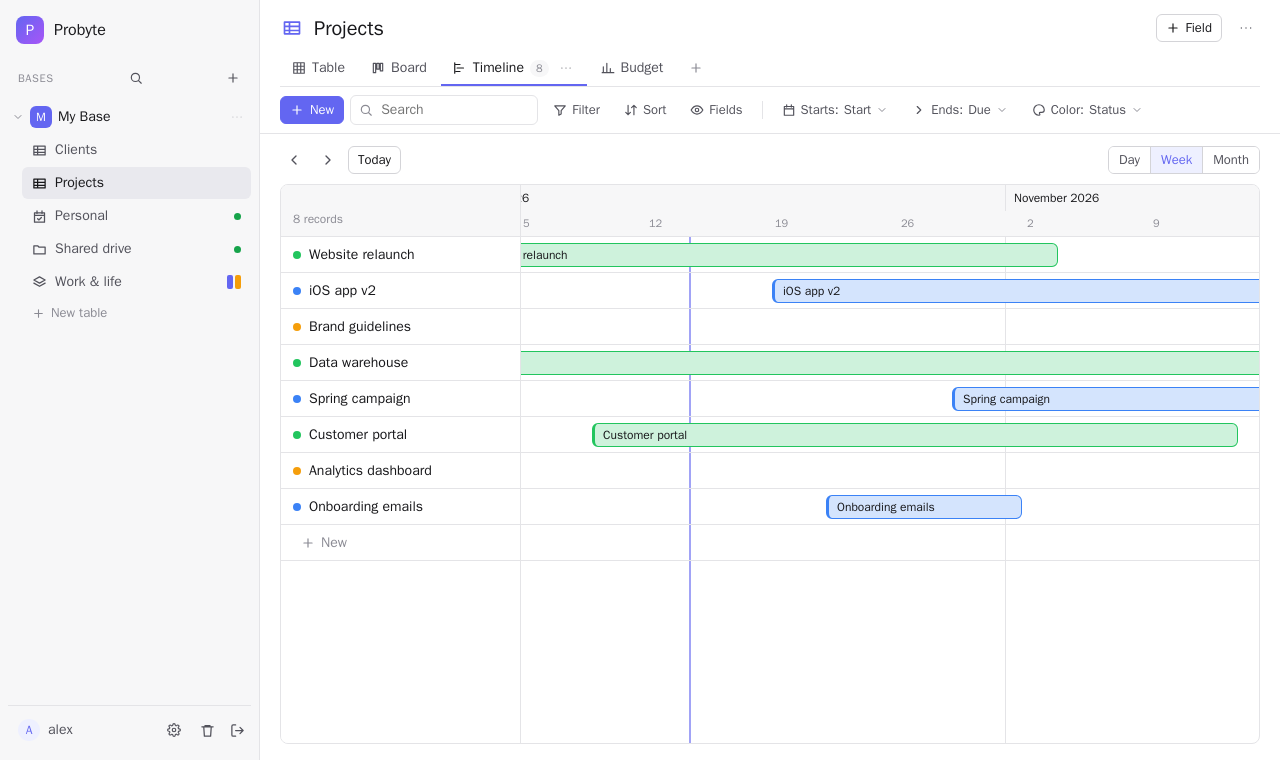 Timeline Timeline | 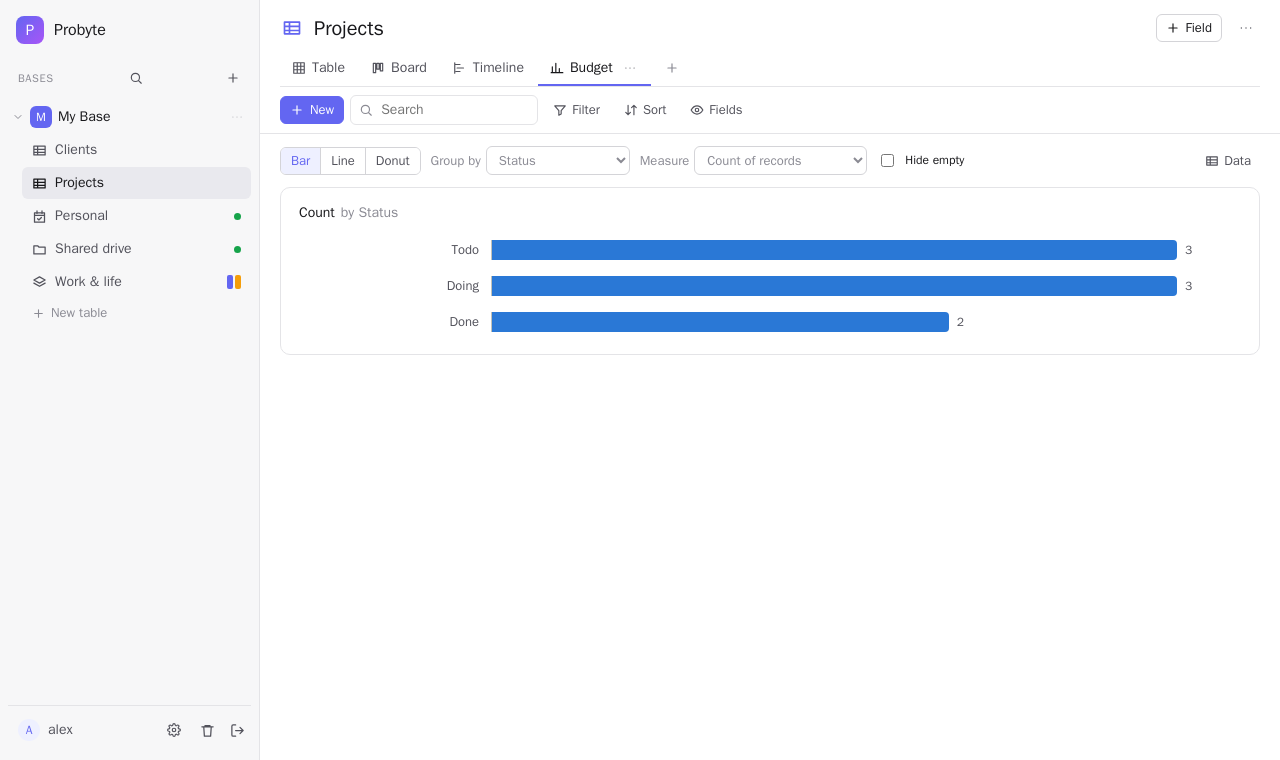 Chart Chart |
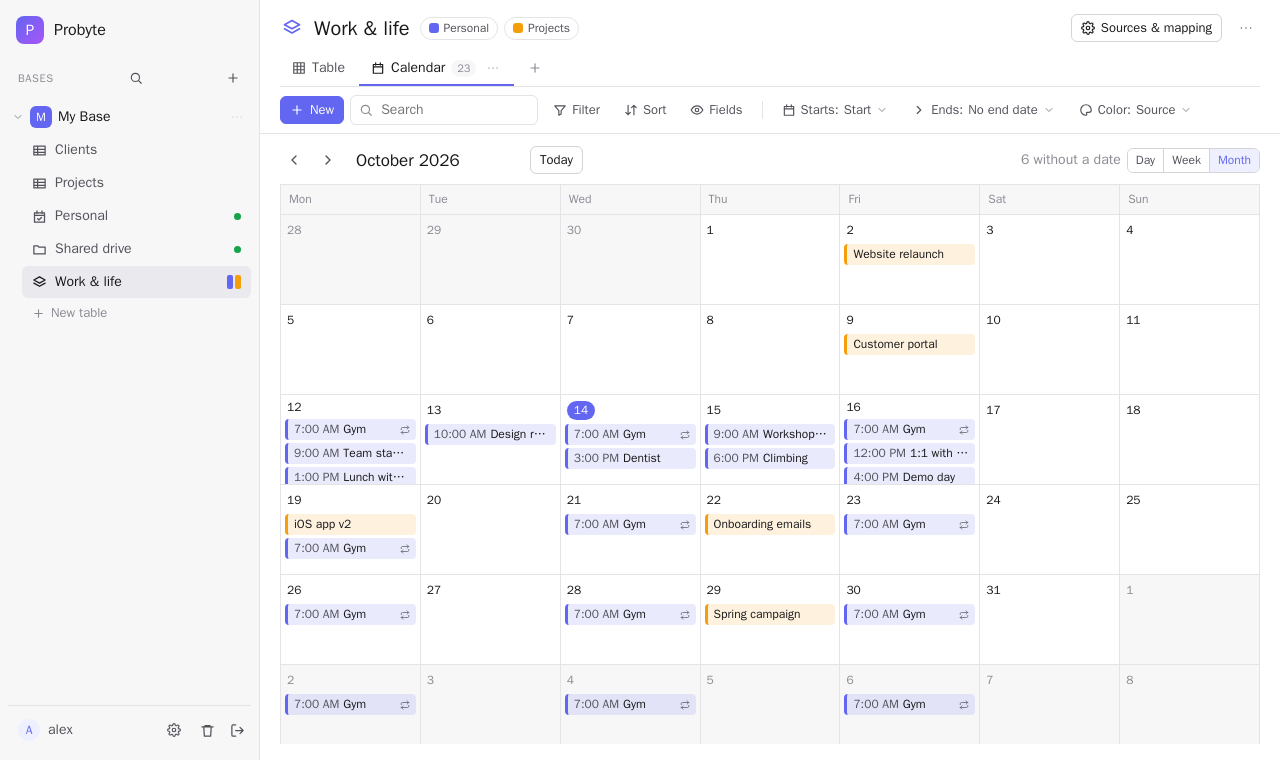 Combined database — several tables in one view, here as a calendar Combined database — several tables in one view, here as a calendar | 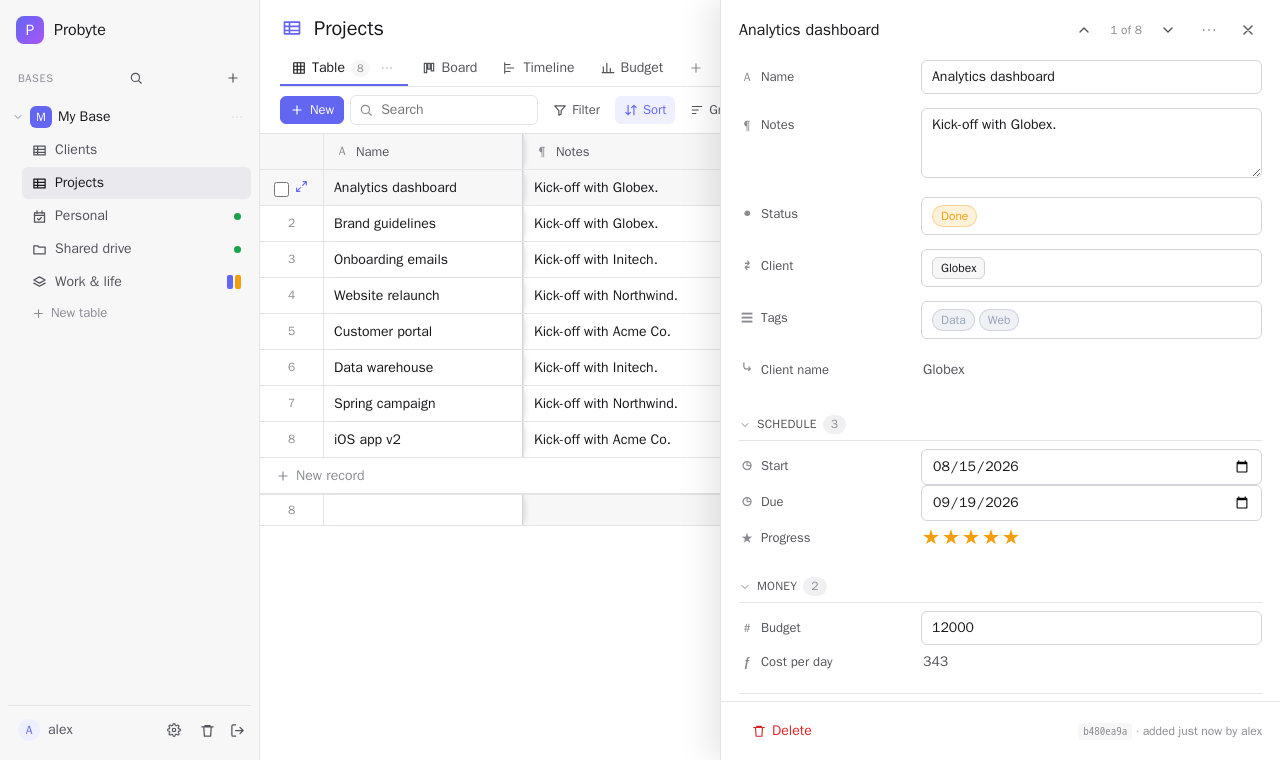 Record panel Record panel |
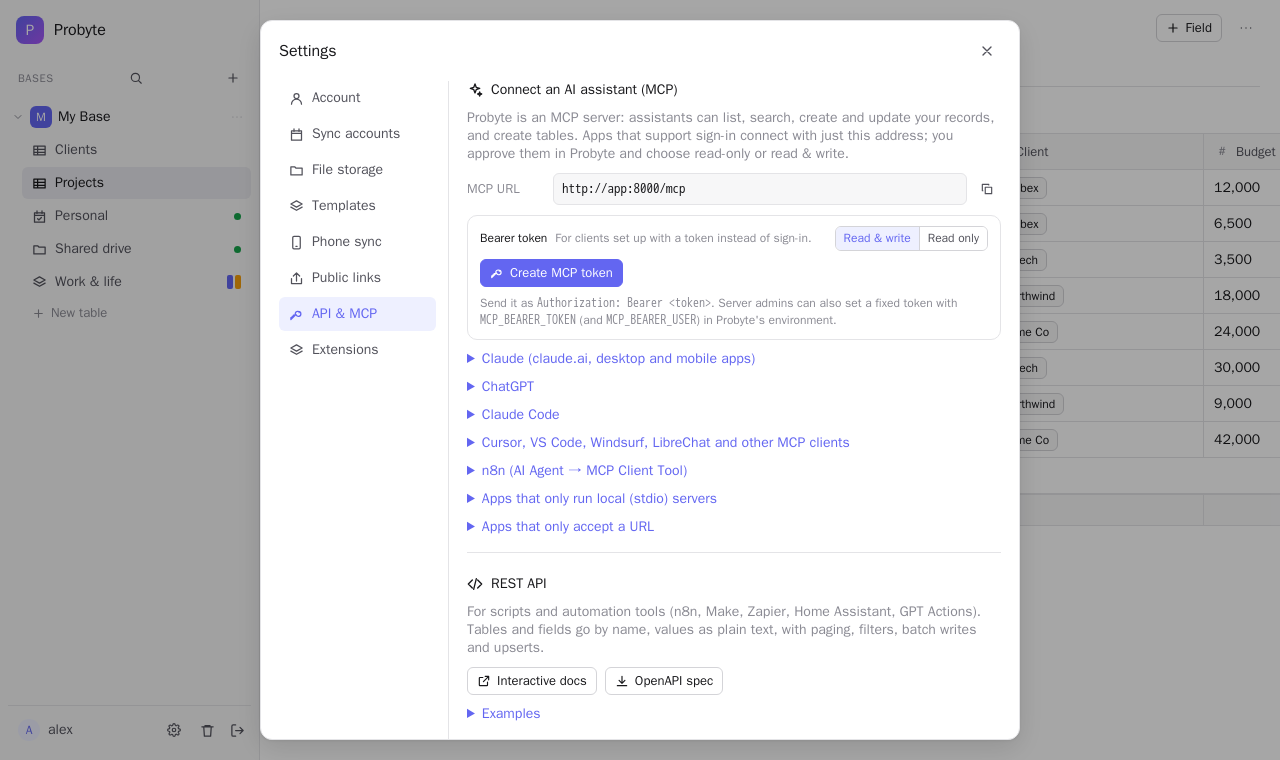 API & MCP — connect Claude and other assistants API & MCP — connect Claude and other assistants | 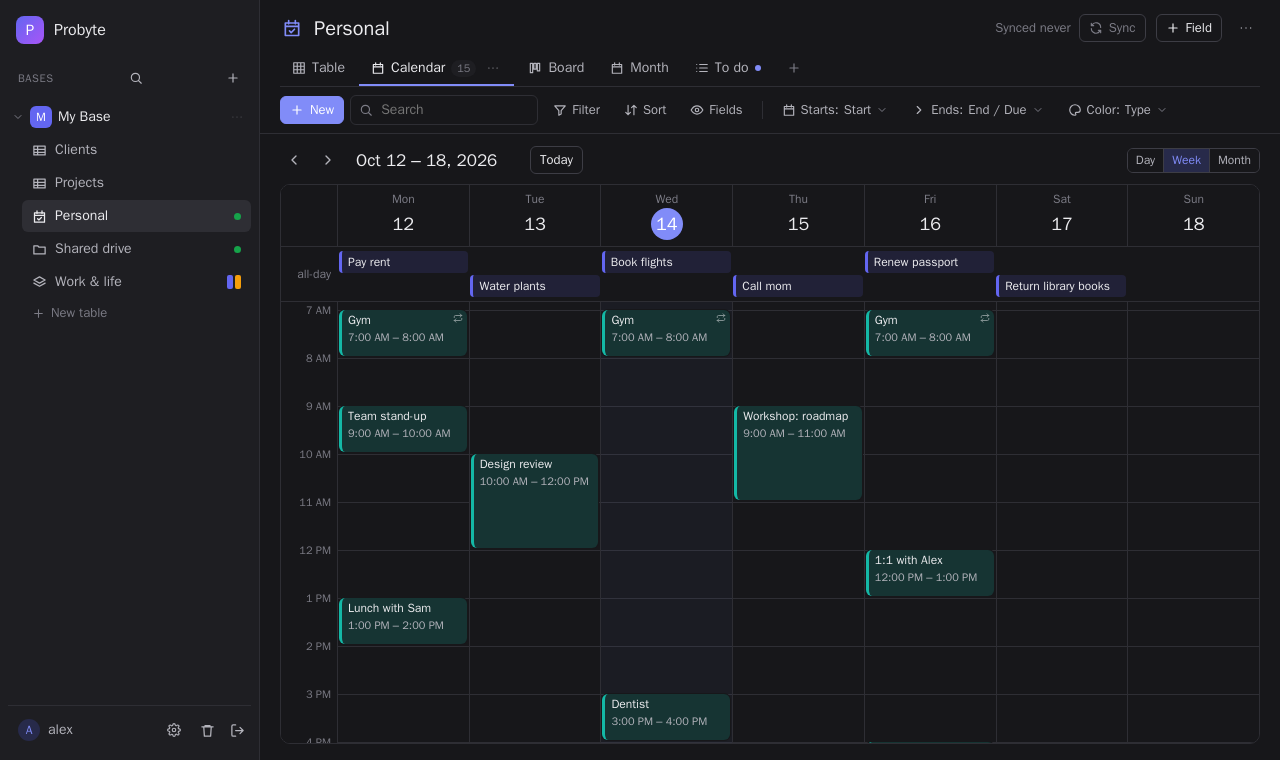 Dark mode Dark mode |
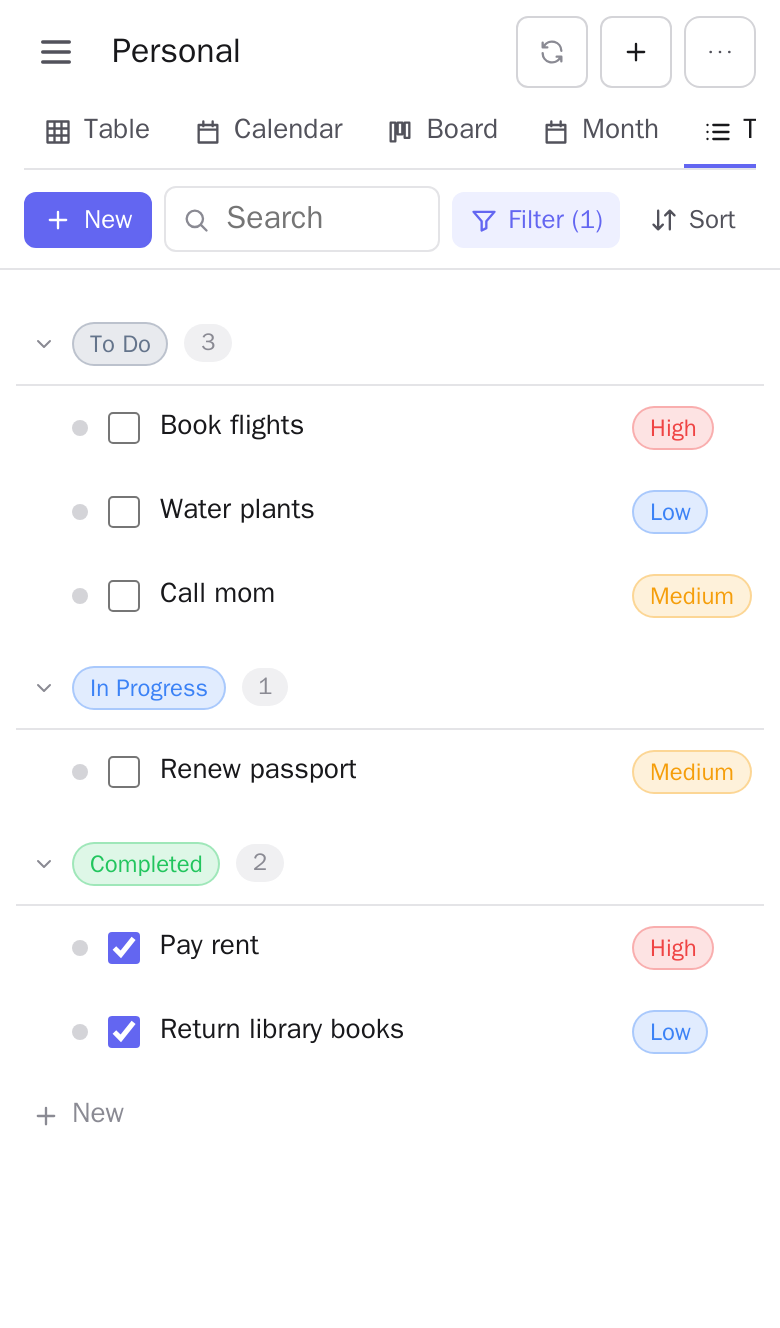
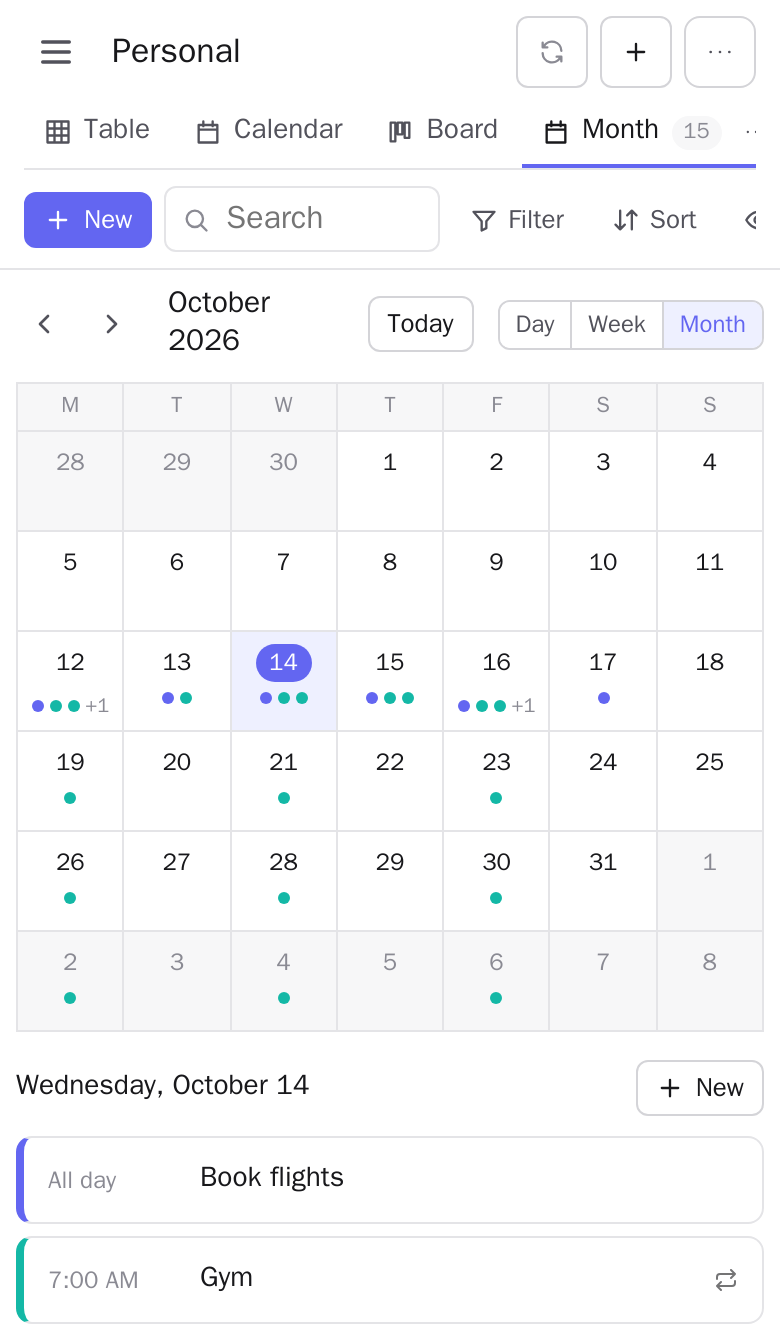
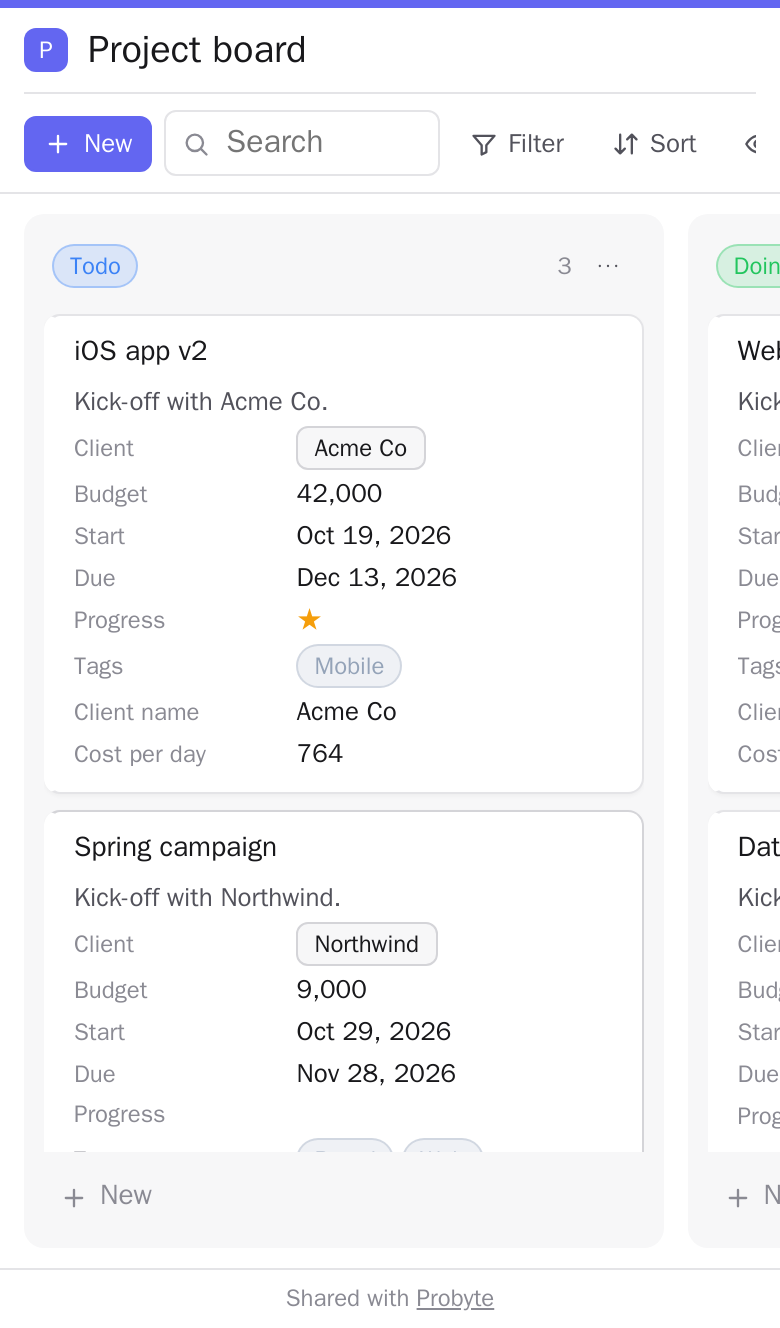
On a phone: a to-do list, the month with its agenda, and a public link anyone can open.

The pictures are made by scripts/test.sh screens from demo data on the test stack; run it again after UI changes.
More
The full documentation is in the README on GitHub. License: AGPL-3.0.
Tag summary
Content type
Image
Digest
sha256:45860b7dc…
Size
221.8 MB
Last updated
10 days ago
docker pull mpgithubcode/probyte