mrcryllix/watchdeck
Self-hosted Plex request and availability hub for Sonarr, Radarr, downloads, VO/VF tracking and grou
10K+
mrcryllix/watchdeck repository overview
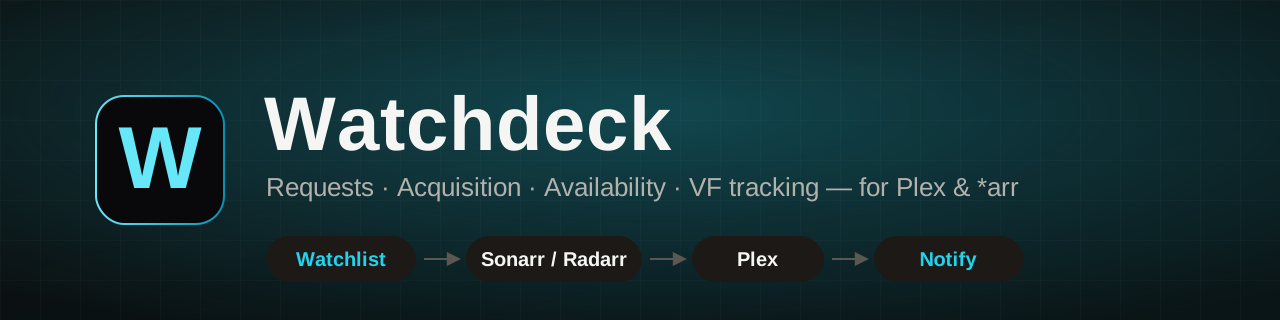



Watchdeck turns "someone requested a movie" into "it's playing in the right language" — without a spreadsheet.
It receives requests from Plex watchlists, RSS, its own API, Seerr, or its responsive web interface, follows the download through to import, confirms the title is actually in Plex, tracks VO/VF (dub) coverage per season/episode, and sends grouped notifications through email, Discord, Telegram, ntfy or Gotify.
Why not just Overseerr/Jellyseerr?
Those tools are great at the request front door and largely stop once Sonarr/Radarr picks the request up. Watchdeck stays involved for the whole trip: stuck-import detection, confirmed Plex availability, and per-episode audio-track (VF/VO) tracking before anyone gets notified. It has its own request intake (UI/API/watchlist), so Seerr integration is optional, not required.
It also supports Plex's Universal Watchlist RSS feed (Plex Pass): one admin-configured URL aggregates every friend's watchlist, so nobody has to sign into Watchdeck or generate a token just to get their requests picked up — unlike Overseerr/Jellyseerr, which need each user to authenticate at least once.
Highlights
- Plex API and RSS watchlist ingestion with fallback, including Plex Pass's Universal Watchlist (friends' watchlists, no per-user sign-in).
- Multiple Sonarr/Radarr instances and optional approval.
- Complete-series, selected-season and single-episode workflows.
- Import-block detection (flagged only after two consecutive checks) and manual matching tools.
- Plex library synchronization and season/episode-level VO/VF analysis.
- Grouped milestone notifications without one email per episode.
- Responsive desktop, tablet and mobile UI.
- PostgreSQL, Redis and an independent ARQ worker.
- Health endpoint, Prometheus metrics, backups and verified restore tooling.
The stack
Python 3.12 / FastAPI / SQLAlchemy 2 (async) / Alembic on the backend, Vue 3 + Vite on the frontend, ARQ over Redis for background jobs, PostgreSQL 15 as the system of record, Server-Sent Events (backed by Redis Streams) for real-time UI updates, and Fernet-encrypted secrets at rest. Same image runs both the API and the worker — only the container command changes.
Architecture
Plex watchlist / API / Seerr / UI
                 |
                 v
        Watchdeck API + Vue UI ---- PostgreSQL
                 |
               Redis
                 |
             ARQ worker
       /         |          \
   Plex     Sonarr/Radarr   Notifications
                    |
             Download clients
Required services
The same image is used for both the web/API service and the ARQ worker. A production deployment requires:
mrcryllix/watchdeck:latestfor the API;mrcryllix/watchdeck:latestwith the ARQ command for the worker;- PostgreSQL 15;
- Redis 7 with persistence.
Image tags
| Tag | Meaning |
|---|---|
latest | Last successful build from main. Moves on every merge — fine for personal instances, riskier for production since a bad merge ships immediately. |
vX.Y.Z | Built from a Git tag (git tag vX.Y.Z), immutable. Pin to one of these for a production deployment so an update is a deliberate docker compose pull after you've read the changelog, not an automatic drift. |
Images are published to both Docker Hub (mrcryllix/watchdeck) and GitHub Container Registry (ghcr.io/remi-deher/watchdeck) for the same tags. Only linux/amd64 is built at the moment — no arm64 image yet.
Docker Compose
The full, up-to-date Compose file — including the backup/restore profile, environment variables and volume layout — lives in the GitHub README. Rather than duplicate it here (and risk it drifting out of sync), the short version below covers just enough to get running; follow the README link for anything beyond the basics.
Create .env:
TZ=Europe/Paris
POSTGRES_DB=watchdeck
POSTGRES_PASSWORD=replace-with-a-long-random-password
WATCHDECK_ENCRYPTION_KEY=replace-with-a-fernet-key
ARQ_MAX_JOBS=4
ARQ_JOB_TIMEOUT=3600
Generate the encryption key with:
python -c "from cryptography.fernet import Fernet; print(Fernet.generate_key().decode())"
Grab docker-compose.yml from the repo (it targets the published image out of the box once you swap build: . for image: mrcryllix/watchdeck:latest, or pin it to a vX.Y.Z tag per the table above):
curl -O https://raw.githubusercontent.com/remi-deher/watchdeck/main/docker-compose.yml
Start the stack:
docker compose up -d
docker compose ps
Open http://localhost:8000 and follow the first-run wizard.
First-run checklist
- Create the owner account.
- Configure Plex and test the connection.
- Add Sonarr/Radarr instances, quality profiles and root folders.
- Synchronize Plex users.
- Configure and test at least one notification channel.
- Add Sonarr/Radarr/Plex webhooks for faster detection.
Update
docker compose pull
docker compose up -d
docker compose ps
docker compose logs --tail=100 api worker
Database migrations run when the API container starts.
Important data
- PostgreSQL data: named volume
pgdata. - Redis AOF data: named volume
redisdata. - Application data (encryption key, session key, image cache):
./data. - Encryption key:
WATCHDECK_ENCRYPTION_KEYin.env.
Back up both PostgreSQL and the encryption key. Losing the encryption key prevents Watchdeck from decrypting stored integration secrets.
Health checks
docker compose exec worker arq --check app.jobs.WorkerSettings
docker compose exec redis redis-cli ping
docker compose exec db pg_isready -U watchdeck -d watchdeck
- Health:
GET /api/health - Prometheus metrics:
GET /api/metrics/prometheus
Troubleshooting
apistuck "unhealthy" after an update, worker never starts: almost always a failed Alembic migration on container start. Checkdocker compose logs apifor the migration error before anything else — the worker'sdepends_on: service_healthymeans it won't even attempt to start while the API container is unhealthy.- Migration fails with "already exists" /
DuplicateTableon a retry: a previous start was interrupted mid-migration, leaving a partially-applied schema change without the migration being marked complete inalembic_version. See the full GitHub README troubleshooting section for the recovery steps. - Worker healthy but nothing processes: confirm
ENABLE_ARQ=1on both services and thatredis-cli pingsucceeds — a worker container with no queue connection reports healthy on its own check but silently drops jobs.
Documentation
Full documentation (English and French), backup/restore commands, migration instructions and development setup are available on GitHub.
Français
Watchdeck transforme « quelqu'un a demandé un film » en « il tourne dans la bonne langue », sans tableur. Il récupère les demandes depuis les watchlists Plex, l'API, Seerr ou son interface, les transmet à Sonarr/Radarr, surveille les téléchargements et imports, confirme la présence dans Plex, analyse la couverture VO/VF par saison/épisode et regroupe les notifications.
Le déploiement complet nécessite l'API, un worker ARQ utilisant la même image, PostgreSQL et Redis. Utilisez le fichier Compose ci-dessus, ouvrez http://localhost:8000, puis suivez l'assistant de première configuration.
Consultez le README GitHub pour la documentation complète en français, les sauvegardes et les restaurations.
Tag summary
Content type
Image
Digest
sha256:762b4ea73…
Size
85.4 MB
Last updated
about 15 hours ago
docker pull mrcryllix/watchdeck