msdeluise/plant-it-server
Self-hosted, open source gardening companion app
100K+
msdeluise/plant-it-server repository overview

Plant-it
Plant-it is a self-hosted gardening companion app.
Useful for keeping track of plant care, receiving notifications about when to water plants, uploading plant images, and more.
Why? • Features highlights • Quickstart • Support • Contribute
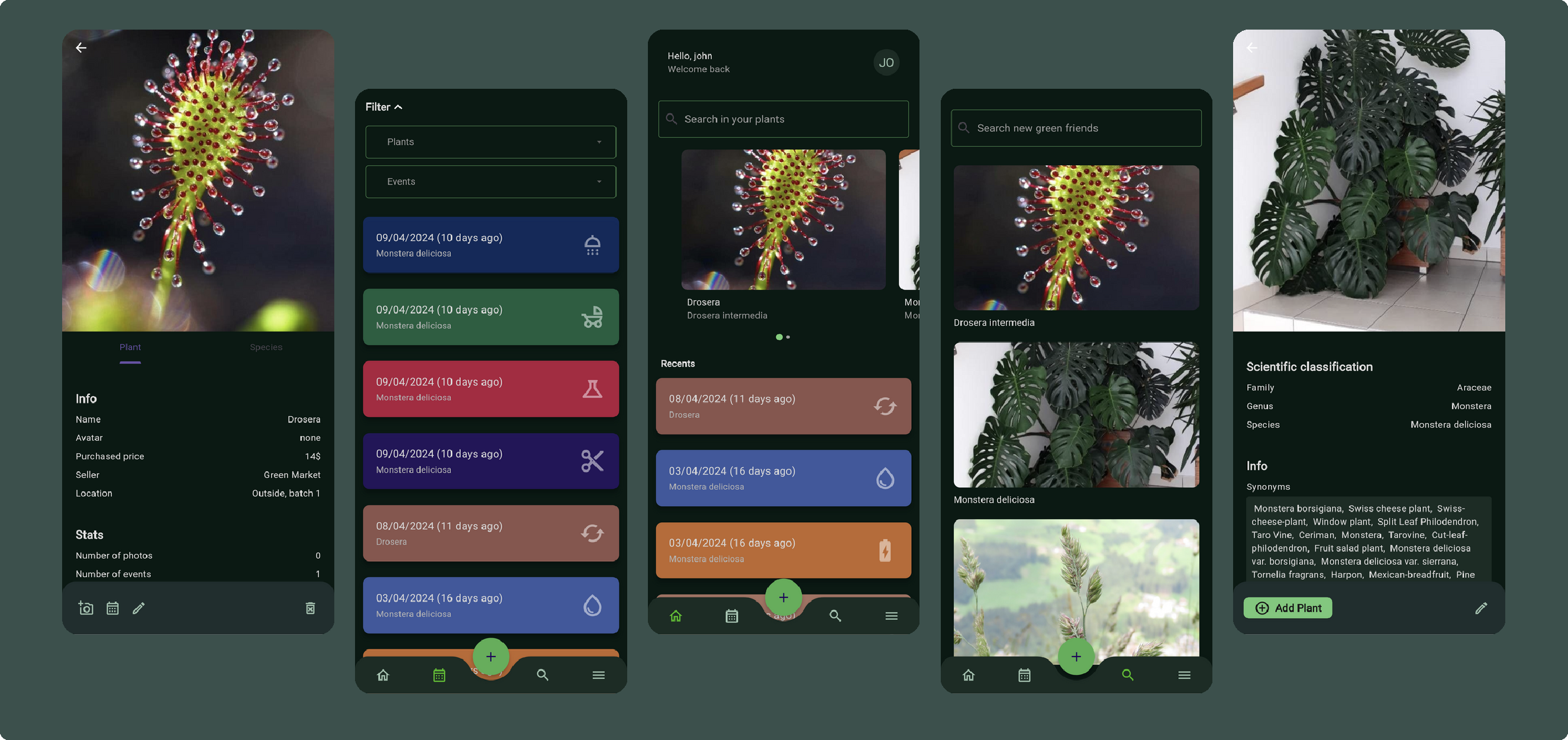
Why?
Plant-it is a gardening companion app that helps you take care of your plants.
It does not recommend you about which action to take, instead it is designed to logs the activity you are doing. This is on purpose, I strongly believe that the only one in charge of know when to water your plants, when to fertilize them, etc. is you (with the help of multiple online sources).
Plant-it helps you remember the last time you did a treatment of your plants, which plants you have, collects photos of your plants, and notify you about time passed since last action on them.
Features highlight
- Add existing plants using Trefle API or user created plants to your collection
- Log events like watering, fertilizing, biostimulating, etc. for your plants
- View all the logged events, filtering by plant and event type
- Upload photos of your plants
- Set reminder for some actions on your plants (e.g. notify if not watered every 4 days)
Quickstart
Installing Plant-it is pretty straight forward, in order to do so follow these steps:
-
Create a folder where you want to place all Plant-it related files.
-
Inside that folder, create a file named
docker-compose.ymlwith this content:version: "3" name: plant-it services: server: image: msdeluise/plant-it-server:latest env_file: server.env depends_on: - db - cache restart: unless-stopped volumes: - "./upload-dir:/upload-dir" - "./certs:/certificates" ports: - "8080:8080" - "3000:3000" db: image: mysql:8.0 restart: always env_file: server.env volumes: - "./db:/var/lib/mysql" cache: image: redis:7.2.1 restart: always -
Inside that folder, create a file named
server.envwith this content:# # DB # MYSQL_HOST=db MYSQL_PORT=3306 MYSQL_USERNAME=root MYSQL_PSW=root MYSQL_DATABASE=bootdb MYSQL_ROOT_PASSWORD=root # # JWT # JWT_SECRET=putTheSecretHere JWT_EXP=1 # # Server config # USERS_LIMIT=-1 UPLOAD_DIR=/upload-dir API_PORT=8080 TREFLE_KEY= LOG_LEVEL=DEBUG ALLOWED_ORIGINS=* # # Cache # CACHE_TTL=86400 CACHE_HOST=cache CACHE_PORT=6379 # # SSL # SSL_ENABLED=false CERTIFICATE_PATH=/certificates/ -
Run the docker compose file (
docker compose -f docker-compose.yml up -d), then the service will be available atlocalhost:3000, while the REST API will be available atlocalhost:8080/api(localhost:8080/api/swagger-ui/index.htmlfor the documentation of them).
Take a look at the documentation in order to understand the available configurations.
Support the project
If you find this project helpful and would like to supporting it, consider buying me a coffee. Your generosity helps keep this project alive and ensures its continued development and improvement.

Contribute
Feel free to contribute and help improve the repo.
Contributing Translations to the Project
If you're interested in contributing transactions to enhance the app, you can get started by following the guide provided here. Your support and contributions are greatly appreciated.
Bug Report, Feature Request and Question
You can submit any of this in the issues section of the repository. Chose the right template and then fill the required info.
Feature development
Let's discuss first possible solutions for the development before start working on that, please open a feature request issue.
How to contribute
If you want to make some changes and test them locally take a look at the documentation.
Tag summary
Content type
Image
Digest
sha256:23ddf8660…
Size
187.7 MB
Last updated
almost 2 years ago
docker pull msdeluise/plant-it-server