mtlynch/picoshare
A minimal, easy-to-host service for sharing images and other files.
1M+
mtlynch/picoshare repository overview
PicoShare






Overview
PicoShare is a minimalist service that allows you to share files easily.
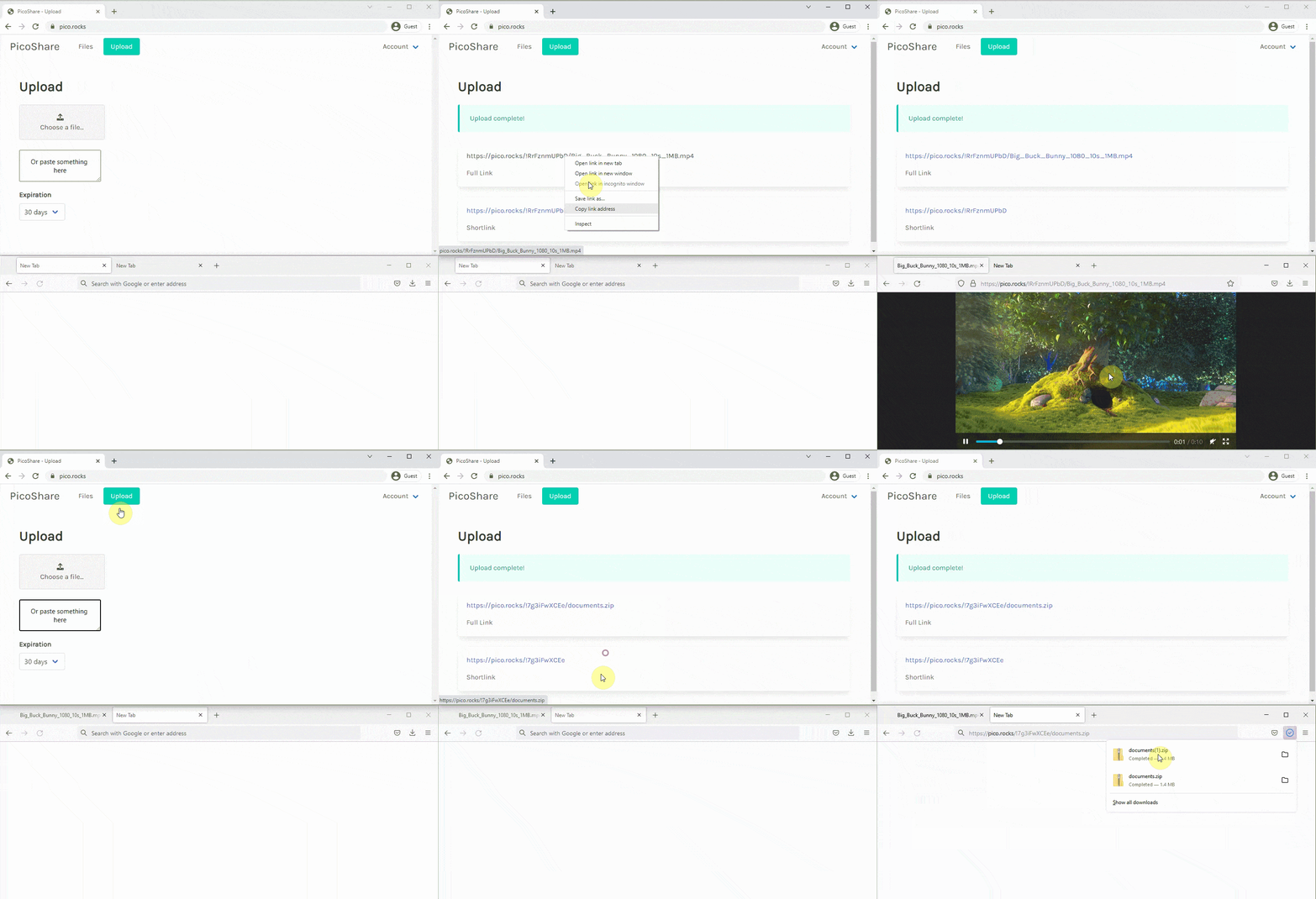
Why PicoShare?
There are a million services for sharing files, but none of them are quite like PicoShare. Here are PicoShare's advantages:
- Direct download links: PicoShare gives you a direct download link you can share with anyone. They can view or download the file with no ads or signups.
- No file restrictions: Unlike sites like imgur, Vimeo, or SoundCloud that only allow you to share specific types of files, PicoShare lets you share any file of any size.
- No resizing/re-encoding: If you upload media like images, video, or audio, PicoShare never forces you to wait on re-encoding. You get a direct download link as soon as you upload the file, and PicoShare never resizes or re-encodes your file.
Run PicoShare
From source
PS_SHARED_SECRET=somesecretpass PORT=3001 \
  go run main.go
From Docker
To run PicoShare within a Docker container, mount a volume from your local system to store the PicoShare sqlite database.
docker run \
  --env "PORT=3001" \
  --env "PS_SHARED_SECRET=somesecretpass" \
  --publish 3001:3001/tcp \
  --volume "${PWD}/data:/data" \
  --name picoshare \
  mtlynch/picoshare
From Docker + cloud data replication
If you specify settings for a Litestream-compatible cloud storage location, PicoShare will automatically replicate your data.
You can kill the container and start it later, and PicoShare will restore your data from the cloud storage location and continue as if there was no interruption.
PORT=3001
PS_SHARED_SECRET="somesecretpass"
LITESTREAM_BUCKET=YOUR-LITESTREAM-BUCKET
LITESTREAM_ENDPOINT=YOUR-LITESTREAM-ENDPOINT
LITESTREAM_ACCESS_KEY_ID=YOUR-ACCESS-ID
LITESTREAM_SECRET_ACCESS_KEY=YOUR-SECRET-ACCESS-KEY

docker run \
  --env "PORT=${PORT}" \
  --env "PS_SHARED_SECRET=${PS_SHARED_SECRET}" \
  --env "LITESTREAM_ACCESS_KEY_ID=${LITESTREAM_ACCESS_KEY_ID}" \
  --env "LITESTREAM_SECRET_ACCESS_KEY=${LITESTREAM_SECRET_ACCESS_KEY}" \
  --env "LITESTREAM_BUCKET=${LITESTREAM_BUCKET}" \
  --env "LITESTREAM_ENDPOINT=${LITESTREAM_BUCKET}" \
  --publish 3001:3001/tcp \
  --name picoshare \
  mtlynch/picoshare
Notes:
- Only run one Docker container for each Litestream location.
- PicoShare can't sync writes across multiple instances.
Parameters
Command-line flags
| Flag | Meaning | Default Value |
|---|---|---|
-db | Path to SQLite database | "data/store.db" |
Docker environment variables
You can adjust behavior of the Docker container by passing these parameters with docker run -e:
| Environment Variable | Meaning |
|---|---|
PORT | TCP port on which to listen for HTTP connections (defaults to 3001). |
LITESTREAM_BUCKET | Litestream-compatible cloud storage bucket where Litestream should replicate data. |
LITESTREAM_ENDPOINT | Litestream-compatible cloud storage endpoint where Litestream should replicate data. |
LITESTREAM_ACCESS_KEY_ID | Litestream-compatible cloud storage access key ID to the bucket where you want to replicate data. |
LITESTREAM_SECRET_ACCESS_KEY | Litestream-compatible cloud storage secret access key to the bucket where you want to replicate data. |
Docker build args
If you rebuild the Docker image from source, you can adjust the build behavior with docker build --build-arg:
| Build Arg | Meaning | Default Value |
|---|---|---|
litestream_version | Version of Litestream to use for data replication | 0.3.8 |
Deployment
PicoShare is easy to deploy to cloud hosting platforms:
Tag summary
Content type
Image
Digest
sha256:053fee7cb…
Size
17.3 MB
Last updated
5 months ago
docker pull mtlynch/picoshare