muojp/heaptrack repository overview
Heaptrack-Docker
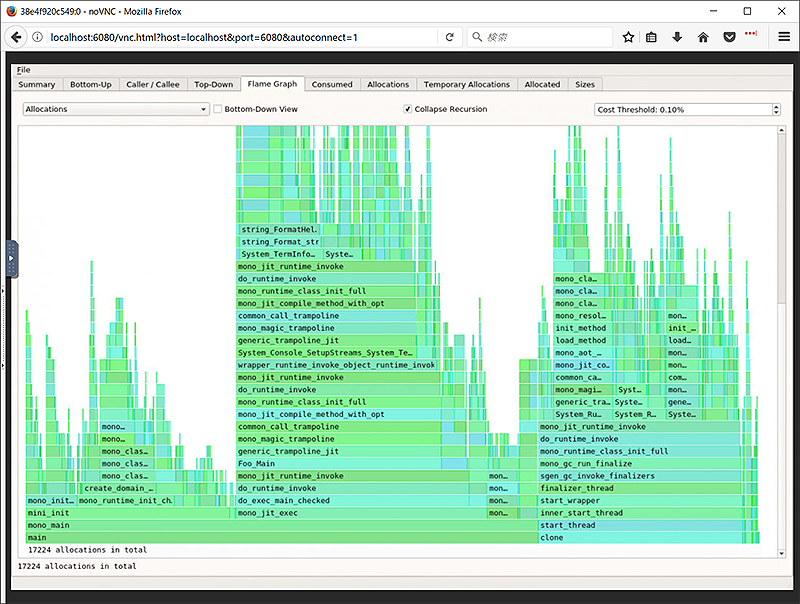
Summary
Extremely easy-to-use Heaptrack GUI Docker image. Heaptrack is a new heap profiler developed by @milianw based on concept of Valgrind/Massif but runs much faster, and comes with beautiful+strong visualizer.
Quick start
Pull Docker image and launch it
$ docker pull muojp/heaptrack
$ docker run --rm -it -p6080:6080 --volume /your/profiled/datadir:/data muojp/heaptrack
Access Heaptrack GUI using your Web Browser
Navigate to http://localhost:6080/
Browse profiling files by clicking the button at the riht end of "Profile Data" input box and perform analysis.
Exit
Type Ctrl+C into the Docker console to terminate running container.
概要
Heaptrackというヒーププロファイラで取得した情報を手軽にGUIで分析できるDockerイメージです。
Heaptrackは @milianw 氏がValgrind/Massifを参考にしつつ開発したもので、とても高速に動作します。 またHeaptrackツールセットに含まれるHeaptrack GUIは、取得したデータの強力なビジュアライズ機能を持ちます。
簡単な使い方
Dockerイメージをpullして起動する
$ docker pull muojp/heaptrack
$ docker run --rm -it -p6080:6080 --volume /your/profiled/datadir:/data muojp/heaptrack
WebブラウザからHeaptrack GUIへアクセスする
ブラウザで http://localhost:6080/ を開いてください。
"Profile Data"という入力欄の右側にあるボタンを押してファイル選択ダイアログを開き、対象のプロファイル結果ファイルを指定して分析をおこないます。
終了方法
Dockerのコンソール上でCtrl+Cを押すとコンテナを終了できます。
Tag summary
Content type
Image
Digest
Size
340.3 MB
Last updated
over 9 years ago
docker pull muojp/heaptrack