neoplanetz/hermes-desktop-docker
Turnkey Ubuntu XFCE desktop with Hermes AI agent for secure browser automation over VNC/RDP
1.6K
neoplanetz/hermes-desktop-docker repository overview
Hermes Agent Desktop





A turnkey Ubuntu 24.04 + XFCE4 desktop with Hermes Agent (Nous Research)
pre-installed for secure browser automation: a CDP-enabled Chrome runs on
the :1 display and Hermes' /browser drives it, while you watch and steer over
the web (NoVNC), VNC, or RDP. Runs with no extra privilege (docker compose up).
🔰 New to Docker or AI agents? Follow the step-by-step beginner's guide — no prior experience needed: 🇺🇸 English · 🇰🇷 한국어 · 🇨🇳 中文 · 🇯🇵 日本語
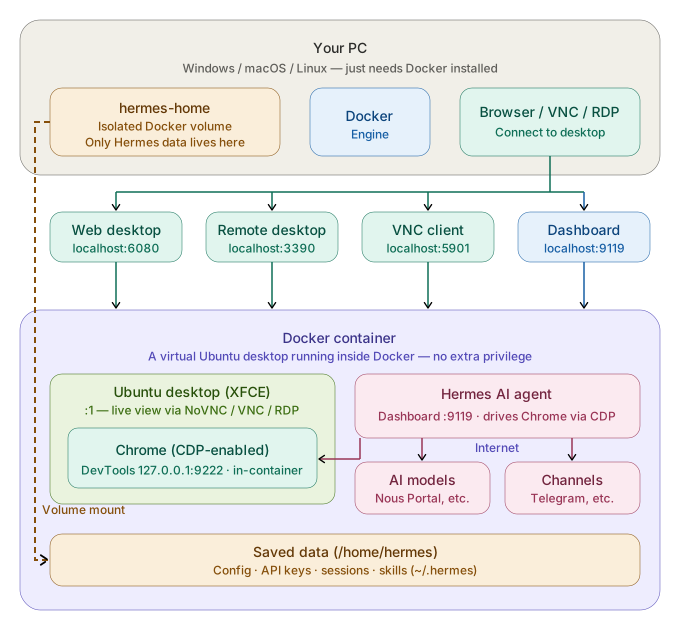
Architecture
See it in action
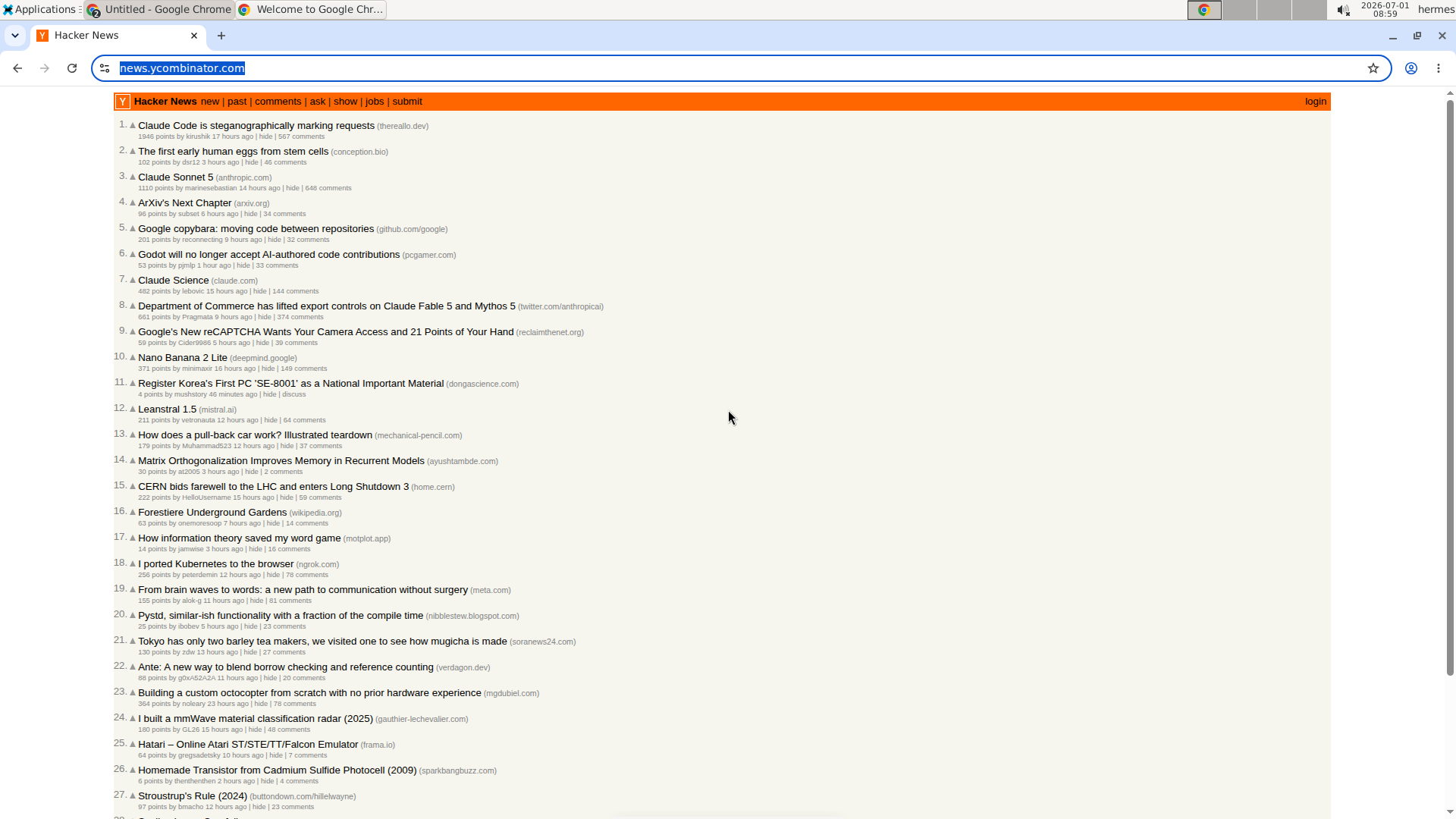
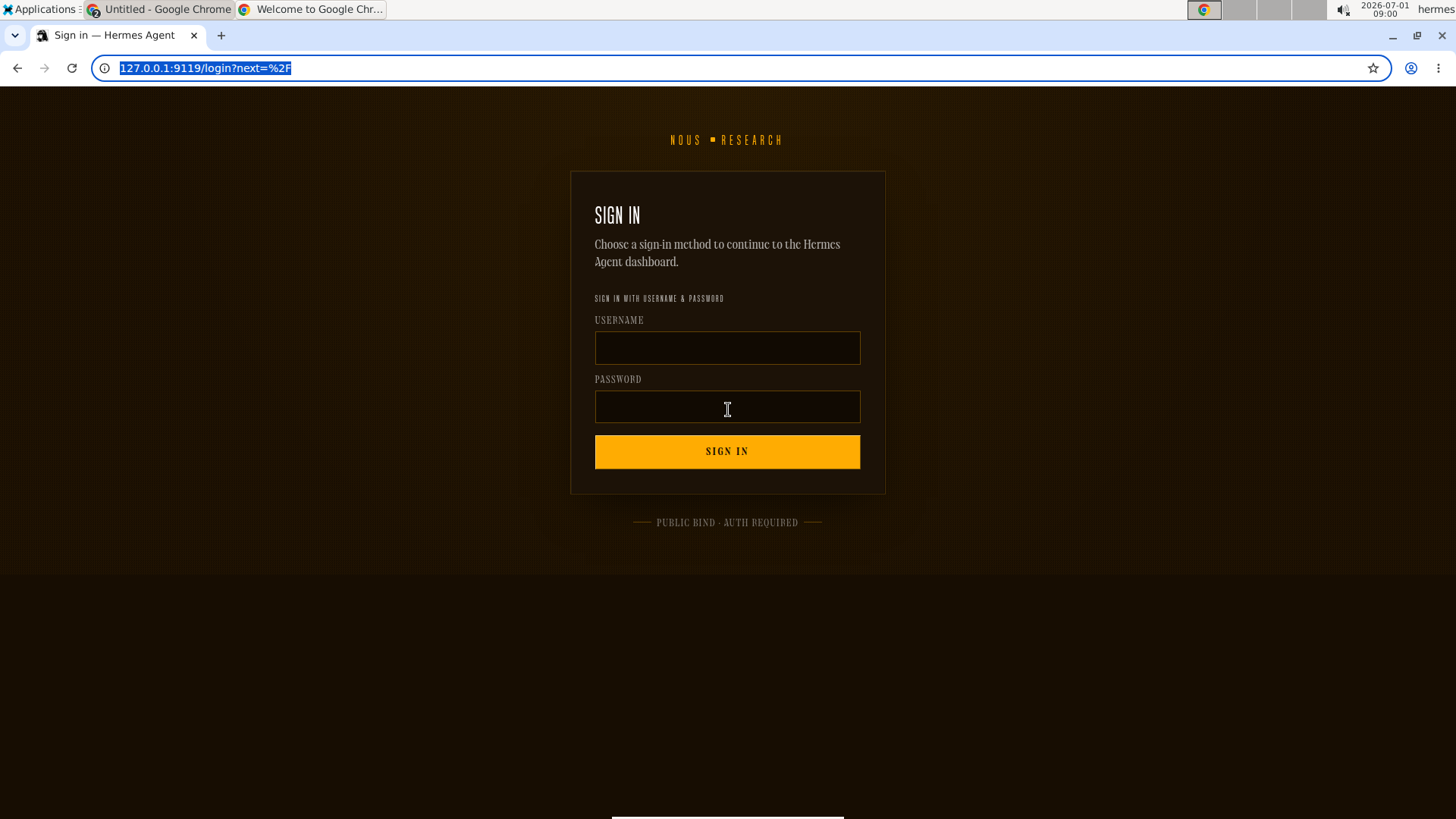
The bundled Chrome, driven over the Chrome DevTools Protocol (loopback-only), and the built-in Hermes dashboard — both watched and managed over NoVNC/RDP on the same desktop you connect to.
What's Included
| Component | Details |
|---|---|
| Base OS | Ubuntu 24.04 |
| Desktop | XFCE4 with CJK + emoji fonts |
| Remote access | TigerVNC + NoVNC (web), xRDP (Remote Desktop), raw VNC — all converge on the same :1 desktop |
| Browser automation | CDP-enabled Chrome (amd64) / Chromium (arm64), driven by Hermes /browser over CDP 127.0.0.1:9222 (in-container only) |
| Hermes Agent | Pre-installed & pinned; config pre-seeded; model/provider unset (set at runtime) |
| Dashboard | Web dashboard on :9119 — Status, Chat (TUI), Config, API Keys, Sessions, Skills, MCP, Logs, Cron, Channels (login required) |
| Desktop shortcuts | Hermes Setup, Hermes Dashboard, Hermes Terminal |
| Privilege | Runs with no extra privilege; CDP bound to loopback; scrypt-hashed dashboard auth |
Bundled Versions
| Package | Version |
|---|---|
| Hermes Agent | v0.17.0 (2026.6.19) — pinned commit dd0e4ab |
| Ubuntu | 24.04.4 LTS |
| XFCE4 | 4.18.3 |
| Google Chrome (amd64) | 149.0.7827.200 |
| Chromium (arm64) | latest from ppa:xtradeb/apps |
| Node.js | v22.23.1 |
| Python | 3.12.3 |
| TigerVNC | 1.13.1 |
| noVNC / websockify | 1.3.0 / 0.10.0 |
| xRDP | 0.9.24 |
Supported Architectures
| Platform | Browser | Status |
|---|---|---|
linux/amd64 | Google Chrome stable (CDP) | ✅ verified in CI |
linux/arm64 | Chromium from ppa:xtradeb/apps (CDP) | ✅ native-arm64 CDP verified in CI |
docker pull auto-selects the variant for your CPU via the multi-arch manifest.
Quick start (Docker Compose)
1. Create compose.yaml:
services:
  hermes-desktop:
    image: neoplanetz/hermes-desktop-docker:latest
    container_name: hermes-desktop
    environment:
      - HERMES_USER=${HERMES_USER:-hermes}
      - HERMES_PASSWORD=${HERMES_PASSWORD:-hermes123}
    ports:
      - "127.0.0.1:6080:6080"   # NoVNC (web desktop)
      - "127.0.0.1:5901:5901"   # VNC
      - "127.0.0.1:3390:3389"   # RDP (host 3390 -> container 3389)
      - "127.0.0.1:9119:9119"   # Dashboard
    volumes:
      - hermes-home:/home/${HERMES_USER:-hermes}
    shm_size: "2gb"
    restart: unless-stopped
    init: true

volumes:
  hermes-home:
    name: hermes-home
2. Create .env (next to compose.yaml) and change the defaults before exposing any port:
cat > .env <<'EOF'
HERMES_USER=hermes
HERMES_PASSWORD=hermes123
EOF
3. Start:
docker compose up -d
4. Open the dashboard at http://localhost:9119 and set a model + API key
in the API Keys tab (Nous Portal recommended), or run hermes setup from the
"Hermes Setup" desktop shortcut.
Verify (cosign)
Releases are keyless-signed with an SBOM + SLSA provenance attestation:
IMAGE=neoplanetz/hermes-desktop-docker:latest
ID='^https://github\.com/Neoplanetz/hermes-agent-desktop-docker/\.github/workflows/release\.yml@refs/tags/v'
IS=https://token.actions.githubusercontent.com
cosign verify "$IMAGE" --certificate-identity-regexp "$ID" --certificate-oidc-issuer "$IS"
Full instructions (SBOM + provenance): see "Verifying the image" in the repo README.
Compose parameters
| Field | Value | What it does |
|---|---|---|
image | neoplanetz/hermes-desktop-docker:latest | Published multi-arch image (linux/amd64 + linux/arm64); Docker pulls the variant matching your CPU automatically. Pin a version (:1.1.0) for reproducibility. |
environment · HERMES_USER | hermes | The single desktop account — also the RDP and dashboard username. |
environment · HERMES_PASSWORD | hermes123 | Password for VNC, RDP, and dashboard login. Change this before exposing any port beyond loopback. |
environment · HERMES_CDP_BROWSER | true | Optional. false skips launching the visible CDP Chrome at boot — Hermes /browser then has no endpoint until a CDP browser is started, so leave true unless you want a clean desktop. |
ports · 6080 | 127.0.0.1:6080:6080 | NoVNC web desktop (/vnc.html). Published to loopback only. |
ports · 5901 | 127.0.0.1:5901:5901 | Raw VNC for a native client. |
ports · 3390→3389 | 127.0.0.1:3390:3389 | RDP. xrdp listens on 3389 inside the container; published on host 3390 to avoid clashing with a local RDP service (e.g. gnome-remote-desktop). Connect clients to localhost:3390. |
ports · 9119 | 127.0.0.1:9119:9119 | Web dashboard — always requires login (scrypt-hashed auth). |
volumes | hermes-home:/home/${HERMES_USER} | Persists the user home (~/.hermes: config, API keys, sessions, skills). The mount path must match HERMES_USER. |
shm_size | 2gb | Chrome needs a large /dev/shm; the default 64 MB makes CDP automation crash. |
restart | unless-stopped | Brings the desktop back up after a host reboot or daemon restart. |
init | true | Runs a PID-1 reaper so the multi-process desktop shuts down cleanly. |
CDP port
9222is intentionally not published — Hermes attaches to Chrome on127.0.0.1:9222inside the container, so the automation port is never reachable from the host or LAN. That's the security model, not an omission.
Update to a new image
docker compose pull        # fetch the new image
docker compose up -d       # recreate against it
Alternative: docker run
docker run -d \
  --name hermes-desktop \
  -e HERMES_USER=hermes \
  -e HERMES_PASSWORD=hermes123 \
  -p 127.0.0.1:6080:6080 \
  -p 127.0.0.1:5901:5901 \
  -p 127.0.0.1:3390:3389 \
  -p 127.0.0.1:9119:9119 \
  -v hermes-home:/home/hermes \
  --shm-size=2g --init --restart unless-stopped \
  neoplanetz/hermes-desktop-docker:latest
The volume mounts
/home/hermesbecauseHERMES_USER=hermes. If you changeHERMES_USER, mount/home/<user>instead.
Access
| Surface | Address | Login |
|---|---|---|
| Web desktop (NoVNC) | http://localhost:6080/vnc.html | VNC password = HERMES_PASSWORD |
| Raw VNC client | localhost:5901 | HERMES_PASSWORD |
| RDP client | localhost:3390 | HERMES_USER / HERMES_PASSWORD |
| Web dashboard | http://localhost:9119 | HERMES_USER / HERMES_PASSWORD |
All three remote-desktop paths converge on the same :1 desktop, so the
agent's browser actions are visible no matter how you connect.
Default credentials are hermes / hermes123 —
change them before exposing any port beyond loopback.
What the agent can do
- Browser automation (CDP) — a CDP-enabled Chrome autostarts on
:1; Hermes/browserattaches over CDP (127.0.0.1:9222) so the agent reads and drives web pages while you watch. (Nativecomputer_usedesktop input is not supported under this VNC desktop — see the project README /docs/E2E-ACCEPTANCE.md.) - Dashboard — Status, Chat (embedded TUI), Config, API Keys, Sessions, Skills, MCP, Logs, Cron, Channels.
Configuration
HERMES_USER/HERMES_PASSWORD— desktop account, used for VNC/RDP and the dashboard login.- Per-user state persists in the
hermes-homeDocker volume (mounted at the user's home;~/.hermesholds config, sessions, skills). - Model/provider are unset by default — configure at runtime in the dashboard.
Security
- The dashboard binds
0.0.0.0inside the container but should be published to127.0.0.1:9119only (as shown above), and always requires login (scrypt-hashed password auth; no plaintext stored). LAN exposure is opt-in — change the port binding and use a strongHERMES_PASSWORD. - The VNC password and dashboard auth material are generated at container start (mode 600, in-container only) — never baked into the image.
Ports
| Port | Service |
|---|---|
6080 | NoVNC — web desktop (/vnc.html) |
5901 | VNC — direct client |
3390 → 3389 | RDP — Remote Desktop / Remmina (host 3390 → container 3389) |
9119 | Hermes web dashboard |
9222 | Chrome DevTools / CDP — in-container only, not published |
Links
- GitHub repository (source, issues, full README): https://github.com/Neoplanetz/hermes-agent-desktop-docker
- Beginner's guide: 🇺🇸 English · 🇰🇷 한국어 · 🇨🇳 中文 · 🇯🇵 日本語
- Hermes Agent (Nous Research): https://hermes-agent.nousresearch.com
- License: MIT — covers this repo's packaging (Dockerfile, scripts, configs, docs); Hermes Agent keeps its own Nous Research license.
Tag summary
Content type
Image
Digest
sha256:3e9751801…
Size
1.5 GB
Last updated
4 months ago
docker pull neoplanetz/hermes-desktop-docker