nerwander/pimon
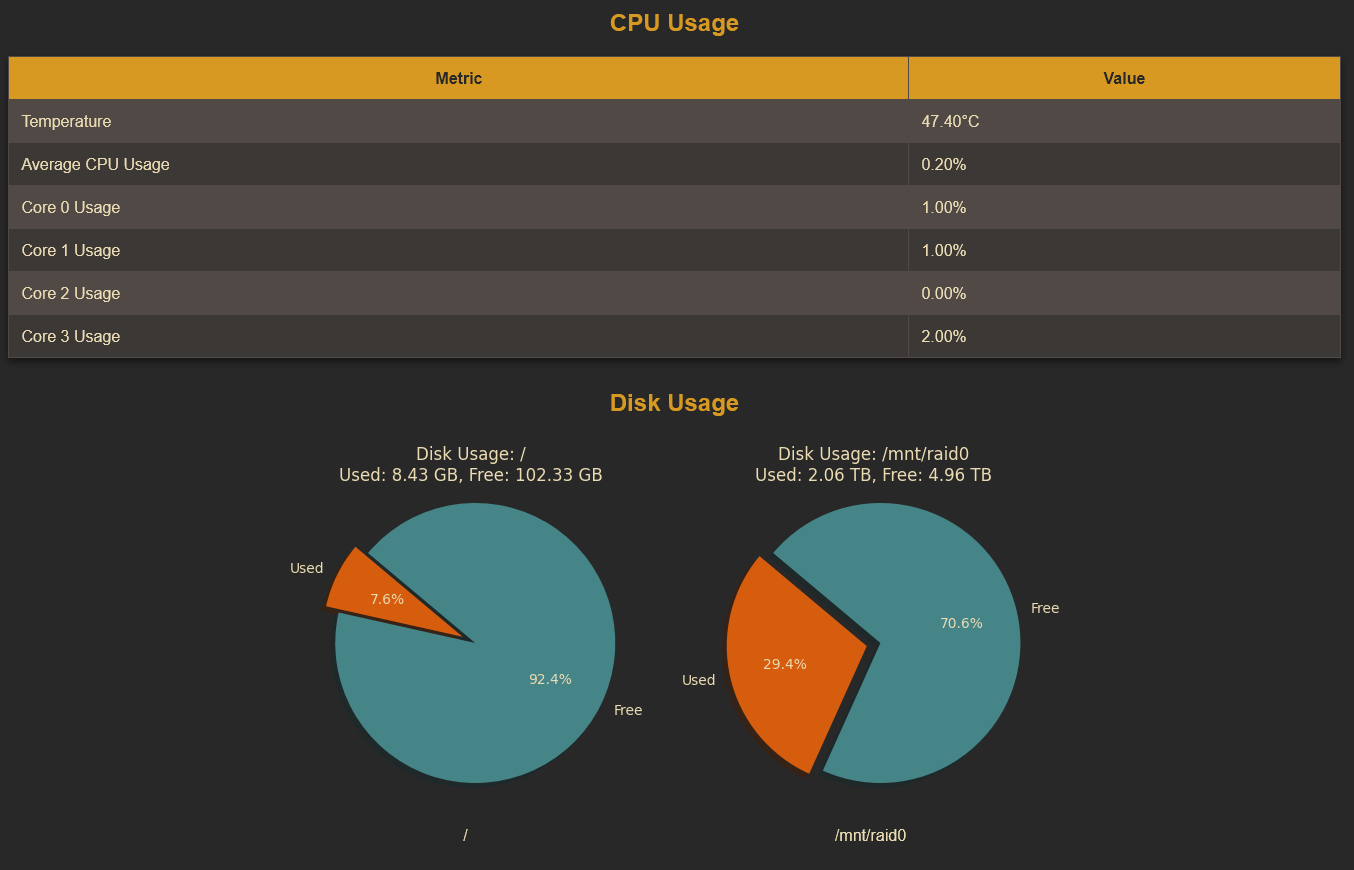
A simple container showing temperature, CPU utilisation and disk status of a Raspberry Pi
1.3K
nerwander/pimon repository overview
pimon
A very simple docker container for showing the temperature, CPU utilisation, memory and disk status of a Raspberry Pi requiring no prerequisites
Screenshot
Flask Web App Deployment Instructions (nerwander/pimon)
To Install the Docker Image from Docker Hub
To install and run the nerwander/pimon Flask web app from Docker Hub, follow these steps:
Prerequisites:
- Make sure Docker is installed on your machine. You can download Docker from the official website: Install Docker although for the Raspberry Pi 5, I found this guide to be the most helpful.
Pull the Docker Image
To pull the image from Docker Hub, open a terminal and run the following command:
docker pull nerwander/pimon:latest
Running the Container via Docker
Once the image is pulled, you can run the Flask web app in a container. However, there are a few things to note:
Volumes must be added for the disk status to work. You should mount any directories you want to check the disk usage for. Set the HOSTNAME environment variable to specify the hostname of your Raspberry Pi (or the system where the app is running).
Run the following command to start the container with the necessary volumes and environment variable, the disk usage will be shown for the mounted directories:
docker run -d -p 5000:5000 \
  -e HOSTNAME=<your_hostname> \
  -v /path/to/volume1:/volume1 \
  -v /path/to/volume2:/volume2 \
  nerwander/pimon:latest
Alternately, Running the Container via Docker Compose
If you prefer to deploy the application using Docker Compose, follow these steps:
Create a docker-compose.yml file in your project directory with the following content:
services:
  pimon:
    image: nerwander/pimon:latest
    ports:
      - "5000:5000"
    environment:
      - HOSTNAME=<your_hostname>
    volumes:
      - /path/to/volume1:/volume1
      - /path/to/volume2:/volume2
    restart: unless-stopped
Replace:
- <your_hostname> with your actual hostname.
- /path/to/volume1, /path/to/volume2, etc., with the paths to the volumes you want to monitor.
Start the Application
Run the following command to start the application using Docker Compose:
docker-compose up -d
This will start the Flask app and bind it to port 5000. You can access it at http://localhost:5000. Stop the Application
To stop the application, run:
docker-compose down
Alternately, Deploying the container via Portainer
If you prefer to use Portainer for managing Docker containers via a web interface, follow these steps: Prerequisites:
Install and run Portainer. You can find installation instructions at Portainer Documentation.
Steps to Deploy in Portainer:
-
Login to Portainer: Open your browser and go to http://localhost:9000 (or the IP address and port of the machine where Portainer is running).
-
Create a New Stack:
- Click on "Stacks" in the left sidebar.
- Click "Add stack".
-
Add the Docker Compose Configuration:
- In the "Name" field, give your stack a name (e.g., pimon).
- In the "Web editor" section, paste the following Docker Compose configuration:
services:
  pimon:
    image: nerwander/pimon:latest
    ports:
      - "5000:5000"
    environment:
      - HOSTNAME=<your_hostname>
    volumes:
      - /path/to/volume1:/volume1
      - /path/to/volume2:/volume2
    restart: unless-stopped
-
Replace:
- <your_hostname> with the actual hostname.
- /path/to/volume1, /path/to/volume2, etc., with the volumes you want to monitor.
-
Deploy the Stack:
- Click "Deploy the stack" to start the Flask app using Docker Compose through Portainer.
-
Once deployed, you can view the logs and manage the container directly from the Portainer interface.
Tag summary
Content type
Image
Digest
sha256:c6da7d02b…
Size
132.2 MB
Last updated
almost 2 years ago
docker pull nerwander/pimon