neyslim/ultimate-ca-manager
PKI/CA Management with SCEP, OCSP, ACME, CRL. WebAuthn, mTLS, multi-arch Docker.
50K+
neyslim/ultimate-ca-manager repository overview
Ultimate Certificate Manager


Web-based Certificate Authority management with PKI protocol support.
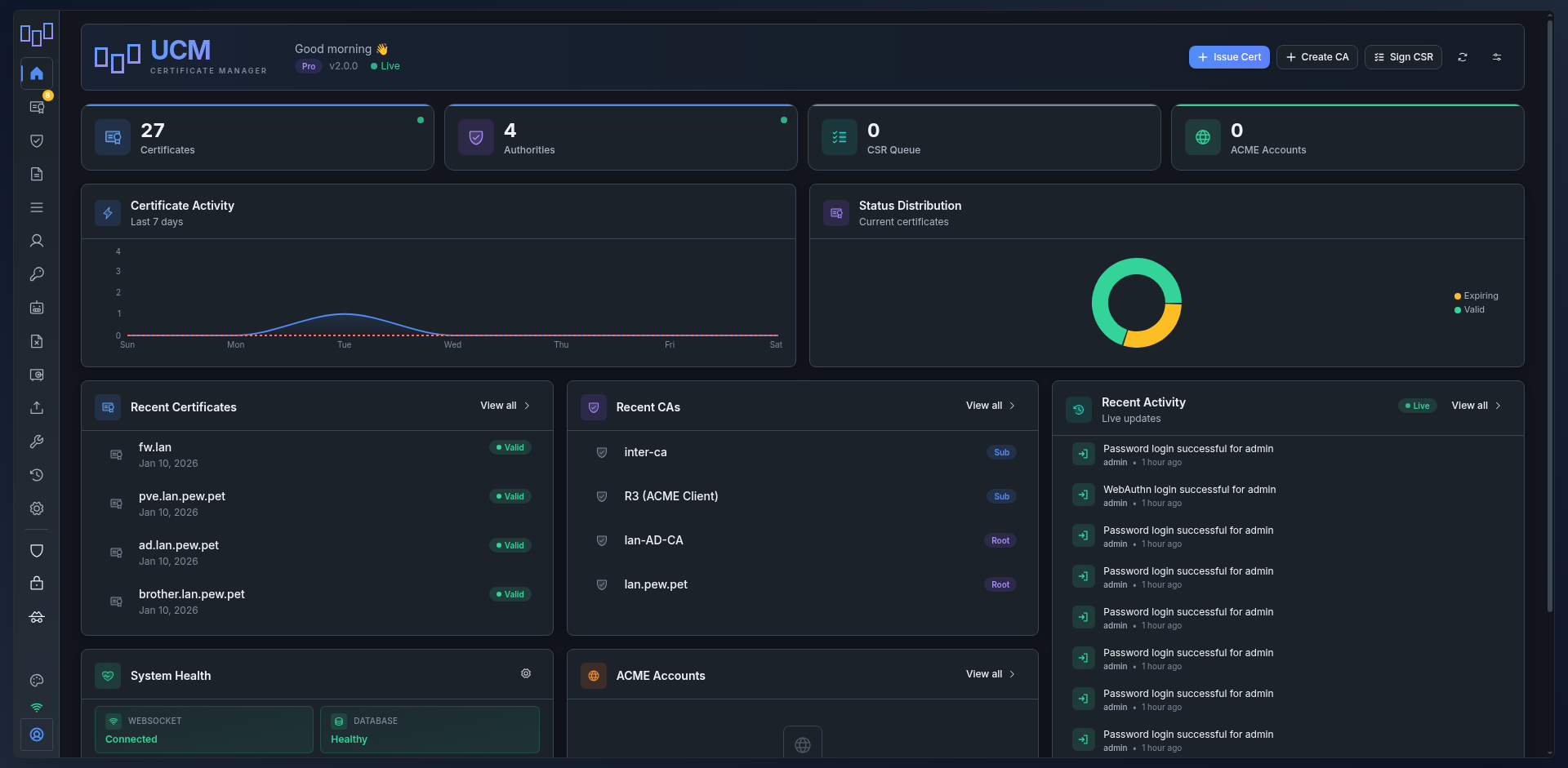
UCM manages the whole certificate lifecycle from a web UI: CA hierarchy, issuance and renewal, the protocols your clients already speak (ACME, SCEP, EST, OCSP, CRL, TSA), Windows autoenrollment, SSH certificates, and discovery of what is already deployed on your network.
Multi-arch: linux/amd64, linux/arm64
Quick Start
docker volume create ucm-data
docker volume create ucm-config

docker run -d \
  --name ucm \
  -p 8443:8443 \
  -p 8080:8080 \
  -v ucm-data:/opt/ucm/data \
  -v ucm-config:/etc/ucm \
  --restart unless-stopped \
  neyslim/ultimate-ca-manager:latest
Access: https://localhost:8443 Credentials: admin / changeme123, changed on first login.
Mount
/etc/ucm. It holdsmaster.key, which decrypts every private key in the database. The image declares it as a volume, so leaving it unmounted creates an anonymous one: recreate the container and the key is gone, along with any chance of reading the keys it protected.
Docker Compose
services:
  ucm:
    image: neyslim/ultimate-ca-manager:latest
    container_name: ucm
    ports:
      - "8443:8443"
      - "8080:8080"   # HTTP, for the public CRL/CDP and OCSP endpoints
    volumes:
      - ucm-data:/opt/ucm/data
      - ucm-config:/etc/ucm
    environment:
      - UCM_FQDN=ucm.example.com
    restart: unless-stopped

volumes:
  ucm-data:
  ucm-config:
Features
PKI core
- CA hierarchy -- Root and intermediate CAs, offline or HSM-backed keys, externally signed CAs, RFC 5280 name constraints, revocation of an intermediate from its parent
- Certificate lifecycle -- Issue, sign, renew in place, revoke with a reason, rename, export (PEM, DER, PKCS#12 with a legacy compatibility mode, JKS), bulk operations
- Policies and approvals -- Issuance policies with approval workflows, binding the issue form, CSR signing and renewal alike
- Conformance linting -- Per-certificate checks against RFC 5280 and the CA/Browser Forum Baseline Requirements
- Templates -- Server, client, code signing, email and Windows smartcard logon presets
- Discovery -- Network scanning with scan profiles and schedules, import of what it finds
- Trust store -- Trusted root CA certificates with expiry alerts
- Toolbox -- SSL checker, CSR and certificate decoder, key matcher, format converter
Protocols
- ACME -- RFC 8555 server with ARI (RFC 9773), External Account Binding, named certificate profiles, IP identifiers, CAA checking. Also an ACME client and a multi-CA proxy for public CAs
- Windows enrollment -- XCEP and WSTEP autoenrollment, or CSR signing through an existing Microsoft AD CS with template discovery and enroll-on-behalf-of
- SCEP -- RFC 8894, several named endpoints, each with its own CA, template, challenge and approval policy
- EST -- RFC 7030, including server-side key generation and CA labels
- OCSP -- RFC 6960, delegated responders, multi-certificate requests
- CRL/CDP -- Distribution with delta CRL, per-CA schedule, externally signed CRL upload for offline CAs
- TSA -- RFC 3161 timestamping with a dedicated signing certificate
- SSH CA -- User and host certificate signing, KRL revocation, setup scripts for Linux and Windows
Operations
- Deploy hooks -- Push an issued or renewed certificate to the host that serves it over SSH/SFTP, and run its reload command
- Key protection -- Private keys encrypted at rest, key archival and dual-control recovery under four eyes
- HSM -- SoftHSM included, PKCS#11, Azure Key Vault, Google Cloud KMS, OpenBao/Vault Transit
- Authentication -- Password, WebAuthn/FIDO2, TOTP, mTLS, API keys
- SSO -- LDAP/Active Directory, OAuth2 (Google, GitHub, Azure AD), SAML 2.0, with role mapping
- RBAC -- Four built-in roles plus custom roles, and groups that grant extra permissions
- Audit -- Tamper-evident log with hash chain verification and remote syslog forwarding
- Webhooks -- 15+ event types, durable delivery queue with retries and per-endpoint history
- Reports and alerts -- Scheduled PDF reports, SMTP notifications with OAuth2, expiry alerts at several thresholds
- Metrics -- Opt-in, bearer-gated Prometheus endpoint
- Backup -- Manual and scheduled encrypted backups with retention
- Interface -- Six themes, 9 languages, command palette, WebSocket live updates, responsive down to phone width
Architecture
| Component | Technology |
|---|---|
| Frontend | React 18, Vite, Radix UI |
| Backend | Python 3.13, Flask, SQLAlchemy |
| Database | SQLite by default, or native PostgreSQL |
| Server | Gunicorn + gevent WebSocket |
| Auth | Session cookies, WebAuthn/FIDO2, TOTP, mTLS |
Environment Variables
| Variable | Default | Description |
|---|---|---|
UCM_FQDN | ucm.local | Server FQDN, used in the URLs UCM advertises |
UCM_HTTPS_PORT | 8443 | HTTPS port |
UCM_HTTP_PORT | 8080 | Plain HTTP port for CRL/CDP and OCSP |
UCM_SECRET_KEY | generated | Session secret |
DATABASE_URL | unset | PostgreSQL DSN; SQLite is used when unset |
KEY_ENCRYPTION_KEY | unset | Encrypts private keys at rest, in place of the master.key file |
UCM_ACME_ENABLED | true | Enable the ACME server |
UCM_SMTP_ENABLED | false | Enable email notifications |
Tags
latest-- Latest stable release- Version tags (e.g.
2.230,2.231)
Release candidates are published under their own X.Y-rcN tag and never move latest.
Image Details
- Base:
python:3.13-slim-bookworm - User: non-root (
ucm) - Server: Gunicorn production WSGI
- Platforms: linux/amd64, linux/arm64
- Also on GHCR:
ghcr.io/neyslim/ultimate-ca-manager
Data Persistence
Two volumes, both needed:
| Path | Holds |
|---|---|
/opt/ucm/data | Database, CA files, issued certificates, backups, HTTPS certificate |
/etc/ucm | master.key, which decrypts the private keys in the database |
A backup of one without the other restores to an instance that cannot read its own keys.
Backup & Restore
# Backup, both volumes
docker run --rm -v ucm-data:/data -v ucm-config:/config -v $(pwd):/backup \
  alpine tar czf /backup/ucm-backup.tar.gz -C / data config

# Restore
docker run --rm -v ucm-data:/data -v ucm-config:/config -v $(pwd):/backup \
  alpine tar xzf /backup/ucm-backup.tar.gz -C /
UCM also takes its own encrypted backups, on a schedule, from Settings > Backup. Those carry the key material they need and are restored from the interface.
Migration Between Hosts
# Source
docker stop ucm
docker run --rm -v ucm-data:/data -v ucm-config:/config -v $(pwd):/backup \
  alpine tar czf /backup/ucm-move.tar.gz -C / data config
scp ucm-move.tar.gz user@new-host:~/

# Destination
docker volume create ucm-data && docker volume create ucm-config
docker run --rm -v ucm-data:/data -v ucm-config:/config -v $(pwd):/backup \
  alpine tar xzf /backup/ucm-move.tar.gz -C /
# then start the container as usual
Documentation
License
BSD 3-Clause License with Commons Clause.
Tag summary
Content type
Image
Digest
sha256:db77305f6…
Size
330.2 MB
Last updated
7 days ago
docker pull neyslim/ultimate-ca-manager