nickrabit/stremio-offline
Self-hosted Stremio addon client with streaming, offline downloads and personal media libraries.
10K+
nickrabit/stremio-offline repository overview
Stremio Offline
Your Stremio addons and media library, on your own server.
Stremio Offline is a self-hosted web client for standard Stremio addons. Browse catalogs, play streams, save media for later, and manage your local libraries from a browser on your computer, phone or tablet. Run it on a Synology NAS, a home server or a Linux machine; FFmpeg is included in the image.
This is an independent project, not affiliated with Stremio or Smart Code Ltd. No media content is included. Connect only sources and accounts you have the right to use.
Video tours

Watch the 77-second tour on YouTube: browse an addon catalog, save a film to the server, and play it from the local library. The tour also shows the responsive phone interface. It uses CC BY Blender Foundation open movies; no media or demo addon is included with the app.

One Film, Three Screens (2:18) follows a search, a poster and a stream through the home server. See how a TV can play the original file, a phone can receive a hardware-encoded stream over VPN, and a laptop can queue a download into the NAS library.
Features
- Standard Stremio catalog, stream and subtitle addons.
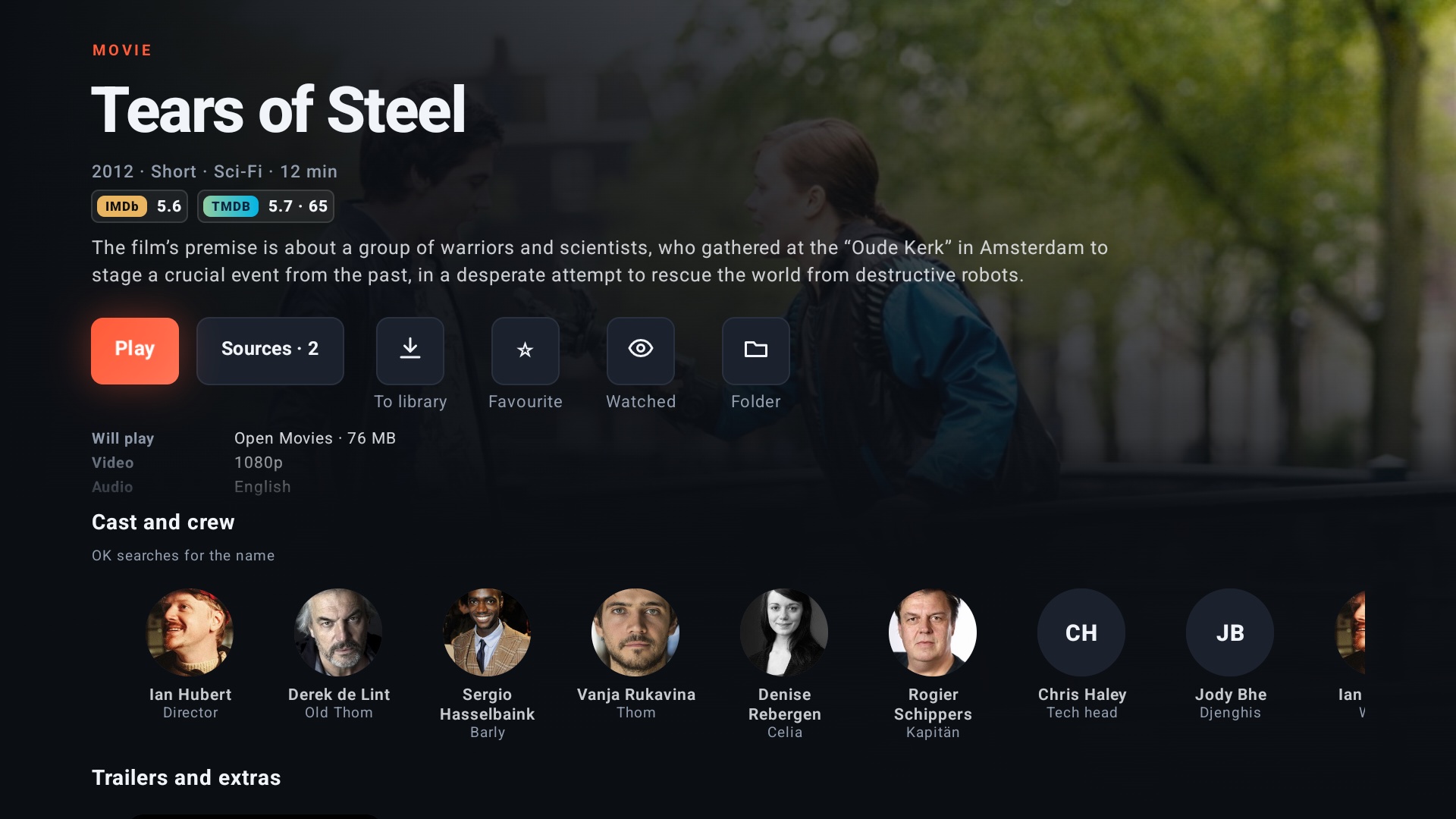
- A rich title detail: ratings, age rating, cast and crew with photos, trailers, similar titles and exactly what will play; episodes and progress for a series. Photos and similar titles need a TMDB key.
- Direct playback, remuxing and FFmpeg transcoding, with Intel QuickSync and VAAPI on compatible Linux hosts.
- Audio tracks, embedded subtitles and subtitle addons.
- Chapter navigation, badges for the playing video/audio, intro/recap/credits skipping and a configurable Up next point on web, desktop and Android TV.
- Persistent downloads with resume support, disk-space handling and save rules.
- Prepare and download a season or a whole show from a title detail, including Jellyfin/Emby series, on the web and Android TV. Download rules choose resolution, size, audio and subtitle language when each episode's turn comes.
- Following series and films, with a release calendar and optional automatic downloads.
- A personal Home page and one search across addons, libraries and media servers.
- Multiple local libraries, metadata, artwork, favorites and continue watching.
- Jellyfin and Emby libraries with local favorites and watch history.
- Administrator and user accounts with per-user library and addon access.
- Ten interface languages, including English and Czech.
- A browser interface for computers, phones and tablets, plus separate desktop and Android TV clients that can connect to your server.
Screenshots
| Home | Catalog |
|---|---|
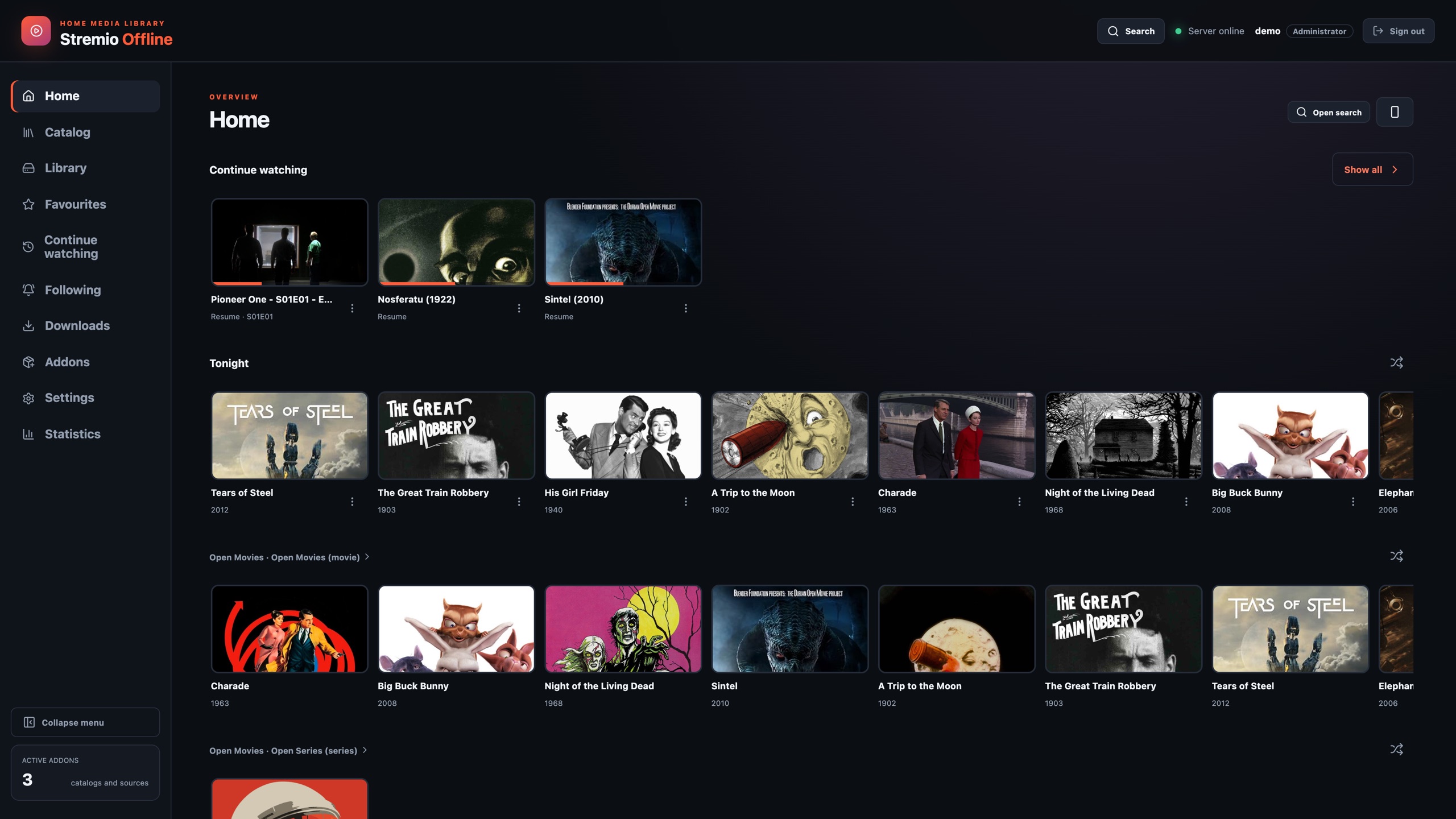 | 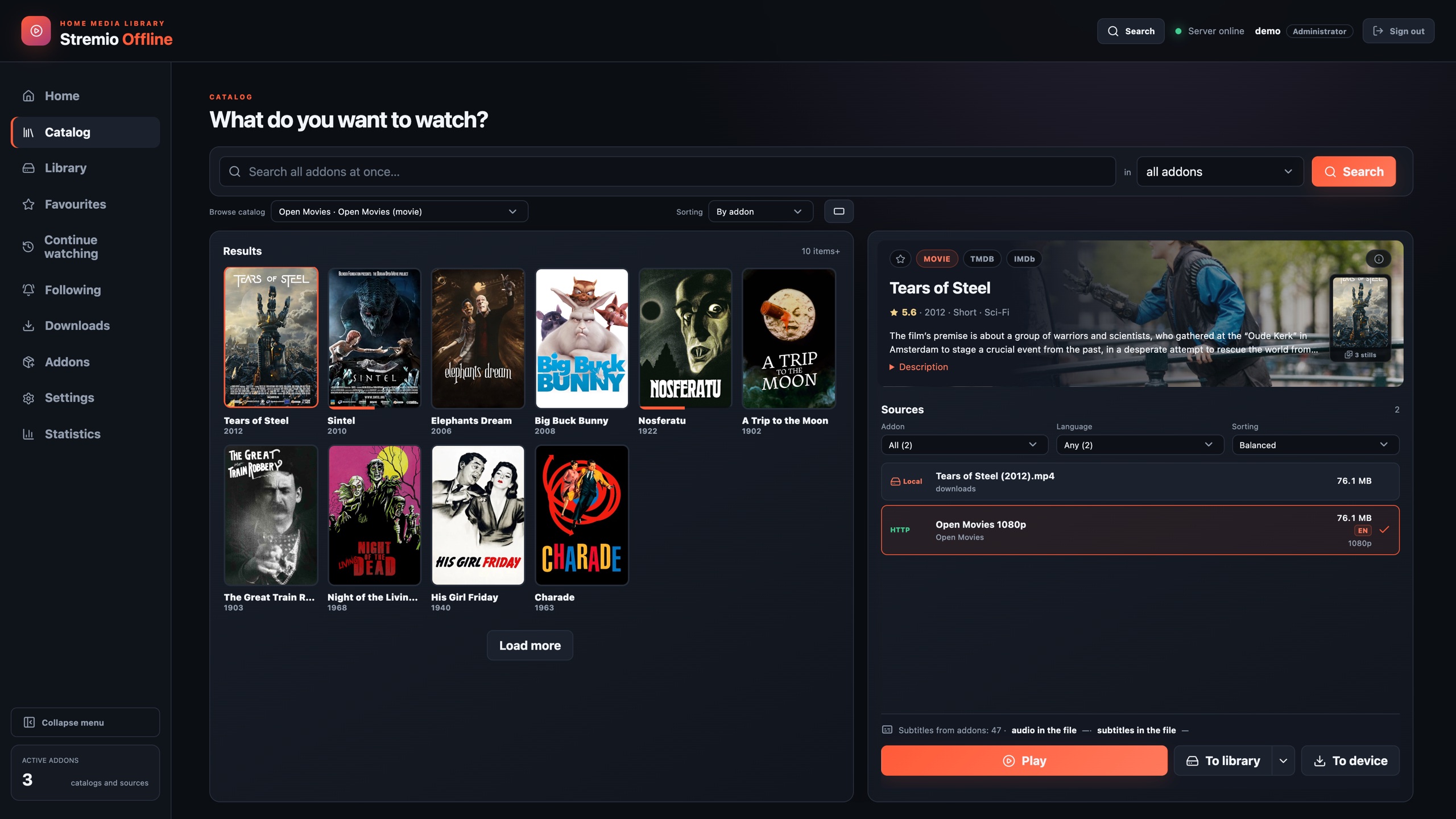 |
Title detail
| A film | A series |
|---|---|
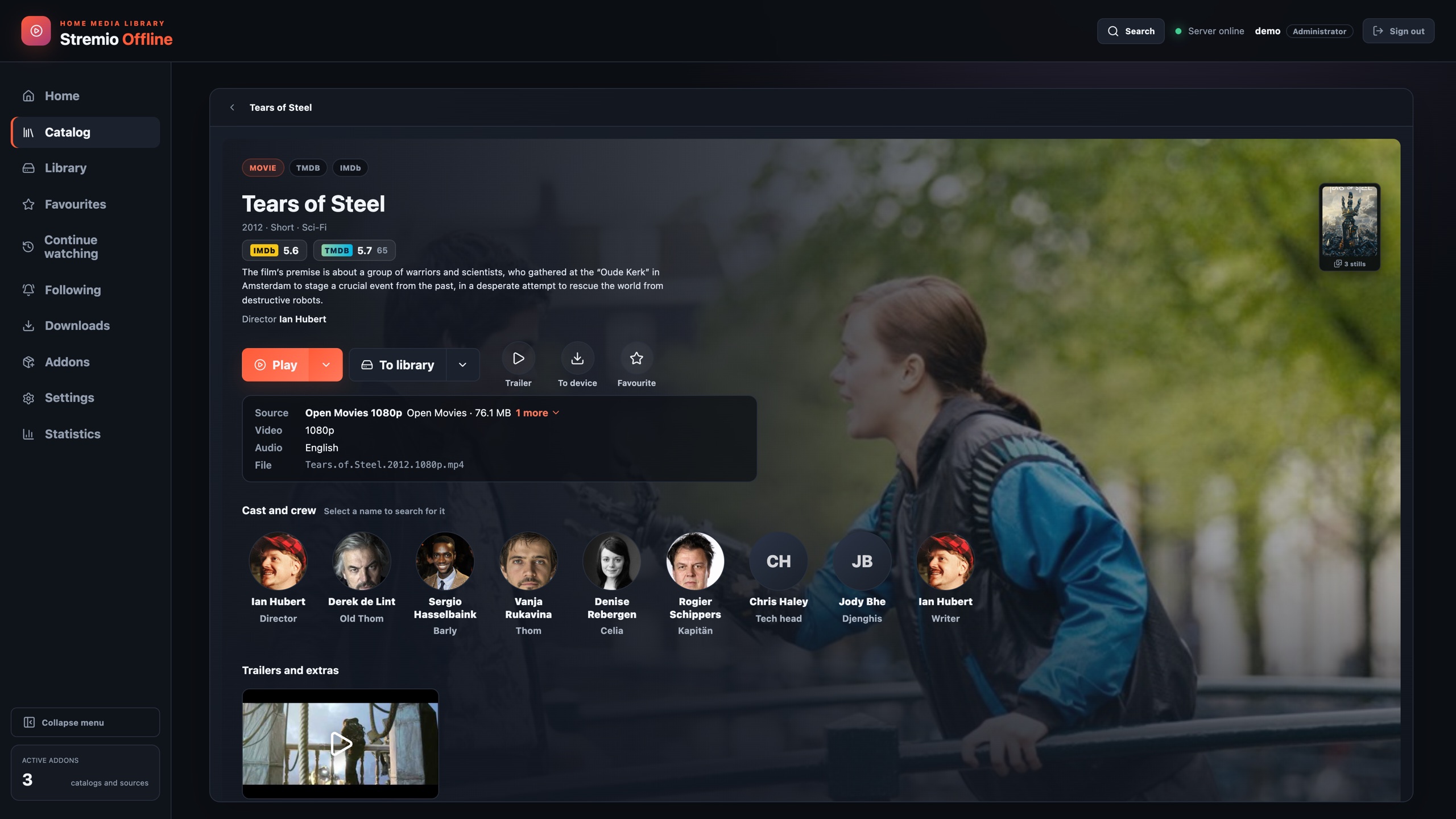 | 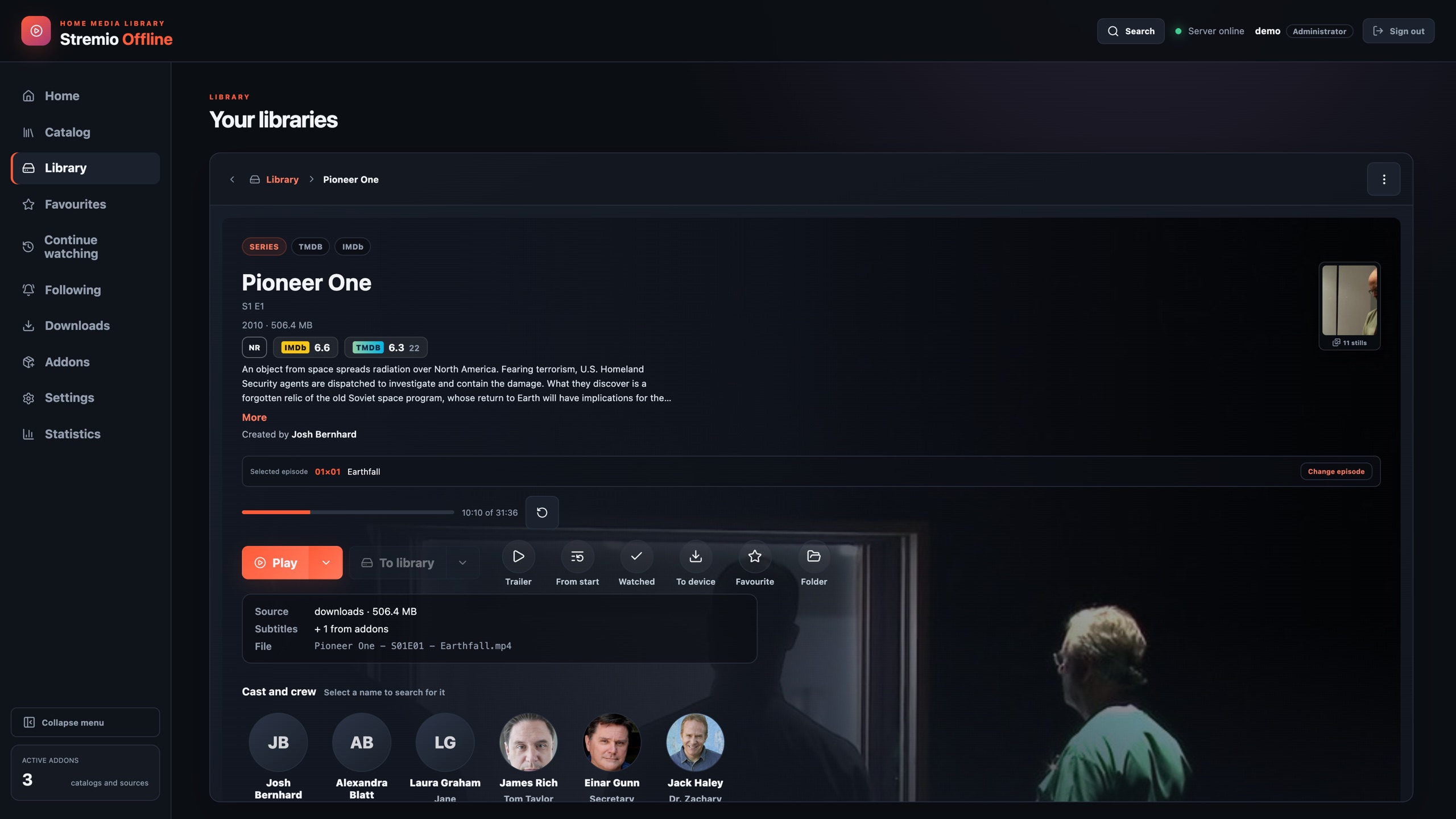 |
| Library | Download queue |
|---|---|
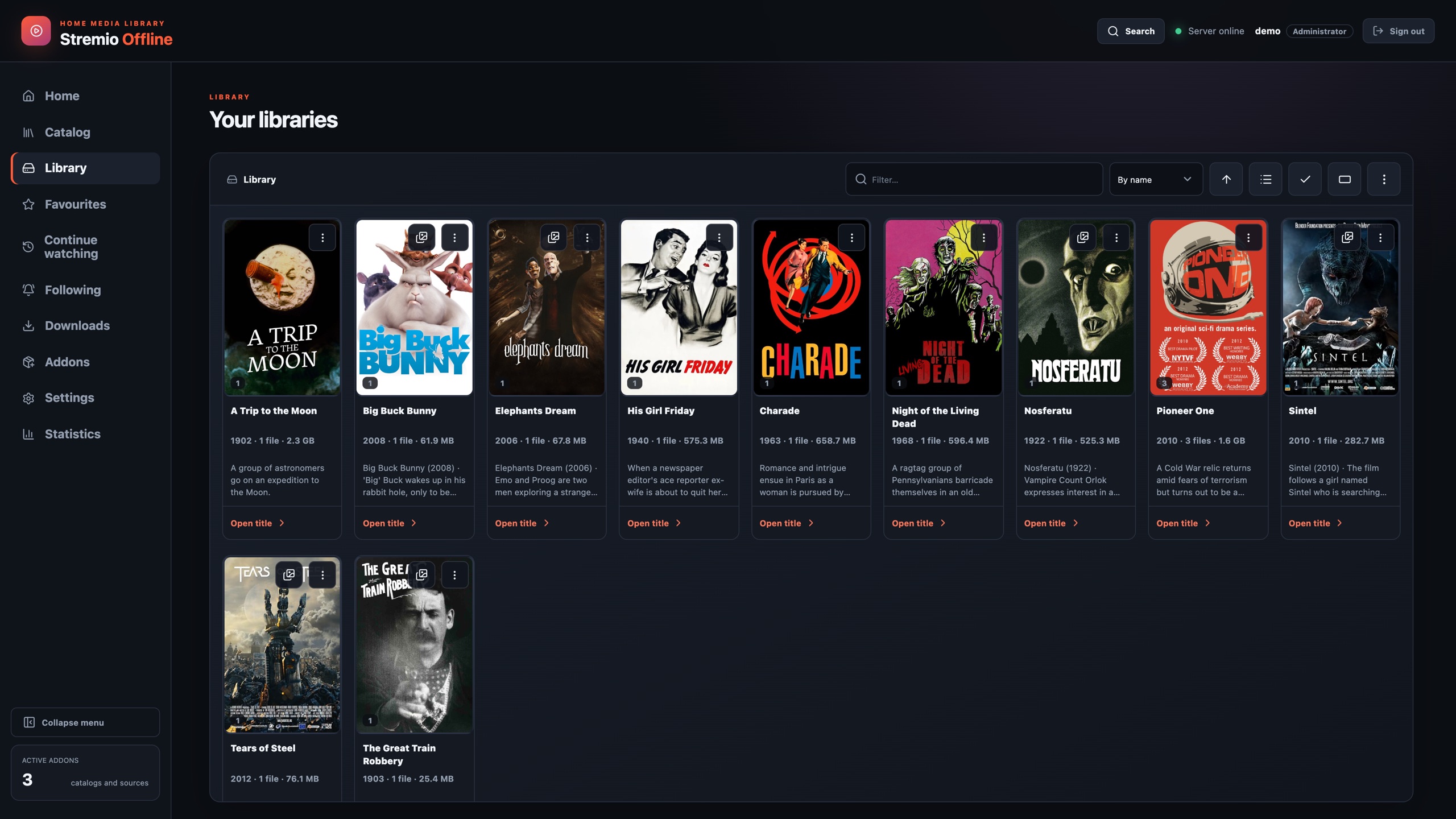 | 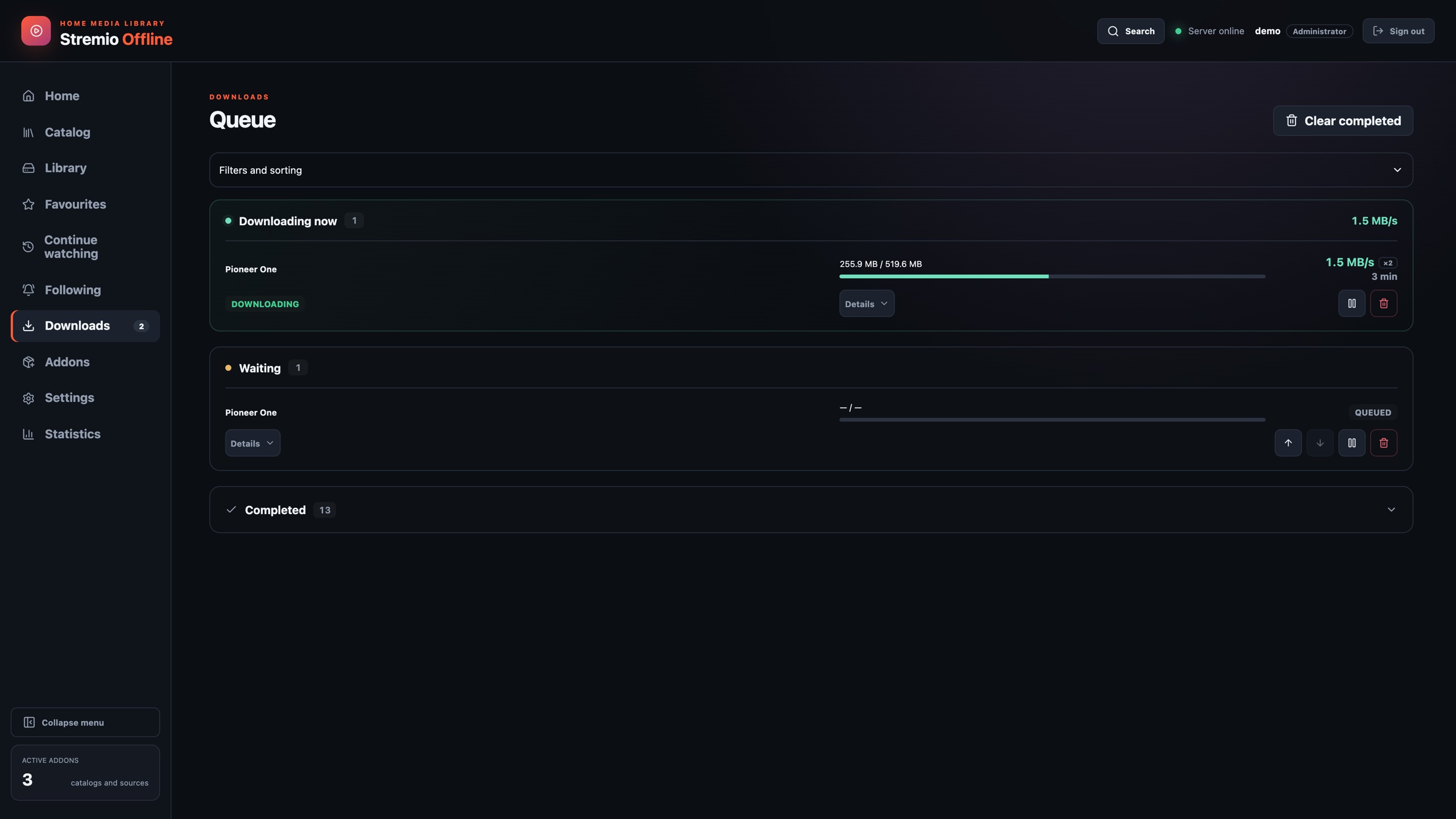 |
| Following with automatic downloads | Player |
|---|---|
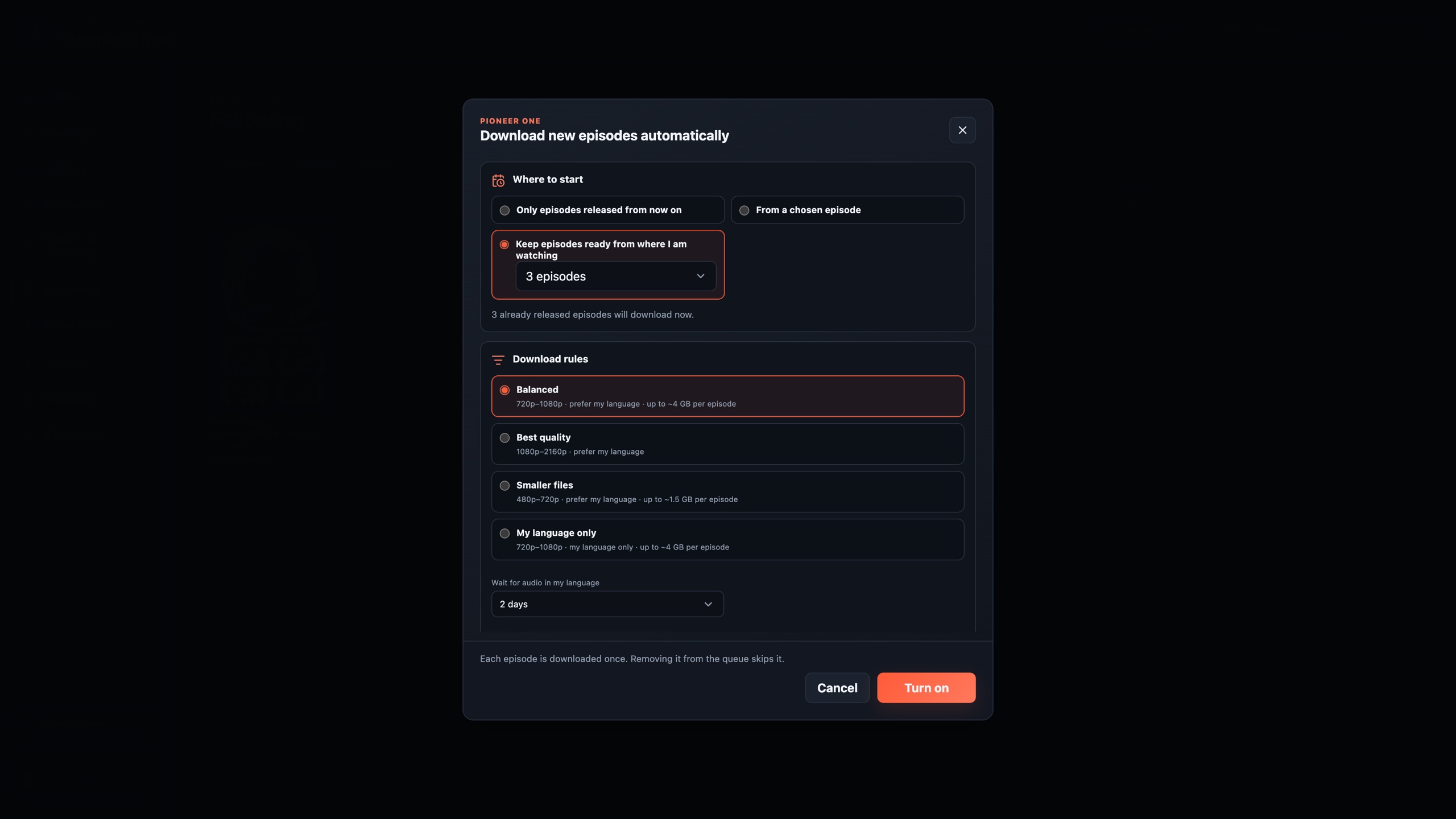 | 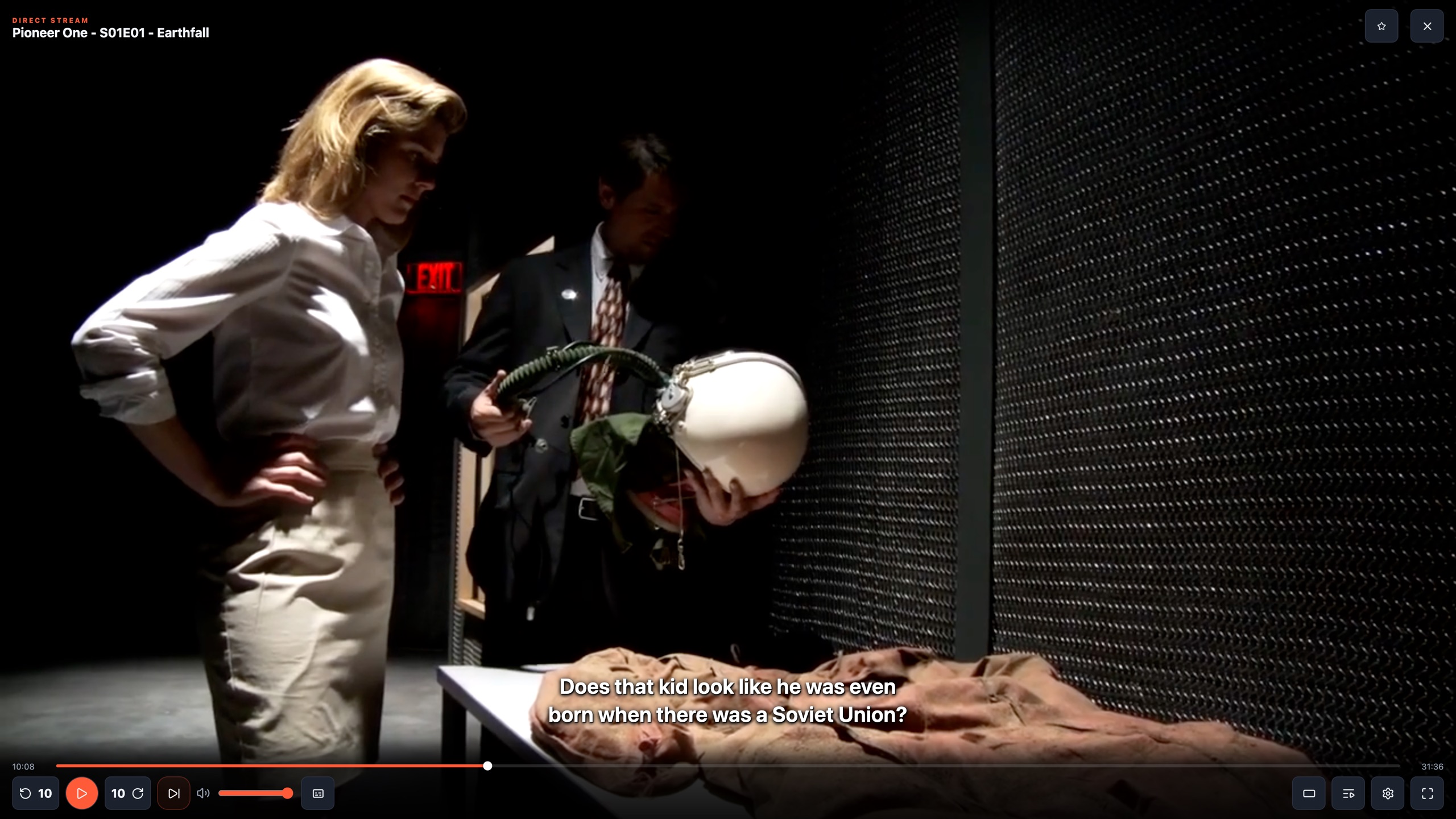 |
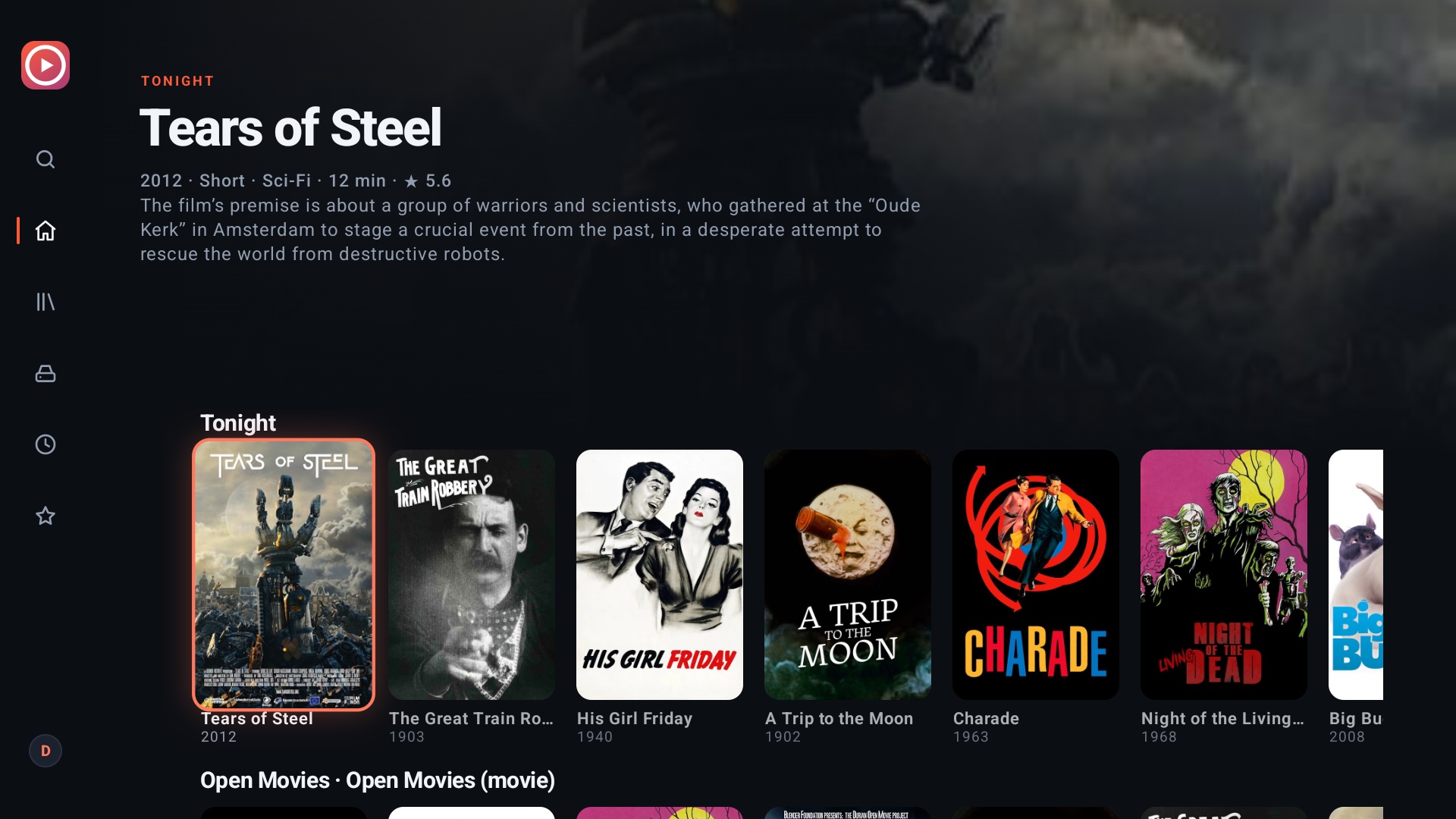
| Android TV: Home | Android TV: title detail |
|---|---|
 |  |
| Phone: Home | Phone: Library | Phone: title detail |
|---|---|---|
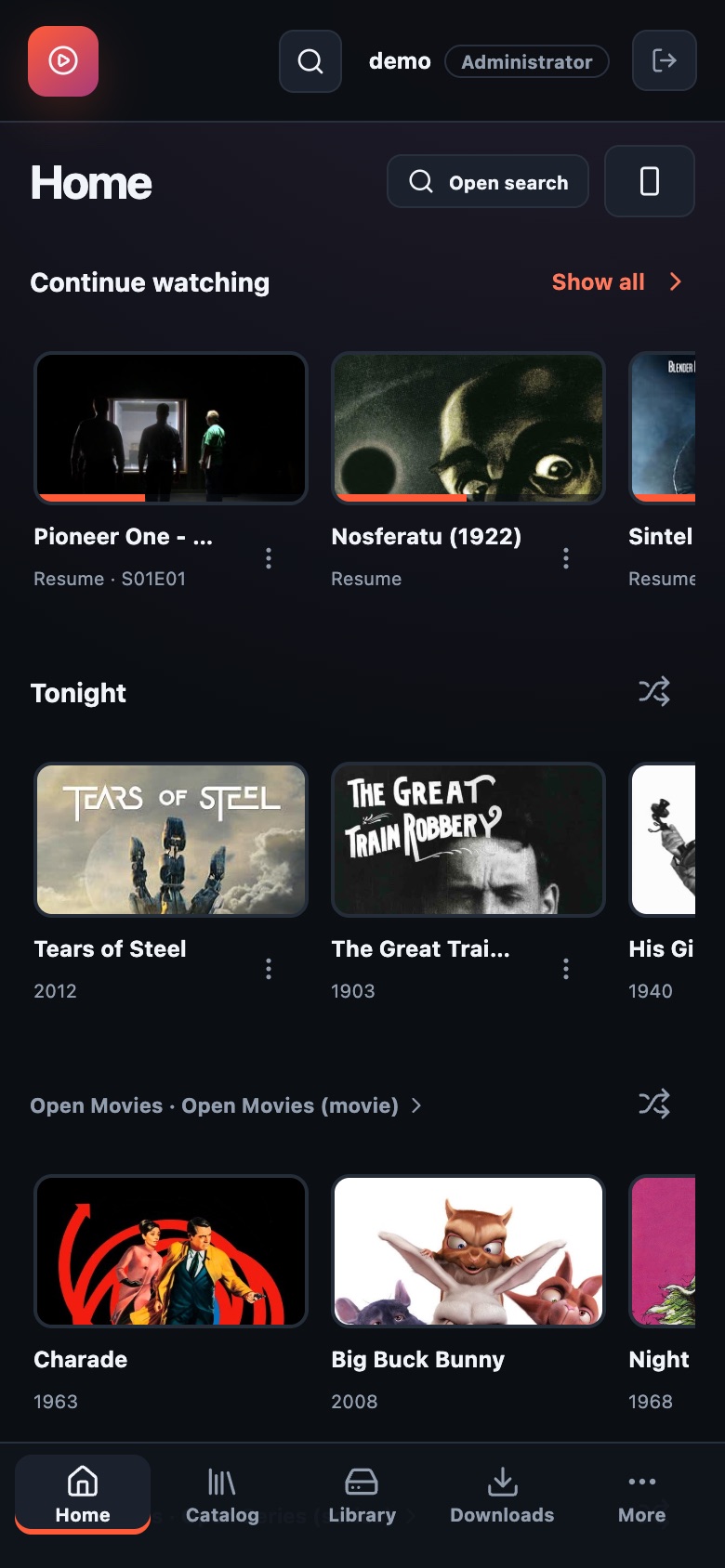 | 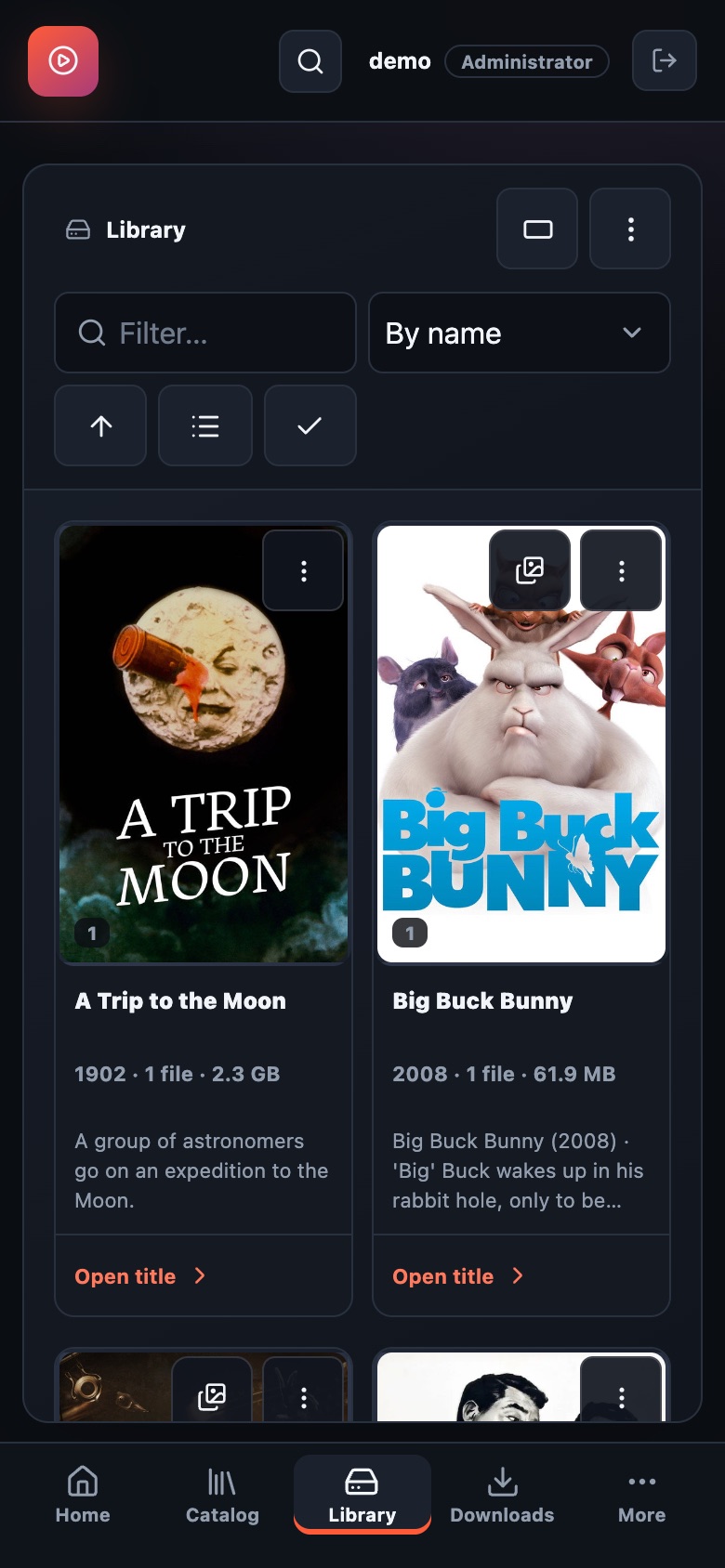 | 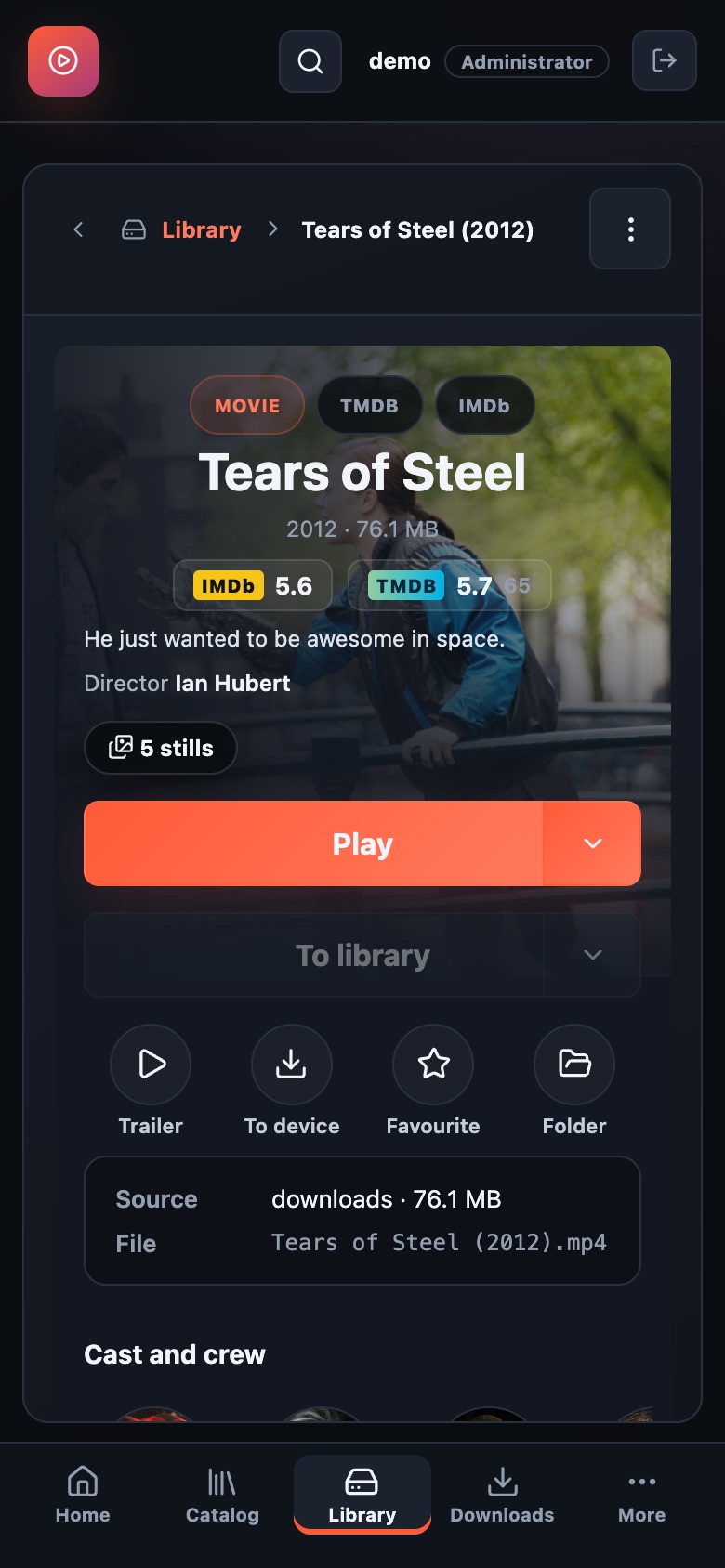 |
The films and the series shown are Blender Foundation open movies (CC BY), Pioneer One (CC BY-SA) and public-domain classics, served by a small local test addon from the Internet Archive. Ratings, cast photos and trailers come from TMDB. The app ships with no content.
Supported platforms and tags
One image supports linux/amd64 and linux/arm64. Docker selects the matching architecture automatically. Intel QuickSync drivers are included only in the amd64 image.
| Tag | Meaning |
|---|---|
latest | Most recently published image |
X.Y.Z | A specific release; recommended for controlled upgrades |
X.Y | Most recently published patch in that release series |
| Full commit SHA | Image from a specific source commit |
The same images are also published to GitHub Container Registry. Version history is in GitHub Releases.
Quick start with Docker Compose
Save this as compose.yml in a new directory:
services:
  stremio-offline:
    image: nickrabit/stremio-offline:latest
    restart: unless-stopped
    init: true
    ports:
      - "8090:8080"
    environment:
      TZ: Europe/Prague
      PUID: "1000"
      PGID: "1000"
    volumes:
      - ./data:/data
      - ./downloads:/downloads
Create the folders and start the server:
mkdir -p data downloads
docker compose pull
docker compose up -d
Open http://localhost:8090, or http://<server-ip>:8090 from another
device on your network. On first run, create your administrator account; there
is no default password. Add other users and connect your addons and libraries
in the interface.
Set PUID and PGID to the user and group that own your media folders.
On Linux, id -u and id -g show the current user's IDs. On a NAS, use
absolute paths to your shared folders instead of ./data and ./downloads.
The selected user must be able to write to both directories.
The example works without a GPU. Every setting it leaves out has a working default; the configuration reference lists them all.
Synology with QuickSync and a second disk
On a Synology NAS the minimal example runs, but conversion stays in software,
which can take every core and make DSM stop responding. This variant adds
Intel QuickSync, a second shared folder as a library, addons on your own
network and a health check. In Container Manager → Project → Create, choose
a folder such as /volume1/docker/stremio-offline and paste this as the
project's docker-compose.yml:
services:
  stremio-offline:
    image: nickrabit/stremio-offline:latest
    container_name: stremio-offline
    restart: unless-stopped
    init: true
    ports:
      - "8090:8080"
    environment:
      TZ: Europe/Prague
      # Owner of the download folder: ls -n /downloads in the container terminal.
      # 1030 is one Synology account, yours may differ; 100 is the Synology users group.
      PUID: "1030"
      PGID: "100"
      # Intel QuickSync. RENDER_GID is the group that owns renderD128; see below.
      VAAPI_DEVICE: /dev/dri/renderD128
      RENDER_GID: "937"
      # The download folder must stay listed, or its library falls outside every grant.
      LIBRARY_ROOTS: /downloads,/libraries/video
      # Addons served from your own network (a host or IP, comma-separated).
      ALLOW_ADDON_HOSTS: ""
    devices:
      - /dev/dri:/dev/dri
    volumes:
      - /volume1/docker/stremio-offline/data:/data
      - /volume1/video/downloads:/downloads
      - /volume1/video:/libraries/video
    healthcheck:
      test: ["CMD", "node", "-e", "fetch('http://127.0.0.1:8080/api/status').then(r=>process.exit(r.ok?0:1)).catch(()=>process.exit(1))"]
      interval: 30s
      timeout: 5s
      retries: 3
      start_period: 20s
Create the data and download folders in File Station first, then fill in three numbers. After the first start, open the container's Terminal in Container Manager and run:
ls -n /downloads
ls -n /dev/dri
The first command shows the owner of the download folder: put its two numbers
into PUID and PGID. The second shows the group of renderD128: put it
into RENDER_GID. Then use Action → Build on the
project, which recreates the container with the new values. The log line
VAAPI is available confirms QuickSync is in use; a warning in its place names
what to fix.
Without an Intel GPU, remove the devices block and both VAAPI lines, or the
container will refuse to start. Without a second disk, remove its volume line
and LIBRARY_ROOTS. The
Synology guide
covers the same setup with an .env file, and
hardware acceleration
explains how to tell the GPU is really working.
Persistent data
| Container path | What to keep |
|---|---|
/data | Accounts, settings, addons, library metadata, follows, download queue/history, statistics and artwork |
/downloads | Downloaded media |
Back up /data with the server stopped, and back up downloaded media and any
extra library folders separately. Recreating the container keeps your
installation when these mounts are preserved. Extra libraries require both a
volume mount and the LIBRARY_ROOTS configuration; see the library guide.
Library matches, episodes, downloads, follows, statistics and several caches
now live in /data/application.sqlite; accounts and settings stay in
/data/state.json. Copy the complete data folder, including SQLite -wal and
-shm files when present. A copy of the live database file alone is not a valid
backup. Old JSON files in migration-backup/ are cutover snapshots, not current
state. See Backup and restore.
Updating
Back up your data, then run:
docker compose pull
docker compose up -d
For a pinned version, change the image tag to the desired release before pulling. Restarting an existing container alone does not download a new image.
Documentation
| Guide | Covers |
|---|---|
| Synology installation | Container Manager, folders, ownership and QuickSync |
| Configuration | Environment variables and defaults |
| Hardware acceleration | GPU configuration and verification |
| Addons and downloads | Addon manifests, debrid services, downloads and save rules |
| Libraries | Multiple media folders and access |
| Jellyfin and Emby | Connecting remote media servers |
| Accounts | Users, permissions and password recovery |
| Phones and tablets | Mobile browser and Home Screen setup |
| Backup and restore | Preserving and restoring your installation |
| Troubleshooting | Logs and playback diagnostics |
| All documentation and clients | Playback, desktop apps, Android TV and more |
Access and troubleshooting
Use an HTTPS reverse proxy or a VPN for access outside your home network; do not expose the plain HTTP port directly to the internet.
docker compose ps
docker compose logs --tail=100 stremio-offline
curl --fail http://localhost:8090/api/status
The status endpoint returns JSON with "status":"ok" when the server is up.
Personalized addon URLs that resolve through a debrid service are supported. Raw torrents require a Real-Debrid token; the app does not include a torrent engine.
Project and license
Source code · Report an issue · Support development
The application code is MIT licensed. The image includes Ubuntu's FFmpeg with GPL components, run as a separate process. See licensing details for licenses and source information.
Tag summary
Content type
Image
Digest
sha256:bf4317773…
Size
248.9 MB
Last updated
about 3 hours ago
docker pull nickrabit/stremio-offline