nkonev/h2 repository overview
docker-h2
Dockerized H2 database.
Features
- Inspired by thomseno/h2.
- Inspired by oscarfonts/h2.
- Inspired by buildo/h2.
- Only packing H2 jar-file into Docker image (retrieved from Maven Central).
- H2-DATA location on /h2-data
- Exposing default ports 8082 / 9092
- Initdb scripts in
/docker-entrypoint-initdb.d
Running
Get the image:
docker pull nkonev/h2
Run as a service, exposing ports 9092 (TCP database server) and 8082 (web interface) and mapping data volume to host:
docker run -d -p 9092:9092 -p 8082:8082 -v /path/to/local/h2-data:/h2-data --name=myH2Server nkonev/h2
By setting the JAVA_OPTS environment variable you can for example set the memory parameters of the JVM:
docker run -d -e JAVA_OPTS='-Xmx256m -Xms256m' -p 9092:9092 -p 8082:8082 -v /path/to/local/h2-data:/h2-data --name=myH2Server nkonev/h2
Initialization scripts
This image uses an initialization mechanism similar to the one used in the official Postgres image.
You can add one or more *.sql or *.sh scripts under
/docker-entrypoint-initdb.d (creating the directory if necessary). The image
entrypoint script will run any *.sql files and source any *.sh scripts found
in that directory to do further initialization before starting the service.
The name of the *.sql files will be used as the name of the database. For
example, to create a table named "FOOBAR" in the "baz" database, add the
following content to /docker-entrypoint-initdb.d/baz.sql:
CREATE TABLE FOOBAR;
If you want to do something more complex, use a .sh script instead, for
example adding the following content to /docker-entrypoint-initdb.d/init.sh:
#!/bin/bash

java -cp /h2/bin/h2.jar org.h2.tools.RunScript \
  -script /docker-entrypoint-initdb.d/baz \
  -url "jdbc:h2:/h2-data/custom-db-name"
Building
docker build . --tag nkonev/h2:latest --tag nkonev/h2:1.4.200
Examples
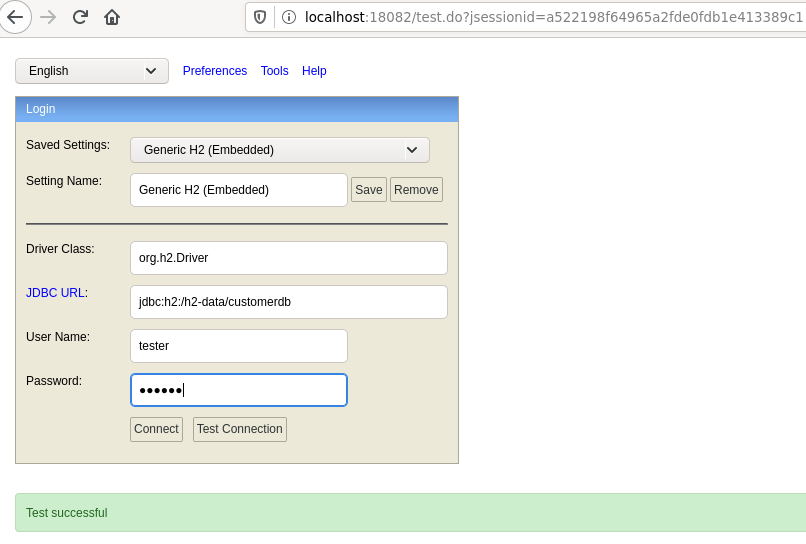
cat << EOF > /tmp/h2.sql
CREATE USER tester PASSWORD 'tester' ADMIN;
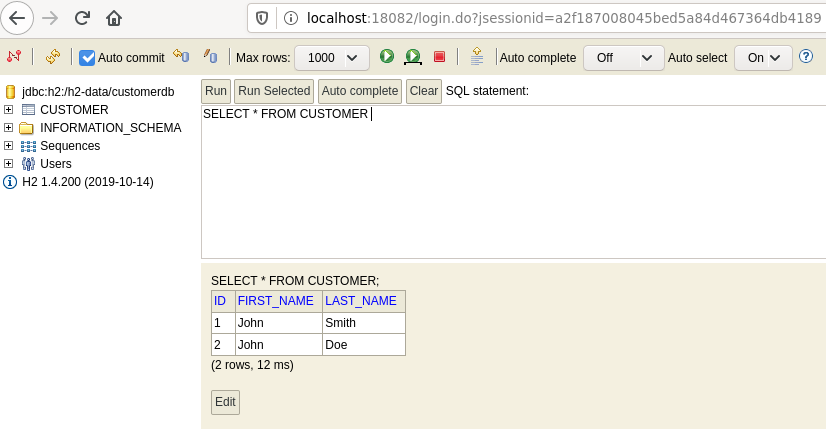
CREATE TABLE IF NOT EXISTS customer (id SERIAL PRIMARY KEY, first_name VARCHAR(255), last_name VARCHAR(255));
INSERT INTO customer(first_name, last_name) VALUES
('John', 'Smith'),
('John', 'Doe');
EOF

docker run -p 18082:8082 -e JAVA_OPTS=-verbose:gc -v /tmp/h2.sql:/docker-entrypoint-initdb.d/customerdb.sql nkonev/h2:1.4.200
Tag summary
Content type
Image
Digest
Size
79.7 MB
Last updated
over 6 years ago
docker pull nkonev/h2