nmaggioni/gerph
A simple and blazing fast networked key-value configuration store written in Go.
1.0K
nmaggioni/gerph repository overview
Gerph 
A simple and blazing fast networked key-value configuration store written in Go.
Based on the bolt key/value database and the goat API framework.
Table of Contents
Install
Packaged releases
Check out the releases section for ready-to-run binaries. Here's the latest one!
From source
Given that your $PATH already has $GOPATH/bin in it, get the package and install it:
$ go install github.com/nmaggioni/gerph
Usage
WebUI
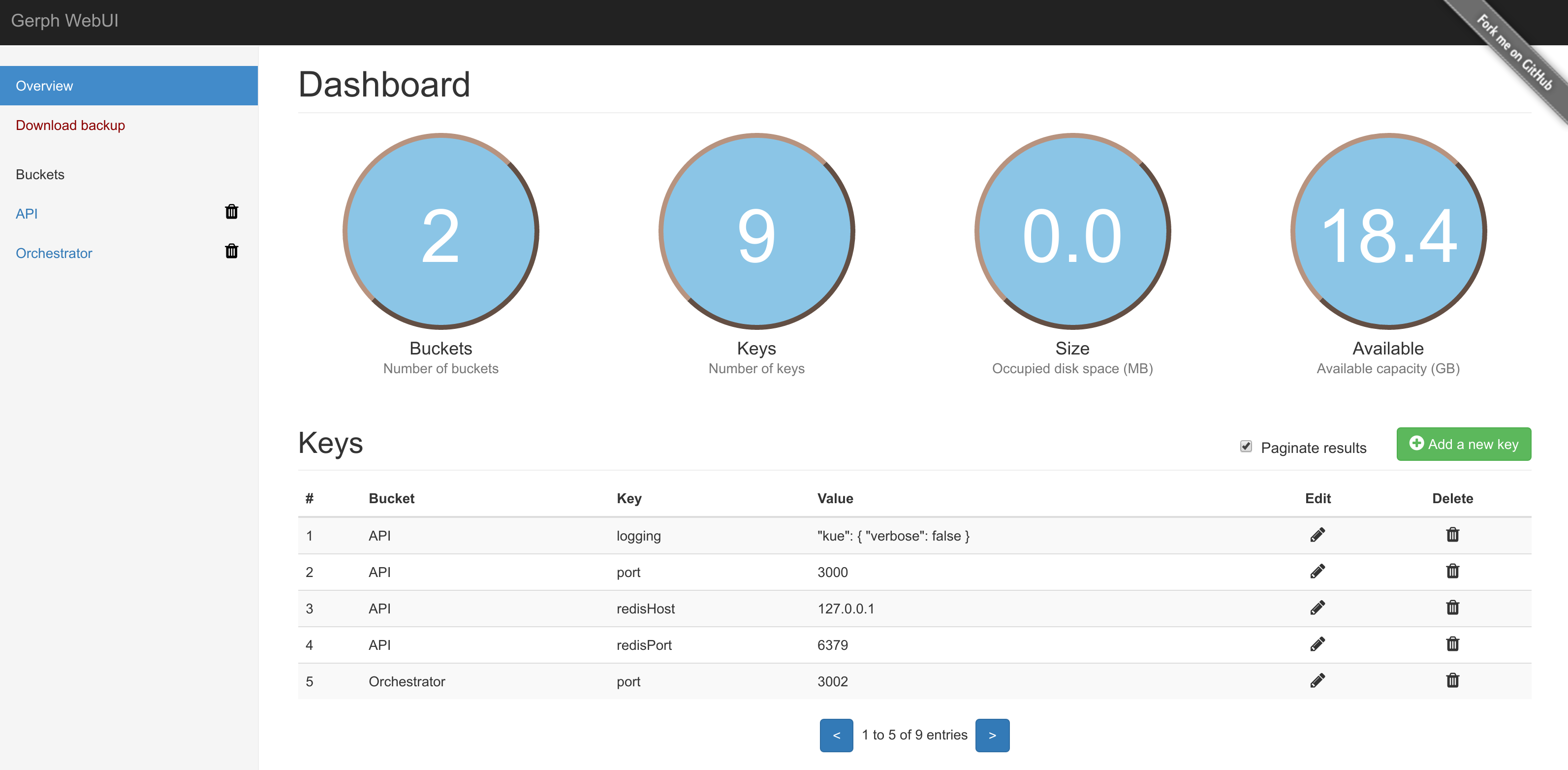
Gerph has an easy to use Dashboard that covers all the basic operations, reachable at the root of the domain. You can move around using the arrow keys too.
CLI
Gerph has some useful command line options, you can check them by using the help flag:
$ gerph -h
API
Being based on bolt, Gerph has the concept of buckets: they are containers of key/value pairs.
All endpoints answer in JSON format. The following table summarizes the available routes and their parameters, expressed in the form of :parameter :
| HTTP Method | Path | Explanation |
|---|---|---|
| OPTIONS | /api | Will show a list of all the endpoints grouped by method. |
| GET | /api | Will reply with a listing of all the buckets and their keys. |
| GET | /api/:bucket | Will show all the keys inside the specified bucket. |
| DELETE | /api/:bucket | Will delete the specified bucket and its keys. |
| GET | /api/:bucket/:key | Will reply with the content of the specified key of the specified bucket. |
| PUT or POST | /api/:bucket/:key | Will set the content of the specified key of the specified bucket to the given content. Content must be sent in x-www-form-urlencoded encoding (Content-Type header set to application/x-www-form-urlencoded), and the value of the key must be set to the value field. |
| DELETE | /api/:bucket/:key | Will delete the specified key of the specified bucket. |
Each call can answer with one of these status codes:
200- OK204- No Content400- Bad Request500- Internal Server Error
Examples
To access the WebUI just point your browser to the root of the domain: http://localhost:3000/.
cURL
Setting a key:
curl -X PUT -d 'value=myValue' "http://localhost:3000/api/myBucket/myKey"
Getting a key:
curl "http://localhost:3000/api/myBucket/myKey"
Getting all keys of a bucket:
curl "http://localhost:3000/api/myBucket"
Getting all keys of all buckets:
curl "http://localhost:3000/api/"
Known issues
- At the moment Gerph is only capable of storing strings as values. If other types of data are in need of being stored, the effort of casting back and forth from strings to the actual data type falls on the developer.
Contribute
PRs gladly accepted! Basing them on a new feature/fix branch would help in reviewing.
License
Tag summary
Content type
Image
Digest
Size
281.7 MB
Last updated
over 8 years ago
docker pull nmaggioni/gerph