nunesfd/hostcontrol
Hosts manager to facilitate the management of the /etc/hosts file.
271
nunesfd/hostcontrol repository overview
HostControl
https://github.com/nunesfd/hostcontrol
HostControl is a terminal-based desktop application developed with Python and the Textual library.
This tool is specifically designed to manage the /etc/hosts file, providing an intuitive interface that allows users to add, edit, and remove groups of hosts easily and efficiently.
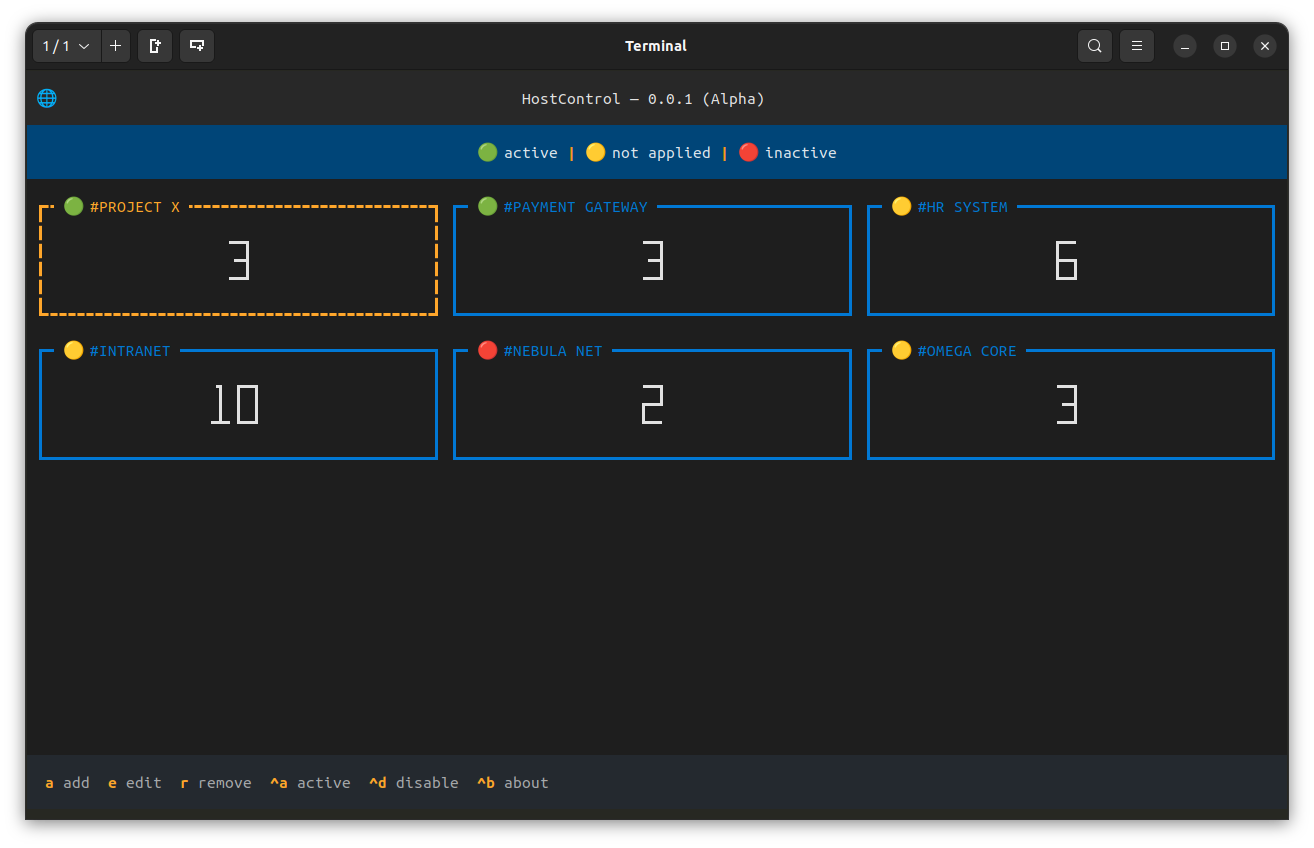
Features
- Manage groups of hosts (add, edit, remove)
- View the synchronization status of each group
- User-friendly terminal-based interface
- Keyboard shortcuts for quick actions
IMPORTANT
Remember to set the correct permissions for the /etc/hosts file before running the application.
https://github.com/nunesfd/hostcontrol?tab=readme-ov-file#important---before-install
Running the Application
docker run --rm --name hostcontrol -it -v /etc/hosts:/opt/hosts -v /home/{your_user}/.host_control:/opt/host_control_db nunesfd/hostcontrol
Creating an Alias (optional but very useful)
alias hostcontrol='command here'
Details
--rm
This option instructs Docker to automatically remove the container when it is stopped.
--name hostcontrol
The --name option allows you to assign a specific name to the container.
-it
This option is a combination of two options:
-i(interactive): keeps standard input (stdin) open, even if not attached to a terminal.-t(terminal): allocates a pseudo-terminal, which allows you to interact with the application in a terminal environment. Together, these options make it possible to use the application interactively.
-v /etc/hosts:/opt/hosts
The -v option creates a volume that mounts a directory or file from the host's filesystem inside the container. In this case:
/etc/hosts: is the hosts file of the host operating system./opt/hosts: is the path inside the container.
-v /home/{your_user}/.host_control:/opt/host_control_db
This is another volume option:
/home/{your_user}/.host_control: is the directory on the host operating system where the application data will be stored. (This location can be changed according to your preference)/opt/host_control_db: is the path inside the container where the data will be accessible.
Tag summary
Content type
Image
Digest
sha256:294b9af28…
Size
24.1 MB
Last updated
about 2 years ago
docker pull nunesfd/hostcontrol