oceanprotocol/pleuston
🦑 🦄 Web app for consumers to explore, download, and publish data assets. https://oceanprotocol.com
7.9K
oceanprotocol/pleuston repository overview

Pleuston
🦄 Web app for consumers to explore, download, and publish data assets.




Pleuston [
ˈplustən]: organisms that live in the thin surface layer existing at the air-water interface of a body of water as their habitat
🐲🦑 THERE BE DRAGONS AND SQUIDS. This is in alpha state and you can expect running into problems. If you run into them, please open up a new issue. 🦑🐲
For a more lightweight and mature implementation of Ocean Protocol components into a React app, have a look at commons too.
- Features
- Prerequisites
- Development
- Configuration
- Testing
- Code style
- Production build
- Releases
- Changelog
- License
Features
This repository houses Pleuston, a reference web app for consumers to explore, download, and publish data assets within the Ocean Protocol network. It is shipped as the main interface to interact with Ocean components when running 🐳 barge.
- Connect to all required Ocean Protocol components: Keeper, Aquarius, Brizo, Secret Store
- Register and publish data assets
- Explore, buy, and download data assets
Pleuston is a single page React app, bootstrapped with create-react-app.
Prerequisites
- Node.js >=8 <12
- npm
- Ocean Protocol components (with Docker)
- MetaMask
To start development with Pleuston you first have to get all the other Ocean Protocol components up and running. The simplest way is to use our main script from the 🐳 barge repository to spin up a local Spree test network, and pass the option to skip the Pleuston image in there:
git clone [email protected]:oceanprotocol/barge.git
cd barge/

./start_ocean.sh --no-pleuston
This will start up all required components as documented in Barge.
Development
After the Docker containers from the above step are up, you can start your local development version of Pleuston in another terminal:
git clone [email protected]:oceanprotocol/pleuston.git
cd pleuston/

npm i

# Copy generated contract artifacts from Docker container.
# Required only for local Spree test network
./scripts/keeper.sh

npm start
This should output a message as follows:
Compiled successfully!

You can now view @oceanprotocol/pleuston in the browser.

  Local:            http://localhost:3000/
Configuration
All required components to get Pleuston running are pre-configured and started with Barge as a local Spree network, and the web app is configured to connect to them locally by default.
If you want to change and run Pleuston against remote components you can either set the following environment variables, or directly edit the src/config/ocean.js file.
REACT_APP_KEEPER_NODE_URIREACT_APP_AQUARIUS_URIREACT_APP_BRIZO_URIREACT_APP_BRIZO_ADDRESSREACT_APP_SECRETSTORE_URI
MetaMask
Be sure to login into your MetaMask account and select the respective network. By default, Pleuston and Barge will run a Spree test network:
- Spree test network (
Localhost 8545) - Nile test network (RPC
https://nile.dev-ocean.com) - Pacific PoA network (RPC
https://pacific.oceanprotocol.com)
Storage Providers
When registering assets, files can be retrieved from various cloud storage providers.
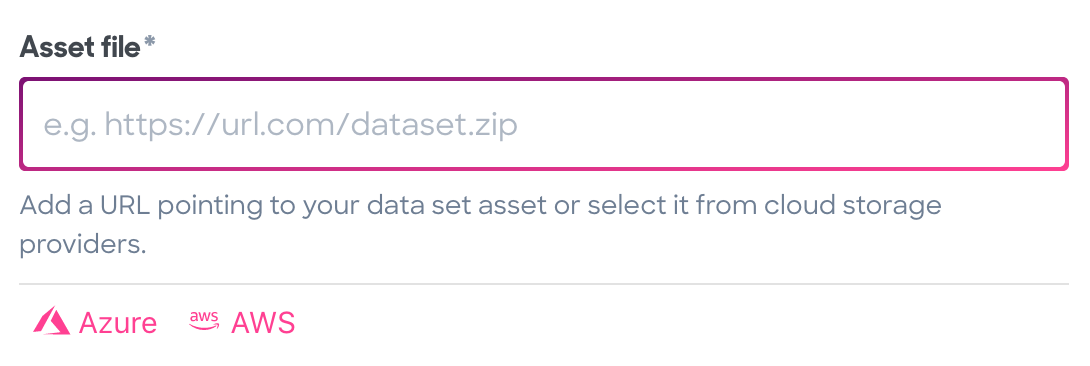
Configuration for all storage provider options can be found in:
AWS
App includes a connection to Amazon Web Services, so you can retrieve and register assets stored in an S3 bucket. Setting AWS connection requires the setup of Cognito authentication service with proper access policies for the specific bucket.
Azure Storage
App includes an OAuth connection to your Azure account. Once authorized, assets can be chosen from a file list within Pleuston.
Currently, Azure Storage only allows listing containers with OAuth credentials. Listing blobs in containers and operations on blobs can't be done with OAuth credentials until that feature is out of preview. Until then, manually added credentials are required in
src/config/cloudStorage.js_
SSL
To run your application over SSL, set the scheme values in src/config/ocean.js to https, e.g.:
module.exports = {
    keeperNodeUri: 'https://my-node-uri.com',
    ...
}
Testing
Automatic tests are setup via Travis, executing npm test.
The tests run:
- linting checks with ESLint and Stylelint
- basic rendering tests for components with Jest
- collect code coverage
Code style
Code linting is setup with ESLint and stylelint following eslint-config-oceanprotocol and stylelint-config-bigchaindb. Code formatting is achieved with Prettier.
There's a npm script setup which runs only linting tests:
npm run lint
Additionally you can this to auto-format all code:
npm run format
Production build
You can inspect a full production build by creating it first, and then run a local web server on top of the build output, e.g. serve:
# Copy generated contract artifacts from Docker container.
# Required only for local Spree test network
./scripts/keeper.sh

# create production build
npm run build

serve -s build/
# go to http://localhost:5000
Releases
From a clean master branch you can run any release task doing the following:
- bumps the project version in
package.json&package-lock.json - auto-generates and updates the
CHANGELOG.mdfile from commit messages - creates a Git tag
- commits and pushes everything
- creates a GitHub release with commit messages as description
You can execute the script to bump the version accordingly:
- To bump a patch version:
npm run release - To bump a minor version:
npm run release minor - To bump a major version:
npm run release major
For the GitHub releases steps a GitHub personal access token, exported as GITHUB_TOKEN is required. Setup
Pleuston is not deployed anywhere remotely, but is distributed via Barge. All release tags and branches are automatically built on Docker Hub, and Barge refers to one of those Docker builds.
Changelog
See the CHANGELOG.md file. This file is auto-generated during the above mentioned release process.
License
Copyright 2019 Ocean Protocol Foundation Ltd.

Licensed under the Apache License, Version 2.0 (the "License");
you may not use this file except in compliance with the License.
You may obtain a copy of the License at

   http://www.apache.org/licenses/LICENSE-2.0

Unless required by applicable law or agreed to in writing, software
distributed under the License is distributed on an "AS IS" BASIS,
WITHOUT WARRANTIES OR CONDITIONS OF ANY KIND, either express or implied.
See the License for the specific language governing permissions and
limitations under the License.
Tag summary
Content type
Image
Digest
Size
258.5 MB
Last updated
over 7 years ago
docker pull oceanprotocol/pleuston