onicc/gitsync
Professional Git Repository Backup and Synchronization System
1.7K
onicc/gitsync repository overview
GitSync
🚀 Professional Git Repository Backup and Synchronization System


A powerful, self-hosted solution for automated Git repository backups across GitHub, GitLab, Gitee, and local storage.
🚀 Quick Start
# Pull and run with Docker
docker pull onicc/gitsync:latest

# Create required directories
mkdir -p data backups docker_ssh

# Run the container
docker run -d \
  --name gitsync \
  -p 8080:8080 \
  -v $(pwd)/data:/app/database \
  -v $(pwd)/backups:/backups \
  -v $(pwd)/docker_ssh:/root/.ssh \
  onicc/gitsync:latest

# Access at http://localhost:8080
✨ Features
- 🔄 Mirror Backup: Complete repository synchronization including all branches, tags, and commits
- ⏰ Scheduled Sync: Flexible Cron-based scheduling for automated backups
- 🌐 Multi-Platform: Support for GitHub, GitLab, Gitee, and local repositories
- 🔑 Multi-SSH Key Support: Separate SSH keys for different platforms and users
- 📊 Real-time Dashboard: Monitor backup status and activity logs
- 🔐 Secure Authentication: SSH key and Personal Access Token management
- 🐳 Docker Ready: Easy deployment with Docker and Docker Compose
- 📝 Detailed Logging: Track all sync operations with error diagnostics
- 💾 Data Persistence: All data (database, SSH keys, backups) persists across restarts
📸 Screenshots
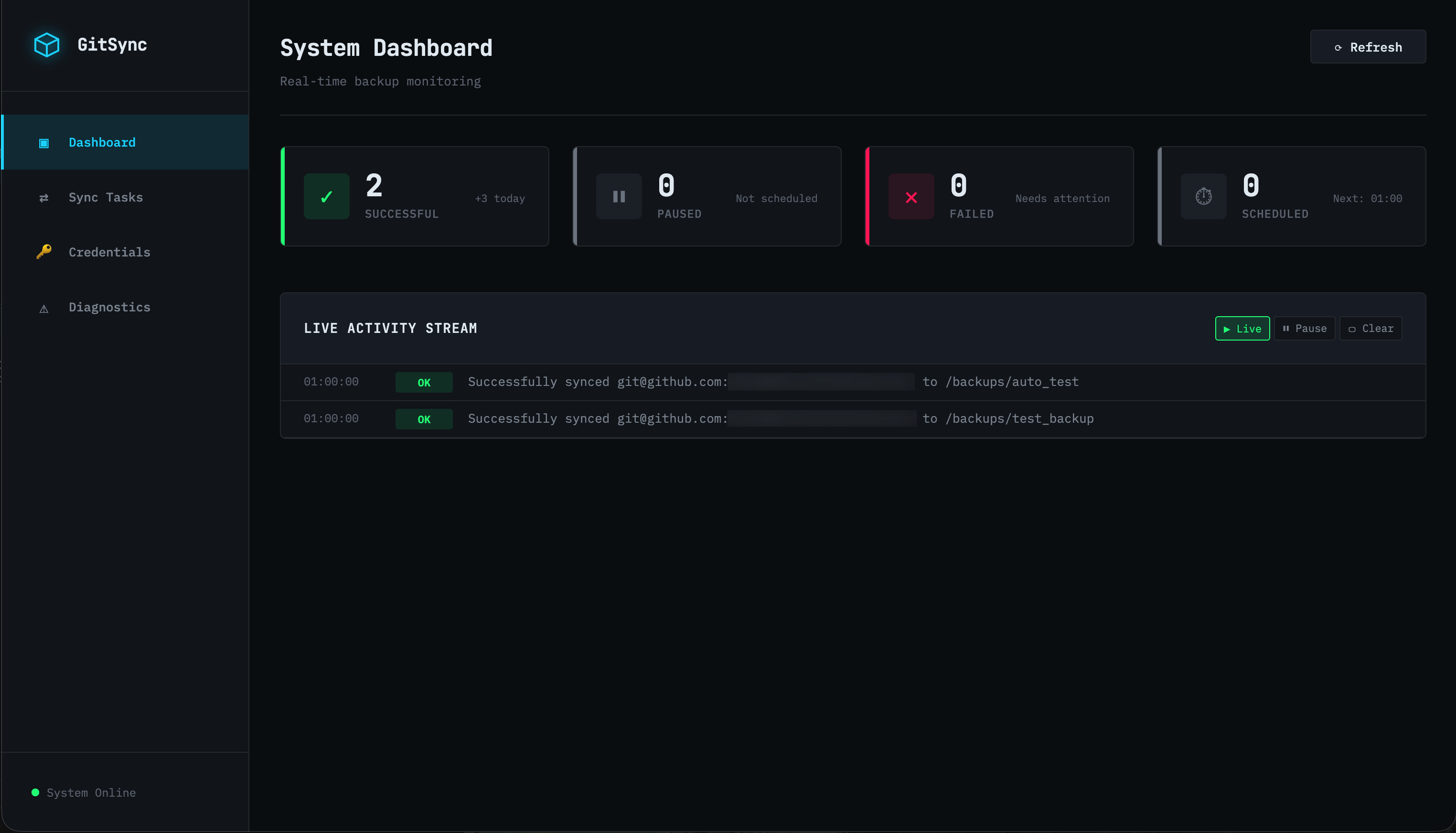
Dashboard
Real-time monitoring with system statistics and live activity stream.
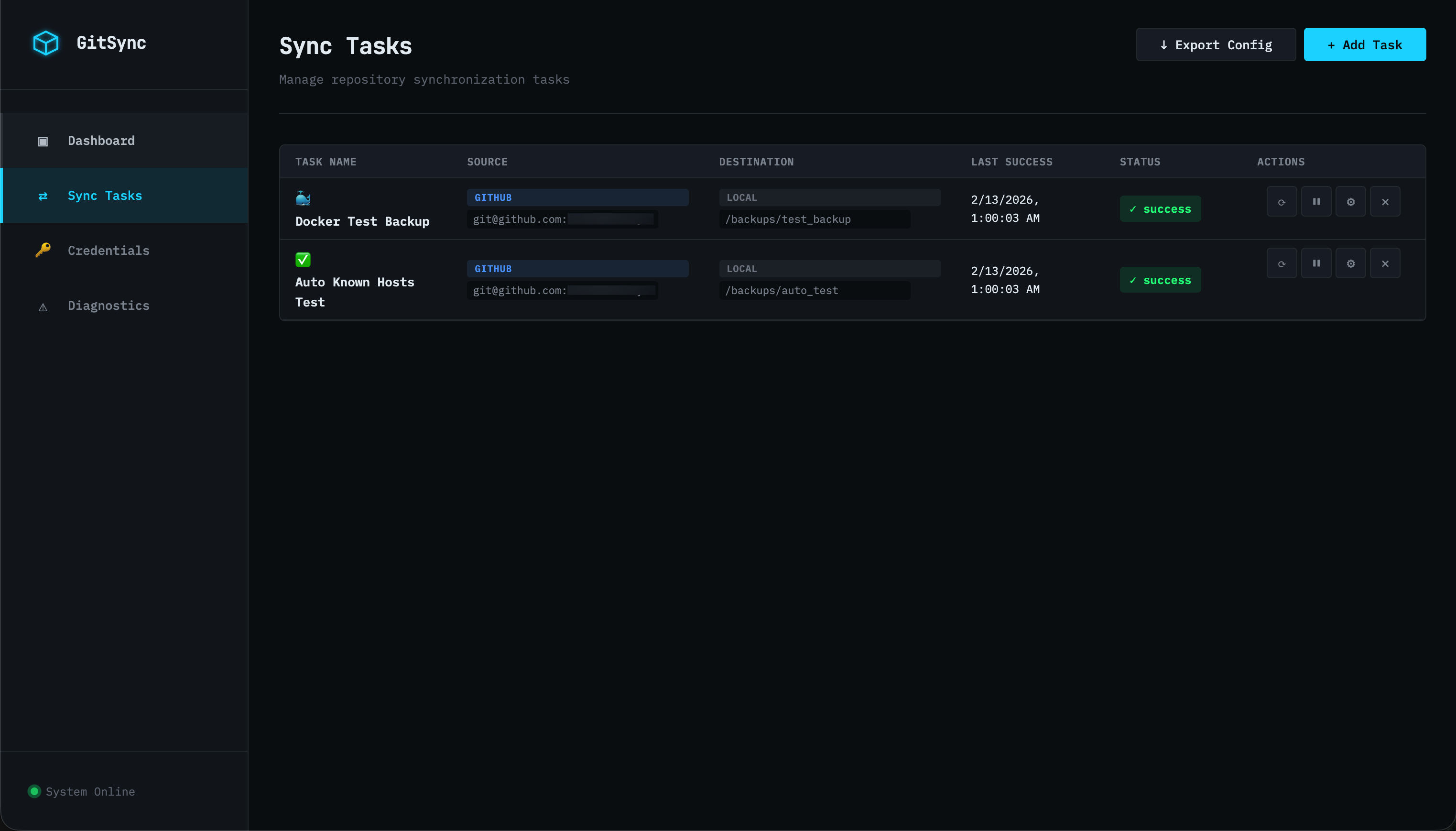
Sync Tasks
Manage all your backup tasks with intuitive controls.
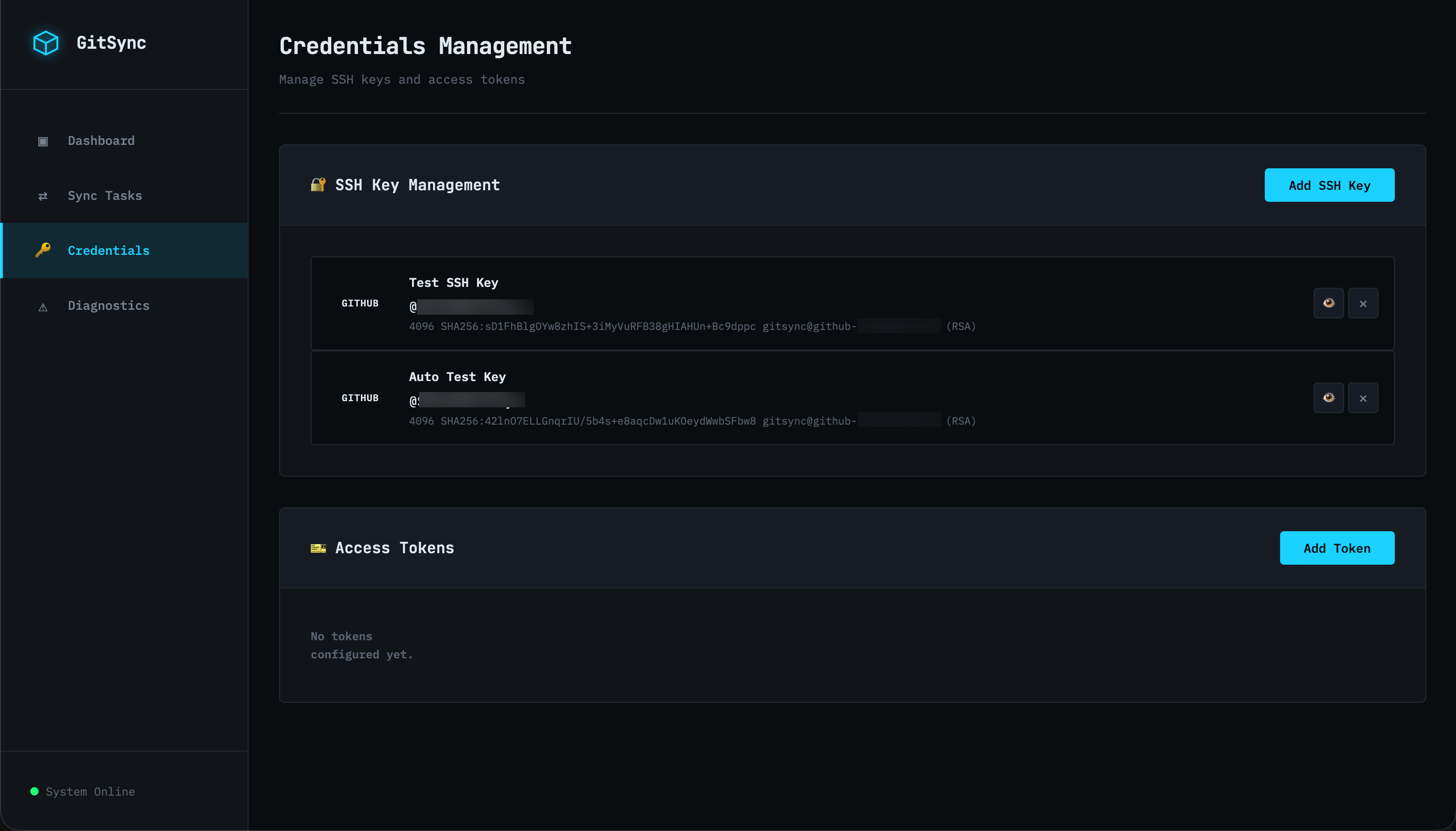
Credentials Management
Secure SSH key and access token management.
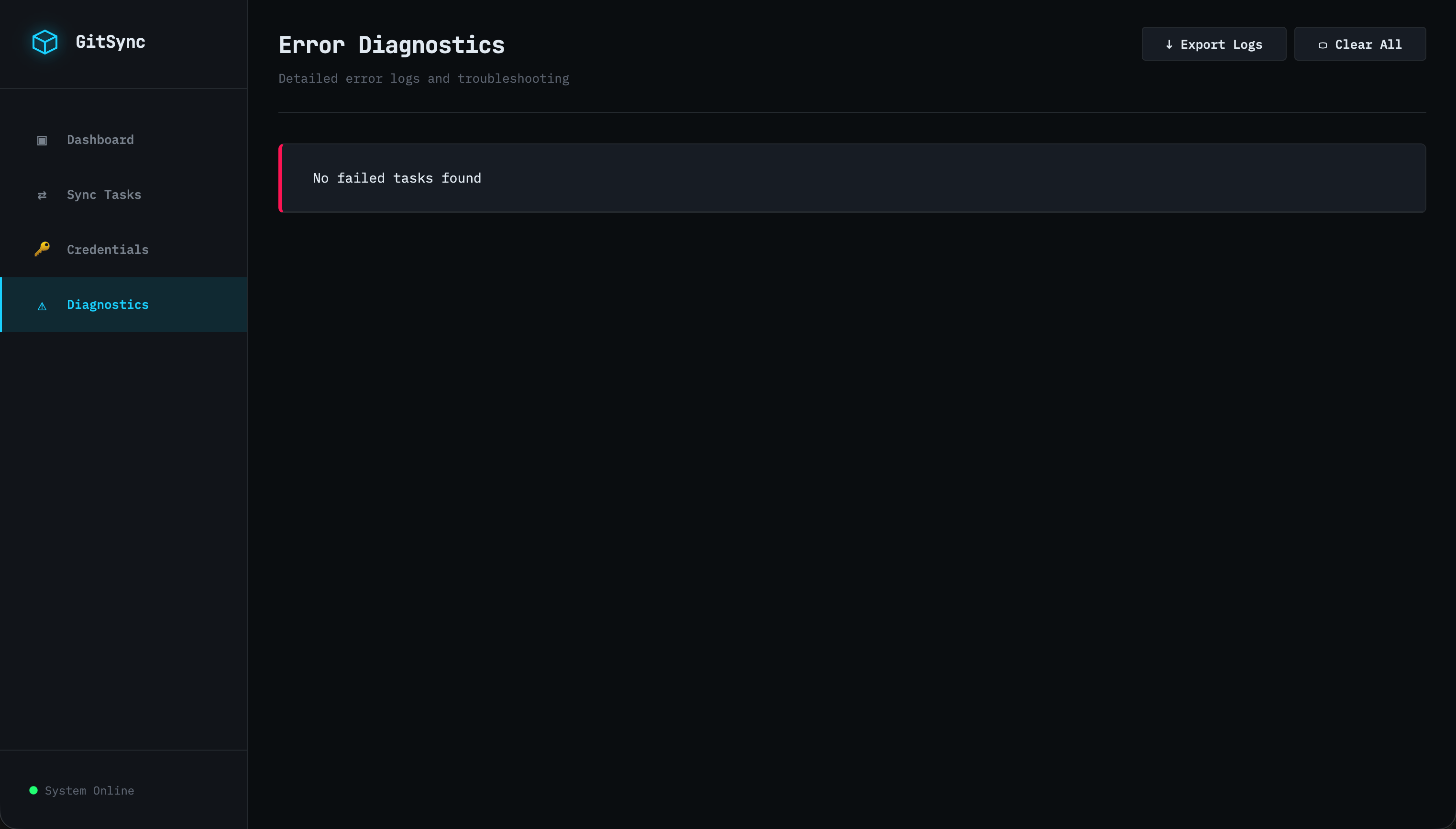
Diagnostics
Detailed error logs and troubleshooting information.
🏗️ Architecture
- Backend: Python 3.11 + FastAPI
- Frontend: Vanilla JavaScript + Modern CSS
- Database: SQLite (single-node)
- Scheduler: APScheduler with Cron support
- Git Engine: GitPython + subprocess for mirror operations
🚀 Installation
Option 1: Docker Hub (Recommended)
The easiest way to deploy GitSync is using the pre-built image from Docker Hub.
Step 1: Pull the Image
docker pull onicc/gitsync:latest
Step 2: Create Required Directories
mkdir -p data backups docker_ssh
Step 3: Create docker-compose.yml
Create a docker-compose.yml file:
name: gitsync

services:
  gitsync:
    image: onicc/gitsync:latest
    container_name: gitsync
    ports:
      - "8080:8080"
    volumes:
      - ./data:/app/database
      - ./backups:/backups
      - ./docker_ssh:/root/.ssh
    environment:
      - DATABASE_URL=sqlite:////app/database/git_backup.db
      - ENCRYPT_KEY=${ENCRYPT_KEY:-your_secret_key_here}
    restart: unless-stopped
Step 4: Start the Application
docker-compose up -d
Step 5: Access the Application
Open your browser and navigate to: http://localhost:8080
Option 2: Build from Source
If you want to build the Docker image from source:
Step 1: Clone the Repository
git clone https://github.com/Onicc/gitsync.git
cd gitsync
Step 2: Create Required Directories
mkdir -p data backups docker_ssh
Step 3: Start with Docker Compose
docker-compose up -d
The application will:
- Build the Docker image
- Start the container
- Automatically configure SSH known_hosts
- Initialize the database
- Start the web server on port 8080
Step 4: Access the Application
Open your browser and navigate to: http://localhost:8080
Docker Directory Structure
gitsync/
├── data/                    # Database files (persisted)
├── backups/                 # Backup repositories (persisted)
├── docker_ssh/             # SSH keys and config (persisted)
├── docker-compose.yml
└── Dockerfile
Docker Management Commands
# View logs
docker-compose logs -f

# Stop the application
docker-compose down

# Restart the application
docker-compose restart

# Rebuild and restart
docker-compose up -d --build

# View container status
docker ps | grep gitsync
Option 3: Local Development
Local deployment gives you more control and easier debugging.
Step 1: Clone the Repository
git clone https://github.com/Onicc/gitsync.git
cd gitsync
Step 2: Create Virtual Environment
python3 -m venv venv
source venv/bin/activate  # On Windows: venv\Scripts\activate
Step 3: Install Dependencies
cd backend
pip install -r requirements.txt
Step 4: Initialize Database
The database will be automatically created on first run.
Step 5: Start the Application
# From the backend directory
uvicorn main:app --host 0.0.0.0 --port 8080 --reload
Or use Python directly:
python -m uvicorn main:app --host 0.0.0.0 --port 8080 --reload
Step 6: Access the Application
Open your browser and navigate to: http://localhost:8080
Local Directory Structure
gitsync/
├── backend/
│   ├── main.py
│   ├── database.py
│   ├── models.py
│   ├── git_engine.py
│   ├── scheduler.py
│   ├── api_*.py
│   └── requirements.txt
├── frontend/
│   ├── index.html
│   ├── app.js
│   └── styles.css
├── database/               # Database files
├── temp_repos/            # Temporary clone directory
└── venv/                  # Virtual environment
📖 Usage Guide
1. SSH Key Management
SSH keys are required for authenticating with Git platforms using SSH URLs.
Creating an SSH Key
- Navigate to Credentials page
- Click Add SSH Key button
- Fill in the form:
- Platform: Select the Git platform (GitHub, GitLab, Gitee)
- User ID: Enter your username on that platform
- Key Name: Give it a descriptive name (optional)
- Click Generate Key
- The public key will be displayed and automatically copied to clipboard
- Add the public key to your Git platform:
- GitHub: Settings → SSH and GPG keys → New SSH key
- GitLab: Preferences → SSH Keys → Add new key
- Gitee: Settings → SSH Keys → Add SSH key
SSH Key Features
- Each platform + user combination gets its own SSH key
- Automatic SSH config management
- Keys are stored securely in
~/.ssh/(local) ordocker_ssh/(Docker) - SSH config automatically updated with Host aliases
2. Personal Access Token Management
Personal Access Tokens are required for HTTPS URLs.
Adding a Token
- Navigate to Credentials page
- Click Add Token button
- Fill in the form:
- Platform: Select the Git platform
- User ID: Enter your username
- Token Name: Give it a descriptive name
- Token: Paste your Personal Access Token
- Scopes: Enter token permissions (e.g., repo, read:org)
- Click Add Token
Creating Platform Tokens
- GitHub: Settings → Developer settings → Personal access tokens → Generate new token
- Required scopes:
repo(full control of private repositories)
- Required scopes:
- GitLab: Preferences → Access Tokens → Add new token
- Required scopes:
read_repository,write_repository
- Required scopes:
- Gitee: Settings → Private Token → Generate new token
- Required scopes:
projects,pull_requests
- Required scopes:
3. Creating Backup Tasks
Step 1: Navigate to Sync Tasks
Click on Sync Tasks in the sidebar.
Step 2: Add New Sync Task
Click the Add Sync Task button.
Step 3: Configure Source
- Name: Give your backup task a descriptive name
- Icon: Choose an emoji icon (optional)
- Platform: Select source platform
- Repository URL: Enter the source repository URL
- SSH format:
[email protected]:username/repo.git - HTTPS format:
https://github.com/username/repo.git
- SSH format:
- Authentication: Select SSH Key or Personal Access Token
Step 4: Configure Destination
- Platform: Select destination platform or Local
- Repository URL: Enter the destination URL or local path
- Remote:
[email protected]:username/backup-repo.git - Local:
/backups/my-backup(absolute path)
- Remote:
- Authentication: Select authentication method (for remote destinations)
Step 5: Configure Schedule
- Cron Expression: Set backup schedule
- Every hour:
0 * * * * - Every day at 2 AM:
0 2 * * * - Every Monday at 3 AM:
0 3 * * 1 - Every 6 hours:
0 */6 * * *
- Every hour:
- Retry Count: Number of retry attempts on failure (default: 3)
Step 6: Save and Enable
Click Create Task to save. The task will be automatically enabled.
4. Managing Backup Tasks
Manual Sync
Click the Sync Now button on any backup task to trigger immediate synchronization.
Edit Task
Click the Edit button to modify task configuration.
Delete Task
Click the Delete button to remove a backup task.
Enable/Disable
Toggle the task status to enable or disable scheduled backups.
5. Monitoring and Logs
Dashboard
The Dashboard shows:
- Total backup tasks
- Active tasks
- Failed tasks
- Live activity stream with recent operations
Diagnostics
The Diagnostics page provides:
- Detailed logs for all operations
- Failed task details with error messages
- Export logs functionality
- Clear all logs option
⚙️ Configuration
Environment Variables
Docker Deployment
Edit docker-compose.yml to configure:
environment:
  - DATABASE_URL=sqlite:////app/database/git_backup.db
  - ENCRYPT_KEY=${ENCRYPT_KEY:-your_secret_key_here}
DATABASE_URL: Database connection stringENCRYPT_KEY: Encryption key for storing credentials (change in production)
Local Deployment
Create a .env file in the backend directory:
DATABASE_URL=sqlite:///./database/git_backup.db
ENCRYPT_KEY=your_secret_key_here
Port Configuration
Docker
Edit docker-compose.yml:
ports:
  - "8080:8080"  # Change left side to use different host port
Local
Change the port in the uvicorn command:
uvicorn main:app --host 0.0.0.0 --port 8080
Volume Mappings (Docker)
The following directories are mapped to persist data:
volumes:
  - ./data:/app/database          # Database storage
  - ./backups:/backups             # Backup repositories
  - ./docker_ssh:/root/.ssh        # SSH keys and config
🔧 Troubleshooting
SSH Connection Issues
Problem: "Host key verification failed"
Solution: The application automatically adds known_hosts on startup. If you still see this error:
# For Docker
docker-compose restart

# For Local
ssh-keyscan github.com >> ~/.ssh/known_hosts
ssh-keyscan gitlab.com >> ~/.ssh/known_hosts
ssh-keyscan gitee.com >> ~/.ssh/known_hosts
Permission Denied Errors
Problem: "Permission denied (publickey)"
Solution:
- Verify the SSH public key is added to your Git platform
- Check that the correct SSH key is selected for the task
- Ensure the User ID matches your Git platform username
URL Format Validation
Problem: "Invalid URL format"
Solution:
- SSH URLs must match:
git@host:username/repository.git - HTTPS URLs must match:
https://host/username/repository.git - Ensure authentication method matches URL format:
- SSH Key → SSH URL
- Personal Access Token → HTTPS URL
Time Zone Issues
Problem: Log timestamps show wrong time
Solution: The application uses local system time. For Docker:
# Add to docker-compose.yml
environment:
  - TZ=Asia/Shanghai  # Change to your timezone
Database Locked
Problem: "Database is locked"
Solution:
# Stop the application
docker-compose down  # or kill the local process

# Remove lock file
rm data/git_backup.db-journal

# Restart
docker-compose up -d
Container Keeps Restarting
Problem: Docker container in restart loop
Solution:
# Check logs
docker logs gitsync

# Common issues:
# 1. Port already in use - change port in docker-compose.yml
# 2. Permission issues - check directory permissions
# 3. Database corruption - backup and remove data/git_backup.db
🔒 Security Best Practices
- Change Default Encryption Key: Update
ENCRYPT_KEYin production - Use SSH Keys: Prefer SSH authentication over tokens when possible
- Limit Token Scopes: Only grant necessary permissions to tokens
- Regular Backups: Backup the
data/directory regularly - Secure Access: Use reverse proxy with HTTPS in production
- Network Isolation: Run in isolated network or use firewall rules
📊 Performance Tips
- Backup Size: Large repositories (>1GB) may take longer to sync
- Schedule Wisely: Avoid scheduling all tasks at the same time
- Local Backups: Local destinations are faster than remote
- Retry Count: Set appropriate retry count based on network stability
- Cleanup: Regularly clean up old logs from Diagnostics page
🛠️ Development
Running Tests
# Install test dependencies
pip install pytest pytest-asyncio

# Run tests
pytest
Code Structure
backend/
├── main.py              # FastAPI application entry point
├── database.py          # Database initialization and session management
├── models.py            # SQLAlchemy models
├── git_engine.py        # Git operations and sync logic
├── scheduler.py         # APScheduler task scheduling
├── api_tasks.py         # Backup task API endpoints
├── api_stats.py         # Statistics and logs API endpoints
├── api_credentials.py   # Credentials management API endpoints
└── crypto_utils.py      # Encryption utilities
Adding New Features
- Fork the repository
- Create a feature branch
- Make your changes
- Test thoroughly
- Submit a pull request
📝 License
This project is licensed under the MIT License.
🤝 Contributing
Contributions are welcome! Please feel free to submit a Pull Request.
📧 Support
For issues and questions:
- GitHub Issues: https://github.com/Onicc/gitsync/issues
- Documentation: https://github.com/Onicc/gitsync/wiki
🙏 Acknowledgments
- FastAPI for the excellent web framework
- APScheduler for reliable task scheduling
- GitPython for Git operations
- All contributors and users of this project
Tag summary
Content type
Image
Digest
sha256:d2c1ef69e…
Size
108.6 MB
Last updated
9 months ago
docker pull onicc/gitsync