opcm/pcm repository overview
Processor Counter Monitor (PCM)
PCM Tools | Building PCM | Downloading Pre-Compiled PCM | FAQ | API Documentation | Environment Variables | Compilation Options
Processor Counter Monitor (PCM) is an application programming interface (API) and a set of tools based on the API to monitor performance and energy metrics of Intel® Core™, Xeon®, Atom™ and Xeon Phi™ processors. PCM works on Linux, Windows, Mac OS X, FreeBSD and DragonFlyBSD operating systems.
Github repository statistics: 


Current Build Status
- Linux and OSX:

- Windows:
- FreeBSD:

- Docker Hub:


PCM Tools
PCM provides a number of command-line utilities for real-time monitoring:
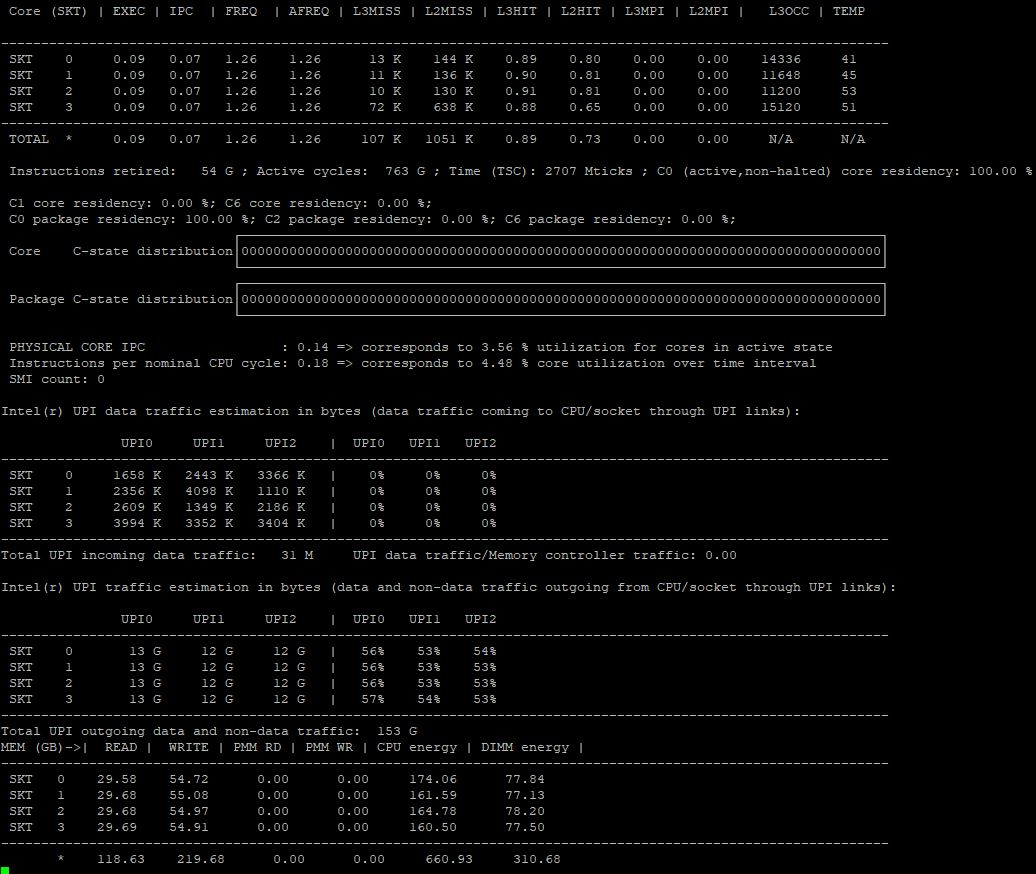
- pcm : basic processor monitoring utility (instructions per cycle, core frequency (including Intel(r) Turbo Boost Technology), memory and Intel(r) Quick Path Interconnect bandwidth, local and remote memory bandwidth, cache misses, core and CPU package sleep C-state residency, core and CPU package thermal headroom, cache utilization, CPU and memory energy consumption)
- pcm-sensor-server : pcm collector exposing metrics over http in JSON or Prometheus (exporter text based) format (how-to). Also available as a docker container
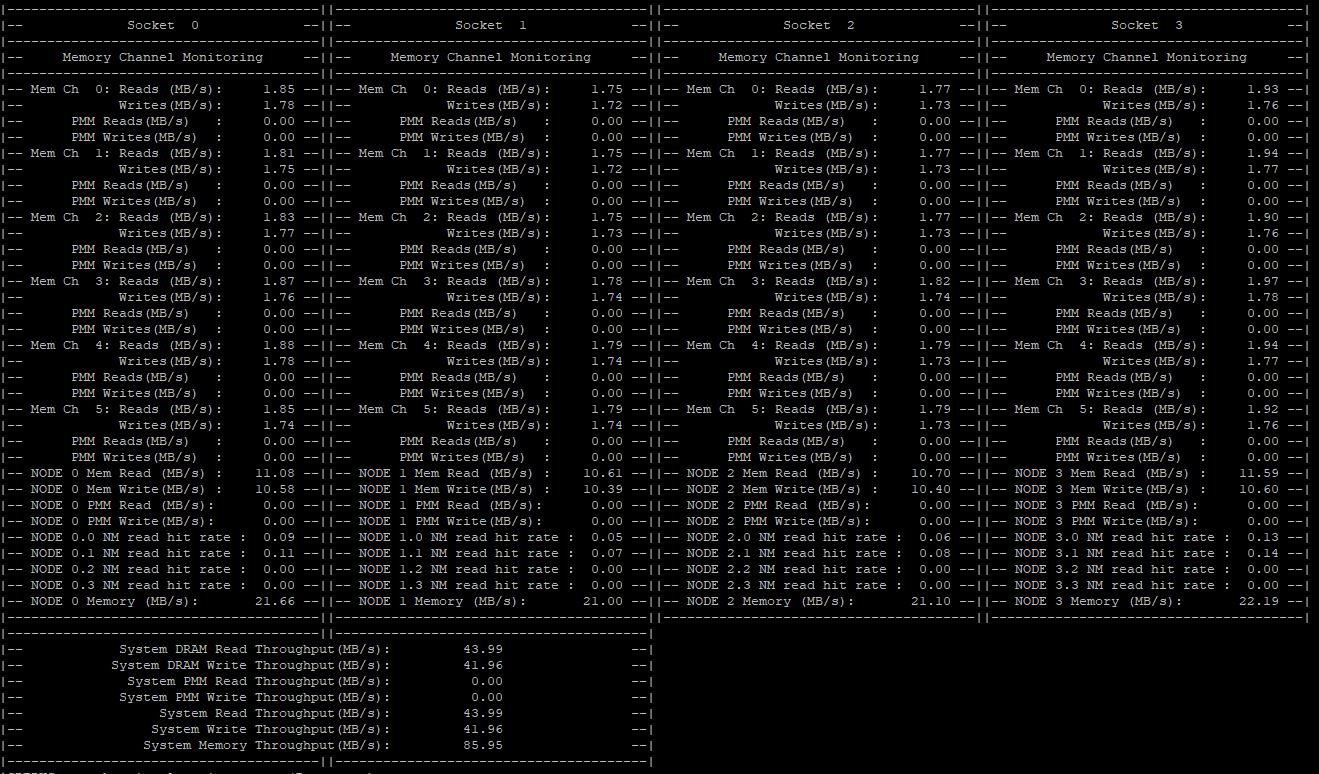
- pcm-memory : monitor memory bandwidth (per-channel and per-DRAM DIMM rank)
- pcm-latency : monitor L1 cache miss and DDR/PMM memory latency
- pcm-pcie : monitor PCIe bandwidth per-socket
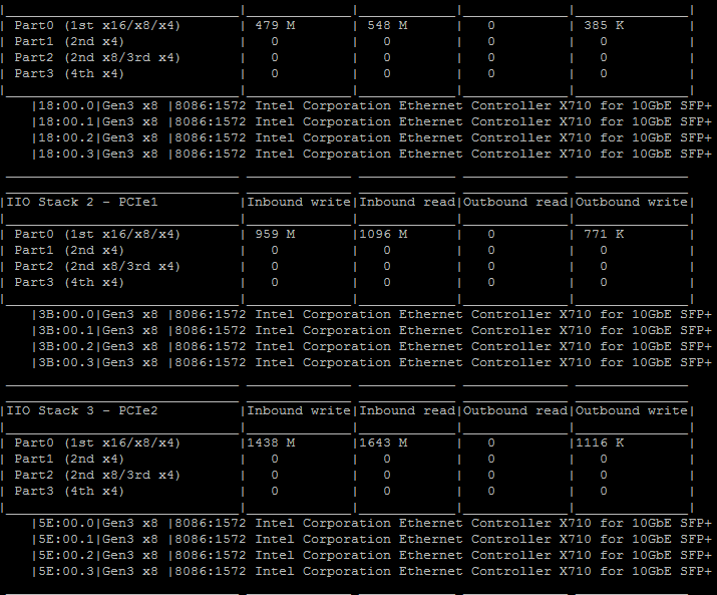
- pcm-iio : monitor PCIe bandwidth per PCIe device
- pcm-numa : monitor local and remote memory accesses
- pcm-power : monitor sleep and energy states of processor, Intel(r) Quick Path Interconnect, DRAM memory, reasons of CPU frequency throttling and other energy-related metrics
- pcm-tsx: monitor performance metrics for Intel(r) Transactional Synchronization Extensions
- pcm-core and pmu-query: query and monitor arbitrary processor core events
- pcm-raw: program arbitrary core and uncore events by specifying raw register event ID encoding
- pcm-bw-histogram: collect memory bandwidth utilization histogram
Graphical front ends:
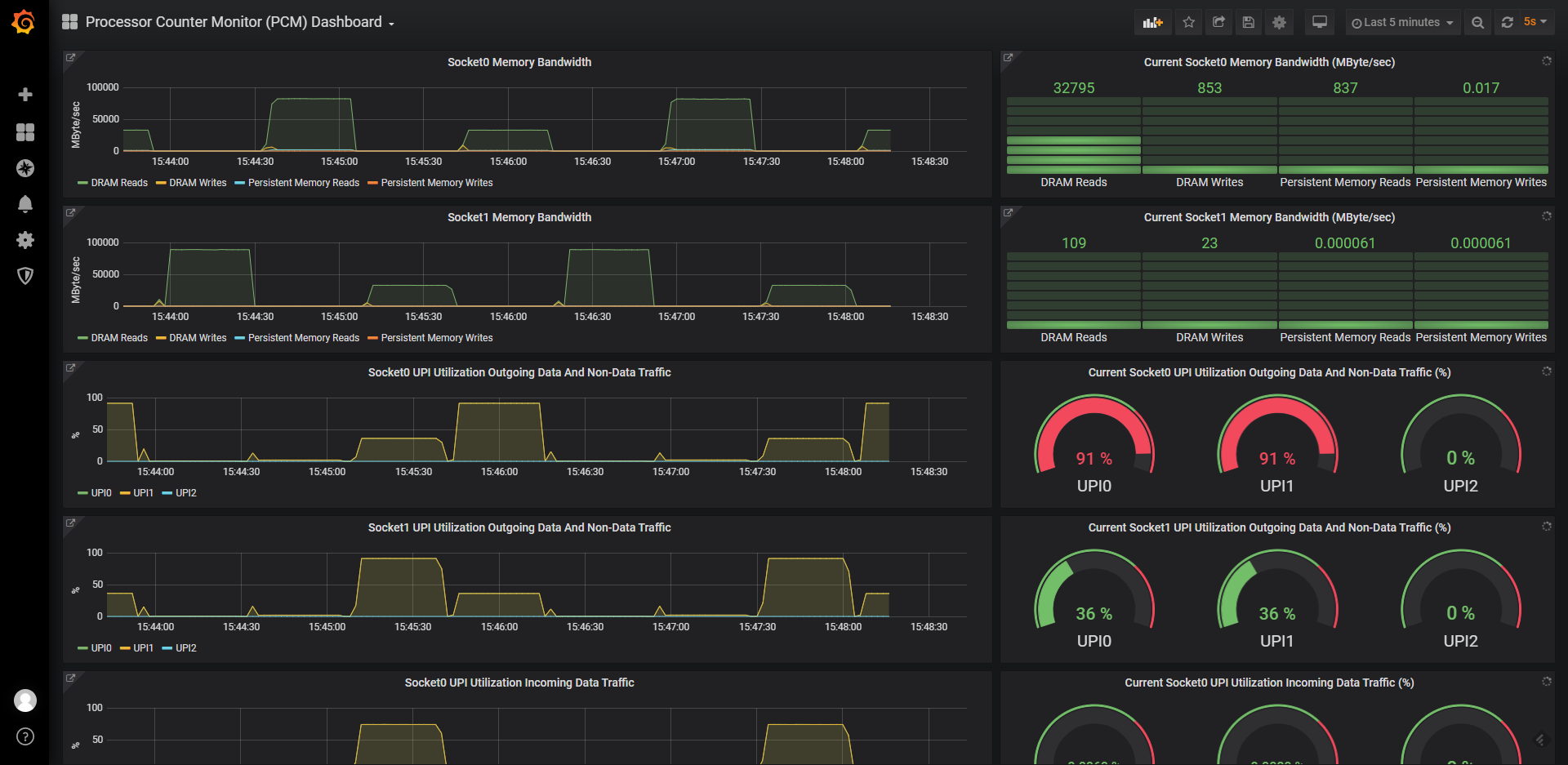
- pcm Grafana dashboard : front-end for Grafana (in grafana directory)
- pcm-sensor : front-end for KDE KSysGuard
- pcm-service : front-end for Windows perfmon
There are also utilities for reading/writing model specific registers (pcm-msr), PCI configuration registers (pcm-pcicfg) and memory mapped registers (pcm-mmio) supported on Linux, Windows, Mac OS X and FreeBSD.
And finally a daemon that stores core, memory and QPI counters in shared memory that can be be accessed by non-root users.
Building PCM Tools
- Linux: just type 'make'. You will get all the utilities (pcm.x, pcm-memory.x, etc) built in the main PCM directory.
- FreeBSD/DragonFlyBSD: just type 'gmake'. You will get all the utilities (pcm.x, pcm-memory.x, etc) built in the main PCM directory. If the 'gmake' command is not available, you need to install GNU make from ports (for example with 'pkg install gmake').
- Windows: follow the steps in WINDOWS_HOWTO.md (will need to build or download additional drivers).
- Mac OS X: follow instructions in MAC_HOWTO.txt
Downloading Pre-Compiled PCM Tools
- Linux:
- openSUSE:
sudo zypper install pcm - Fedora:
sudo yum install pcm - RPMs and DEBs with the latest PCM version for RHEL/SLE/Ubuntu/Debian/openSUSE/etc distributions (binary and source) are available here
- openSUSE:
- Windows: download PCM binaries as appveyor build service artifacts and required Visual C++ Redistributable from www.microsoft.com. Additional drivers are needed, see WINDOWS_HOWTO.md.
- Docker: see instructions on how to use pcm-sensor-server pre-compiled container from docker hub.
Frequently Asked Questions (FAQ)
PCM's frequently asked questions (FAQ) are located here.
PCM API documentation
PCM API documentation is embedded in the source code and can be generated into html format from source using Doxygen (www.doxygen.org).
PCM environment variables
The list of PCM environment variables is located here
Custom compilation options
The list of custom compilation options is located here
Tag summary
Content type
Image
Digest
sha256:f0866b90a…
Size
95.1 MB
Last updated
19 days ago
docker pull opcm/pcm