orhunp/pkgtop repository overview

pkgtop is an interactive package manager & resource monitor tool designed for the GNU/Linux.







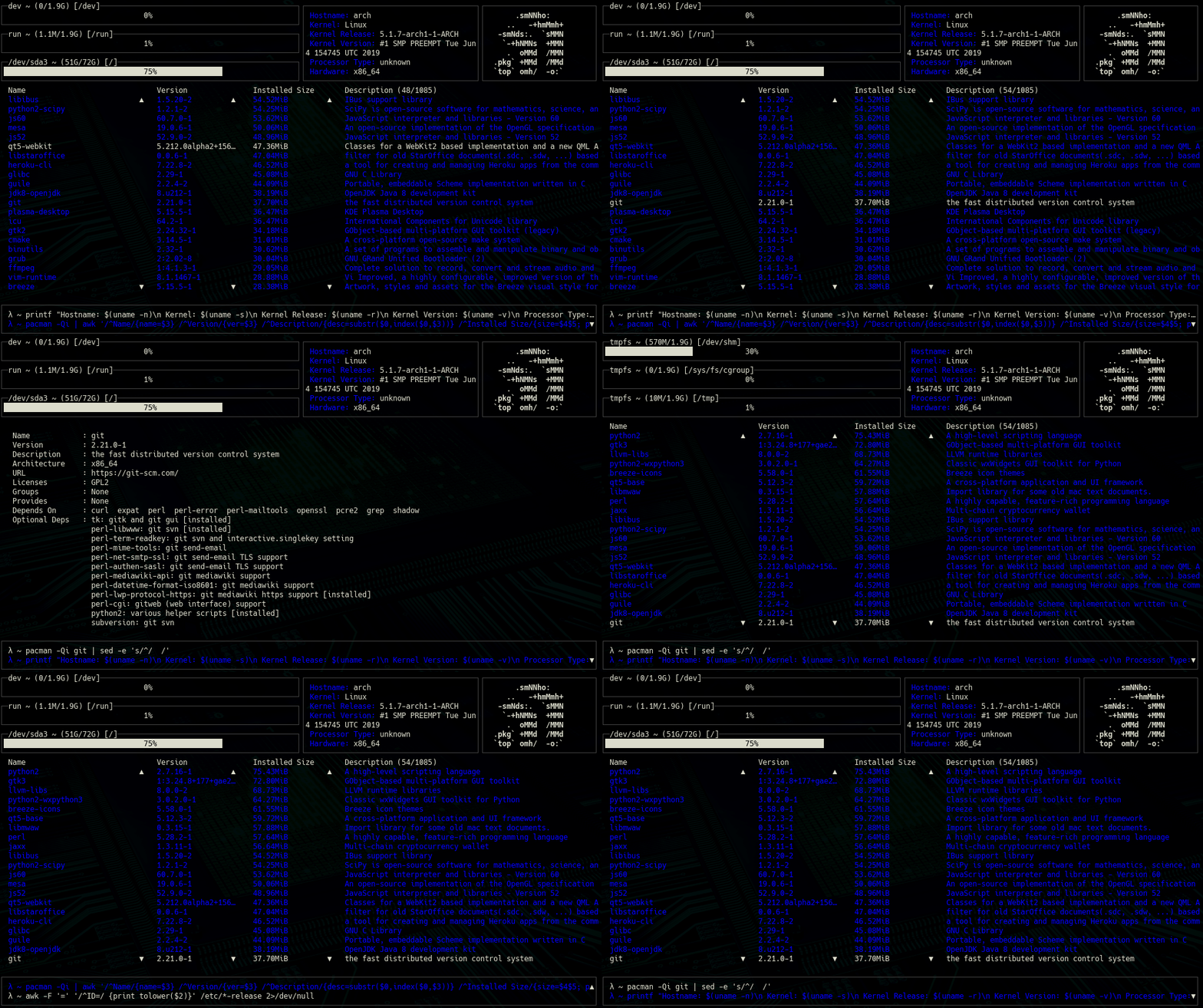
Package management (install/upgrade/remove etc.) can be a problem if the user is not familiar with the operating system or the required command for that operation. So pkgtop tries to solve this problem with an easy-to-use terminal interface and shortcut keys. Briefly, pkgtop aims to provide a terminal dashboard for managing packages on GNU/Linux systems. Using the terminal dashboard, it's possible to list installed packages by size (or alphabetically with -a argument), show information about the package, install/upgrade/remove packages and search package. Also, there are other handy shortcuts for easing the package management process which mentioned in the usage information.
In addition to the package management features, there's a section at the top of the dashboard that shows disk usages and general system information. For example, this section can be used as a resource monitor and help decide whether the system should be cleaned or not.
Another useful section is the 'executed' or 'confirm to execute' command list which is placed below the installed packages. Thus, the user can see which command executed recently or confirm & execute the selected command. (The commands that need confirmation to execute exist in the list with a prefix like "[y]".)
After scrolling the commands list with "c" key for selecting the command to execute, press "y" for executing it. pkgtop will execute the command and restart the terminal dashboard afterwards.
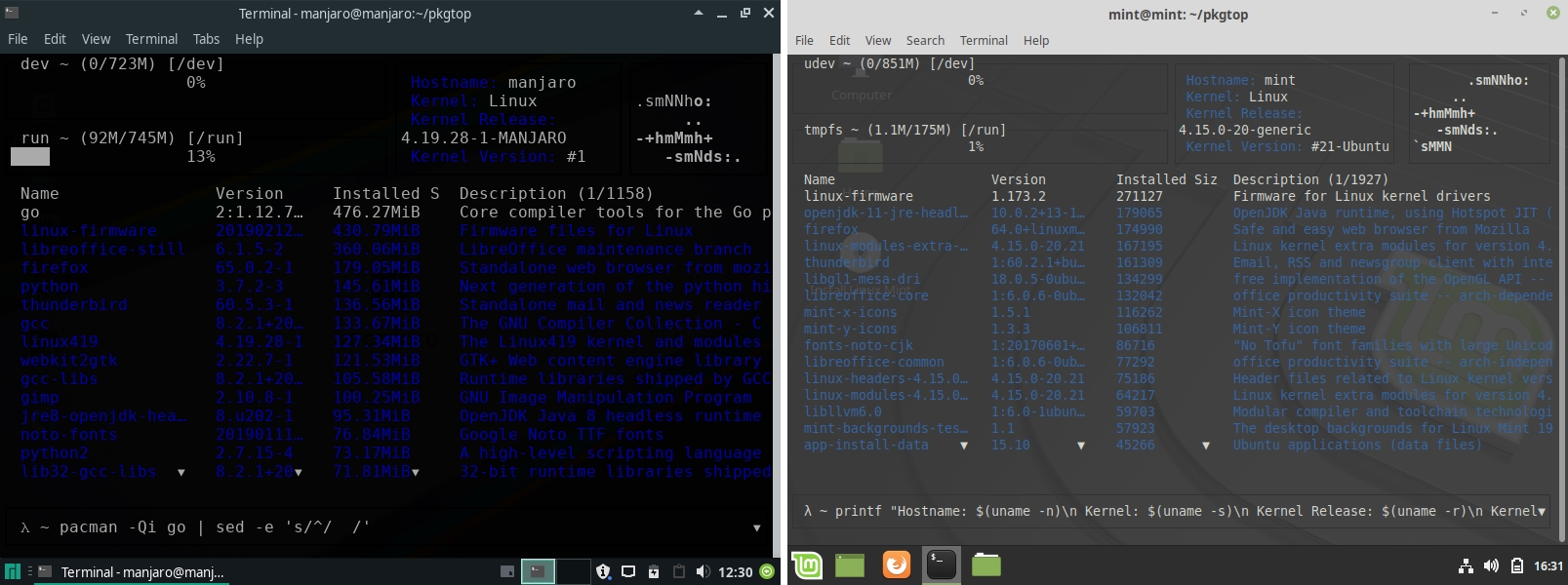
pkgtop uses the advantage of mainly used package managers being installed on most of the preferred GNU/Linux distributions. As an example, it works on a Manjaro based system as it works on Arch Linux systems since both distributions use the Pacman package manager. You can use pkgtop if you have one of the package managers listed below.
- pacman
- apt
- zypp
- dnf
- xbps
- portage
- nix
- guix
If you are happy user of Arch-based distributive, you can use pkgtop with pacman wrappers and AUR supporters, such as yay or trizen. Look to this section for details.
If the distribution is not defined in the source but has the required package manager for running the pkgtop, -d argument can be used for specifying a distribution that has the same package manager. Current defined and supported distributions are arch, manjaro, debian, ubuntu, mint, suse, fedora, centos, redhat, void, gentoo, nixos, guix.
- Installation
- Command-Line Arguments
- AUR Support
- Usage
- Docker
- Screenshots
- Todo(s)
- Sponsor
- License
- Credit
Installation
• Dependencies
- gizak/termui
- atotto/clipboard
- dustin/go-humanize
- mattn/go-runewidth
- mitchellh/go-wordwrap
- nsf/termbox-go
• AUR (pkgtop-git)
git clone https://aur.archlinux.org/pkgtop-git.git && cd pkgtop-git/
makepkg --install
• Manual Installation
go get ./...
go build src/pkgtop.go
sudo mv pkgtop /usr/local/bin/
Preferably, go install command can be used.
Command-Line Arguments
-h, show help message
-d, select linux distribution
-c, main color of the dashboard (default: blue)
   [red, green, yellow, blue, magenta, cyan, white]
-pacman, pacman backend for arch-based distributions (default: pacman)
-a, sort packages alphabetically
-r, reverse the package list
-v, print version
AUR Support
You can specify which pacman wrapper you should to use by launch pkgtop with -pacman option.
For example, for yay support:
$ pkgtop -pacman yay
If you don't want to provide the -pacman option every time on app launch, you can create bash alias on ~/.bashrc file.
~/.bashrc

alias pkgtop='pkgtop -pacman yay'
After that you can simply launch pkgtop command and get full AUR support, provided by yay wrapper.
Usage
| Key | Action |
|---|---|
? | help |
enter, space, tab | show package information |
i | install package |
u/ctrl-u | upgrade package/with input |
r/ctrl-r | remove package/with input |
s,/ | search package |
g | go to package (index) |
y | confirm and execute the selected command |
p | copy selected package |
e | copy selected command |
c | scroll executed commands list |
j/k, down/up | scroll down/up (packages) |
ctrl-j/ctrl-k | scroll to bottom/top (packages) |
l/h, right/left | scroll down/up (disk usage) |
backspace | go back |
q, esc, ctrl-c, ctrl-d | exit |
List Installed Packages & Show Package Information

pressed keys: down, enter, backspace
Search, Go-to Package

pressed keys: s, (type), enter, g, (type), enter
Install, Upgrade, Remove Package

pressed keys:
i, (type), enter, y -> install
ctrl-u, (type), enter, y -> upgrade
ctrl-r, (type), enter, y -> remove
Show Disk Usage Information

pressed keys: right, left
Confirm Command to Execute
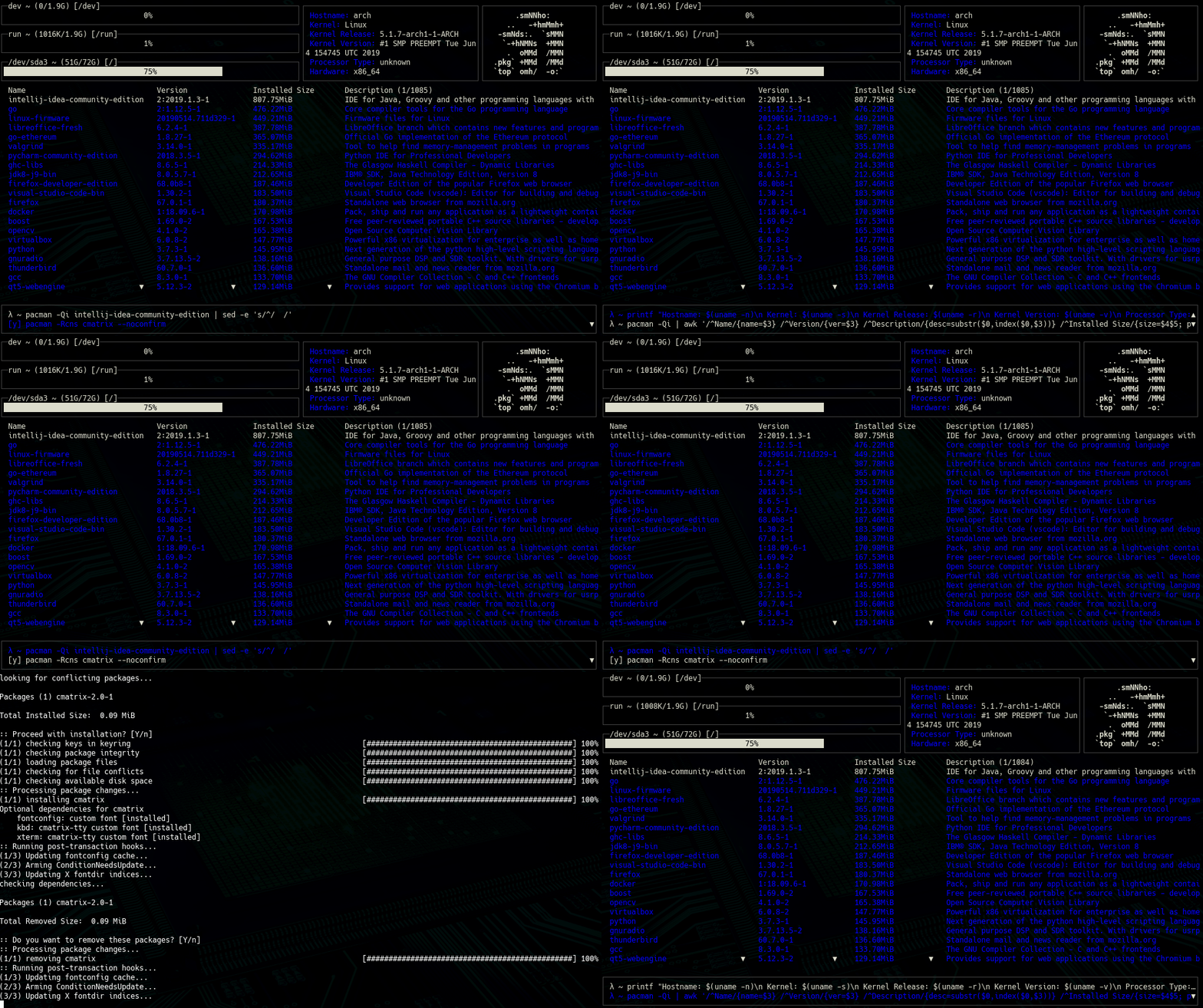
pressed keys: c, y
Show Help

pressed key: ?
Docker
Build Docker Image
docker build -f docker/Dockerfile -t pkgtop-docker .
Run the Container
docker run pkgtop-docker
Start a shell in the Container
docker run -it pkgtop-docker /bin/ash
Screenshots


Todo(s)
- Add 'paste' feature
Sponsor
If you would like to support the development of pkgtop and my other open source projects, consider becoming a patron.
License
GNU General Public License (v3)
Copyright
Copyright (c) 2019-2020, orhun
Tag summary
Content type
Image
Digest
sha256:2aca564b8…
Size
27.6 MB
Last updated
about 3 years ago
docker pull orhunp/pkgtop