ozkr0124/oracle-sql-developer
Oracle SQL Developer in a KamsVNC for database management.
264
ozkr0124/oracle-sql-developer repository overview
Dockerized Oracle SQL Developer
This project provides a Docker container to run Oracle SQL Developer, a tool for managing Oracle databases. The containers are configured to support amd64 and arm64 architectures using docker-compose.
Features
- Based on Ubuntu 22.04 images.
- Includes Oracle SQL Developer version
24.3.0.284.2209. - Preconfigured for easy deployment with data persistence support.
Prerequisites
- Docker installed.
- Docker Compose installed.
- Compatible CPU architecture (
amd64orarm64).
Usage
Clone the Repository
git clone https://github.com/ozkr0124/dockerized-oracle-sql-developer.git
cd dockerized-oracle-sql-developer
Run with Docker Compose
For ARM64 Architectures
- Use the docker-compose.arm64.yml file:
docker-compose -f docker-compose.arm64.yml up -d
- Access the application at:
https://localhost:8444
For AMD64 Architectures
- Use the docker-compose.amd64.yml file:
docker-compose -f docker-compose.amd64.yml up -d
- Access the application at:
https://localhost:8444
Customization
Environment Variables
You can modify the following environment variables in the docker-compose.*.yml files to customize your environment:
TZ: Time zone (default isAmerica/Bogota).
Ports
The default container port is 8444. The docker-compose file maps this port to 8444 on the host. You can adjust this configuration as needed.
Data Persistence
Oracle SQL Developer configuration data is stored in a Docker volume named sqldeveloper-data. This ensures that configurations persist across container restarts.
Stop and Remove the Container
To stop and remove the container along with its associated volumes:
docker-compose -f docker-compose.arm64.yml down -v
# or
docker-compose -f docker-compose.amd64.yml down -v
Screen Recoder
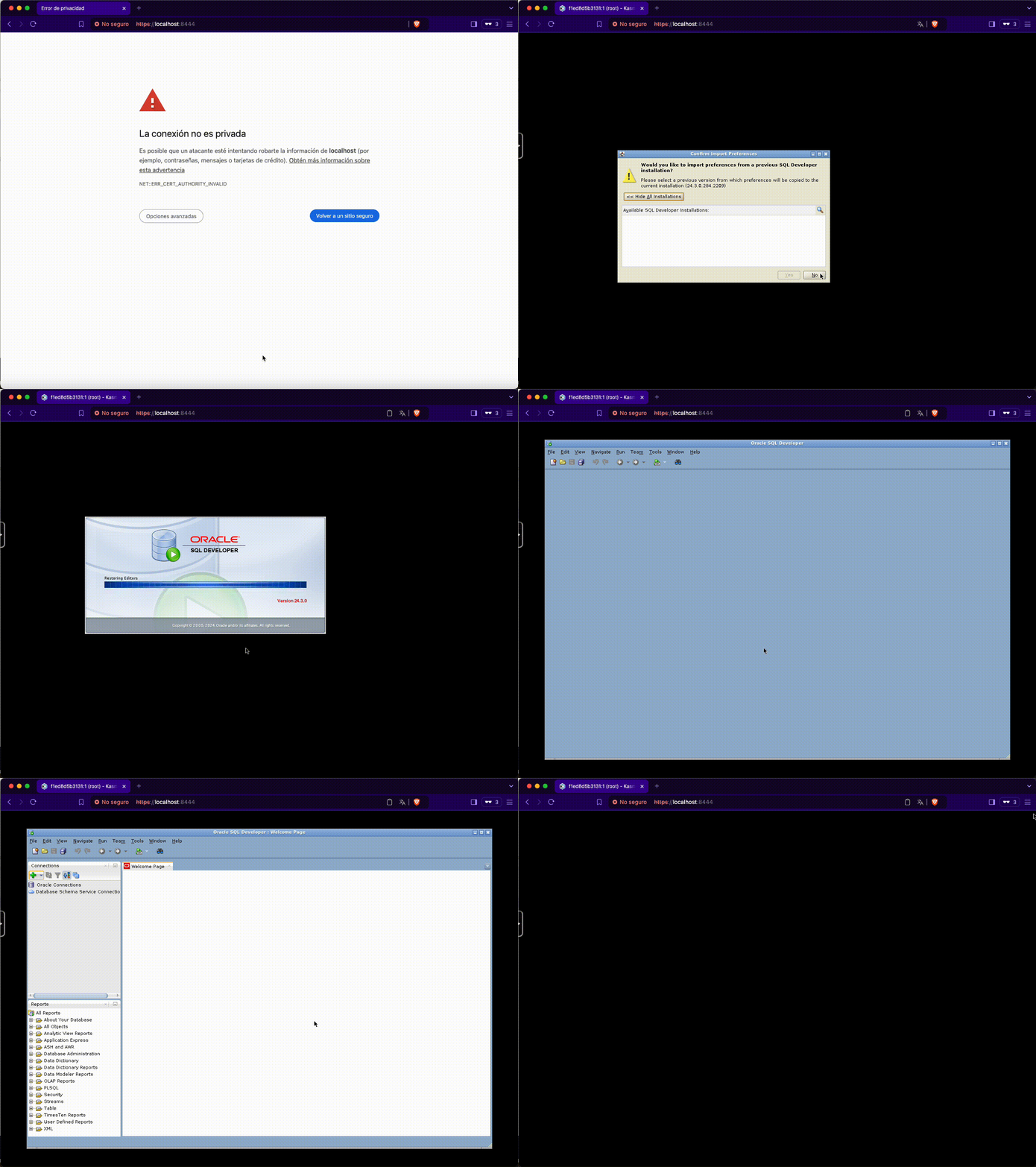
Technical Details
Base Images
- ARM64/AMD64:
ubuntu:22.04.
Dockerfile
The Dockerfile installs:
- JDK 17 (required by SQL Developer).
- Oracle SQL Developer.
- KasmVNC.
- Openbox GNOME.
- Supervisor.
- Configures the container to expose port
8444and use a supervisor to run multiple processes within the container.
Security
- The configuration sets seccomp:unconfined to enable advanced functionalities within the container. This can be adjusted to meet your security needs.
Contributions
Contributions are welcome! If you find an issue or have an improvement, feel free to open an issue or submit a pull request.
License
This project is licensed under the terms of the MIT License and Oracle Free Use Terms and Conditions.
Tag summary
Content type
Image
Digest
sha256:47d2f15b8…
Size
1.4 GB
Last updated
almost 2 years ago
docker pull ozkr0124/oracle-sql-developer:1.0.0-amd64