palashdeb/omnivoice-studio
Local ElevenLabs alternative: voice cloning, design & video dubbing in 646 languages. No API keys.
100K+
palashdeb/omnivoice-studio repository overview
VoiceStudio
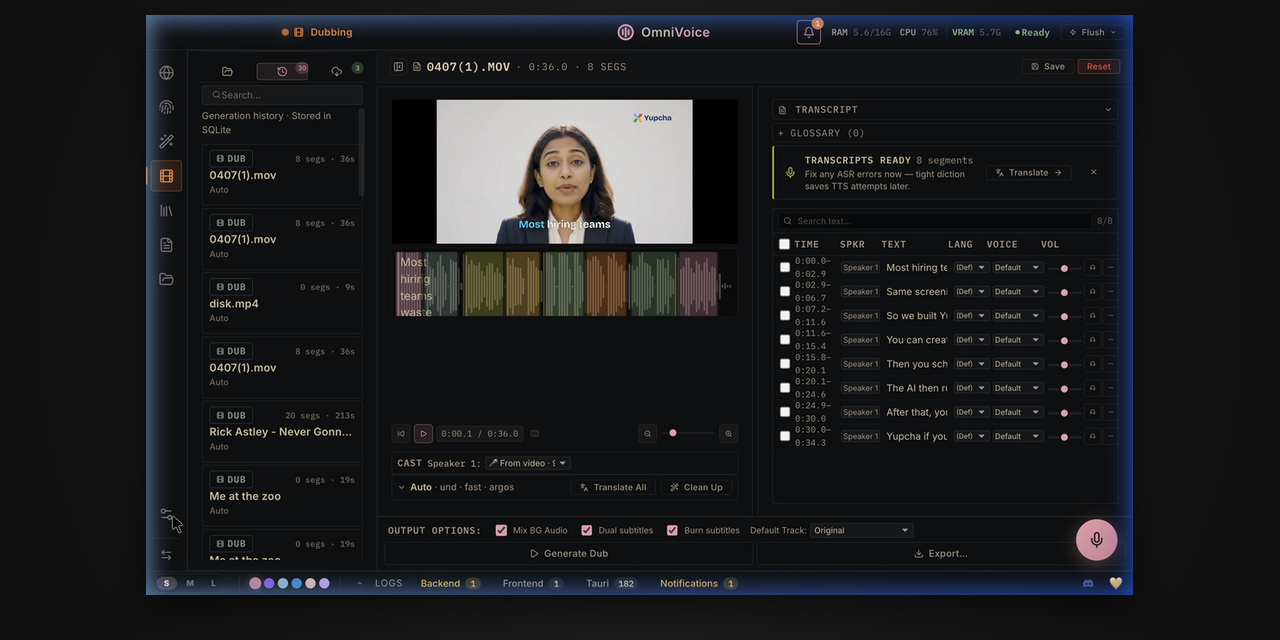
The open-source ElevenLabs alternative. Real-time dictation, zero-shot voice cloning, and cinematic video dubbing — fully local, with no cloud API keys or accounts. 646 languages.





VoiceStudio runs entirely on your own hardware (CUDA / ROCm / CPU
auto-detect). Nothing leaves the machine without your explicit yes: product
analytics are opt-in (PostHog, content-free usage metadata only) behind a
first-run consent prompt — declining or skipping keeps them off, and
-e OMNIVOICE_ANALYTICS_DISABLED=1 disables them entirely. This image is the headless
web-server build: a FastAPI backend serving a pre-built React UI over HTTP, so
you can run it on an AMD64 homelab box or GPU server and open
the UI in a browser.
Architecture: published images are linux/amd64 only; there is no
native ARM64 image. On Apple Silicon, use the
native macOS app
for Apple GPU acceleration; the Linux container cannot access the Mac's Apple
GPU through MPS or MLX. Other ARM64 hosts need an AMD64 server or CPU emulation,
which can be much slower. See the
architecture requirements
before pulling an image.
The desktop app's auto-updater is desktop-only and does not apply to this image — to update, pull a newer tag and recreate the container.
What you need: 8 GB RAM (16 GB+ recommended), ~10 GB free disk for model
weights + cache (20 GB+ comfortable), and optionally a GPU — 4 GB VRAM works
(TTS auto-offloads to CPU), 8 GB+ is comfortable. No GPU at all is fine too:
the entire pipeline runs on CPU, just slower. Pull size: ~5 GB compressed
(CUDA/CPU image), ~15 GB for the :rocm variant.
See it in action
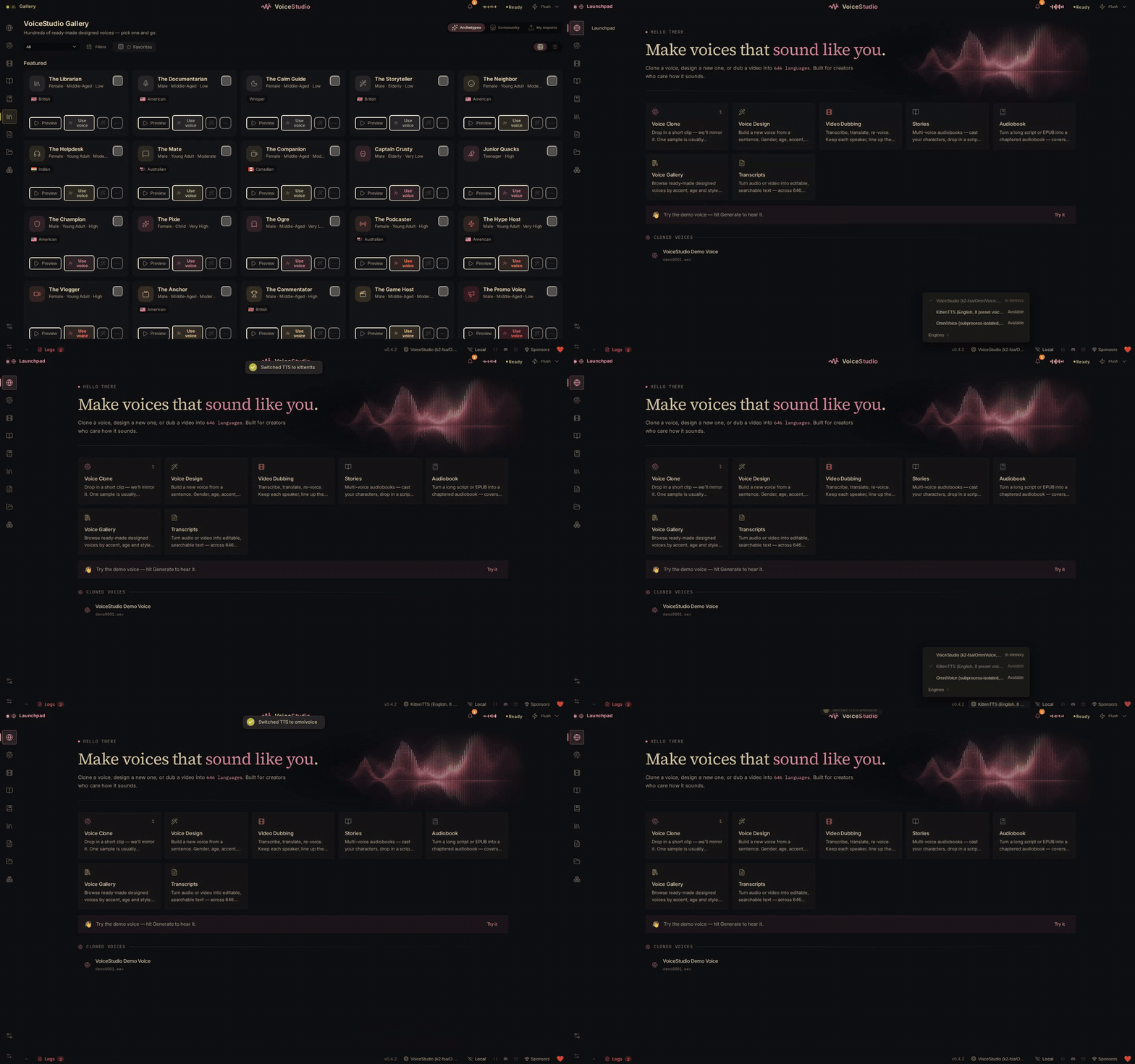
| Model catalogue | Save a gallery voice |
|---|---|
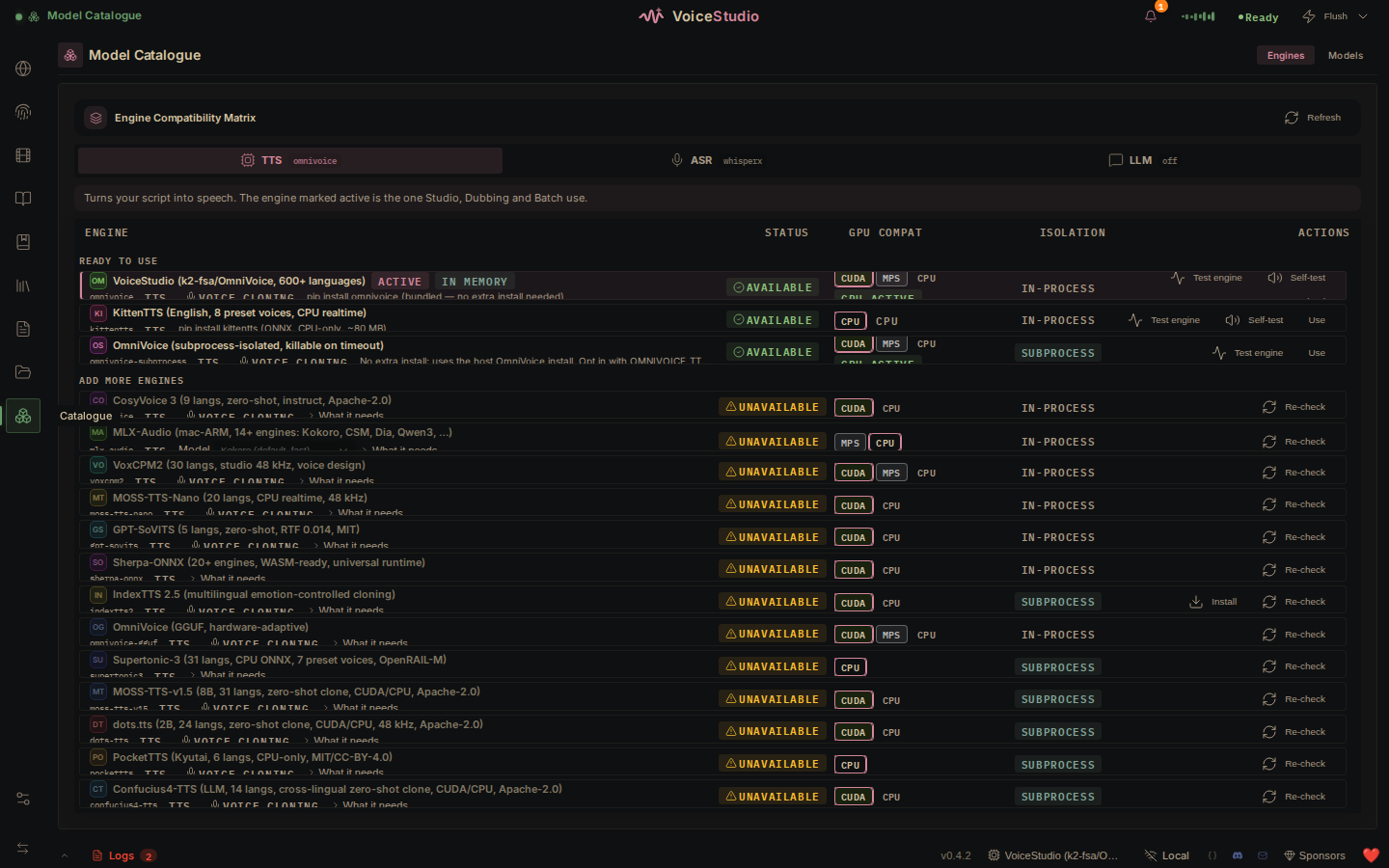 | 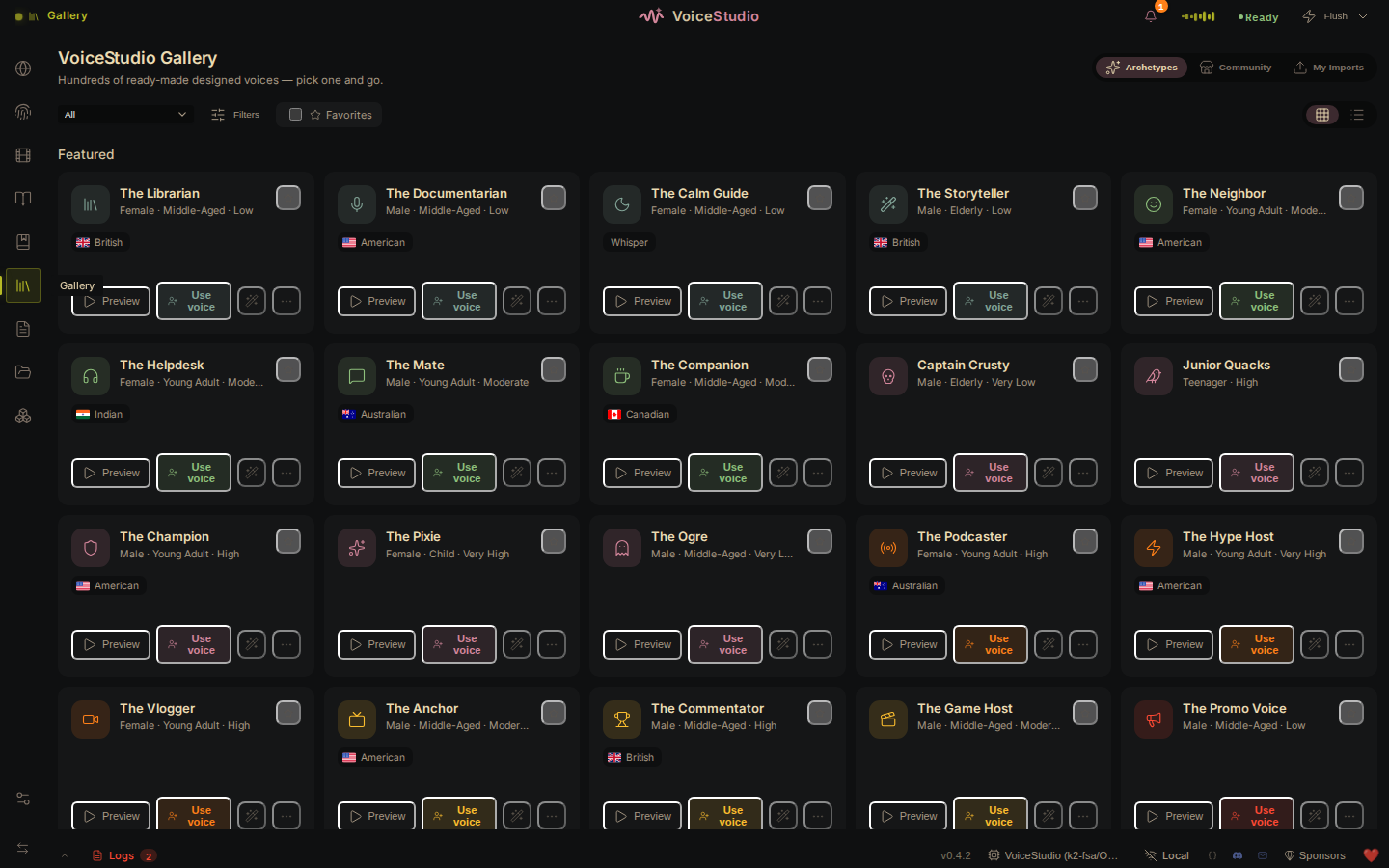 |
Quick start (CPU)
export OMNIVOICE_API_KEY="$(python3 -c 'import secrets; print(secrets.token_urlsafe(32))')"

docker run -d --name omnivoice \
  -p 127.0.0.1:3900:3900 \
  -e OMNIVOICE_API_KEY="$OMNIVOICE_API_KEY" \
  -v omnivoice-data:/app/omnivoice_data \
  palashdeb/omnivoice-studio:stable
Open http://localhost:3900. The first run downloads a few GB of model weights —
follow docker logs -f omnivoice to watch progress. When the UI asks for an
API key, paste the generated value; settings and diagnostic actions require
this administrator session because Docker NAT hides the browser's true
loopback origin.
Quick start (NVIDIA GPU)
export OMNIVOICE_API_KEY="$(python3 -c 'import secrets; print(secrets.token_urlsafe(32))')"

docker run -d --name omnivoice --gpus all \
  -p 127.0.0.1:3900:3900 \
  -e OMNIVOICE_API_KEY="$OMNIVOICE_API_KEY" \
  -v omnivoice-data:/app/omnivoice_data \
  palashdeb/omnivoice-studio:stable
GPU mode needs the NVIDIA Container Toolkit on the host.
Quick start (AMD GPU / ROCm)
AMD GPUs use the dedicated :rocm image variant (the default image is
CUDA-only and runs on CPU on AMD hardware). No toolkit needed — pass the GPU
through as device nodes; the host only needs the amdgpu kernel driver:
export OMNIVOICE_API_KEY="$(python3 -c 'import secrets; print(secrets.token_urlsafe(32))')"

docker run -d --name omnivoice \
  --device /dev/kfd --device /dev/dri \
  -p 127.0.0.1:3900:3900 \
  -e OMNIVOICE_API_KEY="$OMNIVOICE_API_KEY" \
  -v omnivoice-data:/app/omnivoice_data \
  palashdeb/omnivoice-studio:stable-rocm
Podman users: same two --device flags (Quadlet: AddDevice=/dev/kfd +
AddDevice=/dev/dri). On RDNA3 consumer cards (RX 7900 XTX/XT), add
-e HSA_OVERRIDE_GFX_VERSION=11.0.0 if the GPU isn't detected — details in
the Docker install guide.
There's also a Compose file in the repo with cpu / gpu / rocm profiles,
plus worker-gpu / worker-rocm profiles that lend a headless GPU without
publishing the web UI — see the Docker install guide.
Image tags
| Tag | What you get |
|---|---|
:latest | Rolling preview — the latest commit on main, at or ahead of the last release. Only main builds move it; publishing a release never does. Pin :stable for production. |
:main | Alias of the same rolling main build as :latest |
:stable | Most recent stable release — moves when a GitHub Release is published |
:0.5.6 | Exact release version, published with its GitHub Release |
:0.5 | Latest released patch within the 0.5 minor |
:sha-xxxxxxx | Exact commit — produced by every image build (main, releases, manual runs) |
:rocm | AMD GPU (ROCm) build of the rolling preview — the ROCm analogue of :latest |
:stable-rocm, :0.5.6-rocm, :0.5-rocm, :sha-xxxxxxx-rocm | ROCm builds of the corresponding tags above |
Release tags are published only when the GitHub Release is published.
Preview builds always come from main and never version-sort below :stable,
so upgrades flow naturally. The same images and tags
are mirrored on GHCR at
ghcr.io/debpalash/voicestudio.
The former ghcr.io/debpalash/omnivoice-studio path remains a compatible alias.
What's inside
- 🎙️ Voice Cloning — a 3-second clip mirrors any voice, zero-shot, in 646 languages.
- 🎨 Voice Design — dial in gender, age, accent, pitch, speed, emotion, and dialect.
- 🎬 Video Dubbing — YouTube URL or file → transcribe → translate → re-voice → MP4.
- 📖 Audiobook & long-form — script → plan → loudness-normalized M4B with chapters, metadata, and cover art.
- 🔊 Vocal Isolation — Demucs splits speech from music and keeps the background.
- 👥 Speaker Diarization — Pyannote + WhisperX auto-identify who said what.
- 📦 Batch Queue — drop 50 videos and walk away; per-job progress.
- 🤖 MCP Server — drive VoiceStudio from Claude, Cursor, or any MCP client.
- 🛡️ AI Watermark — invisible AudioSeal (Meta) marking that survives compression.
- ⚡ GPU Auto-Detect — CUDA · ROCm · CPU, with auto-offload on ≤8 GB cards.
- 🧩 Extensible — subclass
TTSBackendto add any engine in ~50 lines.
Multiple TTS engines ship out of the box (IndexTTS, CosyVoice, Supertonic-3, and more), auto-detected and selectable in Settings.
Volumes worth persisting
| Mount | Purpose |
|---|---|
omnivoice-data:/app/omnivoice_data | Project DB, user voices, settings, encrypted HF token, and the Hugging Face model cache — survives upgrades |
The image sets HF_HOME=/app/omnivoice_data/huggingface, so models already
persist in that volume. To reuse an existing host cache instead, bind it with
-v ~/.cache/huggingface:/app/omnivoice_data/huggingface (files the container
adds there are root-owned).
Configuration & networking
- The container binds uvicorn to
0.0.0.0internally; the host-side127.0.0.1:3900:3900mapping is what keeps it loopback-only. Change the mapping to0.0.0.0:3900:3900for LAN access. - Behind a reverse proxy on a different origin, set
-e OMNIVOICE_PUBLIC_API_BASE=https://api.your-host.exampleso the UI targets the right API base (works on the prebuilt image; no rebuild needed). - The image ships with
OMNIVOICE_SERVER_MODE=1, which relaxes the desktop-only loopback-origin gate so the admin UI works through Docker's NAT. Set it to0if you front the container with your own loopback auth proxy. - For LAN or internet-facing deployments, set a long random
OMNIVOICE_API_KEYand pass the same key through the browser's login prompt. A six-digit share PIN is also available for casual LAN access, but it does not authorize administration or dictation; see the API authentication guide.
Security: Loopback-only publishing is the safe default. Before exposing VoiceStudio on a trusted LAN, configure
OMNIVOICE_API_KEY. On any untrusted network, plain HTTP is not safe for the API key or session cookie. Keep the backend on an encrypted private overlay such as Tailscale/ZeroTier; do not expose it directly to the public internet.
Links
- Source & full install docs: https://github.com/debpalash/VoiceStudio
- Docker guide: https://github.com/debpalash/VoiceStudio/blob/main/docs/install/docker.md
- Troubleshooting: https://github.com/debpalash/VoiceStudio/blob/main/docs/install/troubleshooting.md
- Community / support: Discord
VoiceStudio is in active beta and licensed under AGPL-3.0.
Tag summary
Content type
Image
Digest
sha256:0eeb9c9c9…
Size
5.4 GB
Last updated
about 2 hours ago
docker pull palashdeb/omnivoice-studio