pam79/udacimak repository overview
Udacimak



Dockerized Udacity Course Downloader.
Current Udacimak CLI Tag: v1.6.6
Check this pam79/udacimak Docker image out. It works out of the box with the latest and greatest of everything required to run Udacimak on your machine. The only requirement is Docker. No need for any hacks - it just works.
Star it and get social with it, or you won't drink Bissap again 😃
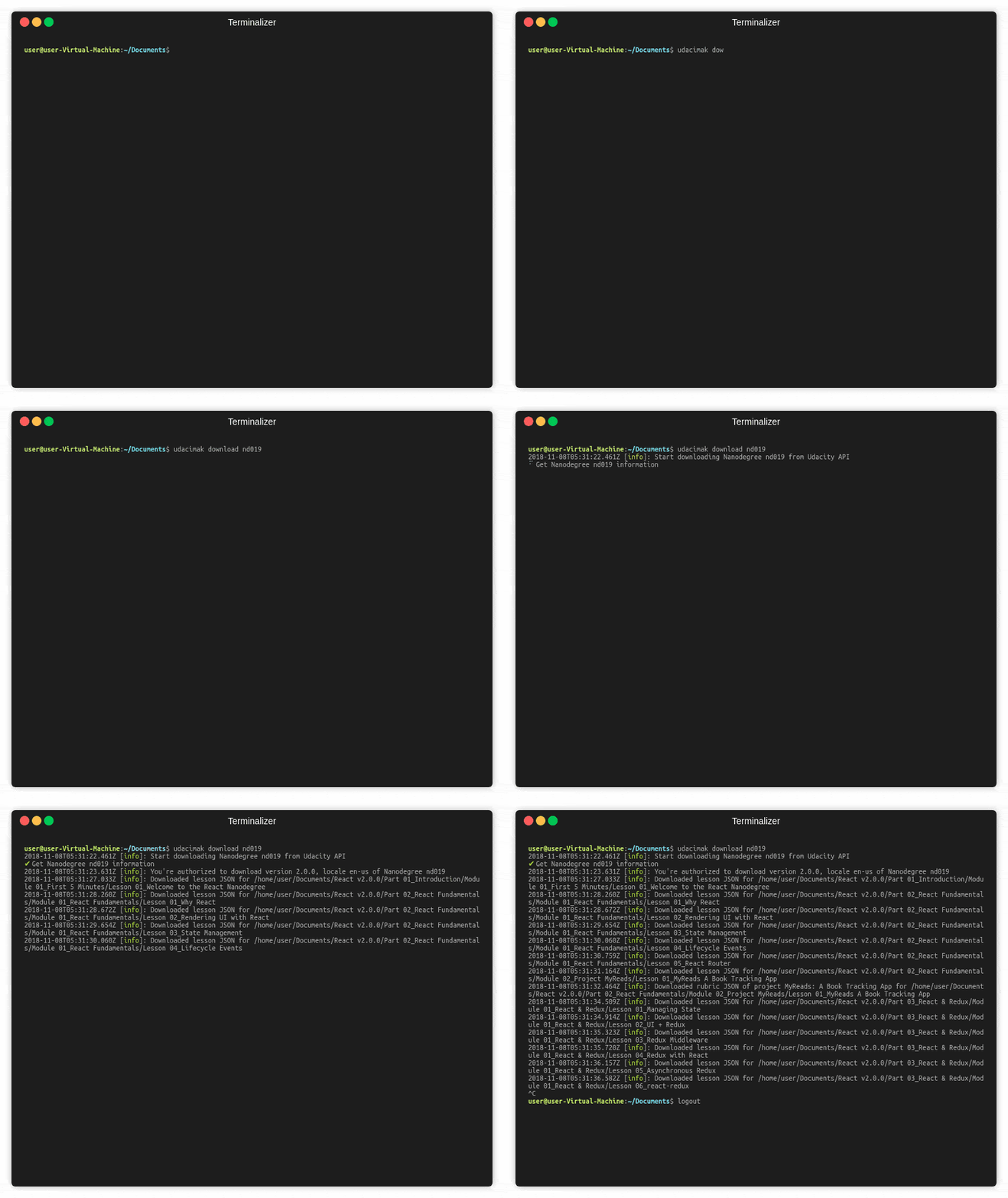
Install as native binary
First export and persist version
$ export UDACIMAK_VERSION="v1.6.6"
$ echo 'UDACIMAK_VERSION="v1.6.6"' | sudo tee -a /etc/environment > /dev/null
To update an already exported version (optional)
$ export UDACIMAK_VERSION="<your-new-version-string-goes-here>"
$ sudo sed -i "/UDACIMAK_VERSION/c UDACIMAK_VERSION=\"${UDACIMAK_VERSION}\"" /etc/environment
Pull image from docker.io
$ docker pull pam79/udacimak:${UDACIMAK_VERSION}
Create a wrapper script with your favorite editor
$ sudo vim /usr/local/bin/udacimak
Add the following docker run command to the file
#!/bin/sh

# A wrapper script for invoking udacimak with docker
# Put this script in $PATH as `udacimak`

TTY_FLAG=``

if [ -t 1 ]; then TTY_FLAG="-t"; fi

exec docker run --rm -i ${TTY_FLAG} \
     --volume ~/.udacimak:/root \
     --volume "$(pwd)":/downloads \
     --workdir /downloads \
     "pam79/udacimak:${UDACIMAK_VERSION}" "$@";
Make script executable
$ sudo chmod +x /usr/local/bin/udacimak
Test script
$ udacimak --version
How to
Usage:
udacimak <command> <args> [options]
Options:
-v, --version output the version number
-h, --help output usage information
Commands:
Command | Description |
|---|---|
download [options] [courseid...] | Fetch course/Nanodegree data from Udacity and save them locally as JSON files. |
| listnd | List user's enrolled and graduated Nanodegree. |
render [options] <path> | Render downloaded json course content into HTML by downloading all videos, creating text content, etc. |
renderdir [options] <path> | Render a whole directory of downloaded json course contents. |
settoken <token> | Save Udacity authentication token locally. |
| login | Login to audacity and save the token locally. |
Examples:
1: Authenticate via login
$ udacimak login
2: Authenticate via token
$ udacimak settoken YOUR_AUTH_TOKEN
3: List your registered Nanodegree keys
$ udacimak listnd
4: Download course content as JSON using keys obtained from 3: above
$ udacimak download nd001
5: Download course content as JSON using free course keys from url
$ udacimak download ud281
6: Download multiple course contents as JSON
$ udacimak download nd001 nd002 ud281
7: Render downloaded JSON (e.g: React v2.0.0) as local viewable content
$ udacimak render 'React v2.0.0'
For more info on Udacimak, visit their official wiki page.
Tag summary
Content type
Image
Digest
Size
177.1 MB
Last updated
over 5 years ago
docker pull pam79/udacimak