pantera87/projectpulse
Self-hosted project tracker: saves offline website snapshots, and monitors github projects and rss
1.5K
pantera87/projectpulse repository overview
ProjectPulse

A free, self-hosted project tracker and changelog monitor: snapshot and watch project websites, follow GitHub releases and milestones, and monitor RSS/Atom feeds — with priority keyword rules, optional local AI, push alerts (webhook / ntfy / Telegram / email) and a native Android companion app. No cloud, no API bills — your machine.

Features
-
Offline snapshots — save project websites for later: captured HTML rendered in a sandboxed iframe, with images/styles/scripts archived for fully offline rendering ("full" mode); history depth and storage mode configurable in Settings.

-
Change tracking — scheduled checks detect page changes; every change produces a new snapshot version plus an update entry with a text diff.
-
GitHub tracking — keywordless change tracking (new releases / README changes / new commits — per-repo toggles), milestones, issue-label watching, and README/commit keyword scans. Rate-limit friendly (checks
releases.atomfirst, outside the API limit).
-
Feeds — RSS/Atom feeds as first-class sources.
-
Priority keyword rules — word-boundary matching with negation and priorities (e.g. flag anything mentioning kernel, linux as critical), plus an optional AI semantic second pass.

-
Two-level category classification — a generic category and a specific subcategory, auto-assigned from project content (AI picks a per-category icon from a bundled glyph set); the dashboard groups projects by category.
-
Optional AI — change summaries, importance classification, goal extraction, semantic keyword matching, category assignment, and project summaries. Local Ollama, OpenAI-compatible, Anthropic, or MCP providers; the app is fully functional without it.

-
Updates feed — priority-sorted, digest time windows (1d/7d/30d), muting, full-text search (SQLite FTS5), and JSON backup/restore.

-
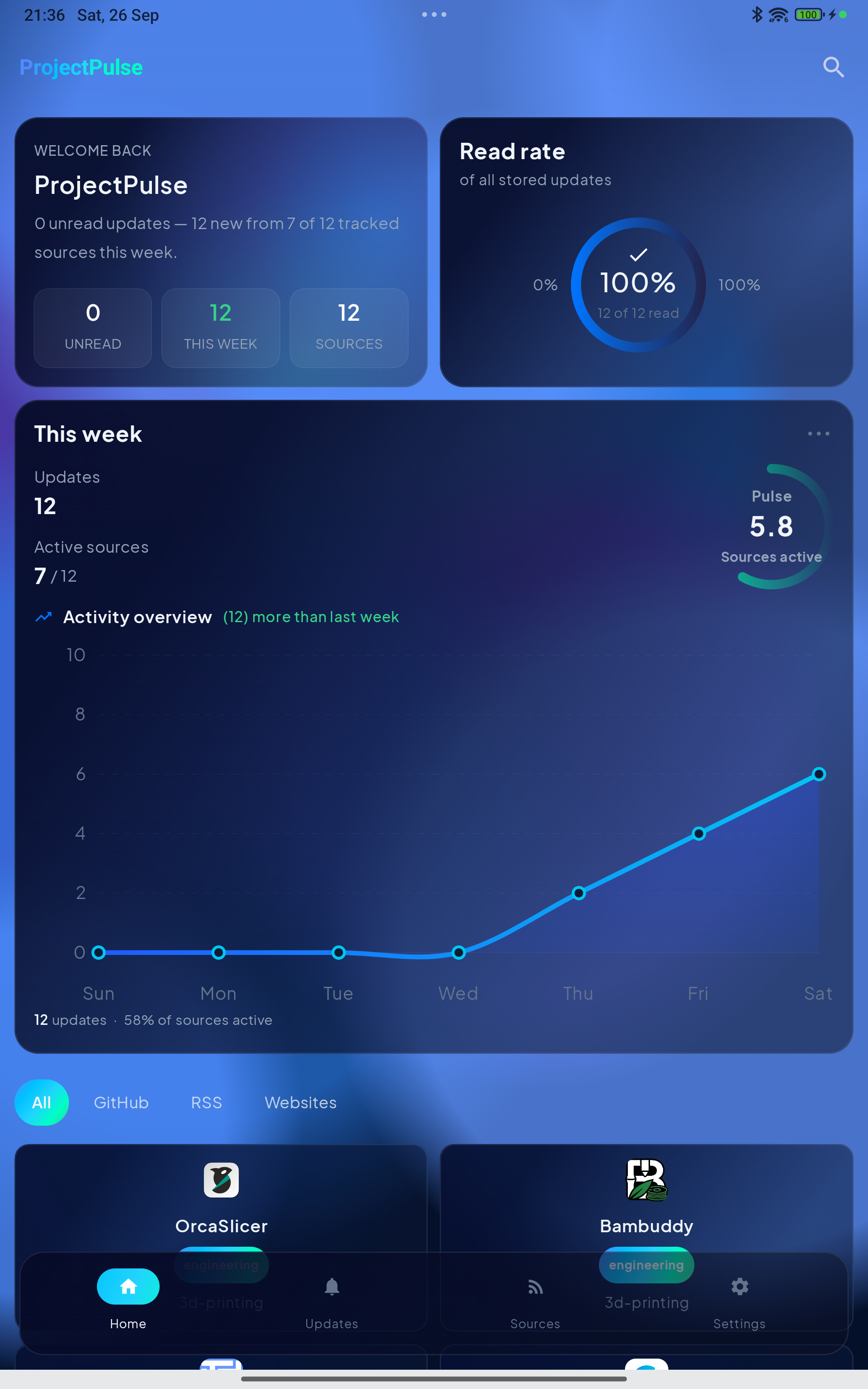
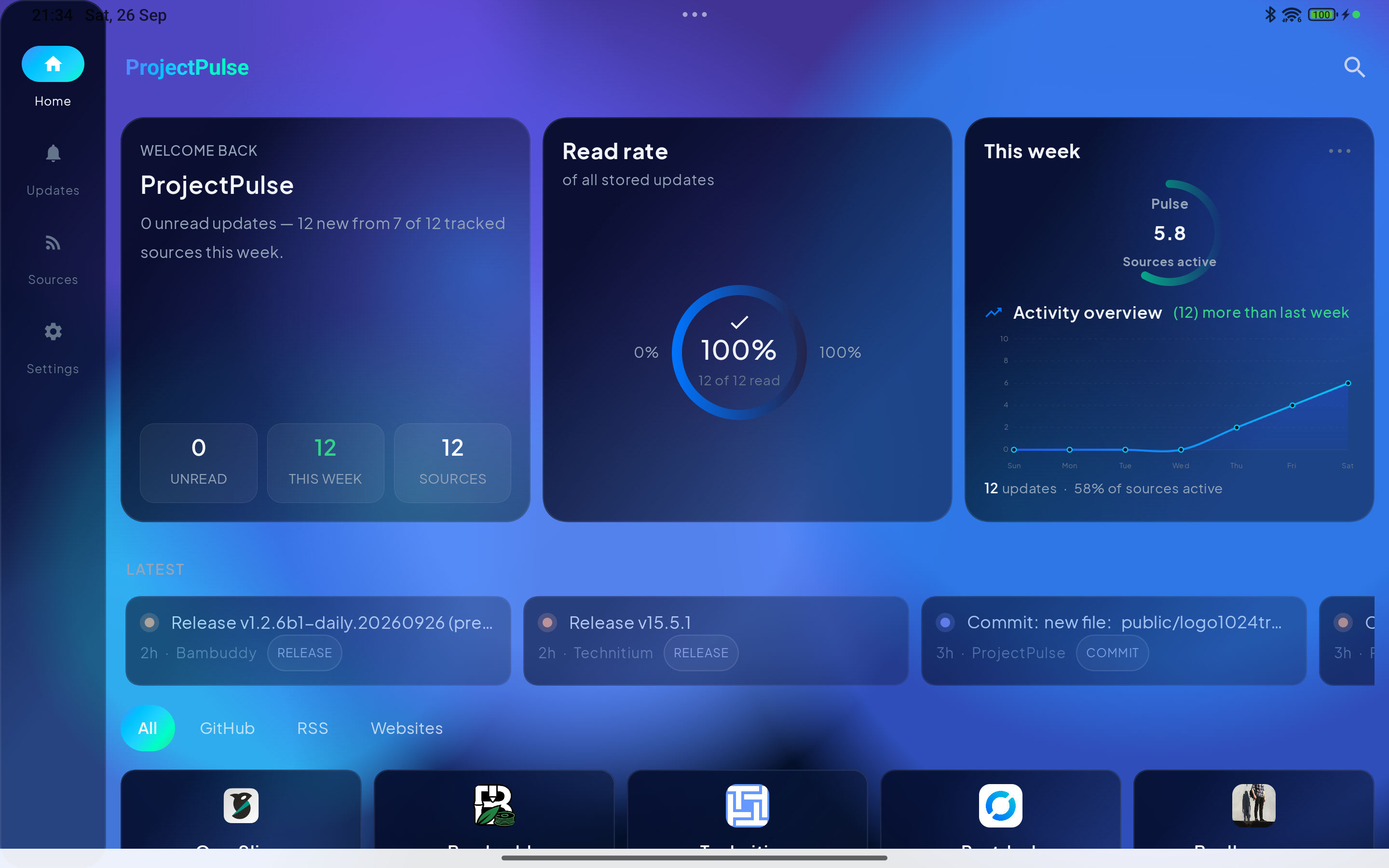
Dashboard — activity overview (7-day chart, week-over-week delta, sources active this week), unread-by-category and per-project stat tiles with 7-day sparklines.
-
Alerts — push new updates to webhook, ntfy, Telegram or email; per-channel minimum priority and update-kind filters, a test send, and a delivery log in Settings → Alerts.
-
Android companion app — native Kotlin/Jetpack Compose, optimized for phones and tablets: dashboard, updates, sources, search, snapshots, add source and keyword rules, plus background sync with local notifications.
-
Two themes — Aurora (blue, reference) and Pulse (classic violet), shared between the web app and the Android app.
Android companion app
A native Kotlin / Jetpack Compose app (source in the repo, android/),
optimized for both phones and tablets — the layout adapts to the screen and
orientation. It talks to your ProjectPulse server over the network (LAN
http/https); login is reused from the server's auth. A WorkManager job
polls on the interval you pick (default 15 min) and posts local
notifications for new updates.
cd android
./gradlew assembleDebug     # sideload the APK — no Play Store distribution
Getting started
Docker Hub (pre-built image)
docker run -d --name projectpulse -p 4701:4701 -v pp_data:/data \
  pantera87/projectpulse:latest
# open http://localhost:4701
The image is published to Docker Hub on every release. No Ollama bundled in
this single-container form — point the app at your own (OLLAMA_URL) or pick
a remote provider in Settings, or use the compose file from the
repo, which includes a bundled
Ollama.
Docker Compose (with bundled Ollama)
docker compose up -d --build from the repo — AI runs out of the box on the
bundled Ollama container (qwen3.5:4b pre-downloaded, models persist in the
ollama_data volume). The same compose file is the deployment format for
TrueNAS SCALE / Portainer (build the image on the host first, then deploy
the stack in Portainer → Stacks).
Configuration
All extras are env-driven and off by default:
| Variable | Effect |
|---|---|
AUTH_PASSWORD | enables a login screen (single shared password) |
TZ | IANA timezone for the scheduler, log timestamps and the UI (picks up automatically after a restart) |
WEBHOOK_URL | extra always-on webhook channel — POSTs every new update as short JSON |
OLLAMA_URL / OLLAMA_MODEL | AI via local Ollama |
OLLAMA_KEEP_ALIVE | minutes a model stays loaded after use (default 5) |
OPENAI_URL / OPENAI_API_KEY | AI via any OpenAI-compatible endpoint |
ANTHROPIC_API_KEY | AI via Anthropic (Claude) |
MCP_URL | AI via a remote MCP server (Streamable HTTP) |
GITHUB_TOKEN | raises the GitHub API rate limit (60 → 5000 req/h) |
SCHEDULER_INTERVAL_MINUTES | scheduler wake-up cadence (default 5) |
SNAPSHOT_KEEP_VERSIONS | snapshot history depth (default 10) |
Security note: if you store API keys in Settings and the app has no
AUTH_PASSWORD, anyone with network access can read them — enable the shared password for non-localhost deployments.
AI (optional)
ProjectPulse works fully without AI; with it, the keyword matcher is
augmented by a semantic pass that can add priority matches (never veto
keyword hits). Providers: Ollama (local, default), any
OpenAI-compatible endpoint (OpenAI, LM Studio, vLLM, Ollama's /v1,
gateways), Anthropic, or a remote MCP server. Settings → AI lists a
curated catalog of small models with size/context/accuracy hints and
one-click download/delete, supports RAG (Ollama ≥ 0.6.2), auto-downloads the
selected model when AI is first used, auto-detects the Ollama address, and
offers a connection test. AI_ENABLED=false is a hard kill-switch.
MIT — free to use, modify and distribute, with or without modification, for any purpose, with attribution. Built with Next.js 16 · React 19 · TypeScript · SQLite.
Tag summary
Content type
Image
Digest
sha256:2f67c412f…
Size
104.2 MB
Last updated
26 days ago
docker pull pantera87/projectpulse