petersem/monocker
MONitor dOCKER container status, and send alerts on change
Image
Monitoring & observability
7
500K+
petersem/monocker repository overview
Monocker
Monitors Docker (MONitors dOCKER) containers and alerts on 'state' change.
Features
- Monitors 'state' changes for all containers
- Specific inclusions or exclusions of containers to monitor
- Optionally, only alert on state changes to (paused, exited, running (unhealthy), or dead)
- In-built Docker healthcheck
Integration with
- Telegram
- Pushbullet
- Pushover
- Discord
- Ntfy
- Slack
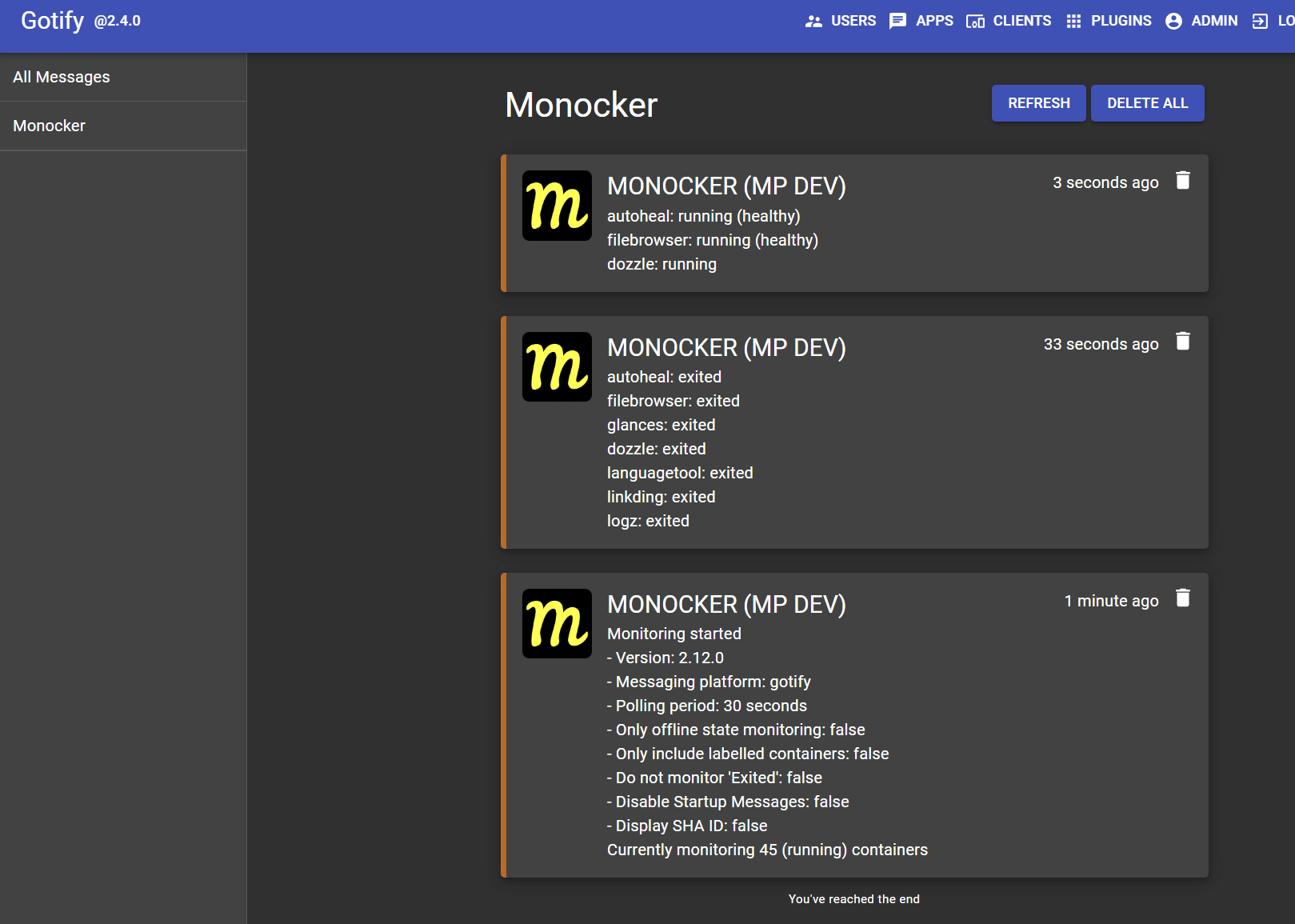
- Gotify
- Matrix
- Apprise
Future Considerations
- Additional messaging platform support
Installation
services:
  monocker:
    container_name: monocker
    image: petersem/monocker
    environment:
      #DOCKER_HOST: tcp://docker-socket-proxy:2375
      SERVER_LABEL: 'Your server name'
      SERVER_AVATAR: 'https://content.invisioncic.com/u329766/monthly_2024_05/monocker.png.ba5ffdb390b627097d2a53645cf87350.png'
      MESSAGE_PLATFORM: 'gotify@server@app_token'
      ONLY_OFFLINE_STATES: 'false'
      EXCLUDE_EXITED: 'false'
      PERIOD: 30
      DISABLE_STARTUP_MSG: 'false'
      #CUSTOM_NTFY_SERVER: 'https://custom.ntfy.com'
      #NTFY_USER: 'user'
      #NTFY_PASS: 'password'
      SHA: 'false'
    volumes:
      - /var/run/docker.sock:/var/run/docker.sock:ro
    restart: unless-stopped
Environment Options
| Item | Required | Description |
|---|---|---|
| DOCKER_HOST | False | Use a docker interface other than the default. (E.G DOCKER_HOST: tcp://docker-socket-proxy:2375) |
- This can be a UNIX socket (
unix://), Windows named pipe (npipe://) or TCP connection (tcp://). If it's a pipe or socket, be sure to mount the connection as a volume. If the connection is proxied, ensure thatGETrequests are allowed on the/containersendpoint.- By default, this value is unset and the connection will use
/var/run/docker.sock.
| Item | Required | Description |
|---|---|---|
| SERVER_LABEL | False | Label to preface messages. Handy if you are running multiple versions of Monocker. |
| SERVER_AVATAR | False | Avatar image URL to add to messages. Handy if you are running Monocker on different machines (discord, ntfy mobile, and slack) |
| ONLY_OFFLINE_STATES | False | When true, only notify when a container state changes to paused, exited, running (unhealthy), or dead. Otherwise, all state changes are notified (false) |
| EXCLUDE_EXITED | False | Regardless of any other settings, you can ignore or include the status of 'exited'. (false includes exited) |
| PERIOD | False | Set the poll period in seconds. Default/Minimum is 10 seconds, recommended 30 seconds, to minimise messages sent. |
| DISABLE_STARTUP_MSG | False | Suppresses startup messages from being sent. Default is false |
| SHA | False | Will include the container SHA ID in sent messages |
| MESSAGE_PLATFORM | True | Specify 'ONE' messaging platform. |
- 'pushbullet@your_api_key@your_device_id'
- 'pushover@your_user_key@your_app_api_token'
- 'discord@webhook_url'
- 'ntfy@topic_title'
- 'slack@bot_user_oauth_token@your_chat_id'
- 'gotify@server_url@app_token'
- 'telegram@your_bot_id@your_chat_id'
- 'apprise@apprise_url@config_id@tag' (Only one tag is supported, and server_avatar is not currently supported)
- 'matrix@https://matrix.org@user:matrix.org@access-token@room-id:matrix.org' (For Matrix, add the userid 'without' the leading @ sign. Values are server, userid, access-token, room-id)
Advanced NTFY Setting
Use these settings if you host your own Ntfy server, or otherwise require authentication to connect.
Item Required Description CUSTOM_NTFY_SERVER False The URL for your self-hosted Ntfy server (Else will use https://nttp.sh) NTFY_USER False The username to login (on ntfy.sh or your own server. Optional if you have your own server open) NTFY_PASS False The password to login (on ntfy.sh or your own server)
| Item | Required | Description |
|---|---|---|
| LABEL_ENABLE | False | Includes or excludes specified containers, if labelled. (defaults to false) |
This feature allows you to specify (with labels in your yaml) 'either' to monitor or exclude specific containers.
- If it is set to
false, then all containers will be monitored, except for any containers with the following label:labels: monocker.enable: 'false'
- If it is set to true,
onlycontainers with the following label will be monitoredlabels: monocker.enable: 'true'
- If you just want to monitor everything, then set
LABEL_ENABLE: 'false'or just leave it out altogether, and dont worry about labelling any other containers.
Help with MESSAGE_PLATFORM values
- For Telegram: See video and use this link for how to obtain ID values. https://api.telegram.org/bot{bot-id}/getUpdates
- For Pushbullet: Open Pushbullet in a browser and get
device IDfrom URL Example - For Pushover: Login to Pushover in a browser to see details for
user keyandapp token - For Discord: See Discord doco for how to create a webhook and get the url
- For Slack: See documentation for how to obtain
IDvalues. - For Ntfy: create a new topic on https://ntfy.sh/app (or your own server), use the name of the topic as follows: ntfy@MY_TOPIC_TITLE
- For Apprise: please review official documentation. here
- For Matrix, review these images for how to get userID, roomID, and Access token
Thank you!
Tag summary
Content type
Image
Digest
sha256:6e6ced4bc…
Size
37.6 MB
Last updated
almost 2 years ago
docker pull petersem/monocker