pinkpixeldev/domainatrix
Domainatrix is a self-hostable domain name inventory, WHOIS manager, and uptime monitor.
976
pinkpixeldev/domainatrix repository overview
Domainatrix is a self-hostable domain name inventory, WHOIS manager, and uptime monitor. Organize your domain portfolios, pull DNS/SSL/WHOIS diagnostics with a single click, view interactive expiration charts, and receive instant alerting when things go down or change.
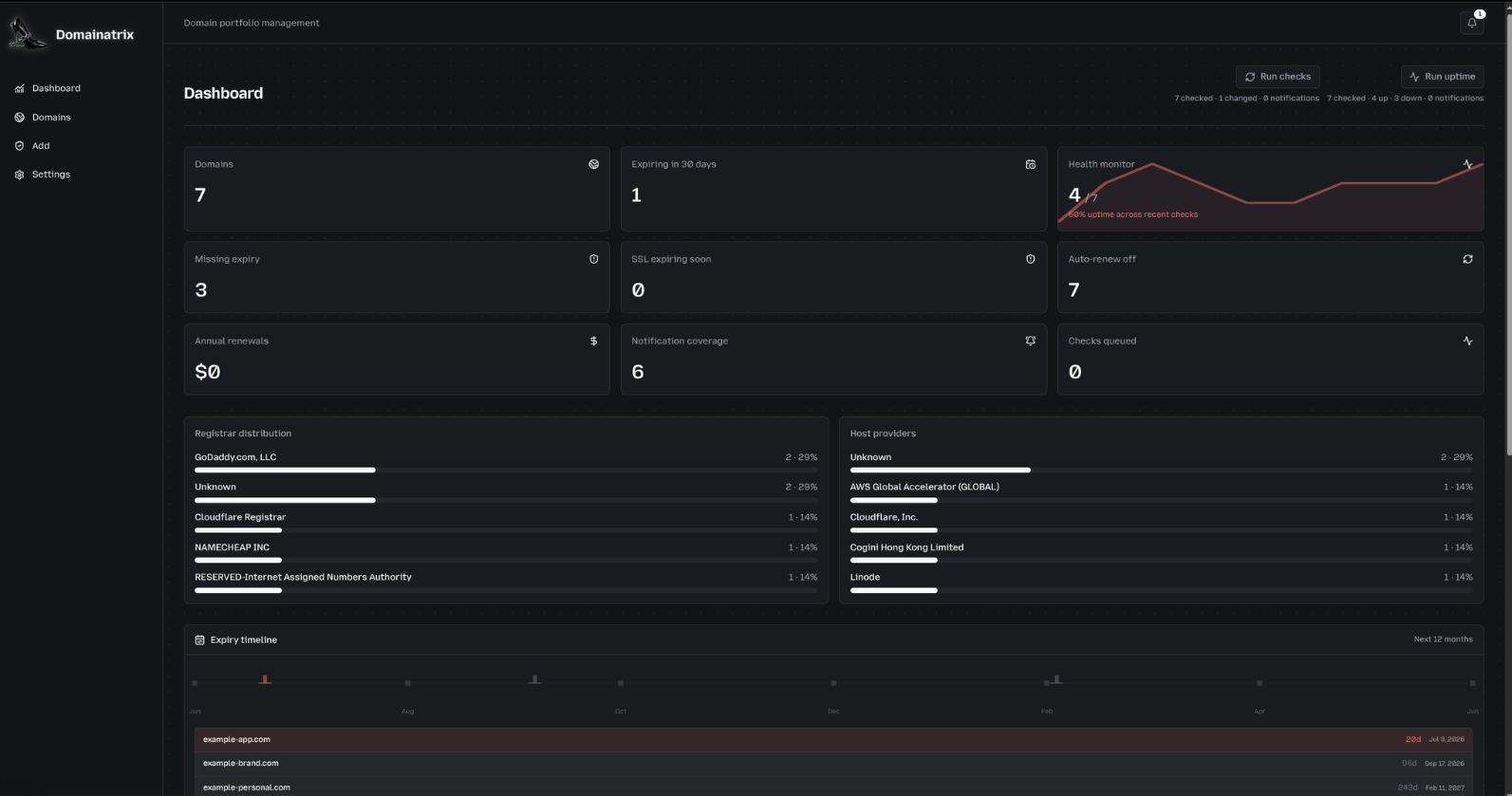
For the full codebase, developer manual, and desktop installation links, visit the Domainatrix GitHub Repository.
Quick Start (Docker Compose)
The easiest way to self-host Domainatrix is using Docker Compose. It maps port 8765 and mounts a local folder for database persistence.
1. Set Up Files
Create a local directory for persistence:
mkdir -p ~/domainatrix/data
cd ~/domainatrix
2. Compose File
Save the following as docker-compose.yml:
version: '3.8'

services:
  domainatrix:
    image: pinkpixeldev/domainatrix:latest
    container_name: domainatrix
    restart: unless-stopped
    ports:
      - "8765:3000"
    environment:
      - NODE_ENV=production
      - DB_FILE_NAME=/app/data/domainatrix.sqlite
      - PORT=3000
      - HOSTNAME=0.0.0.0
      - CRON_SECRET=generate-a-secure-secret-here
      # Optional: Webhook URL for alerts (Slack/Discord)
      # - NOTIFICATION_WEBHOOK_URL=https://discord.com/api/webhooks/...
      # Optional: Core Web Vitals Key
      # - CRUX_API_KEY=your_google_ux_api_key
    volumes:
      - ./data:/app/data
3. Start
Run the compose stack in background mode:
docker compose up -d
Open your browser to http://localhost:8765.
Supported Environment Variables
| Variable | Description |
|---|---|
CRON_SECRET | Bearer token verifying scheduled background updates. |
CRUX_API_KEY | (Optional) PageSpeed API Key to fetch Core Web Vitals. |
NOTIFICATION_WEBHOOK_URL | (Optional) Destination URL to push JSON alerts. |
SMTP_HOST / SMTP_PORT / SMTP_USER / SMTP_PASS | (Optional) Outgoing server details for email alerts. |
NOTIFICATION_EMAIL_FROM / NOTIFICATION_EMAIL_TO | (Optional) Addresses for sender and recipient mail. |
Scheduling Automatic Background Checks
To automate uptime checks and registrar updates, schedule background trigger requests using a host-level system cron daemon (crontab -e):
# Run HTTP uptime checks every 5 minutes
*/5 * * * * curl -fsS -X POST -H "Authorization: Bearer <your_cron_secret>" http://127.0.0.1:8765/api/monitoring/uptime/run > /dev/null 2>&1

# Run full WHOIS, DNS, and SSL catalog comparisons once daily at midnight
0 0 * * * curl -fsS -X POST -H "Authorization: Bearer <your_cron_secret>" http://127.0.0.1:8765/api/monitoring/checks/cron > /dev/null 2>&1
For detailed manual instructions covering Node.js setup, pm2 service configs, or local desktop packages, check the Domainatrix Self-Hosting documentation.
Tag summary
Content type
Image
Digest
sha256:ceabca6bc…
Size
99.5 MB
Last updated
3 months ago
docker pull pinkpixeldev/domainatrix