pinkpixeldev/stitchlet
A cozy, private, self-hosted crochet companion for organizing crochet projects and pattern PDFs.
848
pinkpixeldev/stitchlet repository overview

Stitchlet
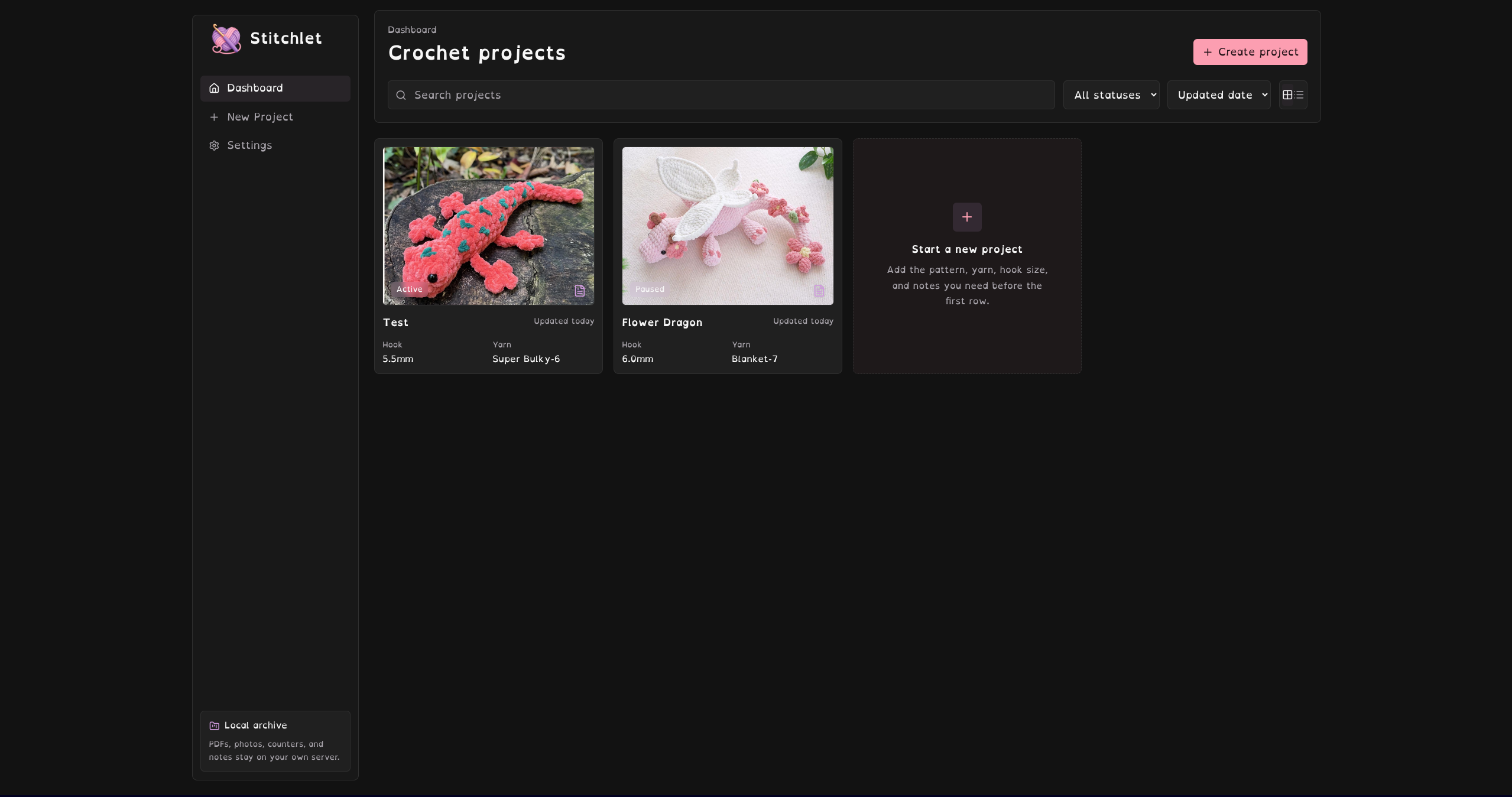
Stitchlet is a cozy, private, self-hosted crochet companion designed to run on your own hardware (such as a NAS, home server, mini-PC, or local machine). It helps you organize your crochet projects, progress photos, stitch counters, and pattern PDFs locally—completely under your own control, without cloud subscriptions.
Quick Start
The easiest way to run Stitchlet is using Docker Compose.
Docker Compose Configuration
Create a docker-compose.yml file:
services:
  stitchlet:
    image: pinkpixeldev/stitchlet:latest
    container_name: stitchlet
    ports:
      - "6497:6497"
    volumes:
      - ./data:/app/data
      - ./uploads:/app/uploads
      - ./backups:/app/backups
    environment:
      - NODE_ENV=production
      - PORT=6497
    restart: unless-stopped
Start the container:
docker compose up -d
Open your browser and navigate to:
http://localhost:6497
Volume Mounts
Stitchlet uses three volume directories to persist data outside the container:
/app/data– Stores the SQLite database file (stitchlet.db)./app/uploads– Stores project cover photos and pattern PDFs./app/backups– Staging folder used when exporting backup archives.
We recommend binding these to host folders (e.g. ./data:/app/data) so your crochet library is preserved during container updates and easy to include in your system backups.
Core Features
- Sleek Charcoal Dashboard – Grid and list views with quick search, sorting, and status filters.
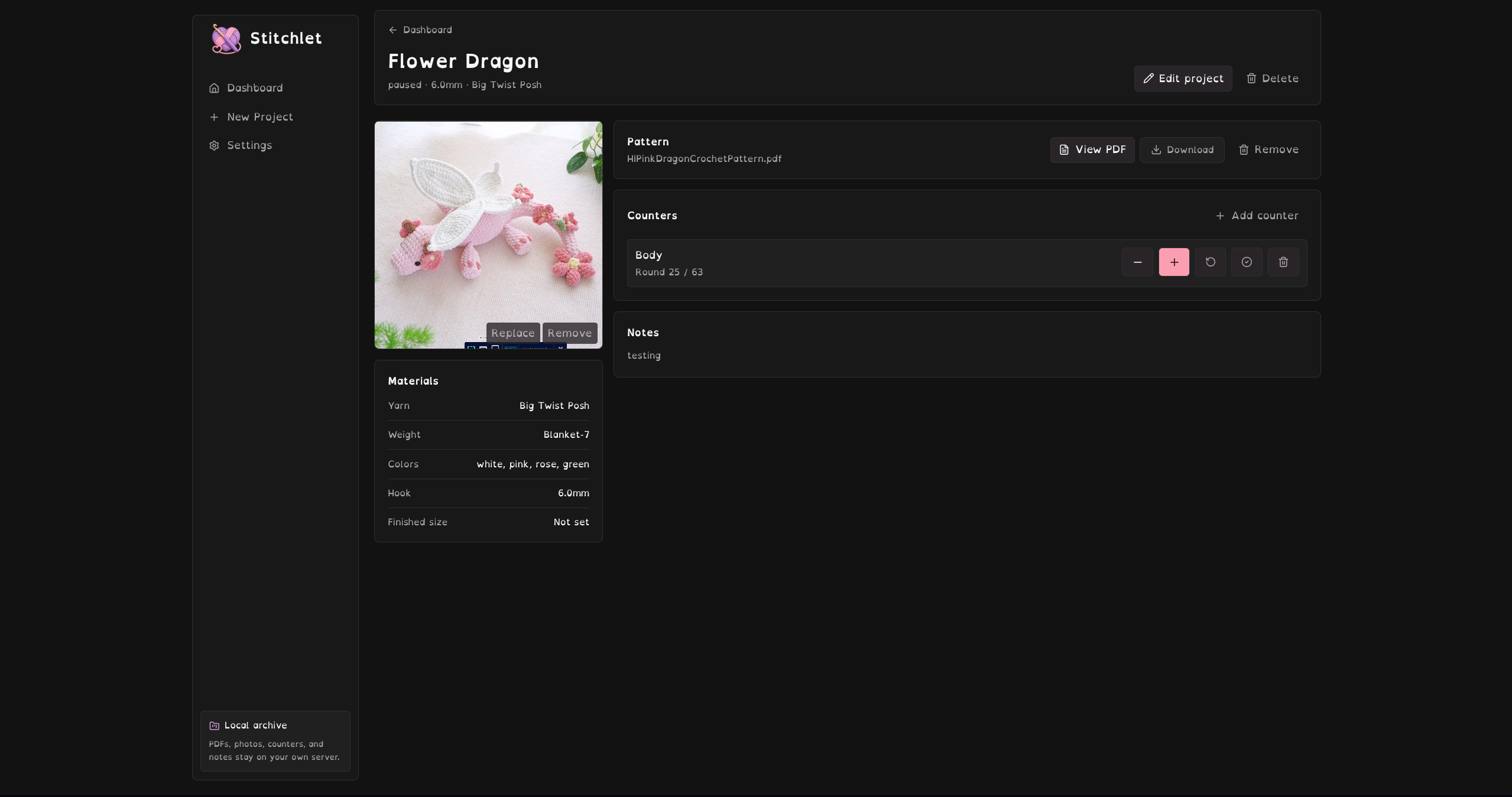
- Pattern PDF Viewer – In-app embedded full-screen modal pattern viewer and direct downloads.
- Large Mobile Counters – Multiple Row/Round counters per project with big tap targets for active crocheting.
- Material Details – Track hooks, yarn weight, yards, and customized amigurumi assembly checklists.
- Local Backups – Export and restore your complete library (SQLite + uploads) directly from the UI settings.
- Standalone PWA – Responsive and installable on mobile devices with Service Worker offline caching.
Private Remote Access & HTTPS
For PWA features (like host device installation), browsers require an HTTPS connection or a localhost address:
- Tailscale: Securely route HTTPS traffic through a private network with
tailscale serveto use your counters and view patterns on the go. - Caddy: Use Caddy or Nginx Proxy Manager to configure SSL certificates for your host domain.
License
Stitchlet is open source under the Apache 2.0 License.
Made with 💖 by Pink Pixel
Tag summary
Content type
Image
Digest
sha256:4ec578ee9…
Size
447.1 MB
Last updated
about 2 months ago
docker pull pinkpixeldev/stitchlet