pitidev/nginx-ui-manager
A modern web-based GUI for managing Nginx across multiple Ubuntu servers.
Image
Networking
Security
Operating systems
1
431
pitidev/nginx-ui-manager repository overview
Nginx UI Pro Manager
A modern web-based GUI for managing Nginx across one or many Ubuntu/Linux servers — built with FastAPI, Jinja2, and Tailwind CSS. No heavy frontend framework, no build step.
Overview
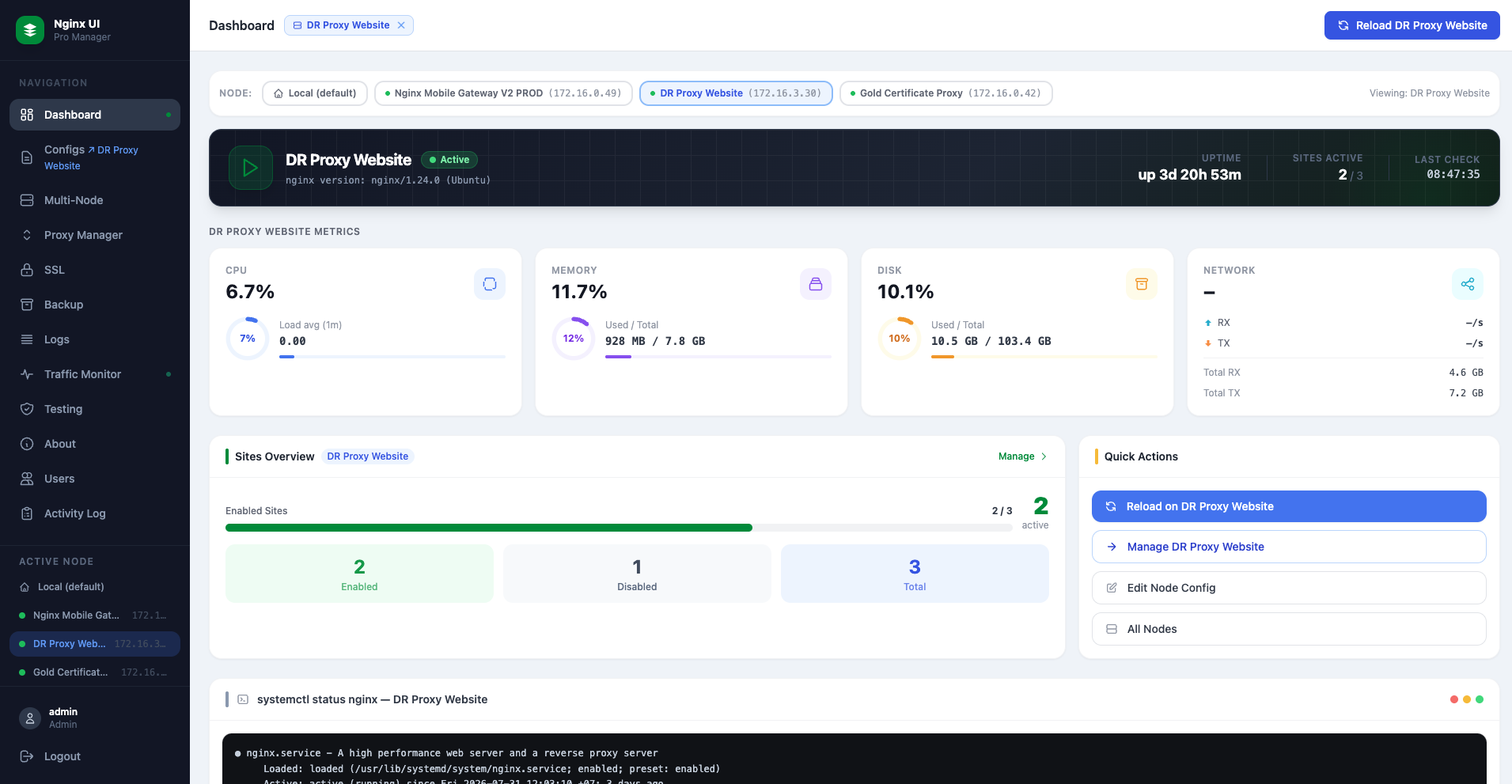 Dashboard — live Nginx status, CPU / RAM / Disk / Network metrics
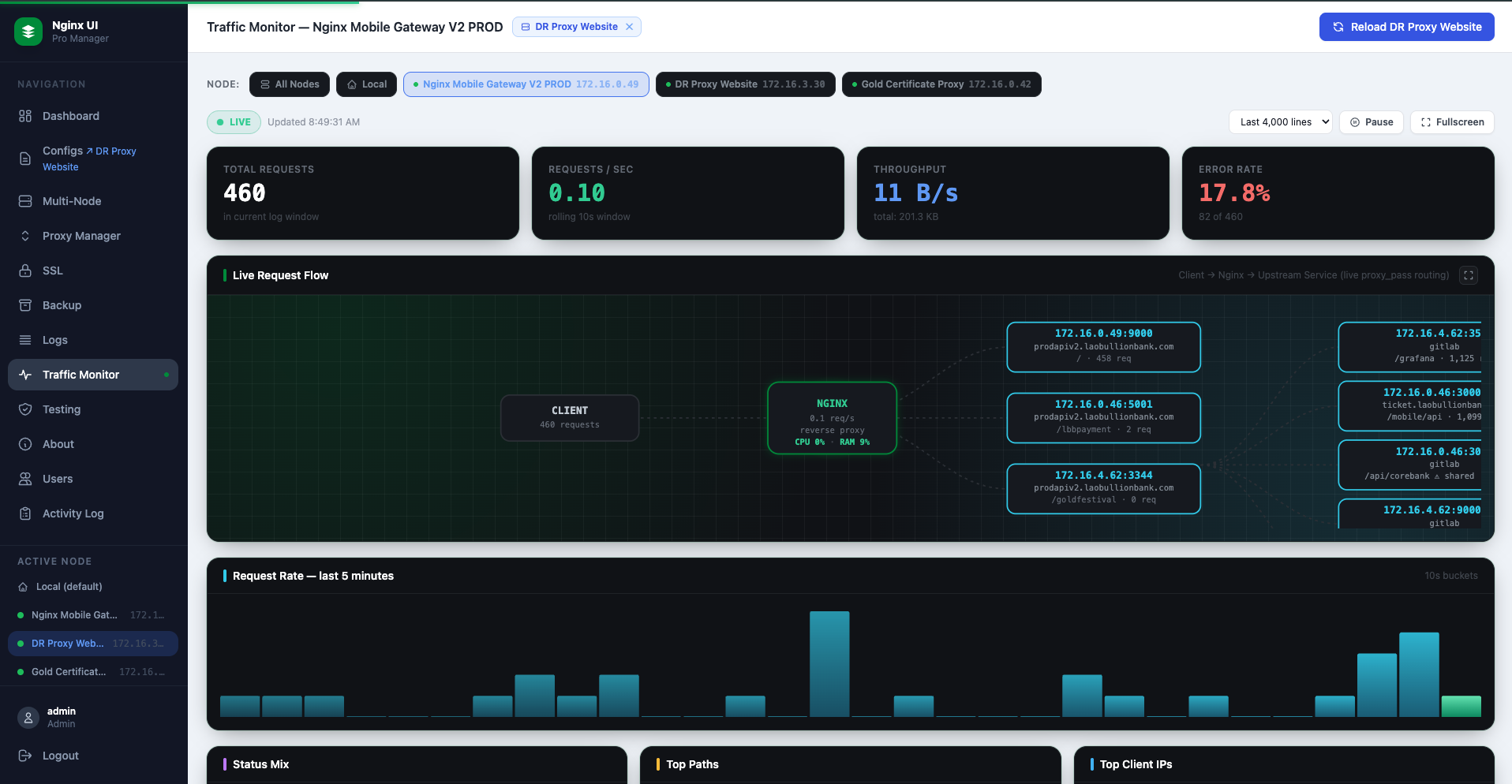 Traffic Monitor — real-time request activity
Features
| Feature | Description |
|---|---|
| Dashboard | Live Nginx status, CPU / RAM / Disk / Network metrics, auto-refresh every 5s |
| Config Manager | Create, edit, delete server block files in /etc/nginx/sites-available |
| Site Toggle | Enable / disable sites via symlinks in /etc/nginx/sites-enabled |
| Validation & Reload | Runs nginx -t before saving; reloads Nginx on demand |
| Traffic Monitor | Real-time request activity and stats |
| Log Viewer | Structured access + error log viewer with search, filters, color coding, and UA parsing |
| SSL Manager | Upload, view, and edit SSL certificate / key files |
| Multi-Node | Manage multiple remote Nginx servers from one UI |
| User Management | Admin and Viewer roles; JWT auth stored in httpOnly cookies |
Quick Start
1. Prerequisites
- Docker and Docker Compose installed on your Ubuntu server
- Nginx already installed on the host (
apt install nginx) - The host user must be in the
sudogroup
2. Create working directory
mkdir -p ~/nginx_ui/data
cd ~/nginx_ui
3. Create .env file
cat > .env << 'EOF'
SECRET_KEY=replace-with-a-long-random-string
ADMIN_USERNAME=admin
ADMIN_PASSWORD=yourStrongPassword
TOKEN_EXPIRE_HOURS=8
USE_SUDO=true
SUDO_PASSWORD=your_sudo_password
SSL_DIR=/home/YOUR_USER/ssl
DATA_DIR=/data
EOF
Security: Generate
SECRET_KEYwithopenssl rand -hex 32. Never commit.envto git.
4. Create docker-compose.yml
services:
  nginx_ui:
    image: pitidev/nginx-ui-manager:latest
    restart: unless-stopped
    ports:
      - "8080:8080"
    pid: host
    privileged: true
    volumes:
      - /etc/nginx:/etc/nginx
      - /var/log/nginx:/var/log/nginx
      - /run/systemd:/run/systemd
      - /var/run/dbus/system_bus_socket:/var/run/dbus/system_bus_socket
      - /home/YOUR_USER/ssl:/home/YOUR_USER/ssl
      - ~/nginx_ui/data:/data
    environment:
      USE_SUDO: ${USE_SUDO:-true}
      SUDO_PASSWORD: ${SUDO_PASSWORD:-}
      SECRET_KEY: ${SECRET_KEY:-change-this}
      ADMIN_USERNAME: ${ADMIN_USERNAME:-admin}
      ADMIN_PASSWORD: ${ADMIN_PASSWORD:-admin123}
      TOKEN_EXPIRE_HOURS: ${TOKEN_EXPIRE_HOURS:-8}
      SSL_DIR: ${SSL_DIR:-/home/YOUR_USER/ssl}
      DATA_DIR: ${DATA_DIR:-/data}
Replace
YOUR_USERwith your actual Linux username (e.g.ubuntu,user_admin).
5. Pull and start
docker compose pull
docker compose up -d
6. Open the UI
http://YOUR_SERVER_IP:8080
Log in with the ADMIN_USERNAME / ADMIN_PASSWORD you set in .env.
Environment Variables
| Variable | Default | Description |
|---|---|---|
SECRET_KEY | (required) | JWT signing secret — use a random 32+ char string |
ADMIN_USERNAME | admin | Initial admin username (bootstrapped on first start) |
ADMIN_PASSWORD | admin123 | Initial admin password |
TOKEN_EXPIRE_HOURS | 8 | JWT token lifetime in hours |
USE_SUDO | true | Set true to use sudo for nginx / systemctl commands |
SUDO_PASSWORD | (empty) | Sudo password for the container's OS user |
SSL_DIR | /home/user_admin/ssl | Host path where SSL files are stored |
DATA_DIR | /data | Container path for persistent data (users.json) |
NGINX_ACCESS_LOG | /var/log/nginx/access.log | Path to Nginx access log |
NGINX_ERROR_LOG | /var/log/nginx/error.log | Path to Nginx error log |
Roles
| Role | Permissions |
|---|---|
| Admin | Full access — create, edit, delete configs, SSL files, users; reload Nginx |
| Viewer | Read-only — view configs, SSL files, logs, dashboard; cannot make any changes |
Tags
| Tag | Description |
|---|---|
latest | Most recent stable build |
Source
Full source, issue tracker, and documentation: https://github.com/PitiDev/nginx-ui-manager
Tag summary
Content type
Image
Digest
sha256:d550141b6…
Size
69.2 MB
Last updated
2 months ago
docker pull pitidev/nginx-ui-manager