pixiake/shell-operator repository overview
Install KubeSphere on Existing Kubernetes Cluster
English | 中文
In addition to supporting deploy on VM and BM, KubeSphere also supports installing on cloud-hosted and on-premises Kubernetes clusters,
Requirements
- Kubernetes Version: 1.13.0+
- Helm Version: 2.10.0+
Note:
- Make sure the remaining available memory in the cluster is
10G at least.- It's recommended that the K8s cluster use persistent storage and has created default storage class.
To Start Deploying KubeSphere
- First, you need to create 2 namespaces in Kubernetes cluster, named
kubesphere-systemandkubesphere-monitoring-system.
$ cat <<EOF | kubectl create -f -
---
apiVersion: v1
kind: Namespace
metadata:
    name: kubesphere-system
---
apiVersion: v1
kind: Namespace
metadata:
    name: kubesphere-monitoring-system
EOF
- Create the Secret of CA certificate of your current Kubernetes cluster.
Note: Follow the certificate paths of
ca.crtandca.keyof your current cluster to create this secret.
kubectl -n kubesphere-system create secret generic kubesphere-ca  \
--from-file=ca.crt=/etc/kubernetes/pki/ca.crt  \
--from-file=ca.key=/etc/kubernetes/pki/ca.key
- Create the Secret of certificate for ETCD in your Kubernetes cluster.
Note: Create with the actual ETCD certificate location of the cluster; If the ETCD does not have a configured certificate, an empty secret is created(The following command applies to the cluster created by Kubeadm)
Note: Create the secret according to the your actual path of ETCD for the k8s cluster;
- If the ETCD has been configured with certificates, refer to the following step:
$ kubectl -n kubesphere-system create secret generic kubesphere-ca  \
--from-file=ca.crt=/etc/kubernetes/pki/ca.crt  \
--from-file=ca.key=/etc/kubernetes/pki/ca.key
- If the ETCD has been not configured with certificates.
$ kubectl -n kubesphere-monitoring-system create secret generic kube-etcd-client-certs
- Then we can start to install KubeSphere.
$ cd deploy

$ vim kubesphere.yaml
# According to the parameter table at the bottom, replace the value of "kubesphere-config" in "kubesphere.yaml" file with your current Kubernetes cluster parameters (If the ETCD has no certificate, set etcd_tls_enable: False).

$ kubectl apply -f kubesphere.yaml
- Inspect the logs of installation.
kubectl logs -n kubesphere-system $(kubectl get pod -n kubesphere-system -l job-name=kubesphere-installer -o jsonpath='{.items[0].metadata.name}') -f
kubectl logs -n kubesphere-system $(kubectl get pod -n kubesphere-system -l app=ks-install -o jsonpath='{.items[0].metadata.name}') -f
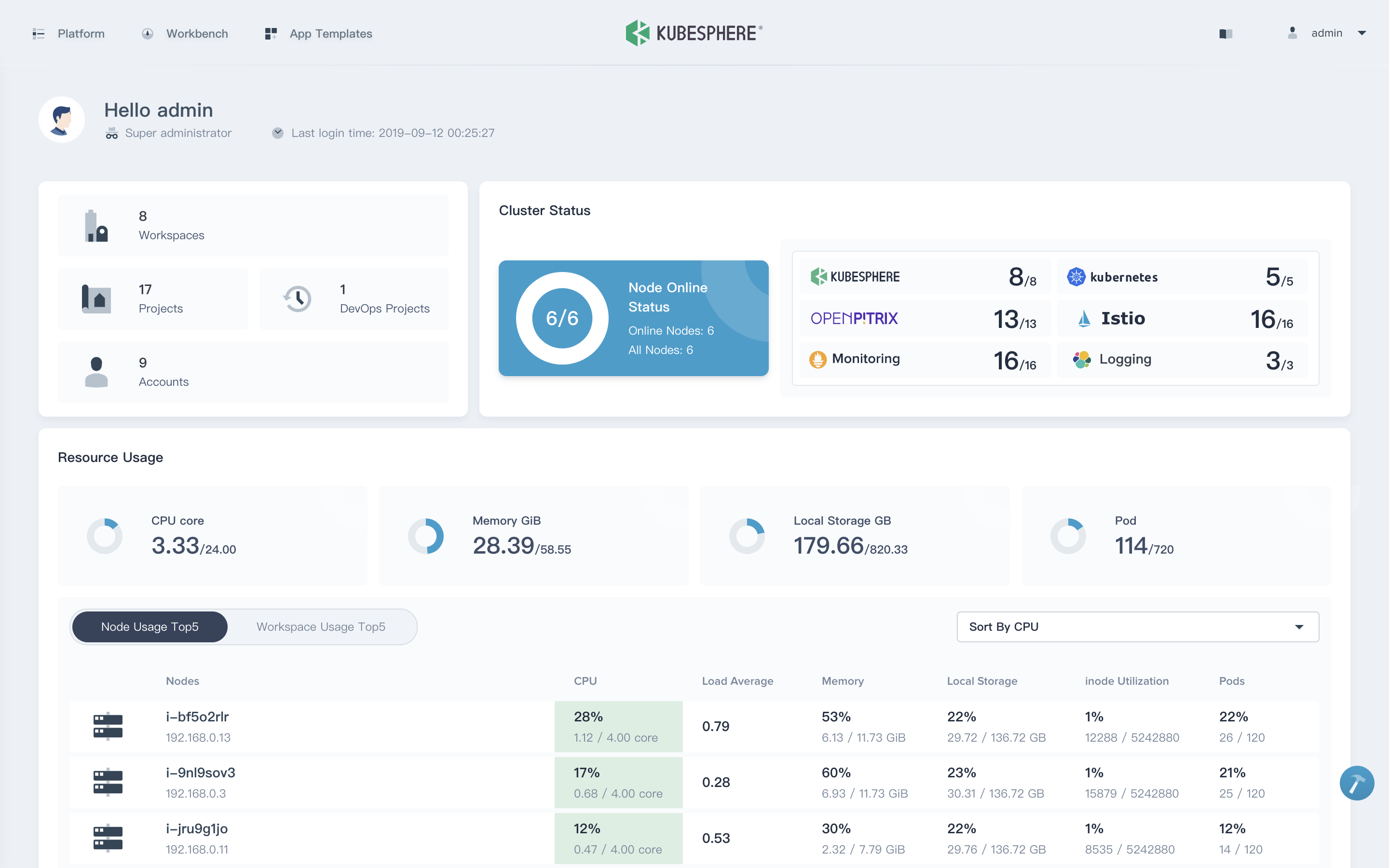
- Finally, you can access the Web UI via
IP:NodePort, the default account isadmin/P@88w0rd.
$ kubectl get svc -n kubesphere-system
# Inspect the NodePort of ks-console, it's 30880 by default.
Configuration Table
| Parameter | Description | Default | |
| kube_apiserver_host | The address of kube-apiserver of your current Kubernetes cluster(i.e. IP:NodePort) | ||
| etcd_tls_enable | Whether to enable etcd TLS certificate authentication(True / False) | True | |
| etcd_endpoint_ips | Etcd addresses, such as ETCD clusters, you need to separate IPs by commas(e.g.192.168.0.7,192.168.0.8,192.168.0.9) | ||
| etcd_port | ETCD Port (2379 by default, you can configure this parameter if you are using another port) | 2379 | |
| disableMultiLogin | Whether to turn off multipoint login for accounts (True / False) | True | |
| elk_prefix | Logging index | logstash | |
| keep_log_days | Log retention time (days) | 7 | |
| metrics_server_enable | whether to install metrics_server (True / False) | True | |
| istio_enable | whether to install Istio (True / False) | True | |
| persistence | enable | Whether the persistent storage server is enabled (True / False)(It is recommended tp enable persistent storage in a formal environment) | |
| storageClass | Enabling persistent storage requires that the storageClass has been created already in the cluster (The default value is empty, which means it'll use default StorageClass) | “” | |
| containersLogMountedPath(Optional) | Mount path of container logs | "/var/lib/docker/containers" | |
| external_es_url(Optional) | External Elasticsearch address, it supports integrate your external ES or install internal ES directly. If you have ES, you can directly integrate it into KubeSphere | ||
| external_es_port(Optional) | External ES port, supports integrate external ES | ||
| local_registry (Offline installation only) | Integrate with the local repository when deploy on offline environment(To use this parameter, import the installation image into the local repository using "scripts/downloader-docker-images.sh") | ||
Quick Start Guide
10 Quick Start guides of KubeSphere
Support, Discussion, and Community
If you need any help with KubeSphere, please join us at Slack Channel.
Installer RoadMap
- Support multiple public cloud and private cloud, network plug-ins and storage plug-ins.
- All components are designed to be loosely-coupled, and all features are pluggable. Installation will become very light and fast.
Tag summary
Content type
Image
Digest
sha256:f109d1e97…
Size
108.6 MB
Last updated
over 3 years ago
docker pull pixiake/shell-operator:ansible-0419