plutonhq/pluton-pro
Self-hosted backup management platform
Image
Web servers
0
10K+
plutonhq/pluton-pro repository overview
 Pluton PRO (Paid)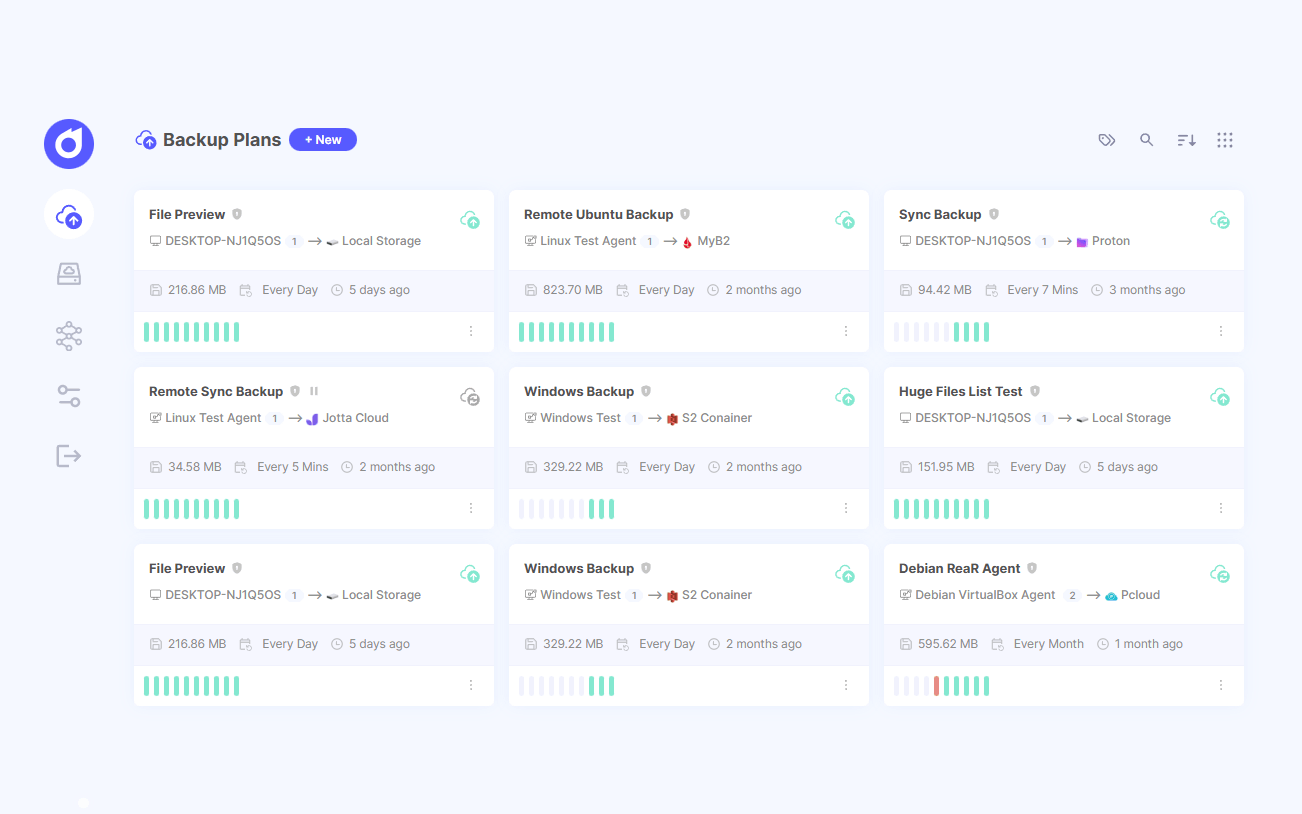
Intro
Pluton PRO is a self-hosted backup management platform that simplifies automated, incremental backups across your storage destinations. Pluton leverages powerful open-source tools - Restic for secure incremental backups and Rclone for versatile cloud storage connectivity - wrapped in an intuitive web interface designed for both beginners and advanced users.
Features
- Automated backups with encryption, compression and retention policies powered by Restic
- Flexible scheduling For automated backup jobs with fine-grained retention policies
- End-to-end encryption Backups are totally encrypted from your local machine to your cloud storage.
- 50+ Storage Support: Store encrypted data to your favorite cloud storages (powered by rclone).
- Easy Restore & Download: Restore or download backed up snapshot data easily with just a few clicks.
- Event Notifications: Get email notifications on Backup start, end, completion or failure.
- Auto Retry Logic: Automatically retries backups if it fails with customization options.
- Intuitive UI: Manage everything from a single, clean interface.
- Real-time Progress Tracking: Track progress of your backups real-time.
- Extensive Logging: View app and backup logs right from the UI for better debugging.
- Run Scripts before/after: Ability to run scripts before and after running backups.
Installation
To run Pluton, make sure you have Docker and Docker Compose installed on your machine. Then, use the provided docker-compose.yml file to run the application.
services:
  pluton:
    image: plutonhq/pluton-pro:latest
    container_name: pluton-backup
    restart: unless-stopped

    ports:
      - "${SERVER_PORT:-5173}:${SERVER_PORT:-5173}"

    volumes:
      # Main data volume - contains database, config, logs
      - pluton-data:/data

      # Optional: Mount host directories to backup

      # Example: Make user's documents folders Accessible to Pluton
      # - /home/user/documents:/mnt/documents:ro #linux
      # - /home/user/photos:/mnt/photos:ro #linux
      # - C:/Users/username/Documents:/mnt/documents:ro # Windows
      # - C:/Users/username/Pictures:/mnt/photos:ro # Windows

      # Example: Make a Docker volume (named 'wp-data') Accessible to Pluton
      # - /var/lib/docker/volumes/wp-data/_data:/mnt/wordpress:ro
      # - C:/ProgramData/docker/volumes/wp-data/_data:/mnt/wordpress:ro  # Windows

    environment:
      # ===== REQUIRED: Security & Authentication =====
      # Generate secure random strings (min 12 characters each)
      ENCRYPTION_KEY: ${ENCRYPTION_KEY} # Encryption key for restic/rclone Snapshot encryption
      USER_NAME: ${USER_NAME} # Admin username for login
      USER_PASSWORD: ${USER_PASSWORD} # Admin password for login

      # ===== Application Settings =====
      APP_TITLE: ${APP_TITLE:-Pluton}
      APP_URL: ${APP_URL:-http://localhost:5173}
      SERVER_PORT: ${SERVER_PORT:-5173}
      MAX_CONCURRENT_BACKUPS: ${MAX_CONCURRENT_BACKUPS:-2}
      SESSION_DURATION: ${SESSION_DURATION:-7} # How long frontend login Session lasts in Days

      # ===== User Interface Security Settings =====
      ALLOW_CUSTOM_RESTORE_PATH: ${ALLOW_CUSTOM_RESTORE_PATH:-true}
      ALLOW_FILE_BROWSER: ${ALLOW_FILE_BROWSER:-true}
      DISABLE_EVENT_SCRIPTS: ${DISABLE_EVENT_SCRIPTS:-false}

      # ===== Docker-specific (do not change) =====
      NODE_ENV: production
      IS_DOCKER: "true"

volumes:
  pluton-data:
    driver: local
Then create an .env file that contains the required environment variables:
ENCRYPTION_KEY=s0eK1r12973fS501SW
USER_NAME=admin
USER_PASSWORD=0123456789

# Optional - override defaults
SERVER_PORT=7173
And finally, run:
docker compose up -d
Tag summary
Content type
Image
Digest
sha256:8111f5a13…
Size
138.1 MB
Last updated
about 1 month ago
docker pull plutonhq/pluton-pro