ppagent/midscene-ubuntu-desktop
Docker for midscene remote pc device server,with ubuntu20 gnome desktop.
2.4K
ppagent/midscene-ubuntu-desktop repository overview
🐳 Midscene PC Docker Container
Ubuntu GNOME desktop-based Docker container with pre-installed Midscene PC service, supporting VNC remote access to the graphical interface


📖 Project Overview
This project is based on the original project and pre-installs the following components:
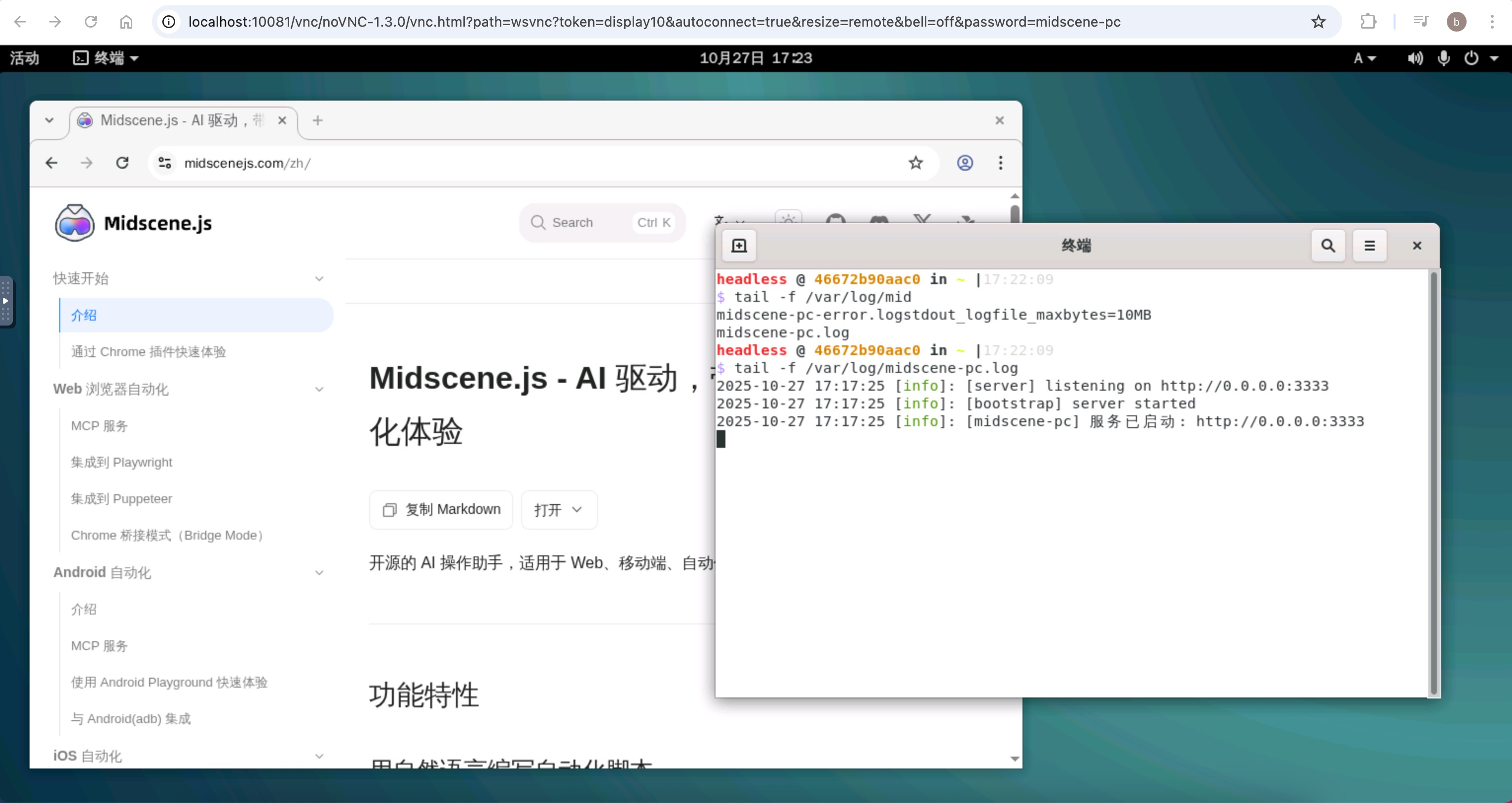
- 🌐 Chrome Browser
- 🖥️ Terminal with right-click support in folders
- 🤖 Midscene PC Automation Service
✨ Key Features
| Feature | Description |
|---|---|
| 🖥️ Ubuntu GNOME Desktop Environment | Complete graphical interface experience |
| 🚀 Midscene PC Auto-start | Automatically runs using supervisor process manager |
| 🌐 VNC Remote Access | Access via browser or VNC client |
| 🔍 Chrome Browser | Pre-installed Google Chrome browser |
| ⚡ Node.js Environment | Supports running JavaScript applications |
🚀 Quick Start
📥 Get Image
🔨 Build Yourself
git clone https://github.com/mofangbao/midscene-pc-docker.git
cd midscene-pc-docker
docker build -t ppagent/midscene-ubuntu-desktop:latest .
📦 Pull from Docker Hub
docker pull ppagent/midscene-ubuntu-desktop:latest
🏃♂️ Run Container
Using Startup Script (Recommended)
# Use the provided startup script
./start.sh
Manual Docker Run
# Or run manually
docker run -d \
  --name midscene-desktop \
  -p 10081:10081 \
  -p 3333:3333 \
  -v $(pwd)/data:/mnt/data \
  midscene-ubuntu-desktop:latest
Docker Compose Currently Not Supported
⚠️ Note: Docker Compose is currently not supported
🔧 Auto-start Mechanism
📋 Supervisor Process Management
- Configuration File:
/etc/supervisor/conf.d/midscene-pc.conf - Start Command: Directly runs
npx midscene-pc - Process Management: Auto-start, restart, and monitoring
🔄 Startup Process
- Container starts → GNOME desktop and supervisor load
- Supervisor starts → Directly runs
npx midscene-pc - Service runs → Executes in
/home/headlessdirectory
🛠️ Service Management
📊 Check Service Status
# Enter container
docker exec -it midscene-desktop bash

# Check supervisor status
supervisorctl status

# Check processes
ps aux | grep midscene

# View logs
tail -f /var/log/midscene-pc.log
tail -f /var/log/midscene-pc-error.log
🎛️ Manual Start/Stop
# Manage via supervisor
supervisorctl start midscene-pc
supervisorctl stop midscene-pc
supervisorctl restart midscene-pc

# Run command manually
cd /home/headless && npx midscene-pc
Important
🕐 **Startup Notice**: After startup, it takes about 10 seconds to initialize the desktop. If the VNC connection shows a black screen, please wait a moment.
🌐 Port Configuration
| Port | Service | Access URL |
|---|---|---|
| 10081 | VNC Web Interface | http://localhost:10081 |
| 3333 | Midscene PC Service Port | - |
❓ Frequently Asked Questions
🔧 How to Pre-install Other Software?
Copy the required deb files to the
softwaredirectory, then rebuild the image to achieve pre-installation.📋 Tested Software: WeChat, DingTalk, VSCode, WPS and other common software all run normally.
🔐 What is the VNC Password?
If no password-related environment variables are specified in start.sh or your own docker run script, the default password is headless.
Modifiable Environment Variables:
VNC_PASSVNC_PASS_ROSSH_PASS
Default start.sh Startup Configuration:
SSH_PASS=midscene-pc
VNC_PASS=midscene-pc
VNC_PASS_RO=midscene_pc
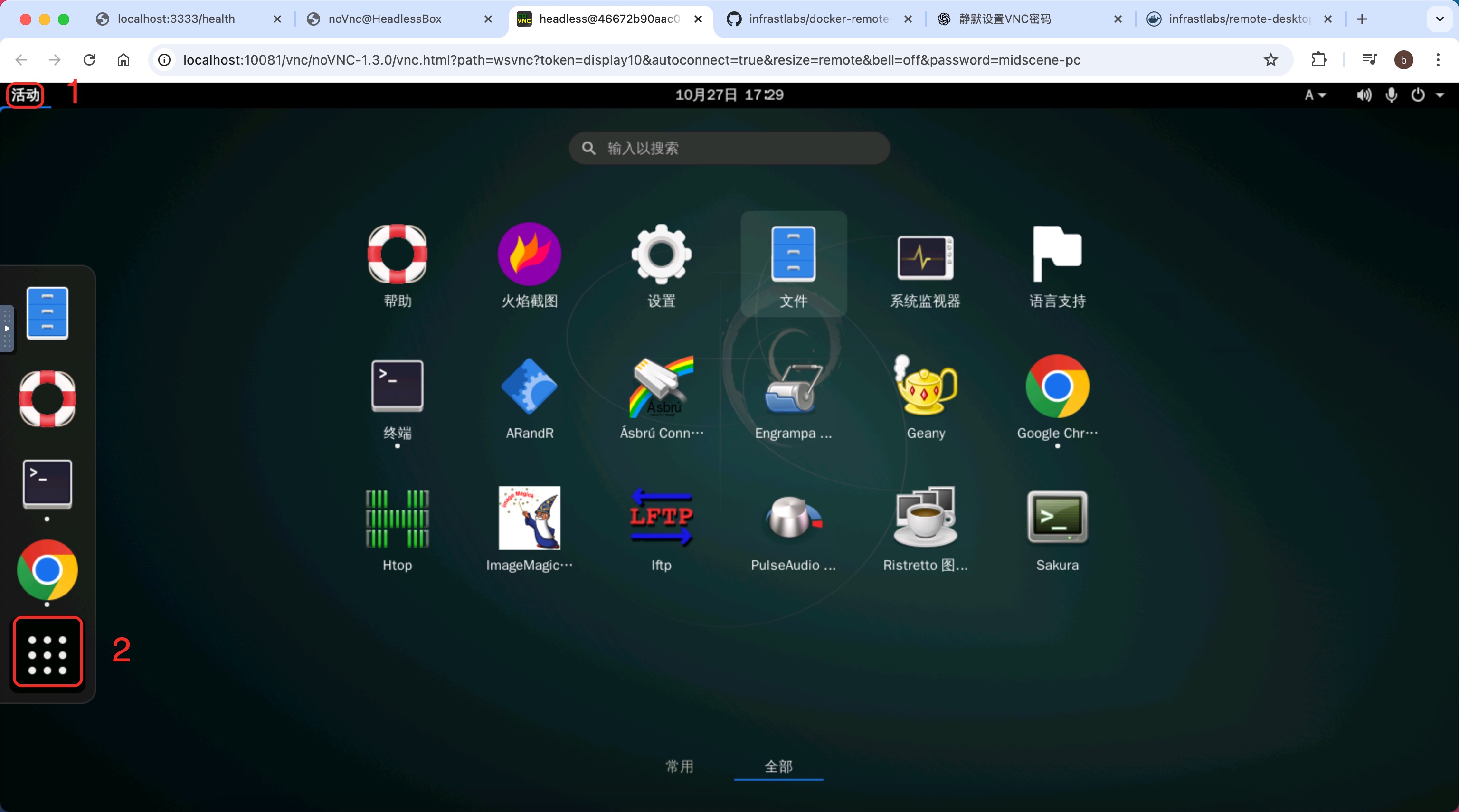
📱 Where are the Desktop Applications?
- Click the
Activitiesbutton in the top left corner - After the favorites bar appears, click the menu button in the favorites bar
- The application dashboard will be displayed
📝 Important Notes
- Direct Startup: Midscene PC starts directly via supervisor without additional scripts
- Service Logs: Saved in
/var/log/midscene-pc.logand/var/log/midscene-pc-error.log - Auto-restart: Supervisor provides auto-restart functionality, automatically restarting when service exits abnormally
- Service Directory: Service runs in
/home/headlessdirectory asheadlessuser - Management: Use
supervisorctlcommands for convenient service status management
⚠️ Known Issues
| Platform | Issue Description | Impact Scope |
|---|---|---|
| 🍎 macOS | Manual drawing functionality not supported when creating midscene-pc devices | Fullscreen and fixed area work normally |
| 🍎 macOS | VNC connection cannot automatically adapt to Retina display | Does not affect actual automation operations |
| 🐳 Docker | Currently only supports docker run startup | Docker Compose not supported |
🎉 Thank you for using Midscene PC Docker Container!
If you have any questions or suggestions, feel free to submit an Issue or Pull Request
Tag summary
Content type
Image
Digest
sha256:1020a1ce4…
Size
1.1 GB
Last updated
11 months ago
docker pull ppagent/midscene-ubuntu-desktop