procoder588/manup
ManUp is an open-source, self-hosted Secrets Management platform
1.8K
procoder588/manup repository overview
ManUp 🔒




ManUp is an open-source, self-hosted Secrets Management platform designed to securely store, manage, and orchestrate environment secrets across your projects, teams, and environments. Built with a modern, responsive user experience and robust Role-Based Access Control (RBAC), ManUp provides a lightweight, developer-friendly alternative to Infisical and HashiCorp Vault.
Table of Contents
- Features
- Architecture
- Official CLI Tool (manup-cli)
- Quick Start with Docker Compose
- Running Pre-built Registry Images
- Configuration Parameters
- Local Development Setup
- Contributing
- Security
- Code of Conduct
- License
🚀 Features
- Centralized Secrets Vault: Create, update, and manage encrypted secrets with a secure dashboard.
- Projects Dashboard & Tabbed Workspaces: Project-first organization interface featuring dedicated environment status cards, inline secret editing, and quick tabbed environment switching.
- Granular RBAC: Assign roles (
Owner,Admin,Viewer) to restrict access. Ensure only authorized users perform destructive actions (editing environments, managing API keys, deleting secrets). - Organization Member Management: Safely invite or remove members from the organization with built-in role hierarchies, cascade-deleting memberships when a user is removed.
- Project-Scoped & Fine-Grained API Keys: Provision access tokens configured with
full(read/write) orread-onlyscopes, optionally restricted to a specific project or organization-wide. - Direct Query API & .env Export: Direct name-based environment/project queries via
GET /api/secrets?env=...&project=...&format=dotenvor JSON format, perfect for CI/CD pipelines and headless scripts. - Bulk .env Import & Auto-wrapping Editor: Upload or paste
.envfiles for bulk secret creation/updates, with auto-wrapping, auto-resizing text fields for certificates and long configuration values. - Light & Dark Theme: Built-in theme switcher supporting dark mode, high-contrast light mode, and system preference detection.
- Project & Environment Isolation: Group configuration variables by projects and isolated environments (e.g., Development, Staging, Production).
- Easy Self-Hosting: Deploy instantly using Docker and Docker Compose, powered by an embedded PostgreSQL database (
PGLITE). - Default Admin Auto-Seeding: Bootstrap the platform instantly by pre-configuring the default administrator credentials through environment variables, skipping the signup flow.
- Secure Authentication: Built-in cookie-based authentication with
httpOnlysecure cookies to mitigate token interception/XSS vulnerabilities, complete with user session logout confirmation. - Security-Hardened Sensitive Settings: Protect critical configuration updates (email, username, account deletion) behind a password challenge, guarding the organization owner from self-deletion.
| 🌙 Dark Mode | ☀️ Light Mode |
|---|---|
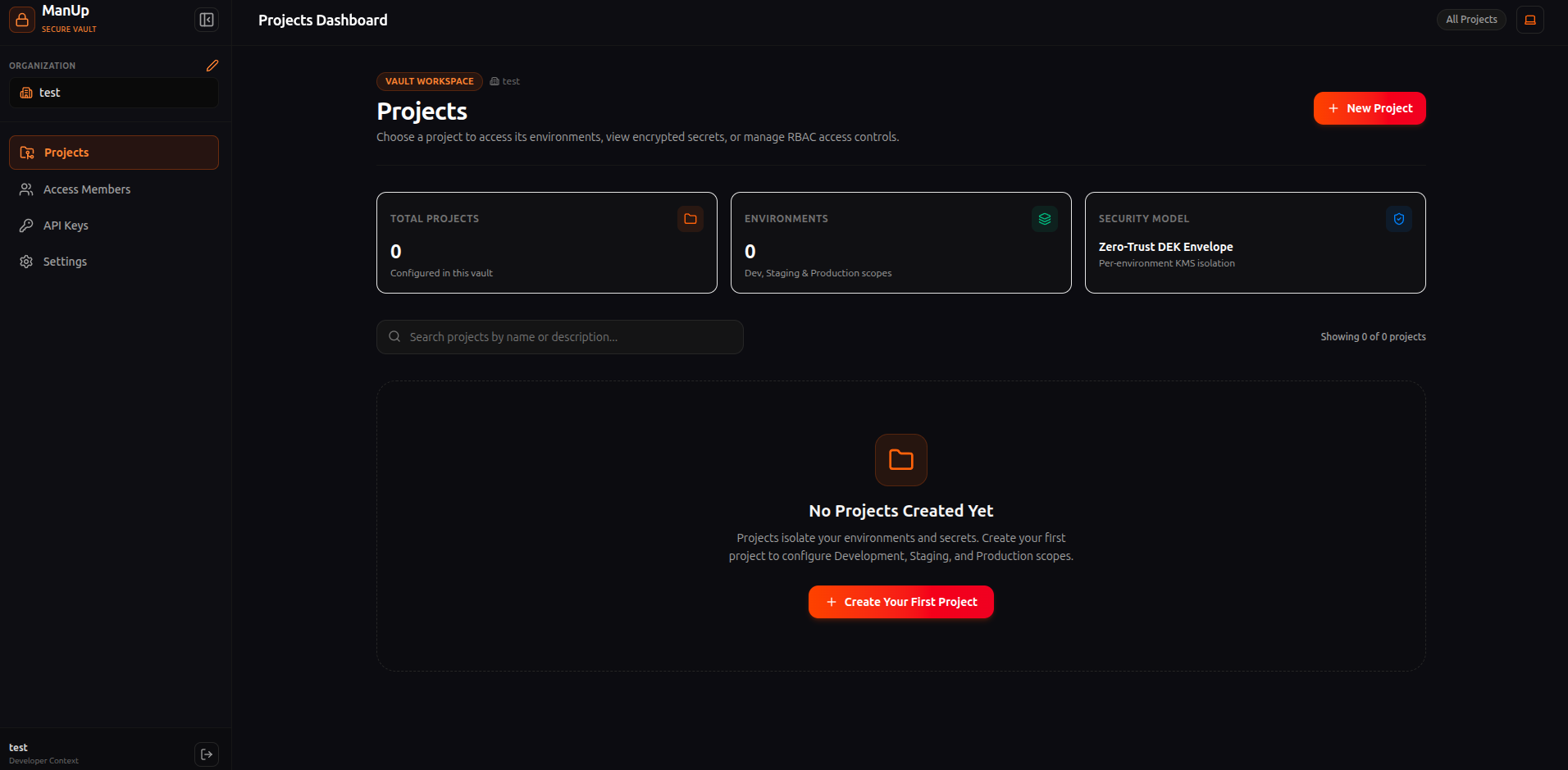 | 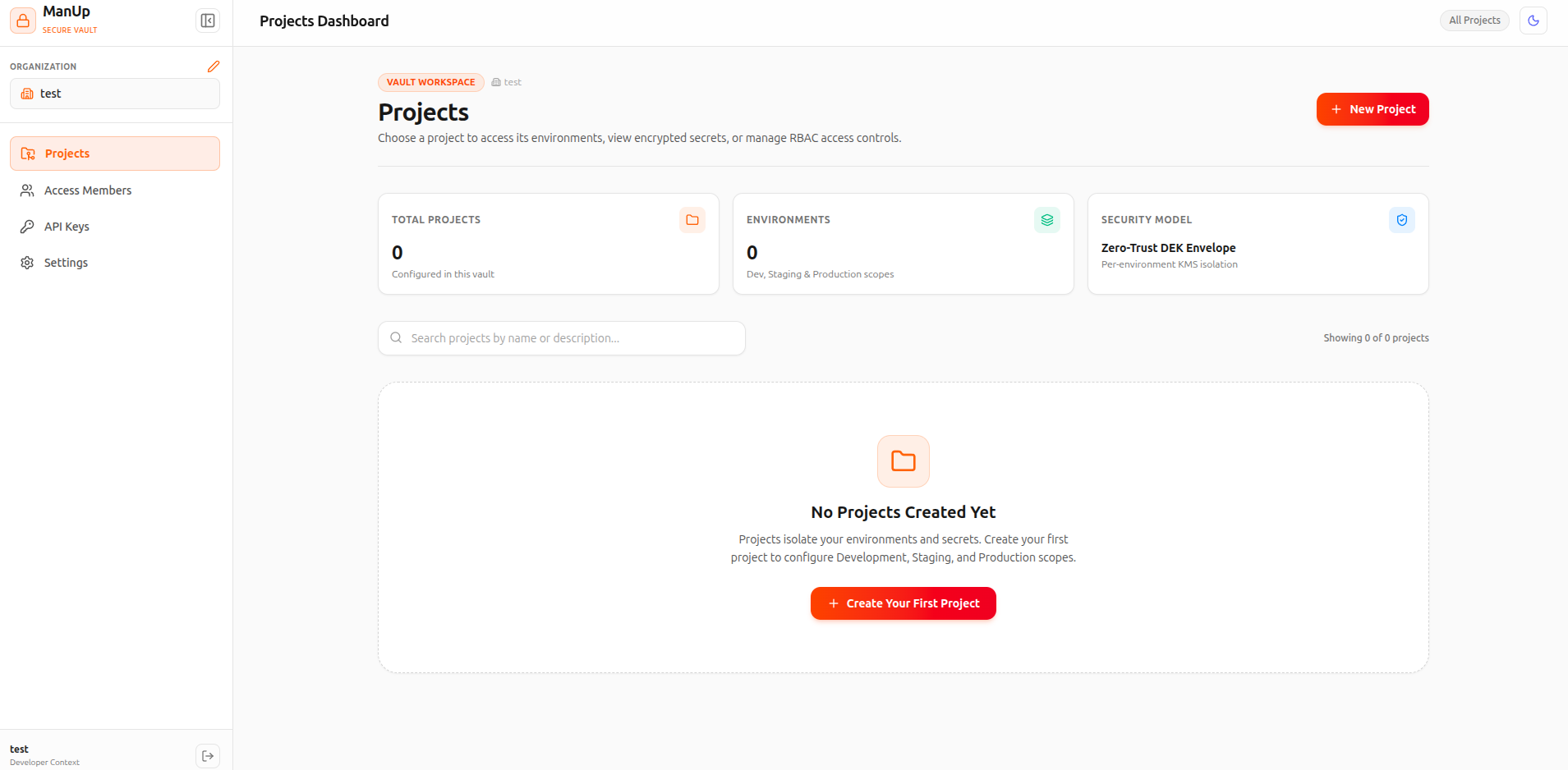 |
🏗️ Architecture
ManUp is structured as a monorepo consisting of two primary packages:
- Frontend (
/client): A premium Single-Page Application (SPA) built with React 19, TypeScript, TailwindCSS v4, and Vite. Features a modern, collapsible icon-only sidebar, dedicated project workspaces, light/dark themes, responsive data tables, and interactive confirmation overlays. - Backend (
/server): A robust REST API server built with Node.js, Express, and TypeScript. Relies on Drizzle ORM for database interaction and uses PGLite (embedded PostgreSQL in Node.js) for simple, serverless-like data persistence.
When packaged for production, the client SPA is compiled and served directly by the Express backend server as a single lightweight container.
💻 Official CLI Tool (manup-cli)
ManUp includes an official, standalone Command Line Interface: manup-cli (npm install -g manup-cli).
The CLI allows developers, CI/CD pipelines, and server scripts to seamlessly authenticate with your self-hosted ManUp Vault server, sync environment variables, and inject secrets directly into application processes.
1. Installation
Install globally via npm or run statelessly using npx:
# Global installation
npm install -g manup-cli

# Or run statelessly
npx manup-cli --help
2. Authentication
Authenticate with your self-hosted ManUp server instance:
# Interactive login (Direct Email/Username & Password or API Key)
manup login

# Non-interactive direct login
manup login --server http://localhost:7780 --user [email protected] --password adminpassword123

# Non-interactive API key login
manup login --server http://localhost:7780 --api-key mp_your_api_key
- Machine-Bound AES Security: Credentials stored locally in
~/.config/manup-cli-nodejs/are encrypted with AES-256-CBC using a key derived from your machine identity with strict POSIX permissions (0600). - Environment Overrides: For CI/CD automation, set
MANUP_SERVER_URLandMANUP_API_KEY(orMANUP_TOKEN) in environment variables.
3. Workspace Linking, Secret Injection & API Keys
# 1. Link current directory interactively or scriptably by name
cd /path/to/my-app
manup init
manup init -p my-project -e dev

# 2. List, view, or export decrypted secrets by environment name
manup secrets ls -e dev
manup secrets ls -e prod --reveal
manup secrets export -e prod --out .env

# 3. Inject secrets directly into runtime processes without writing secrets to disk
manup run -- npm start
manup run -e dev -- npm start
manup run -p backend -e prod -- npm test

# 4. Provision and manage API keys (including project-scoped keys)
manup keys ls
manup keys create ci-token --scope full --project backend
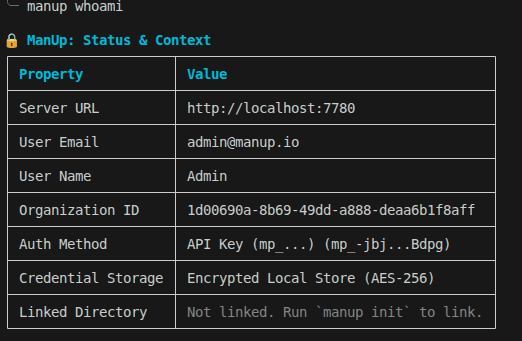
👉 View full CLI source code and documentation: github.com/Amanbig/manup-cli
⚡ Quick Start with Docker Compose
Ensure you have Docker and Docker Compose installed.
-
Clone the Repository:
git clone https://github.com/Amanbig/ManUp.git cd ManUp -
Configure Environment Variables: Create a
.envfile or configure values directly in your container orchestration setup. Key environment variables insidedocker-compose.yml:MASTER_KEY: A 32-character hexadecimal key used to encrypt/decrypt secrets.JWT_SECRET: Secret token signature key.PORT: Server port (default:7780).
-
Start the Platform:
docker compose up --build -d -
Access the Web Dashboard: Open http://localhost:7780 in your browser.
🐳 Running Pre-built Registry Images
ManUp images are automatically built and published via GitHub Actions to GitHub Container Registry (GHCR) and Docker Hub.
1. Pull the Image
Images are tagged by release version (e.g. 1.0.0), with latest always pointing at the newest stable release.
# From Docker Hub
docker pull procoder588/manup:latest
docker pull procoder588/manup:0.4.0

# From GitHub Container Registry (GHCR)
docker pull ghcr.io/amanbig/manup:latest
docker pull ghcr.io/amanbig/manup:0.4.0
2. Run via Docker CLI
Run a self-contained vault instance on port 7780 with automated local storage (optionally seeding a default admin user to skip the signup flow):
docker run -d \
  --name manup-vault \
  -p 7780:7780 \
  -e DB_TYPE="PGLITE" \
  -e MASTER_KEY="your_32_character_hexadecimal_key" \
  -e JWT_SECRET="your_jwt_signing_secret_key" \
  -e REFRESH_TOKEN_SECRET="a_different_jwt_signing_secret_key" \
  -e DEFAULT_ADMIN_EMAIL="[email protected]" \
  -e DEFAULT_ADMIN_PASSWORD="adminpassword123" \
  -e DEFAULT_ADMIN_NAME="Admin User" \
  -e DEFAULT_ADMIN_USERNAME="admin" \
  -v manup_data:/app/manup \
  --restart always \
  procoder588/manup:latest
⚙️ Configuration Parameters
| Variable | Description | Default Value | Required |
|---|---|---|---|
PORT | Port the backend server listens on. | 7780 | No |
DB_TYPE | Type of Postgres DB. Choose PGLITE or leave blank for external DB. | PGLITE | Yes |
DB_DIR | Path to persist SQLite-like files when using PGLITE. | /app/manup | Only for PGLITE |
DATABASE_URL | Connection string to external Postgres instance. | — | Only if DB_TYPE !== PGLITE |
MASTER_KEY | 32-character hex key for secret encryption. | — | Yes |
JWT_SECRET | Secret key for signing access-token cookies. | — | Yes |
REFRESH_TOKEN_SECRET | Secret key for signing refresh-token cookies. Must be different from JWT_SECRET. | — | Yes |
ENABLE_SIGNUP | true/false — whether the public signup form/endpoint is enabled. If unset, defaults to disabled once DEFAULT_ADMIN_EMAIL/DEFAULT_ADMIN_PASSWORD are set, enabled otherwise. | — | No |
DEFAULT_ADMIN_EMAIL | The default administrator email to pre-seed on first startup. | — | No |
DEFAULT_ADMIN_PASSWORD | The default administrator password to pre-seed on first startup. | — | No |
DEFAULT_ADMIN_NAME | The default administrator display name override (used with email/password). | Admin | No |
DEFAULT_ADMIN_USERNAME | The default administrator username override (used with email/password). | admin | No |
More variables (SMTP, admin name/username overrides, ALLOWED_ORIGINS) are documented on the Wiki.
🛠️ Local Development Setup
To run both client and server locally without Docker:
Prerequisites
- Node.js >= 20.x
- npm >= 10.x
Steps
-
Install Dependencies: From the root directory, install all client and server dependencies:
cd client && npm install cd ../server && npm install -
Setup Server Config: Create
server/.envwith the following variables:PORT=7780 DB_TYPE=PGLITE DB_DIR=./manup_dev MASTER_KEY=9a8b7c6d5e4f3g2h1i0j9k8l7m6n5o4p JWT_SECRET=super_secret_jwt_sign_key_manup_2026 REFRESH_TOKEN_SECRET=a_different_refresh_token_sign_key_2026 -
Run Services:
- Start Backend API (Terminal 1):
cd server npm run dev - Start Frontend Dev Server (Terminal 2):
cd client
npm run dev
- Start Backend API (Terminal 1):
🤝 Contributing
Contributions are welcome — bug fixes, features, or docs. See CONTRIBUTING.md for the development workflow, code style (Prettier/ESLint), commit conventions, and the PR process. Check the Wiki for deeper guides beyond this README.
🔐 Security
ManUp handles secrets, so security reports get priority. Do not open a public issue for vulnerabilities. See SECURITY.md for how to report privately and what's in scope.
📜 Code of Conduct
This project follows the Contributor Covenant Code of Conduct. By participating, you're expected to uphold it.
📄 License
ManUp is released under the MIT License.
Tag summary
Content type
Image
Digest
sha256:5afa1baeb…
Size
71.1 MB
Last updated
about 2 months ago
docker pull procoder588/manup