procoder588/mlcore
A self-hosted machine learning platform. Github: ` https://github.com/Amanbig/MLCore`
1.5K
procoder588/mlcore repository overview
ML Core
A self-hosted machine learning platform — upload datasets, wrangle data, train models, run predictions, download trained models, and monitor everything from a Grafana-style dashboard.
One Docker image. One port. No extra services.



Preview
| Light Mode | Dark Mode |
|---|---|
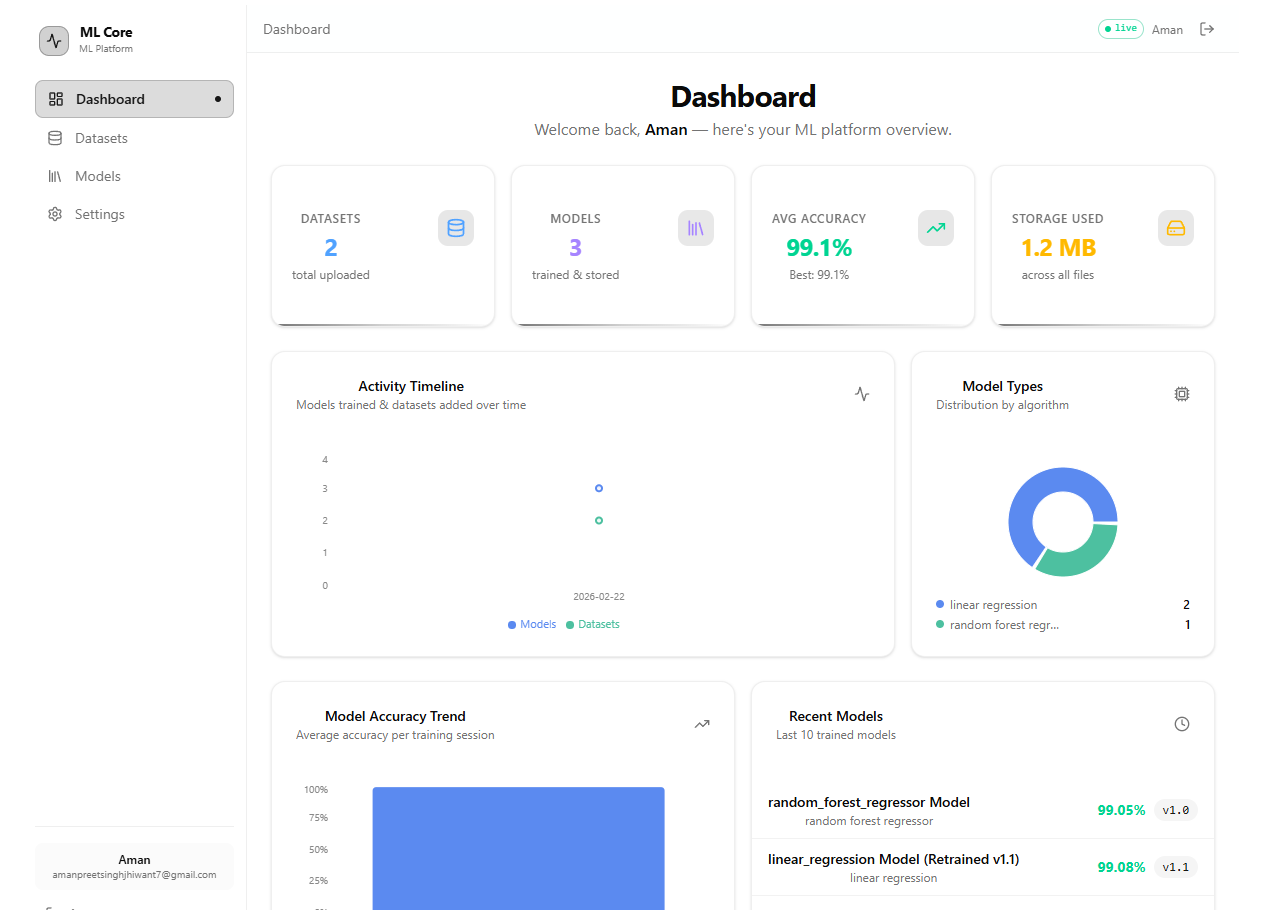 | 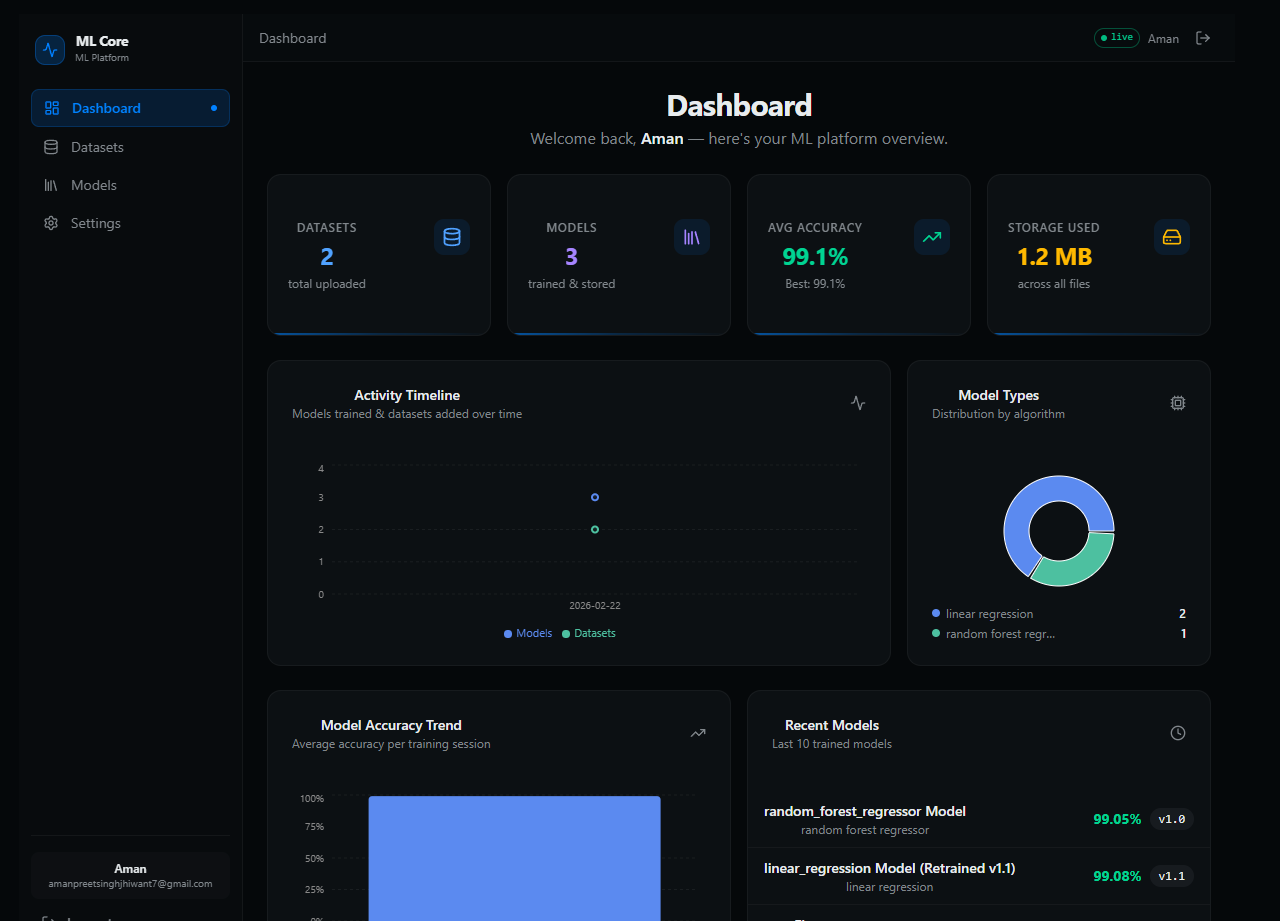 |
Features
- 📁 Dataset management — upload CSV / Excel files, version datasets, explore stats, wrangle (normalise, encode, drop nulls)
- 📊 Rich statistics — per-column descriptive stats (count, mean, std, quartiles) + Pearson correlation heatmap
- 🤖 Model training — train scikit-learn models (classifiers & regressors) with configurable hyperparameters loaded live from the library
- 🔁 Retraining & versioning — retrain any model to create a new version with full lineage tracking
- 🧪 In-browser testing — run single-row predictions directly from the UI (Sheet sidebar, not a blocking dialog)
- ⬇️ Model download — download trained
.joblibfiles for use outside the platform - 📈 Dashboard — live stats: model count, dataset count, accuracy distribution, storage usage
- 🌙 Dark / Light / System theme
- 🔐 JWT authentication — cookie-based, HTTPOnly
- 🛡️ Deployment controls — disable public signup + seed a default admin via environment variables
Quick Start — Docker
# Docker Hub
docker run -d \
  -p 8000:8000 \
  -v mlcore-db:/data \
  -v mlcore-uploads:/app/server/uploads \
  --name mlcore \
  procoder588/mlcore:latest

# GitHub Container Registry
docker run -d \
  -p 8000:8000 \
  -v mlcore-db:/data \
  -v mlcore-uploads:/app/server/uploads \
  --name mlcore \
  ghcr.io/Amanbig/mlcore:latest
Open http://localhost:8000 — UI and API both served from the same port.
Environment Variables
All variables are optional — the defaults work immediately. Pass them with -e to docker run or in a docker-compose.yml.
| Variable | Default | Description |
|---|---|---|
JWT_SECRET | development | Set this to a secret value in production |
DISABLE_SIGNUP | False | True to hide the Sign Up tab and block the endpoint |
DEFAULT_ADMIN_EMAIL | (none) | Auto-create an admin on first boot |
DEFAULT_ADMIN_PASSWORD | (none) | Password for the auto-created admin |
Example with a locked-down admin-only instance:
docker run -d \
  -p 8000:8000 \
  -v mlcore-db:/data \
  -v mlcore-uploads:/app/server/uploads \
  -e JWT_SECRET=my-super-secret \
  -e DISABLE_SIGNUP=True \
  -e [email protected] \
  -e DEFAULT_ADMIN_PASSWORD=StrongP@ssw0rd! \
  --name mlcore \
  procoder588/mlcore:latest
Volumes
| Volume | Path in container | Purpose |
|---|---|---|
mlcore-db | /data | SQLite database — isolated from server code |
mlcore-uploads | /app/server/uploads | Datasets + model files |
Development Setup
Prerequisites
| Tool | Version | Install |
|---|---|---|
| Python | ≥ 3.10 | python.org |
| uv | latest | see below |
| Node.js | ≥ 18 | nodejs.org |
Install uv (Python package manager)
# Windows (PowerShell)
powershell -ExecutionPolicy ByPass -c "irm https://astral.sh/uv/install.ps1 | iex"

# macOS / Linux
curl -LsSf https://astral.sh/uv/install.sh | sh
1 — Server
cd server

# Install dependencies into an auto-managed .venv
uv sync

# Start with hot-reload
uv run dev        # → http://localhost:8000
Interactive API docs: http://localhost:8000/docs
2 — Client
cd client

# Install dependencies
npm install

# Start dev server (proxies /api/* → :8000 automatically)
npm run dev       # → http://localhost:5173
Running both together
Open two terminals:
terminal 1 → cd server && uv run dev
terminal 2 → cd client && npm run dev
The Vite proxy handles CORS — no extra config needed.
Building a Docker Image Locally
# From the repo root
docker build -t mlcore:local .
docker run -d -p 8000:8000 --name mlcore mlcore:local
The Dockerfile is multi-stage:
node:22-alpine— builds the Vite client (npm run build)python:3.13-slim— installs the server withuv, copies the client build intoserver/static/
CI / CD
Two workflow files in .github/workflows/:
push to main
    │
    ├─► lint.yml      — ruff (Python) + biome + tsc (TypeScript)
    │                   runs on every push and PR
    │
    └─► release.yml   — full pipeline:
            │
            ├─ lint-server  (ruff)      ─┐
            ├─ lint-client  (biome)      ├─ parallel
            ├─ typecheck    (tsc)       ─┘
            │
            ├─ version  → reads version from pyproject.toml
            │             creates git tag v<X.Y.Z> if new
            │
            ├─ build-and-push → builds Docker image
            │                   pushes to DockerHub + GHCR
            │
            └─ github-release → creates GitHub Release page
                                 with auto-generated changelog
                                 + Docker pull instructions
Releasing a New Version
- Bump
versioninserver/pyproject.toml:[project] version = "0.2.0" - Commit and push to
main:git add server/pyproject.toml git commit -m "chore: bump version to 0.2.0" git push origin main - The workflow automatically:
- Creates git tag
v0.2.0 - Builds and pushes the Docker image
- Creates a GitHub Release with changelog
- Creates git tag
Required Secrets
Add these in GitHub → Settings → Secrets and variables → Actions:
| Secret | Description |
|---|---|
DOCKERHUB_USERNAME | Your Docker Hub username |
DOCKERHUB_TOKEN | Docker Hub → Account Settings → Security → New Access Token (Read & Write) |
GITHUB_TOKEN is injected automatically — no setup needed.
Architecture
┌─────────────────────────────────────────────────┐
│                 Docker container                │
│                                                 │
│  ┌──────────────────┐   ┌─────────────────────┐ │
│  │   FastAPI        │   │   Vite build        │ │
│  │   /api/*         │   │   served as static  │ │
│  │                  │   │   SPA (index.html   │ │
│  │  auth, datasets, │   │   fallback)         │ │
│  │  models, stats   │   │                     │ │
│  └──────────────────┘   └─────────────────────┘ │
│              uvicorn :8000                      │
└─────────────────────────────────────────────────┘
| Concern | Detail |
|---|---|
| API | /api/* — all backend routes |
| UI | Everything else → SPA fallback to index.html |
| Datasets | server/uploads/datasets/ |
| Models | server/uploads/models/ |
| Database | SQLite — server/mlcore_db.db (mount a volume to persist) |
| Client (prod) | server/static/ — Vite build copied in at Docker build time |
Repository Structure
MLCore/
├── Dockerfile              Multi-stage build (Node → Python)
├── .dockerignore
├── Readme.md               ← you are here
├── client/                 Vite + React frontend
│   ├── src/
│   ├── biome.json          Linter / formatter config
│   ├── package.json
│   ├── vite.config.ts
│   └── README.md
└── server/                 FastAPI backend
    ├── src/
    │   ├── main.py
    │   └── modules/        auth, dataset, file, ml_model, stats, user
    ├── migrations/         Alembic migrations
    ├── scripts/            CLI entry points
    ├── pyproject.toml      Dependencies + ruff config
    ├── uv.lock
    └── README.md
Further Reading
- Server README — API reference, migration guide, uv commands
- Client README — component structure, Biome, build process
Contributing
Contributions are welcome! Please see the CONTRIBUTING.md file for guidelines on how to set up the project locally, run tests, and submit pull requests.
License
This project is licensed under the MIT License.
Tag summary
Content type
Image
Digest
sha256:eb9c6880d…
Size
185.7 MB
Last updated
6 months ago
docker pull procoder588/mlcore