proxyweb/proxyweb
A web interface for ProxySQL management
50K+
proxyweb/proxyweb repository overview
ProxyWeb
A modern, open-source web UI for managing ProxySQL servers.
Features
- Multi-server management — switch between ProxySQL instances from the nav bar
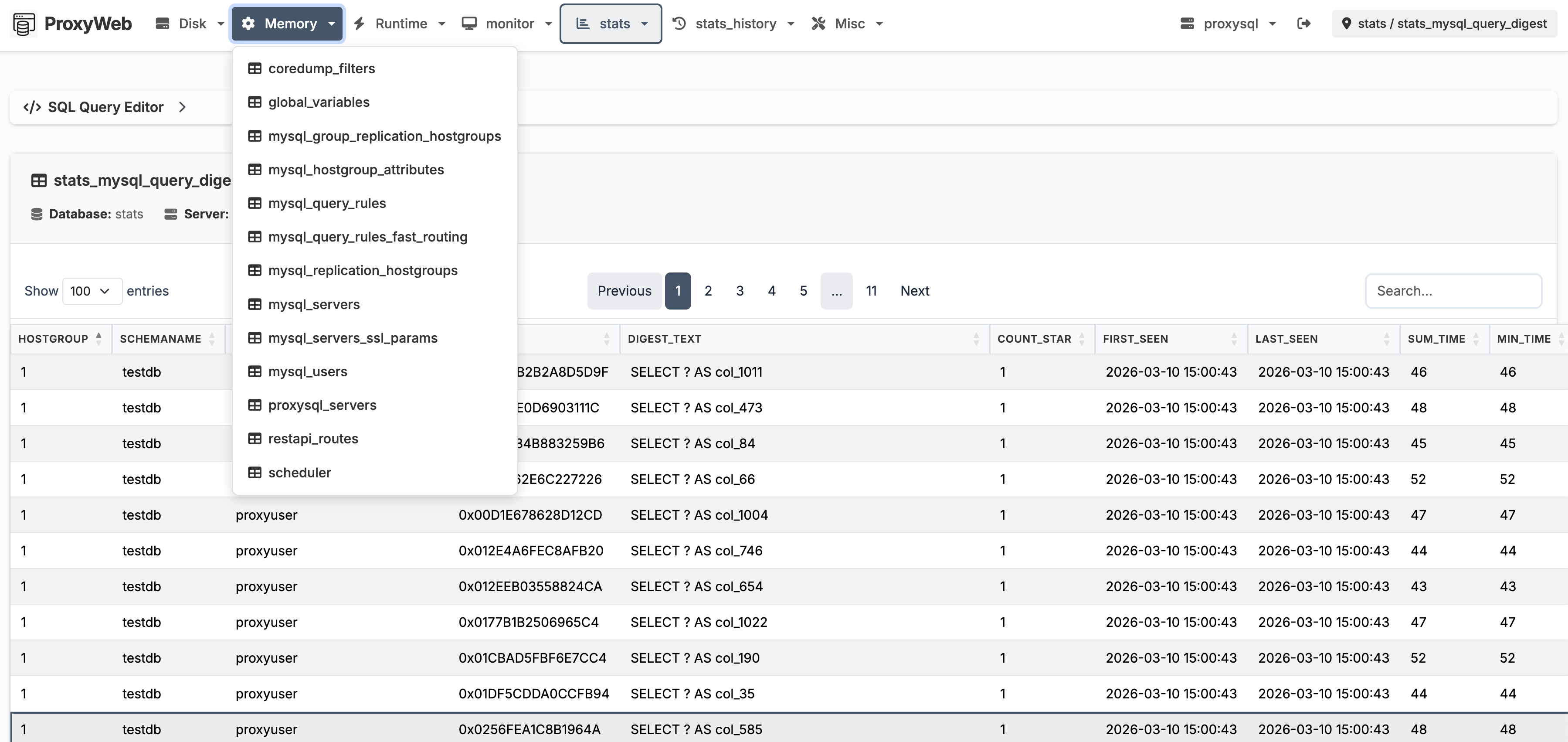
- Table browser — view, search, sort, and paginate any ProxySQL table
- Inline editing — insert, update, and delete rows directly in the browser
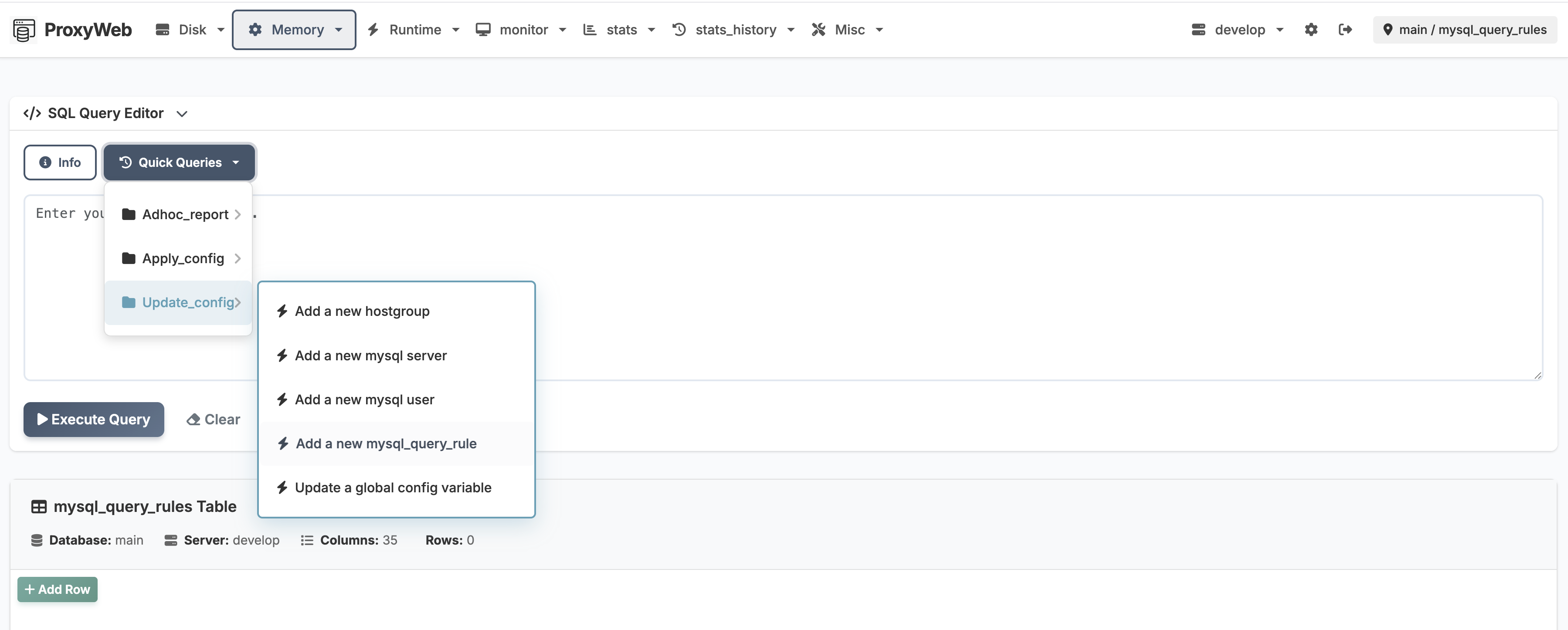
- SQL query editor — run ad-hoc queries with quick-query shortcuts for common operations
- Query history — persistent per-server history with dropdown recall and full history page
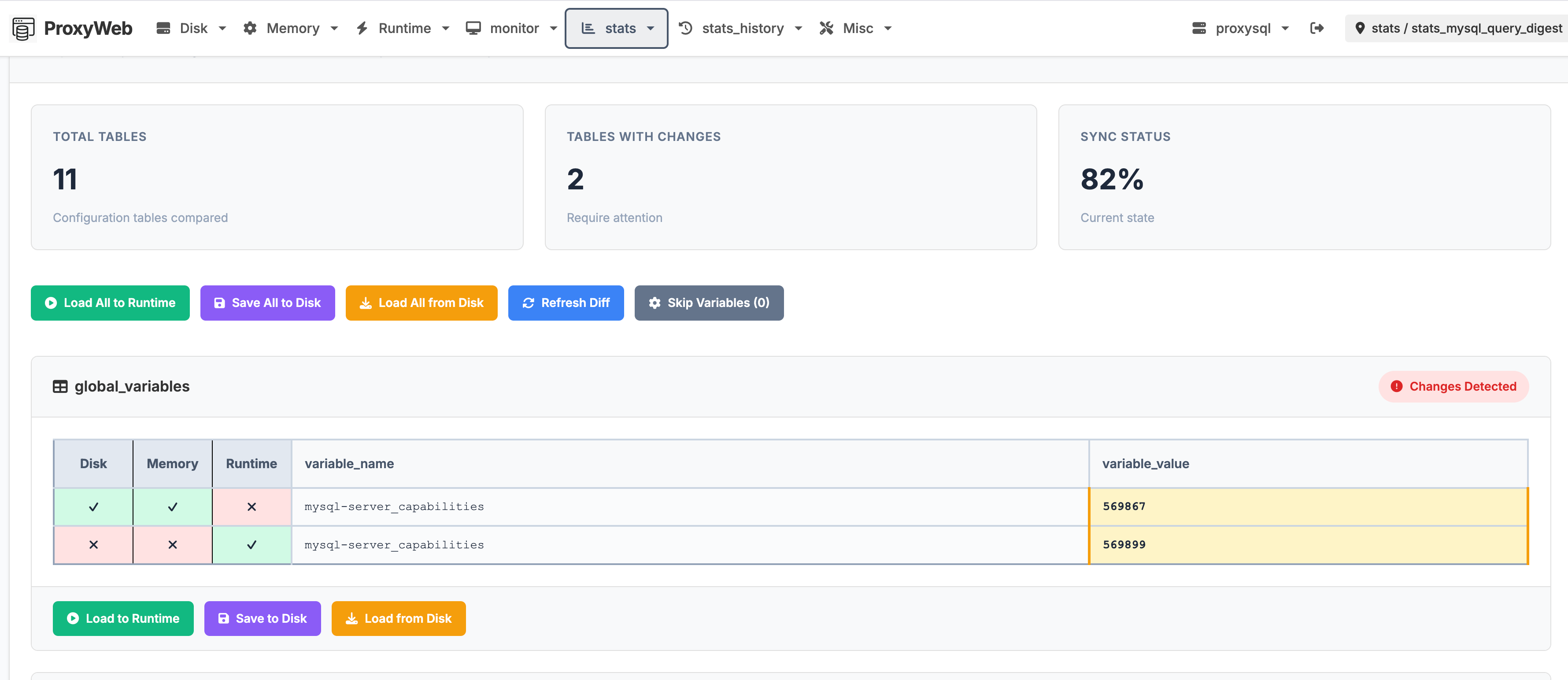
- Config diff — compare Disk / Memory / Runtime layers side by side, spot drift instantly
- Role-based access — admin and read-only users with separate credentials
- Settings UI — edit config through a structured form or raw YAML editor
| Config diff view | SQL editor with quick queries |
|---|---|
 |  |
Quick Start
docker run -h proxyweb --name proxyweb -p 5000:5000 -d proxyweb/proxyweb:latest
Open http://<host>:5000 and log in with the default credentials (admin / admin42).
Important: ProxySQL's admin port (default 6032) must be reachable from the ProxyWeb container. Configure the connection in Settings after first login.
Environment Variables
Webserver
| Variable | Default | Description |
|---|---|---|
WEBSERVER_PORT | 5000 | Gunicorn listen port |
WEBSERVER_WORKERS | 2 | Gunicorn workers |
WEBSERVER_THREADS | 2 | Threads per worker |
Web UI Credentials
| Variable | Overrides |
|---|---|
PROXYWEB_ADMIN_USER | auth.admin_user |
PROXYWEB_ADMIN_PASSWORD | auth.admin_password |
PROXYWEB_READONLY_USER | auth.readonly_user |
PROXYWEB_READONLY_PASSWORD | auth.readonly_password |
Per-Server DSN
Replace <SERVERNAME> with the uppercase server key from config:
| Variable | Overrides |
|---|---|
PROXYWEB_SERVER_<SERVERNAME>_USER | DSN user |
PROXYWEB_SERVER_<SERVERNAME>_PASSWORD | DSN passwd |
PROXYWEB_SERVER_<SERVERNAME>_HOST | DSN host |
PROXYWEB_SERVER_<SERVERNAME>_PORT | DSN port |
PROXYWEB_SERVER_<SERVERNAME>_DATABASE | DSN db |
Example:
docker run -h proxyweb --name proxyweb -p 5000:5000 \
  -e PROXYWEB_SERVER_PROXYSQL_HOST=proxysql.local \
  -e PROXYWEB_SERVER_PROXYSQL_USER=radmin \
  -e PROXYWEB_SERVER_PROXYSQL_PASSWORD=radmin \
  -d proxyweb/proxyweb:latest
Or place variables in a .env file and mount it at /app/.env (or set PROXYWEB_ENV_FILE to a custom path). The entrypoint loads it automatically.
Bind-Mount Config
To persist configuration across container restarts:
docker run -h proxyweb --name proxyweb -p 5000:5000 \
  -v /path/to/config.yml:/app/config/config.yml \
  -d proxyweb/proxyweb:latest
Default Credentials
| Role | Username | Password |
|---|---|---|
| Admin | admin | admin42 |
| Read-only | readonly | readonly42 |
The login page shows a hint when default credentials are still in use. Change them in Settings or via environment variables after first login.
Remote ProxySQL Access
ProxySQL only allows local admin connections by default. To enable remote access:
SET admin-admin_credentials="admin:admin;radmin:radmin";
LOAD ADMIN VARIABLES TO RUNTIME;
SAVE ADMIN VARIABLES TO DISK;
Then configure ProxyWeb with host, user: radmin, passwd: radmin, port: 6032.
Supported Architectures
Build for any platform using the Makefile:
make proxyweb-build                        # linux/amd64 (default)
make proxyweb-build PLATFORM=linux/arm64   # ARM64
Source Code
Tag summary
Content type
Image
Digest
sha256:316ce9bde…
Size
412.2 MB
Last updated
4 months ago
docker pull proxyweb/proxyweb