qiuhaotc/codeindex
A fast code searching tools based on Lucene.Net
2.2K
qiuhaotc/codeindex repository overview
CodeIndex
A fast full-text searching tools based on Lucene.Net
Feature
- Support multiple indexes
- Auto monitoring indexed files changes
- Support various search (etc: fuzzy, wildcard, case-sensitive) on file content, name, location, extension
- Support Docker
- Support Visual Studio
Demonstrate Site
https://codeindex.qhnetdisk.tk/
Guide
Run On Your Local
Config
Go to CodeIndex.Server => appsettings.json
LuceneIndex => To your local empty folder, this folder will be going to store the index files and configuration files.
ManagerUsers => Config the users name, id, password that can management the indexes.
"CodeIndex": {
  "LuceneIndex": "D:\\TestFolder\\Index",
  "IsInLinux": "false",
  "MaximumResults": 10000,
  "ManagerUsers": [
    {
      "Id": 1,
      "UserName": "Admin",
      "Password": "CodeIndex"
    }
  ]
}
Run Server
Set CodeIndex.Server as the start up project, compile the project
Run it via visual studio or bash
dotnet CodeIndex.Server.dll --urls "http://:5000;https://:5001"
Config Indexes
In this page, you can add/remove/delete and config the index folder you want to monitoring and searching.
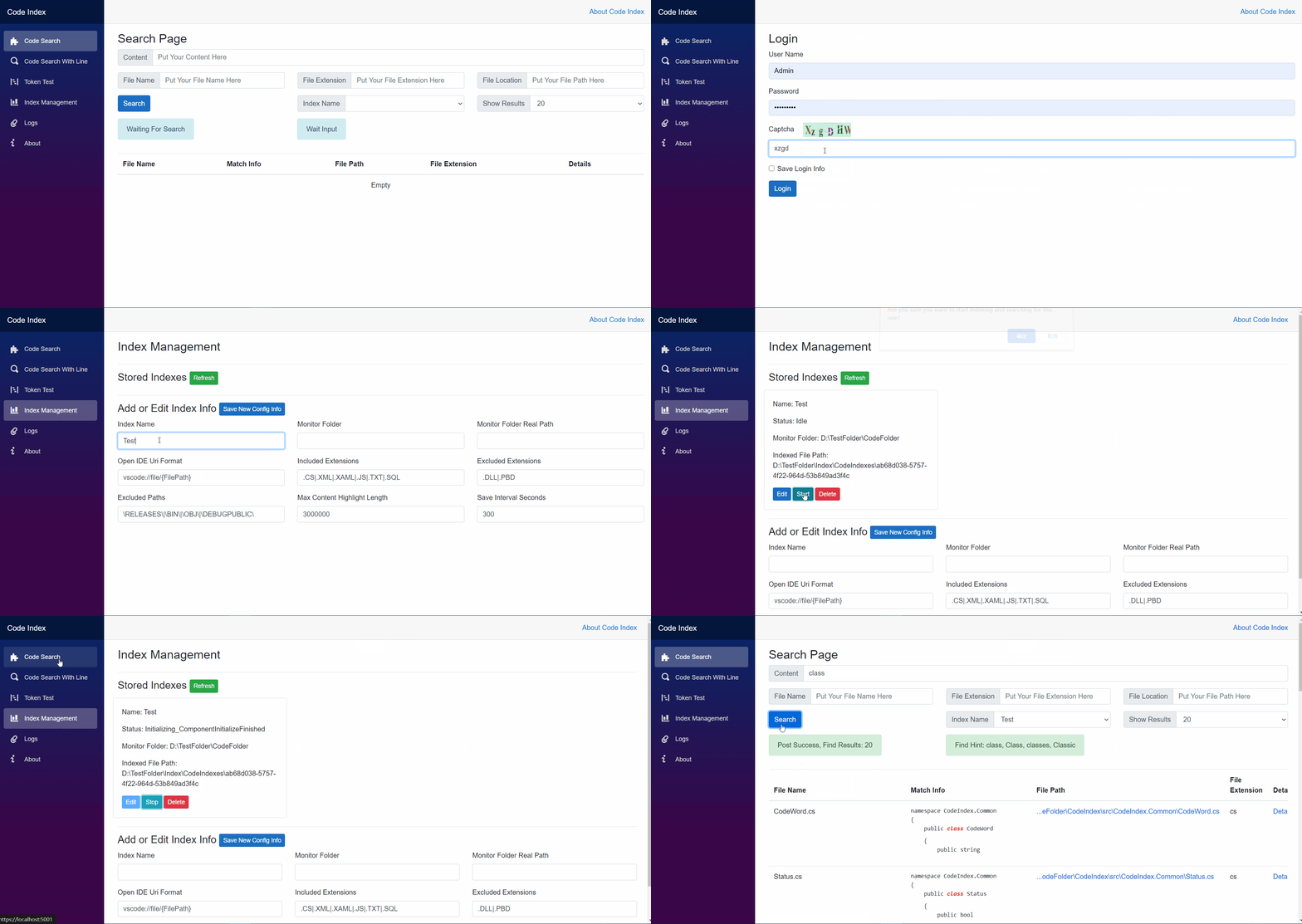
Doing Search
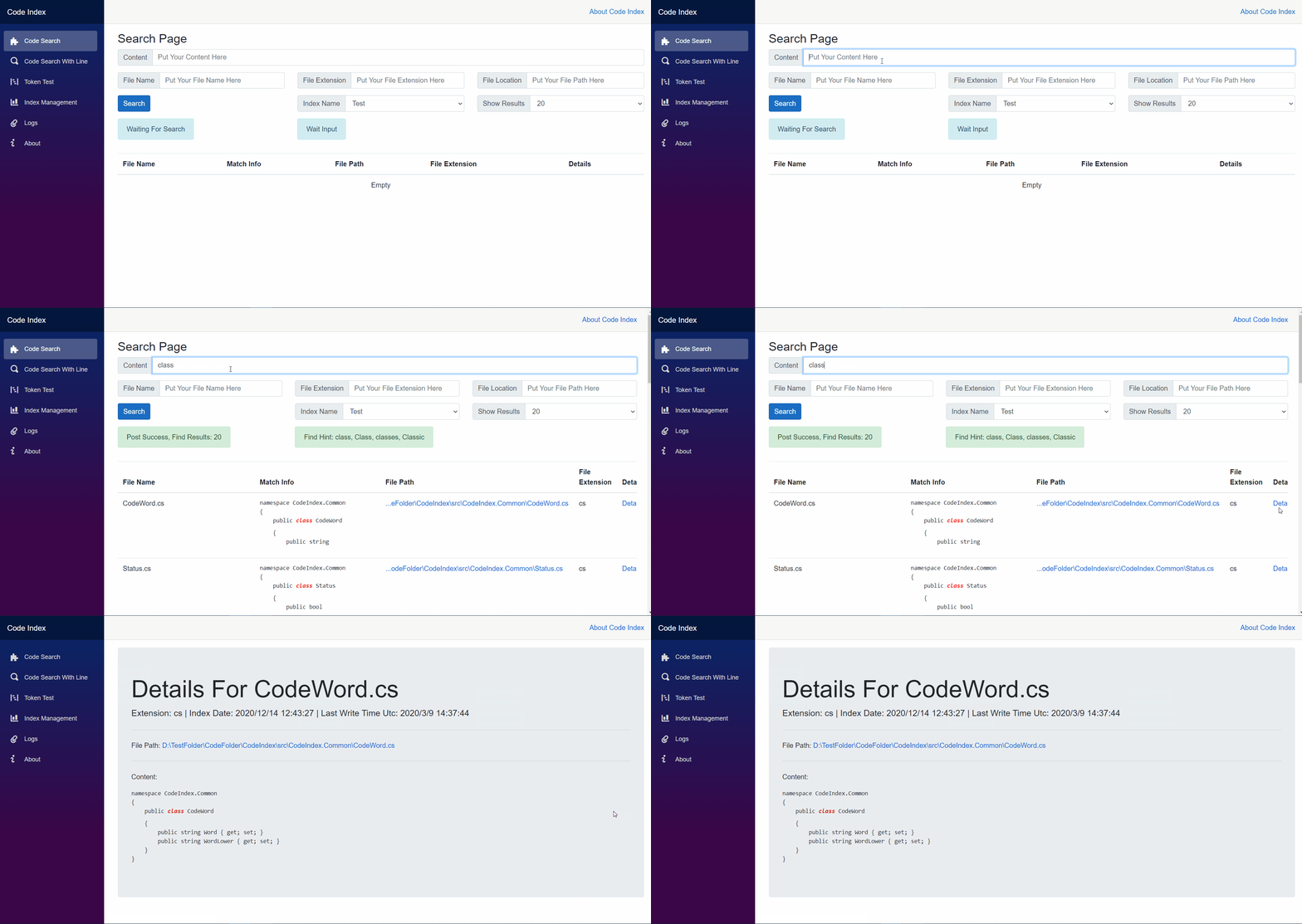
Search By Files
It will return the matched infos with highlight in the whole file
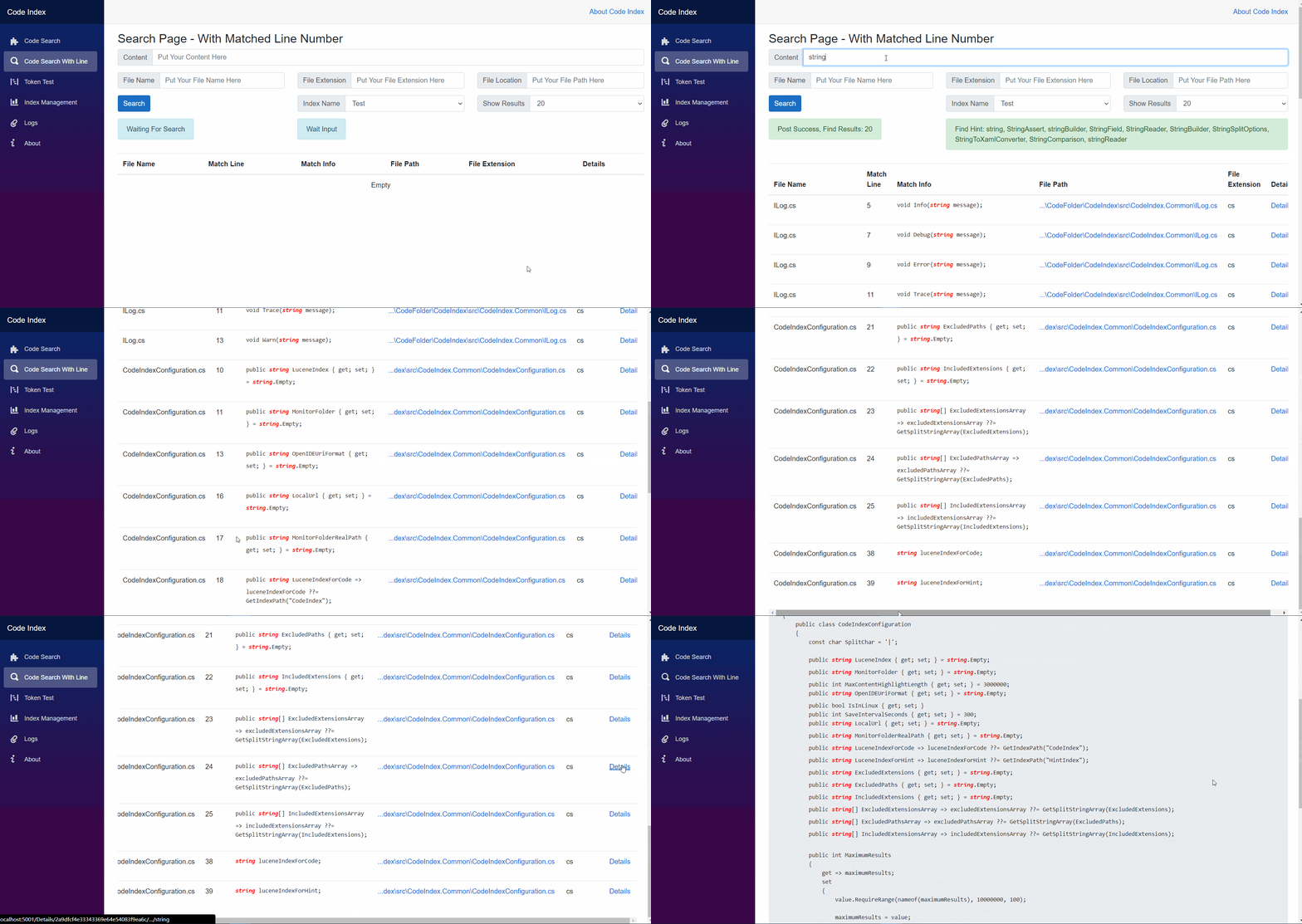
Search By Lines
It will return the matched infos with highlight and matched line number
Run With Docker
Support docker container, Docker hub
Docker Command Format
docker pull qiuhaotc/codeindex
docker run -d --name codeindex -p 8080:80 -v "Your index folder":/luceneindex -v "Your code folder":/monitorfolder -v "Your logs folder":/app/Logs -e CodeIndex__MonitorFolderRealPath="Your real folder path" -e CodeIndex__ManagerUsers__0__UserName="Your Management User Name" -e CodeIndex__ManagerUsers__0__Password="Your Management Password" --restart=always qiuhaotc/codeindex
Example
docker pull qiuhaotc/codeindex
docker run -d --name codeindex -p 8080:80 -v /home/user/luceneindex:/luceneindex -v /home/user/codefolder:/monitorfolder -v /home/user/logs:/app/Logs -e CodeIndex__MonitorFolderRealPath="/home/user/codefolder" -e CodeIndex__ManagerUsers__0__UserName="Test" -e CodeIndex__ManagerUsers__0__Password="Dummy" --restart=always qiuhaotc/codeindex
Notice: in the docker container, when add the index config, the monitor folder should replace the actual path to start with "/monitorfolder", like the actually path is "/home/user/codefolder/mysourceA", the monitor folder should be "/monitorfolder/mysourceA"
Search Extension For Visual Studio
| Status | Value |
|---|---|
| VS Marketplace |  |
| VS Marketplace Downloads |  |
| VS Marketplace Installs |  |
Download Url
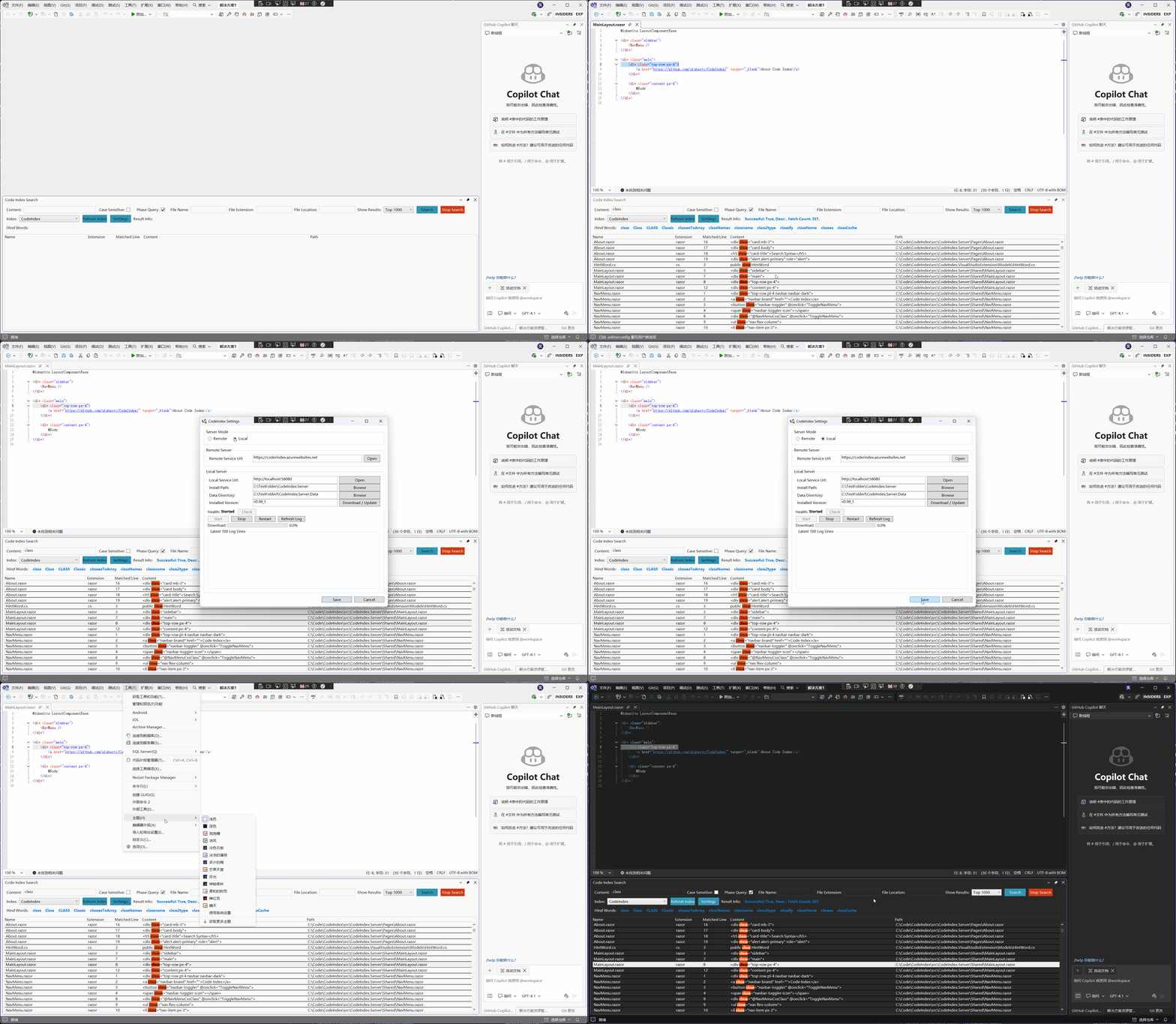
Search Code
- Open the code index search window under: view => other window => code index search
- Config the service url to your own service
- Doing the search
Search Syntax
Phase Query
When Phase Query been ticked, we can search the content via the query like: str*ng abc, it will give the result such as "string abc", "strdummyng abc" as the search results, the results like "abc string" or "stng abc" won't return.
In Phase Query mode, currently only support wildcard matching for word like stri*, organi*tion
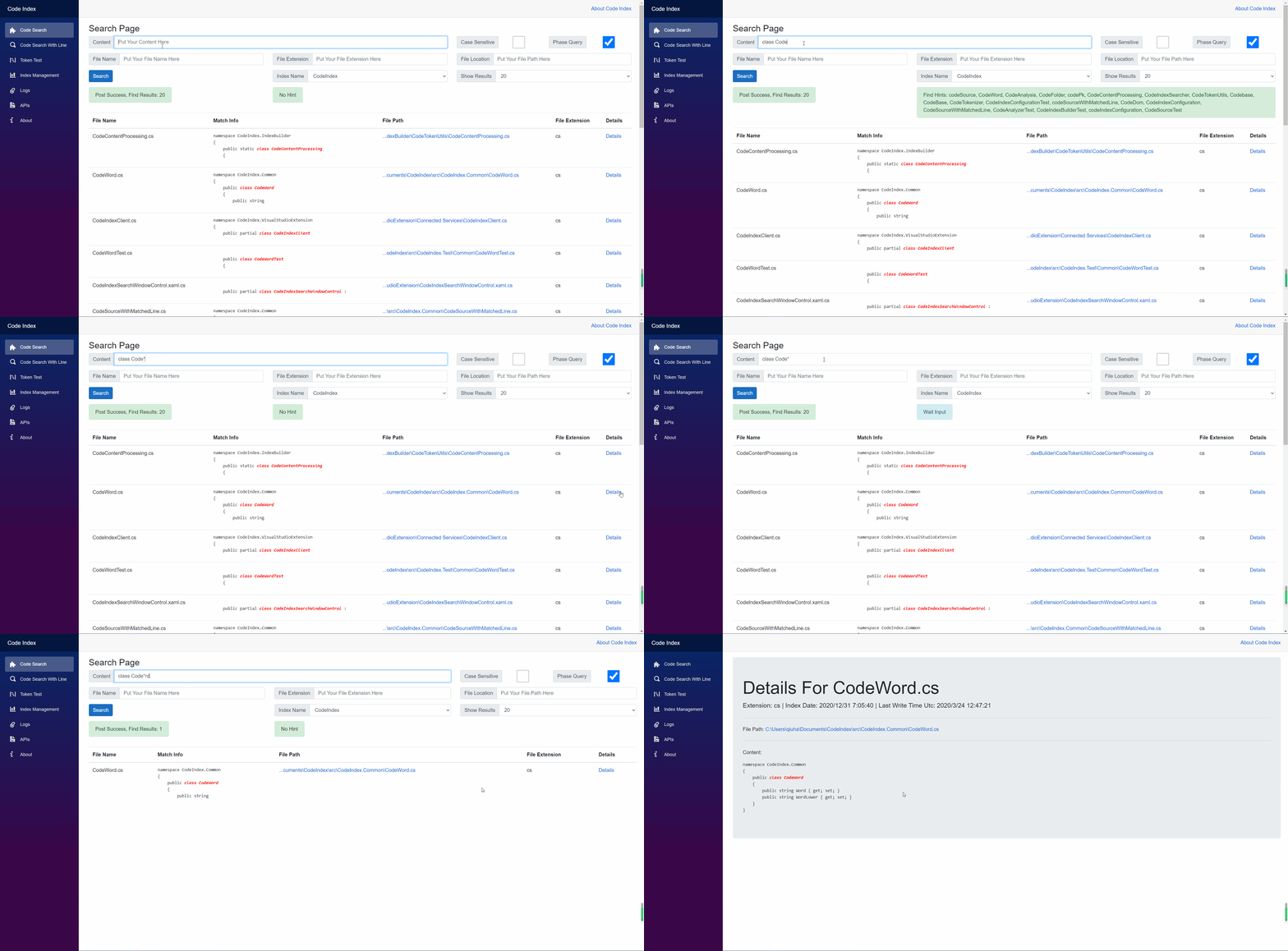
When Phase Quuery not been ticked, you can follow the sytax under http://www.lucenetutorial.com/lucene-query-syntax.html to doing the search
Case-Sensitive
When Case-Sensitive been ticked, we can search the content in case-sensitive mode. When search the content like String, it won't return the content that contains string
Misc
| Status | Value |
|---|---|
| Stars |  |
| Forks |  |
| License |  |
| Issues |  |
| Docker Pulls |  |
| Release Downloads |  |
Tag summary
Content type
Image
Digest
sha256:26d6ba583…
Size
126.7 MB
Last updated
10 months ago
docker pull qiuhaotc/codeindex