r4ulcl/bntoolkit
Toolkit to investigate the BitTorrent network.
1.8K
r4ulcl/bntoolkit repository overview
BNToolkit (BitTorrent Network Toolkit)
Theory and motivations (spanish)
Install
Install Docker
sudo apt install apt-transport-https ca-certificates curl software-properties-common
curl -fsSL https://download.docker.com/linux/ubuntu/gpg | sudo apt-key add -
sudo add-apt-repository "deb [arch=amd64] https://download.docker.com/linux/ubuntu bionic stable"
sudo apt update
sudo apt install docker-ce
REF: https://www.digitalocean.com/community/tutorials/como-instalar-y-usar-docker-en-ubuntu-18-04-1-es
From DockerHub (RECOMMENDED)
docker pull raulcalvolaorden/bntoolkit
Execute using Docker
Create docker network
sudo docker network create bntoolkit-net --subnet 172.24.24.0/24
Start PostgreSQL
mkdir postgres #or any folder to store data
sudo docker run --net bntoolkit-net -d --rm -p 5432:5432 --mount type=bind,source=$PWD/postgres/,target=/var/lib/postgresql/data --name hashpostgres -e POSTGRES_PASSWORD=postgres99 postgres
Exec bntoolkit
Use default config file
#init Database
sudo docker run --net bntoolkit-net --rm raulcalvolaorden/bntoolkit initDB

#crawl (use -d to detach (background))
sudo docker run --net bntoolkit-net --rm raulcalvolaorden/bntoolkit crawl

#Show hashes
sudo docker run --net bntoolkit-net --rm raulcalvolaorden/bntoolkit show hash
Use custom config file
# Create config file
echo 'host="hashpostgres"
port=5432
user="postgres"
password="postgres99"
dbname="hash"' > configFile.toml

#init Database
sudo docker run --net bntoolkit-net --rm -v $PWD/configFile.toml:/go/src/github.com/r4ulcl/bntoolkit/configFile.toml raulcalvolaorden/bntoolkit initDB

#crawl (use -d to detach (background))
sudo docker run --net bntoolkit-net --rm -v $PWD/configFile.toml:/go/src/github.com/r4ulcl/bntoolkit/configFile.toml raulcalvolaorden/bntoolkit crawl

#Show hashes
sudo docker run --net bntoolkit-net --rm -v $PWD/configFile.toml:/go/src/github.com/r4ulcl/bntoolkit/configFile.toml raulcalvolaorden/bntoolkit show hash
Options
Configure configFile.toml
Default:
host="localhost"
port=5432
user="postgres"
password="postgres99"
dbname="hash"
You can change this file or change create a new file and use the FLAG: --config
Don't change the dbname. But if you do it you should change the sql.sql file too.
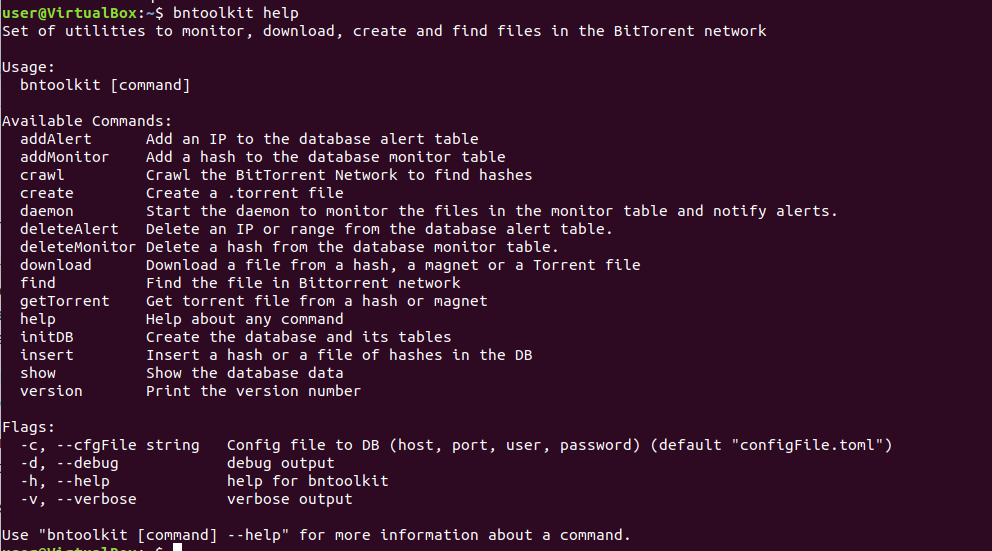
help
Help about any command
bntoolkit help
version
Print the version number
bntoolkit version

initDB
Create the database and it's tables
bntoolkit initDB
create
Create a .torrent file. You can specify the output file, the pieze size, the tracker and a comment
Flags:
- --help
- --comment
- --outfile
- --piecesize
- --tracker
bntoolkit create go1.12.9.linux-amd64.tar.gz -o output

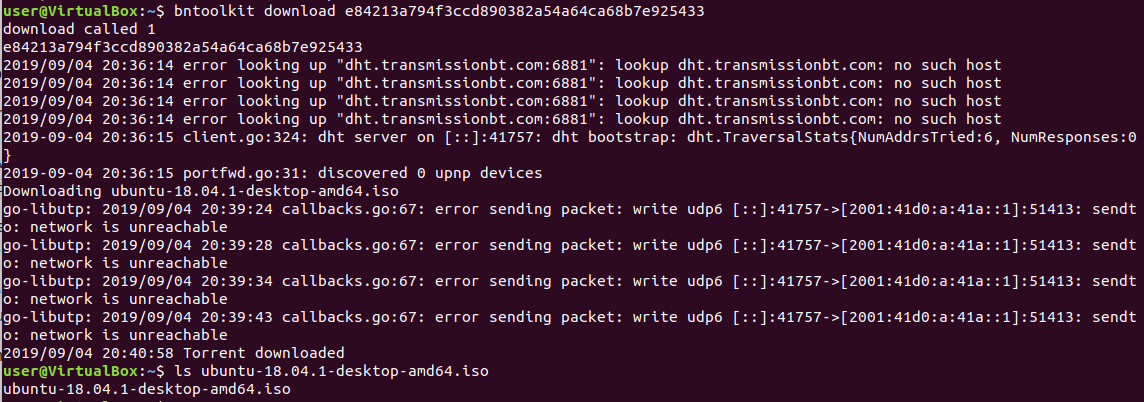
download
Download a file from a hash, a magnet or a Torrent file.
Flags:
- --help
- --path
bntoolkit download e84213a794f3ccd890382a54a64ca68b7e925433
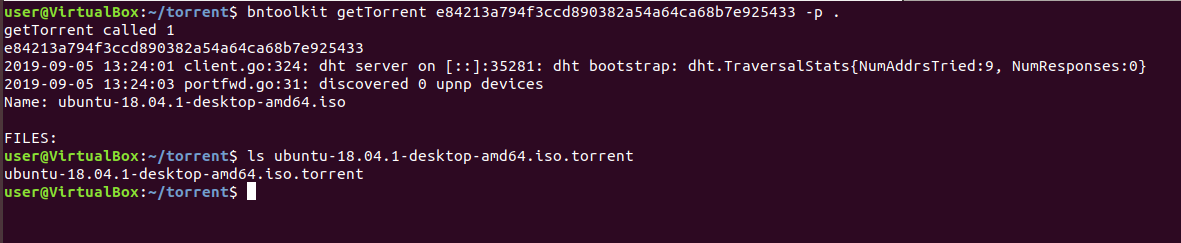
getTorrent
Get torrent file from a hash or magnet.
Flags:
- --help
- --path
bntoolkit getTorrent e84213a794f3ccd890382a54a64ca68b7e925433 -p .
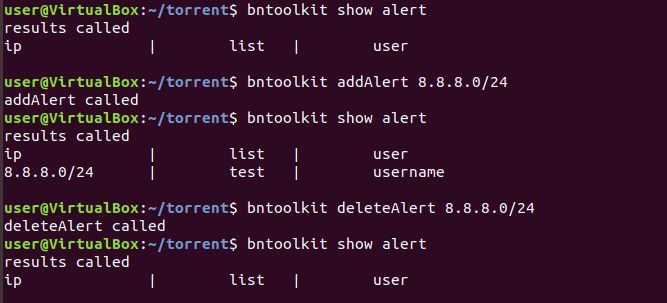
addAlert and deleteAlert
Add an IP or range to the database alert table and remove it.
Flags:
- --help
- --projectName
bntoolkit addAlert 8.8.8.0/24
bntoolkit deleteAlert 8.8.8.0/24
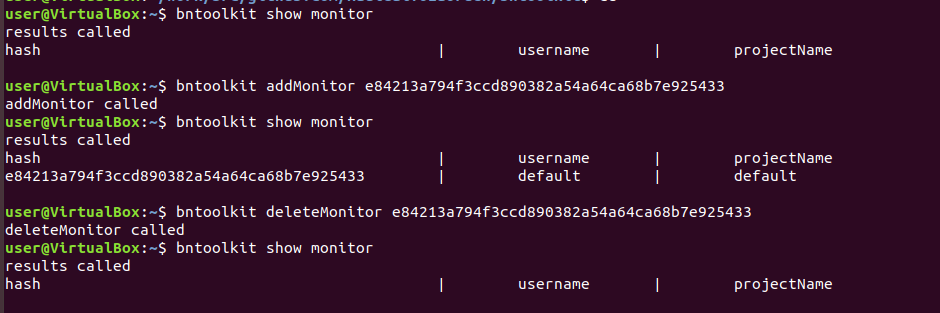
addMonitor and deleteMonitor
Add a hash to the database monitor table and remove it.
Flags:
- --help
- --projectName
- --userName
bntoolkit addMonitor e84213a794f3ccd890382a54a64ca68b7e925433
bntoolkit deleteMonitor e84213a794f3ccd890382a54a64ca68b7e925433
crawl
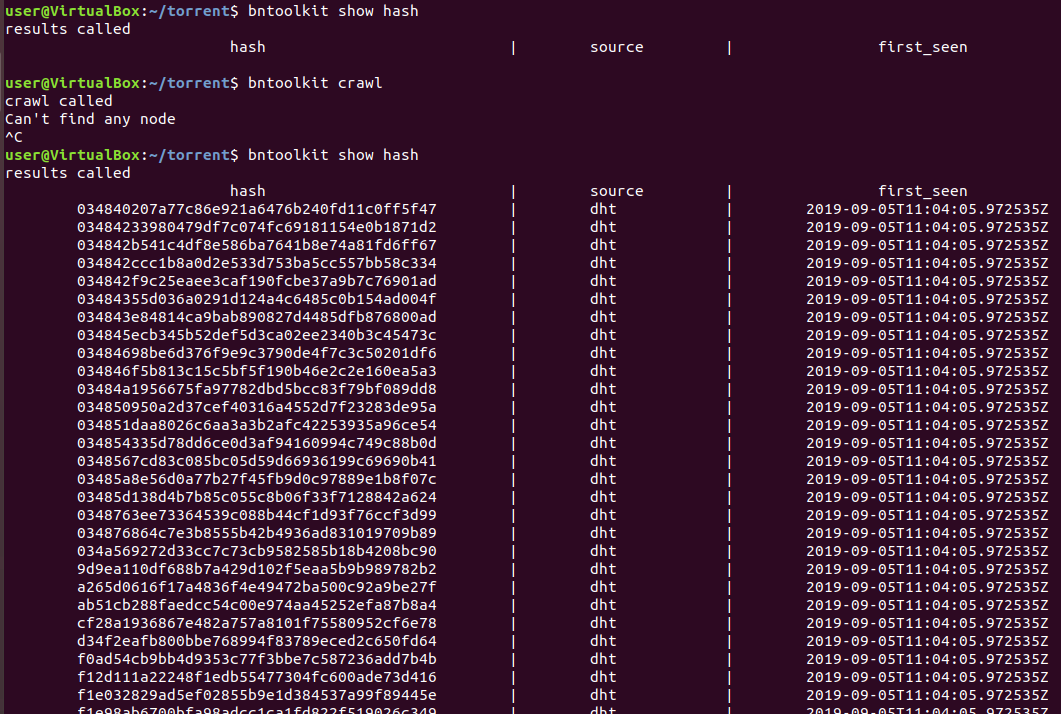
Crawl the BitTorrent Network to find hashes and storage it in the DB.
Flags:
- --help
- --threads
bntoolkit crawl
daemon
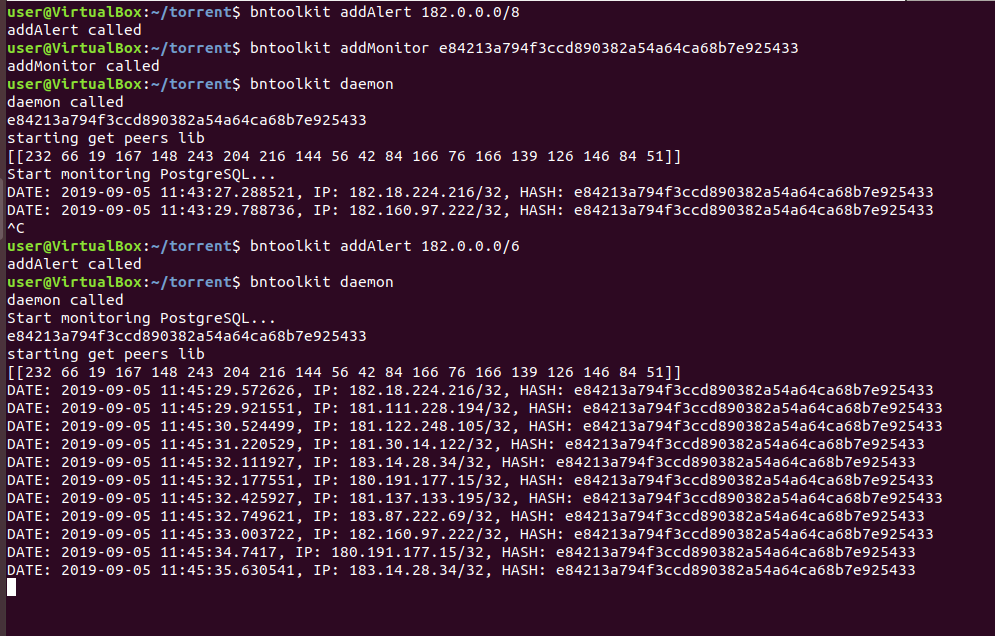
Start the daemon to monitor the files in the monitor table, notify alerts and optionally crape DHT
Flags:
- --help
- --project
- --scrape
bntoolkit daemon
find
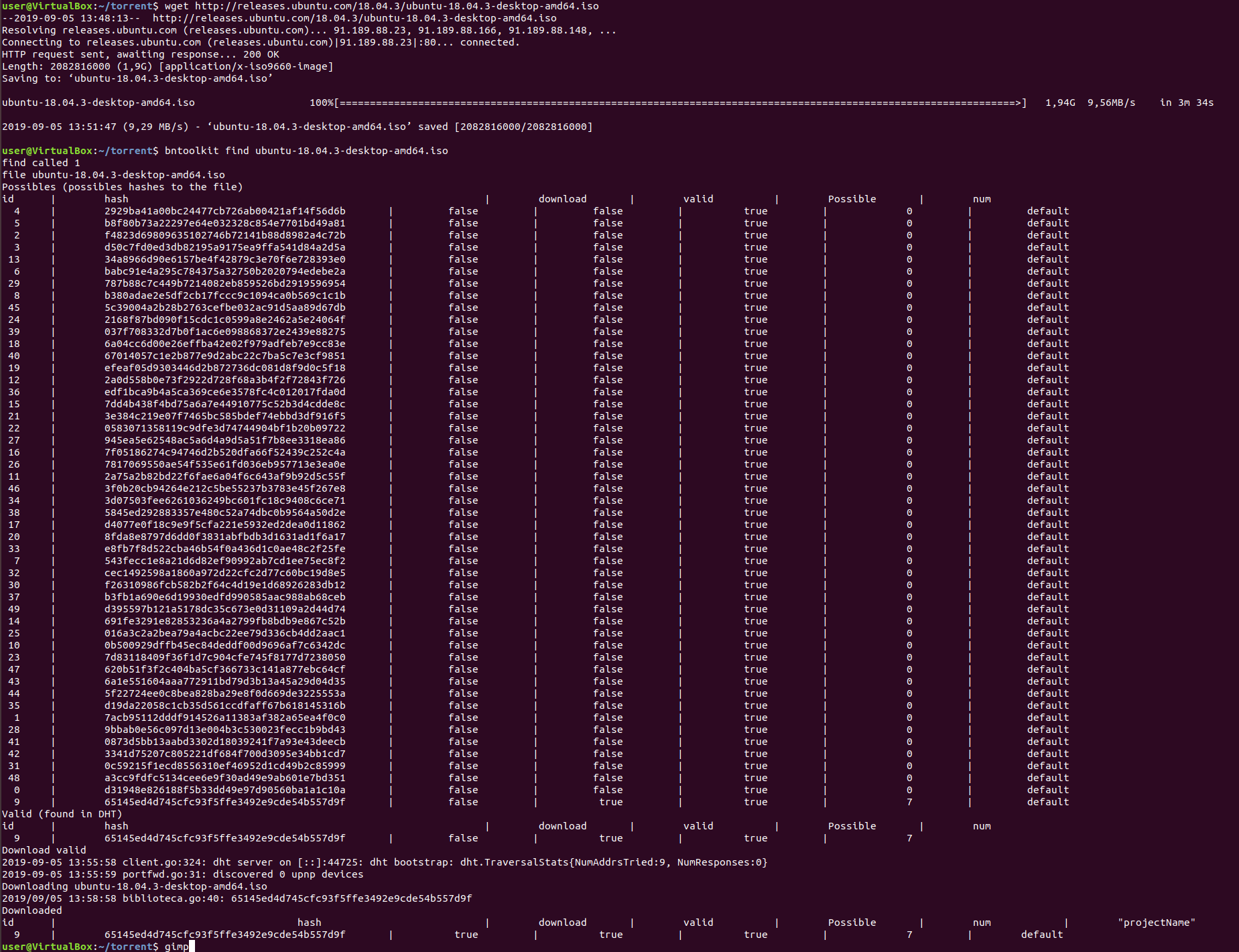
Find the file in Bittorrent network using the DHT, a trackers list and the local database. In this command the hashes can be: Possibles, Valid or Downloaded. The first are the ones that could exist because they are valid, the second are the ones that have been found in BitTorrent and the third is that it has peers and can be downloaded.
Flags:
- --help
- --mode
- --no-add
- --projectName
- --timeout
- --tracker
bntoolkit find
insert
Insert a hash or a file of hashes in the DB.
Flags:
- --help
bntoolkit insert 65145ed4d745cfc93f5ffe3492e9cde599999999
show
Show the database data
Flags:
- --help
- --where
hash
Flags:
- --help
- --hash
- --source
bntoolkit show hash --hash 65145ed4d745cfc93f5ffe3492e9cde599999999
alert
Flags:
- --help
- --ip
bntoolkit show alert
count
Flags:
- --help
bntoolkit show count
ip
Flags:
- --help
- --ip
bntoolkit show ip
monitor
Flags:
- --help
- --user
bntoolkit show monitor
possibles
Flags:
- --help
- --hash
bntoolkit show possibles
project
Flags:
- --help
- --projectName
bntoolkit show project
Manual install
Install Golang
sudo apt-get update
sudo apt-get -y upgrade
wget https://golang.org/dl/go1.16.3.linux-amd64.tar.gz #Check latest in https://golang.org/dl/
sudo tar -xvf go*.linux-amd64.tar.gz
sudo mv go /usr/local
mkdir ~/work
echo 'export GOROOT=/usr/local/go
export GOPATH=$HOME/work
export PATH=$GOPATH/bin:$GOROOT/bin:$PATH' >> ~/.profile
source ~/.profile
REF: https://tecadmin.net/install-go-on-ubuntu/
Install bntoolkit
sudo apt install gcc g++
From github
go install github.com/r4ulcl/bntoolkit
Tag summary
Content type
Image
Digest
sha256:8f926e890…
Size
5.6 MB
Last updated
over 3 years ago
docker pull r4ulcl/bntoolkit