railflow/railflow-zephyr repository overview
Railflow for Zephyr Docker Image
This image provides an easy and convenient way of using Railflow for Zephyr CLI tool without the need to install NodeJS and NPM tools.
Railflow for Zephyr's Command Line Interface (CLI) is wrapper around the Zephyr REST API and allows users to process a variety of testing framework reports from any CICD system and automatically export them to Zephyr. The CLI provides a host of options so that you can display test reports per your needs.
Quick start
Licensing
Railflow for Zephyr is a commercial product and requires license to run. You can get a free 14-day evaluation license by contacting Railflow support.
Pull the latest version of the Docker image
docker pull railflow/railflow-zephyr:latest
Run
docker run -it -u $(id -u):$(id -g) -v $REPORT_FOLDER_PATH:$REPORT_FOLDER_PATH -w $REPORT_FOLDER_PATH railflow/railflow-zephyr:latest railflow-zephyr -k XXXXX-XXXXX-XXXXX-XXXXX -t xxxxxxxxxxxxxxxxxx -p JT -f junit -r $REPORT_FOLDER_PATH/*.xml -sm path
Where the REPORT_FOLDER_PATH is the environment variable holding the path to the folder containing report files, e.g. JUnit XML report files in the example above.
| Key | Description |
|---|---|
| -k, --key | License key for online activation Can be set with RAILFLOW_ZEPHYR_LICENSE environment variable |
| -t, --access-token | Zephyr Scale Access Token. Can be set withZEPHYR_SCALE_ACCESS_TOKEN environment variable |
| -p, --project | The key of the corresponding Atlassian Jira project for which Zephyr Scale integration is enabled |
| -f, --format | Report format |
| -r, --report-files | The file path(s) to the test report file(s) generated during the build. |
| -sm, --search-mode | (required) Specifies the test case lookup algorithm.
|
Please see all available Railflow CLI options in the documentation
View Log
The full Railflow for Zephyr log can be seen in $REPORT_FOLDER_PATH/logs/railflow-zephyr.log file.
You can also get the console output by using docker logs command, e.g.:
docker logs -f fe555907164f
where fe555907164f is the ID of your container.
Examples
docker run -it -u $(id -u):$(id -g) -v $REPORT_FOLDER_PATH:$REPORT_FOLDER_PATH -w $REPORT_FOLDER_PATH railflow/railflow-zephyr:latest railflow-zephyr -k ABCDE-12345-FGHIJ-67890 -t xyzyxzfdfldsfDFdf -p JT -f junit -r $REPORT_FOLDER_PATH/*.xml -sm path -cp "Folder One/Folder Two" -cyp "Cycle Folder One/Cycle Folder Two" -cn "Railflow Zephyr Demo" -a "[email protected],[email protected]" -jurl https://mydomain.atlassian.net -ju [email protected] -jt myToken
Viewing Results in Zephyr
Automatic Test Creation
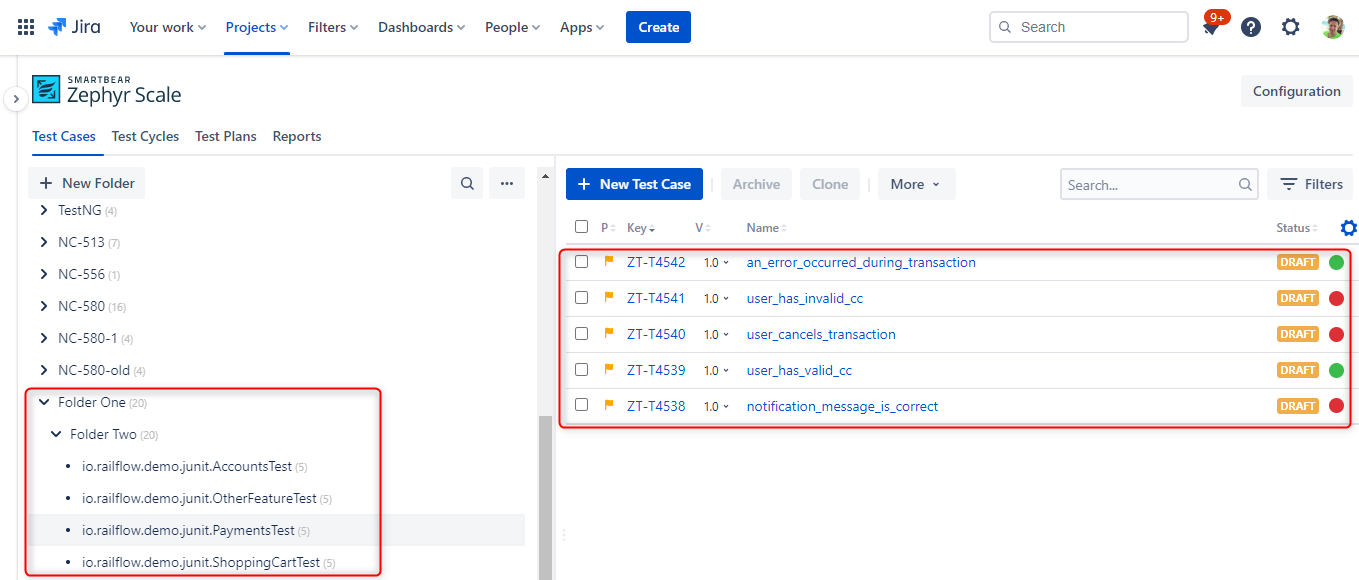
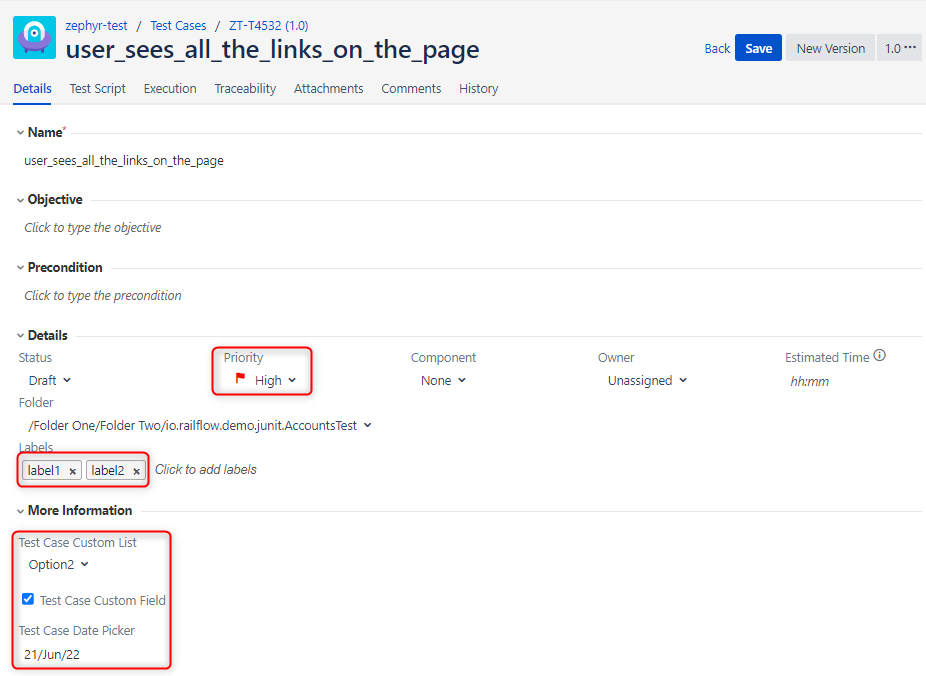
Automatic Test Cycle Creation
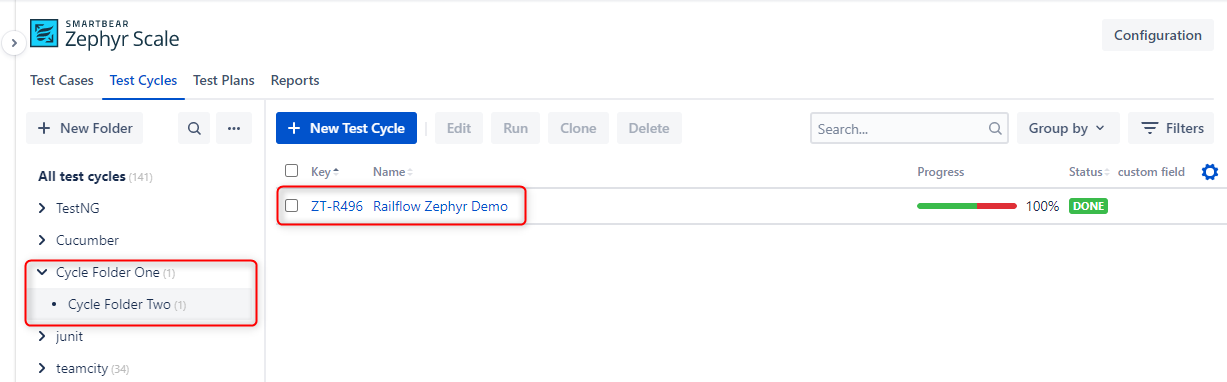
Test Results Details
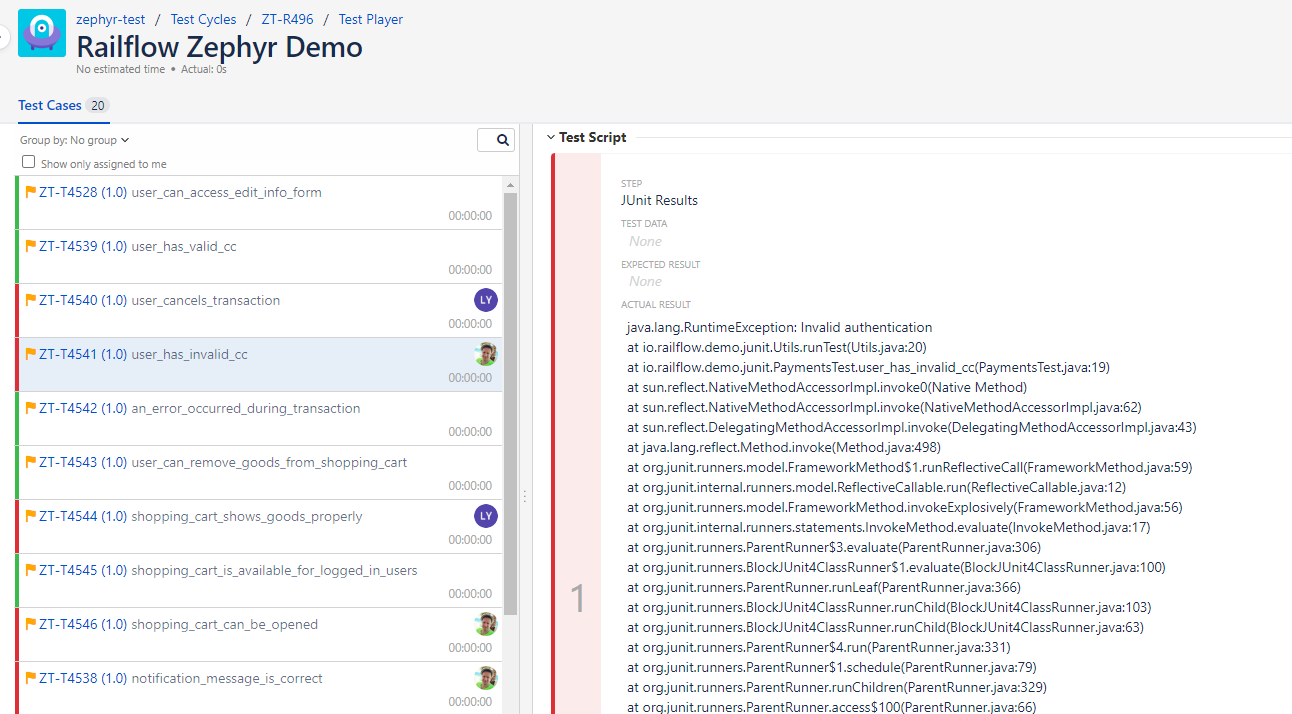
Tag summary
Content type
Image
Digest
sha256:940addd52…
Size
356.2 MB
Last updated
over 3 years ago
docker pull railflow/railflow-zephyr