rleeon/hoard
Versioned game-save sync. 20k+ games incl. emulators. Cloud or Self-Host without account. AGPL-3.0.
2.7K
rleeon/hoard repository overview
Hoard, self-hosted server
Steam Cloud is not a backup strategy. Hoard is.
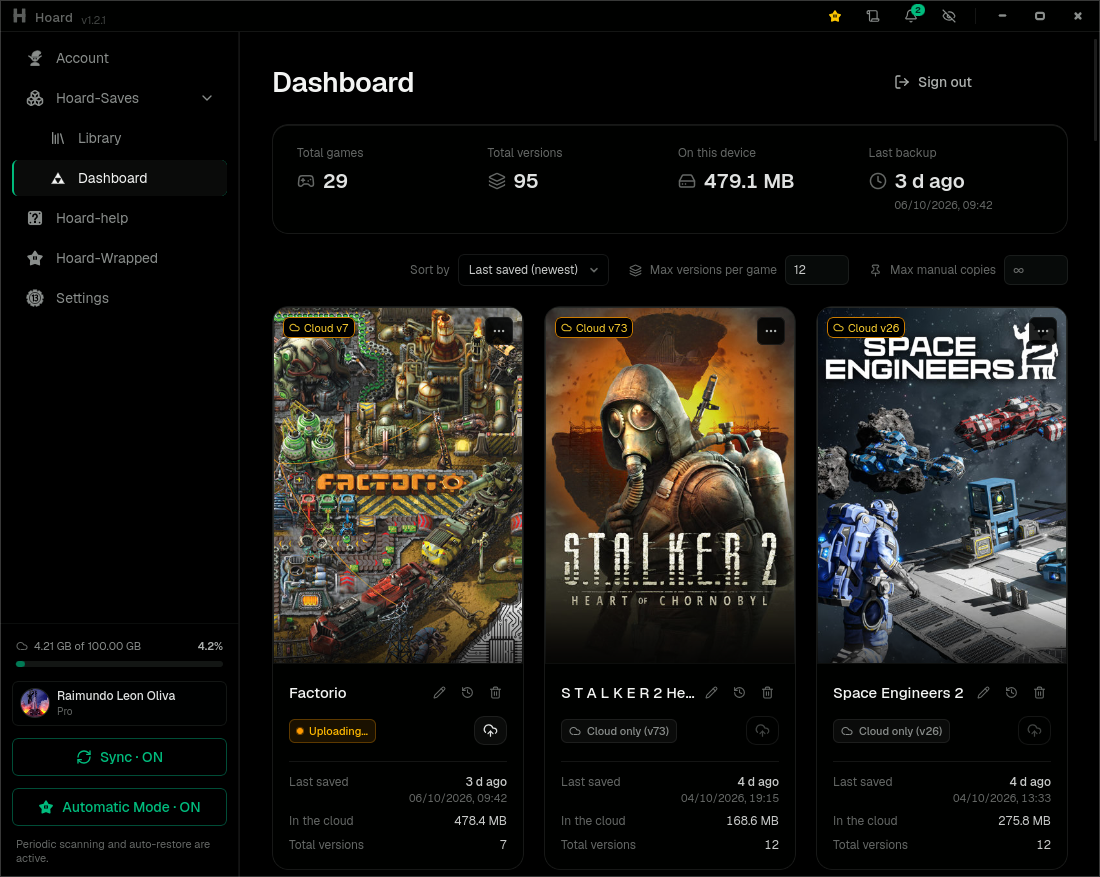
We appreciate a Star on Github or issues in Github or Discord.
This image is the server half of Hoard, an open-source (AGPL-3.0) game save backup and sync system. Run it on a NAS, a VPS or any always-on box and point the desktop app or the CLI at it: no Hoard account, no telemetry, no quota beyond your own disk.
Every time you stop playing, Hoard snapshots the save, SHA-256 hashes every file and keeps the previous versions. Nothing is ever silently overwritten — roll back to any earlier version, or pull your whole library onto a fresh machine.
- +20,000 games auto-detected from the Ludusavi manifest — Steam, Epic, GOG, Xbox, Proton/Wine prefixes and +20 emulators.
- Content-hash deduplication: 10 versions of a 2 GB save cost ~2 GB, not 20 GB. A second backup moves only the files that changed.
- Storage: local disk, or any S3-compatible bucket (MinIO, Backblaze B2,
Cloudflare R2, or an
rclone serve s3bridge over OneDrive/Drive/Dropbox). - Clients: Windows · Linux · macOS · SteamOS, desktop app or headless CLI.
- Built-in web panel on the same port.
Quick start
mkdir hoard && cd hoard
curl -O https://raw.githubusercontent.com/rleeon/hoard/main/deploy/docker/docker-compose.yml

HOARD_ADMIN_USERNAME=myuser HOARD_ADMIN_PASSWORD='mypassword' docker compose up -d
docker compose logs -f server     # wait for "listening", then copy the token
Those two variables are read only when the database is empty: on a first start
they create that admin and print a device token in the log, once. Copy it — it
cannot be retrieved later. Then, in the app's onboarding, pick Self-Host and
give it http://YOUR-IP:12421 plus that token.
The container writes itself a working config.toml into ./config/, so there is
nothing to prepare beforehand.
That compose file pulls from GHCR (ghcr.io/rleeon/hoard) — the same image you
are looking at, same build, same digests. Both registries work; GHCR does not
rate-limit anonymous pulls, which matters if you let Watchtower check for
updates. Change image: to rleeon/hoard:latest to pull from here instead.
Without compose:
docker run -d --name hoard-server \
  -p 12421:12421 \
  -v hoard-data:/var/lib/hoard \
  -v "$PWD/config:/etc/hoard" \
  -e HOARD_ADMIN_USERNAME=myuser \
  -e HOARD_ADMIN_PASSWORD='mypassword' \
  -e PUID=1000 -e PGID=1000 \
  --restart unless-stopped \
  rleeon/hoard:latest
The web panel
Point a browser at the same address (http://YOUR-IP:12421) and it lands on
/panel: every game, save and version with its real size, what deduplication
saved, which machine each version came from, playtime, and your quota. Any
version can be downloaded, trashed or pulled back out of the trash. Sign in with
the username and password above.
Tags
| Tag | What it is |
|---|---|
latest | The newest release. |
1.2.0, 1.1.6, … | An exact release — pin this for reproducible upgrades. |
1.2, 1.1 | The newest patch of that minor. |
edge | A build off main, published by hand. Not a release; don't run it in production. |
Multi-arch: amd64 and arm64, built natively on each architecture and published on every release tag.
Environment
| Variable | Default | What it does |
|---|---|---|
HOARD_ADMIN_USERNAME | — | Creates this admin on a first start. Ignored once the database has users. |
HOARD_ADMIN_PASSWORD | — | Its password. Both must be set for the bootstrap to happen. |
PUID / PGID | 10001 | The user the server runs as. The entrypoint starts as root only to take ownership of the volumes, then drops to this. Set --user / user: instead and it never runs as root at all. |
HOARD__LOGGING__LEVEL | info | error, warn, info, debug, trace. |
HOARD__LOGGING__FORMAT | json | json or pretty. |
Any key in config.toml can be overridden the same way: HOARD__SECTION__KEY.
Keep HOARD__SERVER__PORT at 12421 inside the container and change the
host-side mapping instead.
Volumes and ports
| Path | What lives there |
|---|---|
/var/lib/hoard | Persistent data: SQLite database, snapshots, tmp, trash. Back this up. |
/etc/hoard | Your config.toml. Mount it read-write: the container writes a working one here on first start. |
12421/tcp | API, web panel and health check (/v1/health). |
Updating
docker compose pull && docker compose up -d
Both halves, in order. pull fetches the new image; up -d recreates the
container from it. Stop after the first and the old container keeps running, so
/v1/health goes on reporting the old version and the update looks like it
silently failed.
Unraid
Hoard is in Community Applications — search for Hoard in the Apps tab, or
see ca.unraid.net/apps/hoard-0doyyjt1yrua19.
Set PUID/PGID to 99/100 there.
More
- Source and README
- Self-hosting guide — S3 storage, reverse proxies, Tailscale, backups, migrating between backends
- Desktop app and CLI downloads
- Hoard Cloud, if you would rather not run anything
- Also on GHCR:
ghcr.io/rleeon/hoard
Licensed under AGPL-3.0.
Tag summary
Content type
Image
Digest
sha256:0f65ebf52…
Size
50 MB
Last updated
28 days ago
docker pull rleeon/hoard