scalabel/www repository overview












Scalabel (pronounced "sca⋅label") is a versatile and scalable annotation platform, supporting both 2D and 3D data labeling. BDD100K is labeled with this tool.
Documentation | Overview Video | Discussion | Contributors
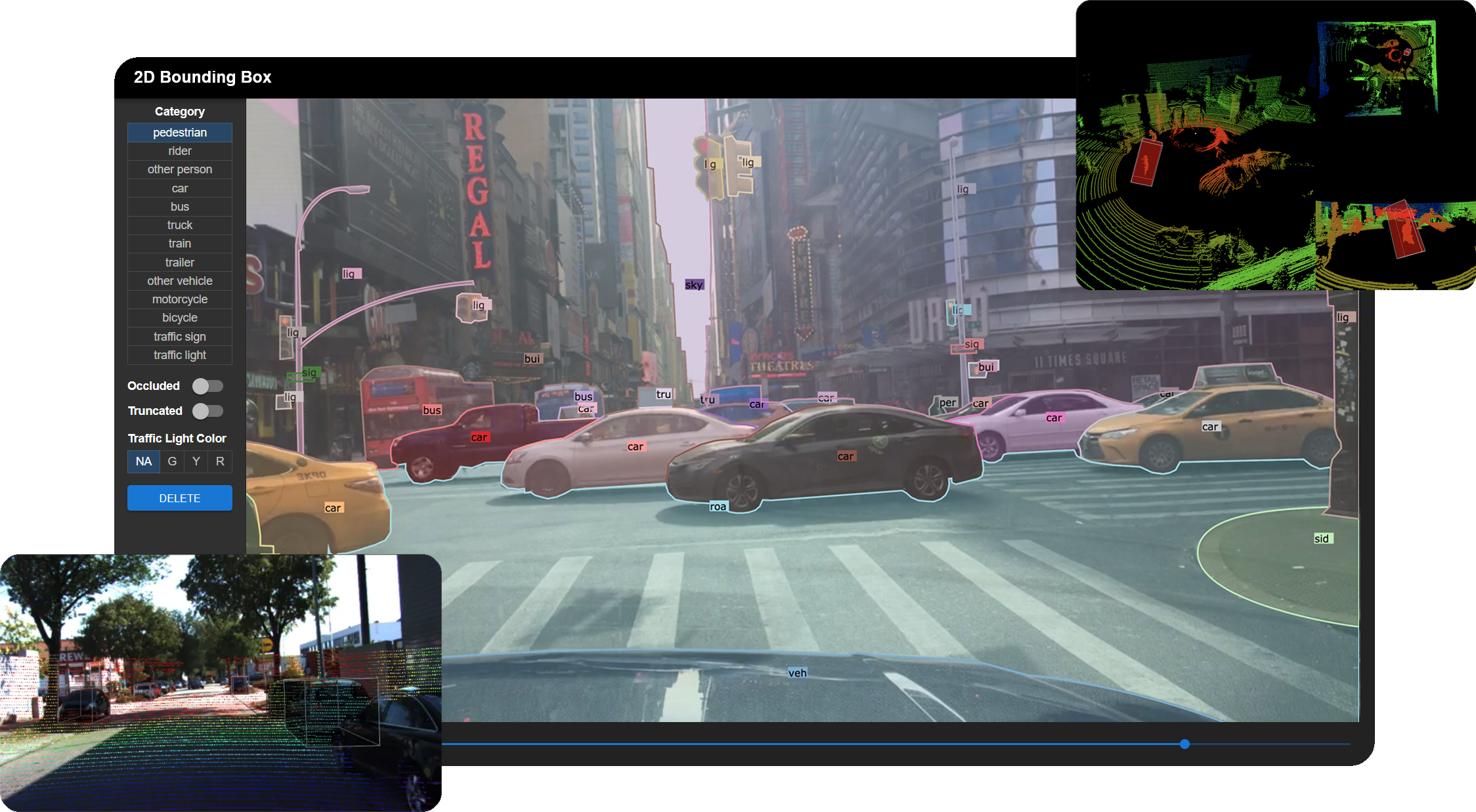
Main features
- Creating a new annotation project
- Image tagging
- 2D bounding box detection and tracking annotation
- 2D polygon/polyline and tracking annotation
- 3D bounding box detection and tracking annotation on point clouds
- Real-time session synchronization for seamless collaboration
- Semi-automatic annotation with label pre-loading
- Python API for label handling and visualization
Quick Start
Try Scalabel on your local machine
git clone https://github.com/scalabel/scalabel
cd scalabel

chmod +x scripts/setup_ubuntu.sh scripts/setup_osx.sh scripts/setup_local_dir.sh
# Or run scripts/setup_osx.sh for MacOS
. scripts/setup_ubuntu.sh
. scripts/setup_local_dir.sh
npm run serve
Open your browser and go to http://localhost:8686 to use Scalabel. You can check our project configuration examples to create some sample projects.
We also provide docker image to avoid installing the libraries. To pull the image:
docker pull scalabel/www
Launch the server through docker
docker run -it -v "`pwd`/local-data:/opt/scalabel/local-data" -p \
    8686:8686 -p 6379:6379 scalabel/www \
    node app/dist/main.js \
    --config /opt/scalabel/local-data/scalabel/config.yml \
    --max-old-space-size=8192
The Python API can be installed through pip:
python3 -m pip install scalabel
For other operating systems or if you wish to use the Docker image, please refer to the installation guide.
Creating a new annotation project
- Supporting importing popular data formats such as 2D images and 3D point clouds
- Convenient data uploading using integrated or multiple configuration files for items, categories, and attributes
- Divide a project into multiple tasks using variable task sizes
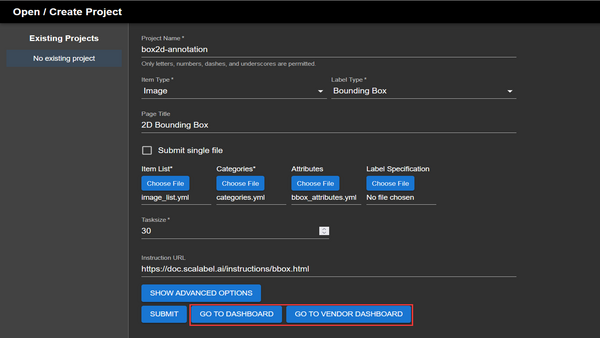
Creating a project consists of filling in the fields that specify the task, data type, and other parameters such as the task size. Item lists, categories, and attributes must be in the Scalabel format when uploaded.
Image tagging
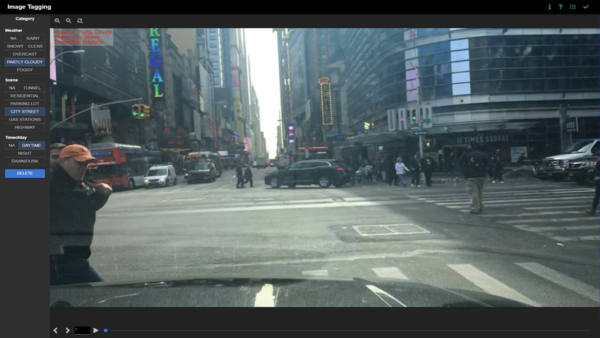
Images can be tagged with multiple attributes. Categories include weather, scene, and time of day as defaults, but can be freely customised.
2D bounding box detection and tracking annotation
- Simple click-and-drag area selection
- Group boxes into a wide range of categories
- Provides extra configurable options such as occlusion, truncation, and traffic light colours
- Tracking between keyframes
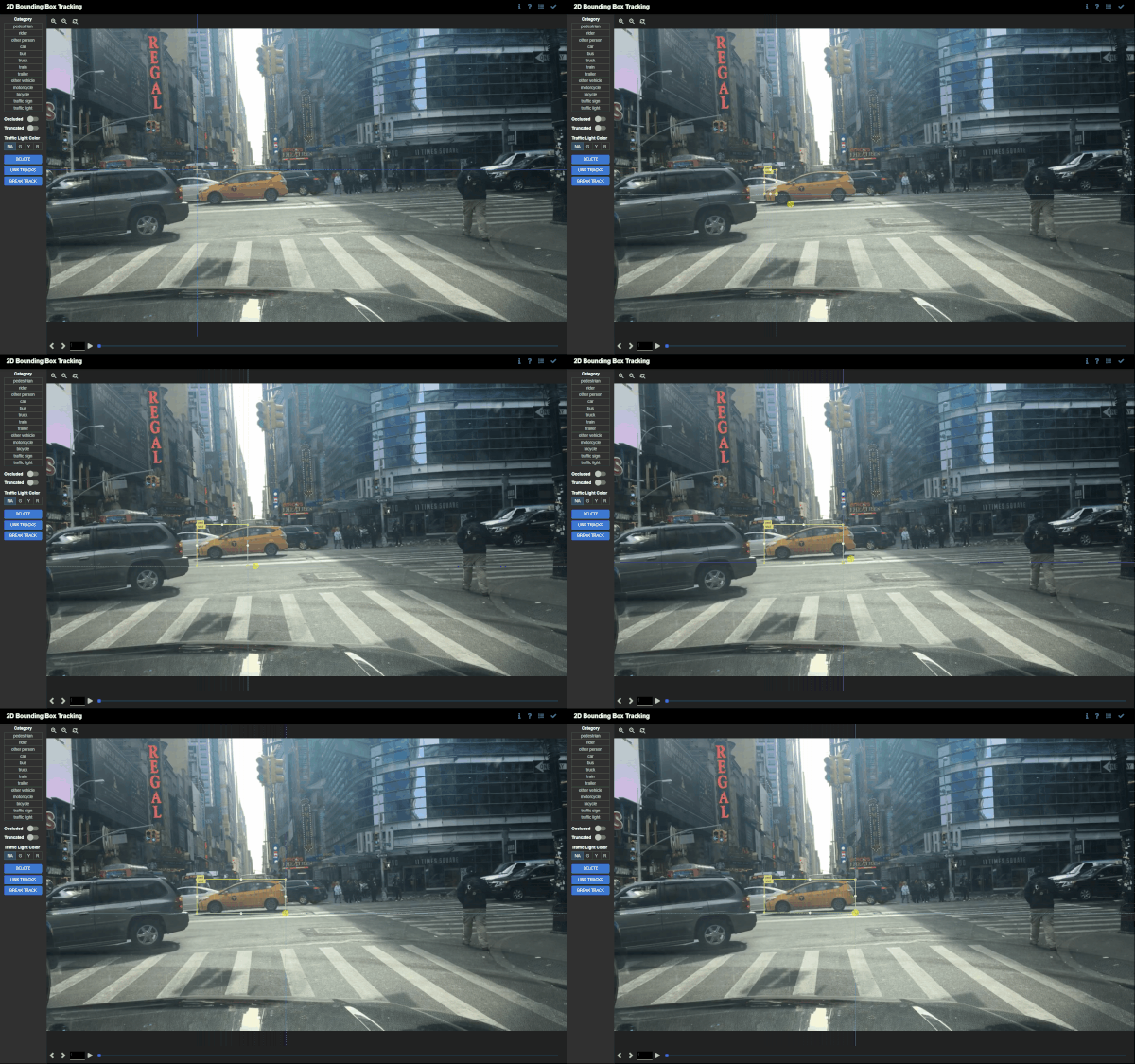
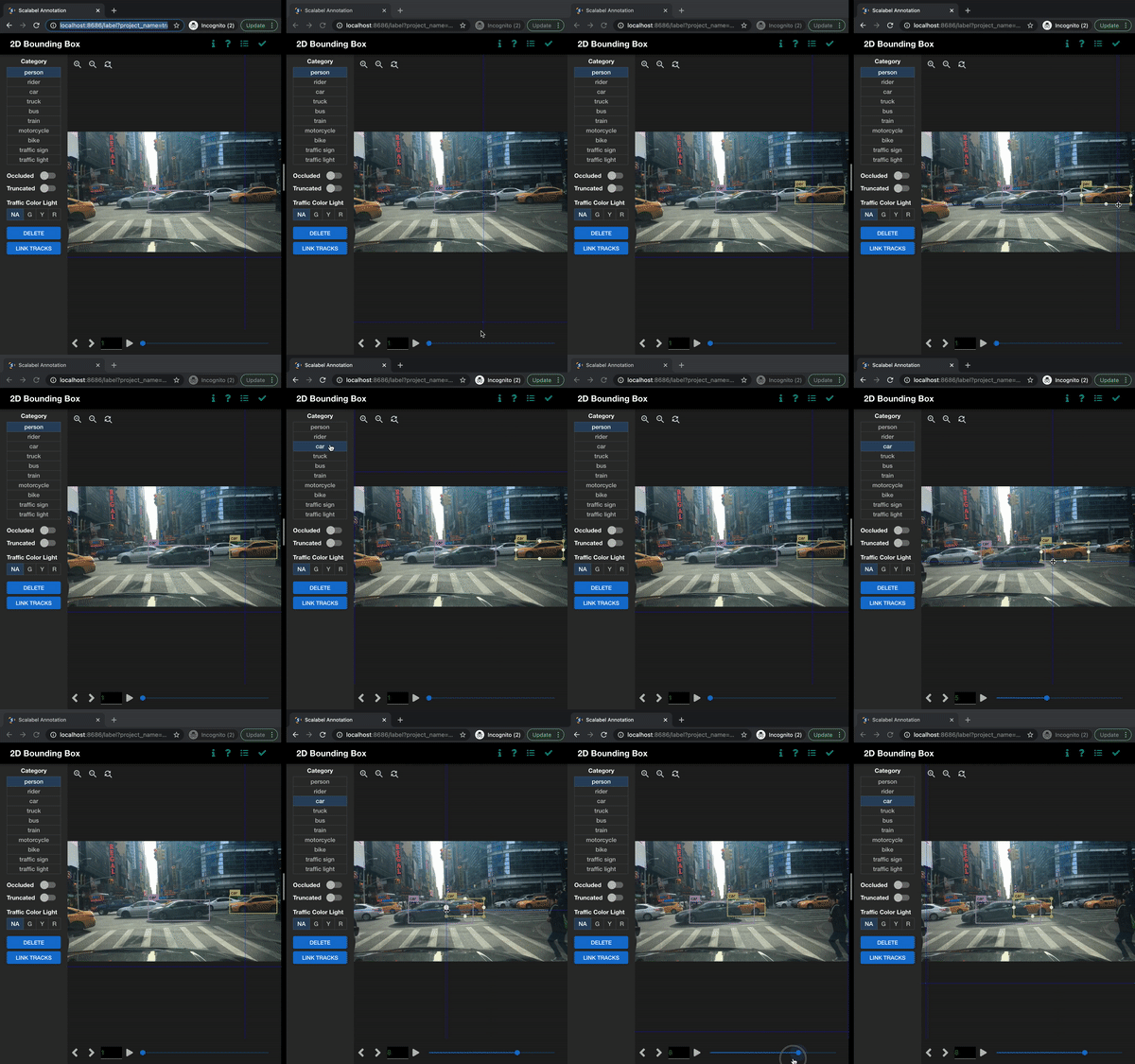
Create bounding boxes by selecting an area on the canvas. Bounding boxes can be freely adjusted and moved around. Categories and attributes of the bounding boxes can be customised. Bounding boxes can be linked between frames if the object disappears and reappears in subsequent frames. Linked bounding boxes are colour-coded to indicate the link.
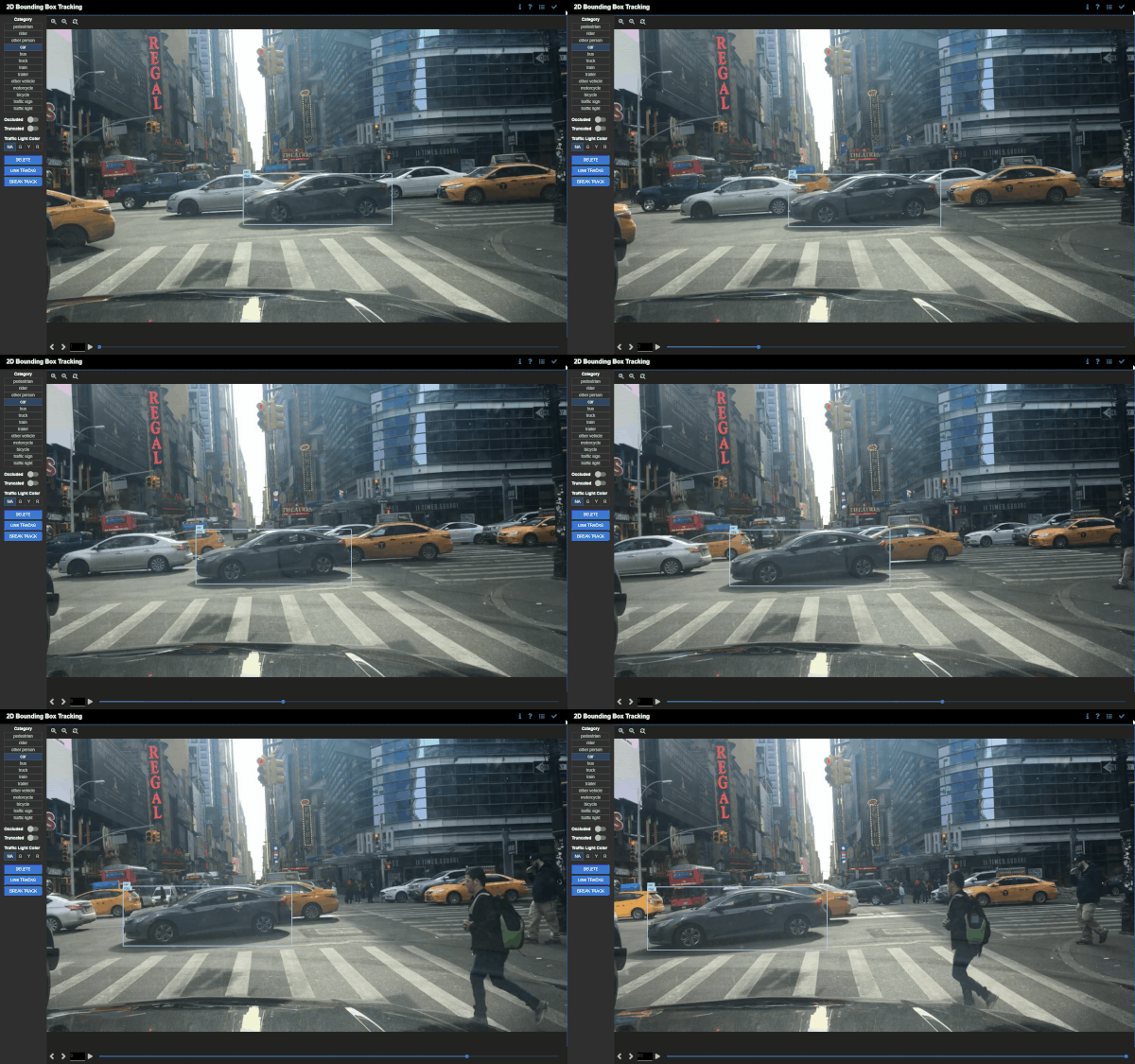
Bounding boxes are interpolated between keyframes if the position, orientation, or scale of the bounding boxes differ. This is useful for tracking objects that move between keyframes.
2D polygon/polyline and tracking annotation
- Choosing between closed paths for image segmentation or open paths for lane marking
- Supporting bezier curves for precise annotation for round objects
- Tracking interpolation between keyframes
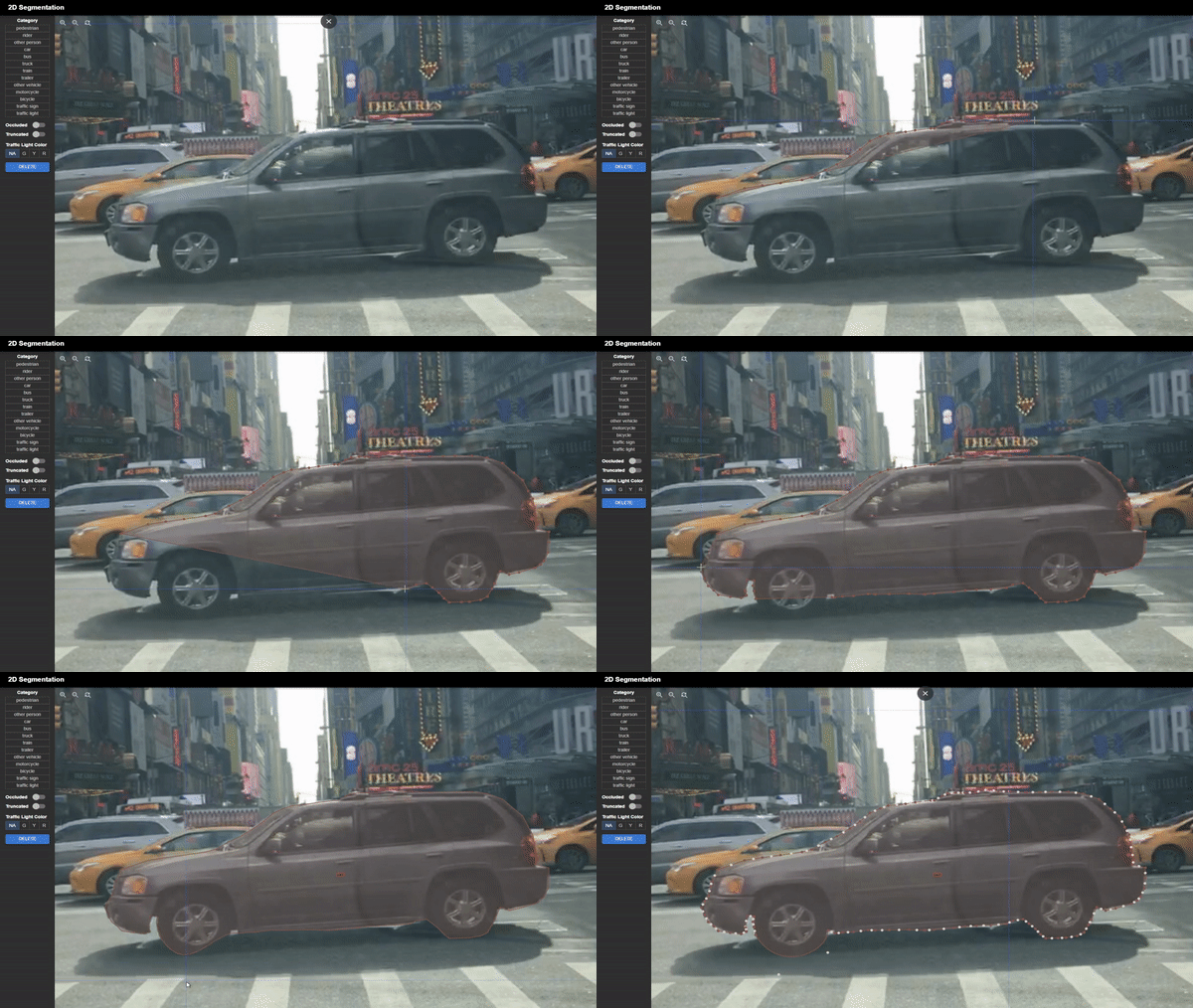
Click on multiple points on the canvas to generate vertices of a polygon. Click on the first vertex to close the polygon. Vertices can be moved around, and new vertices can be added by clicking on the midpoint of the line segment between two vertices. Creating bezier curves is also supported for smoother labeling of curved objects.
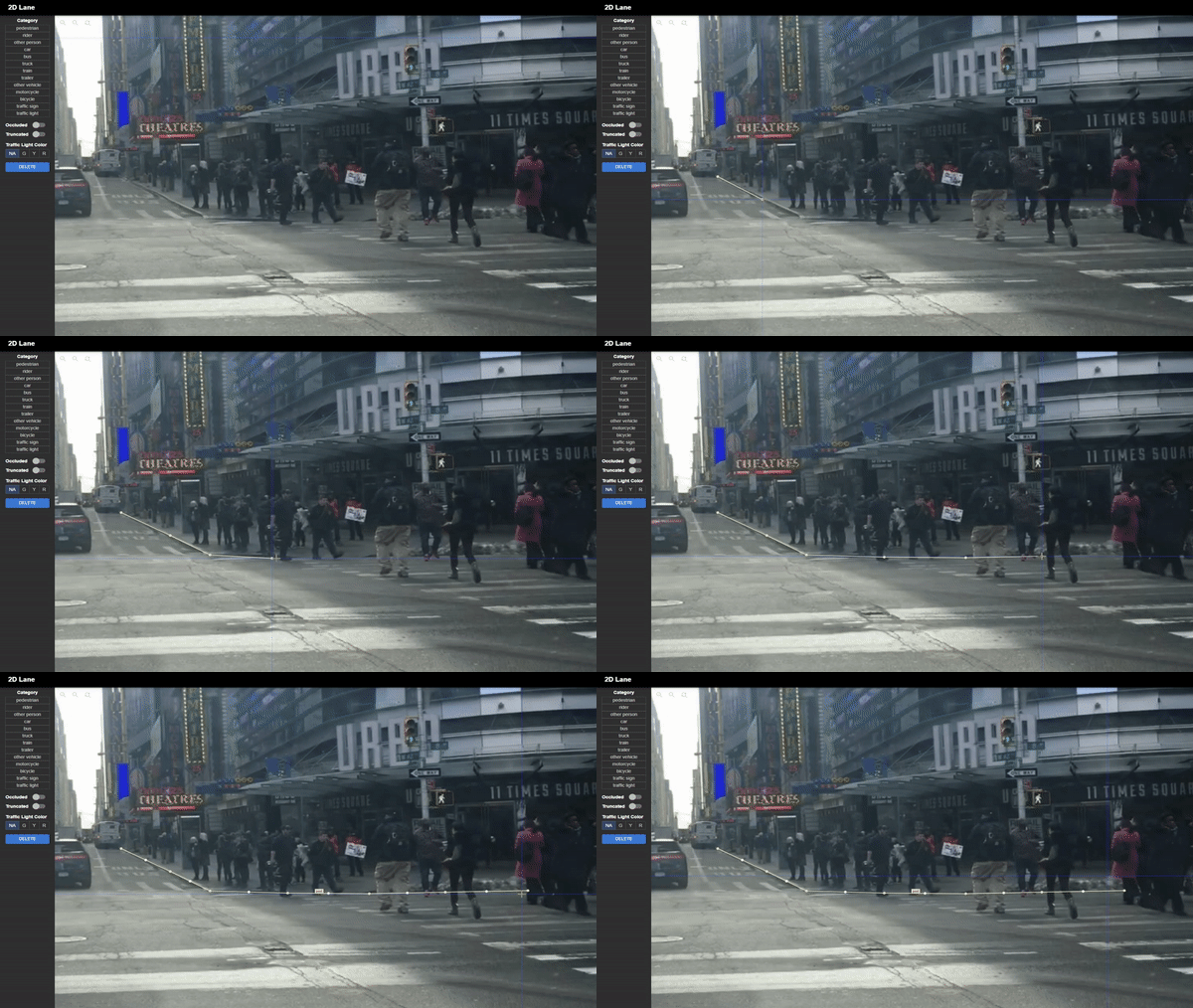
Polylines can be created for lane marking. They support the same functions as polygons, but do not have to be closed.
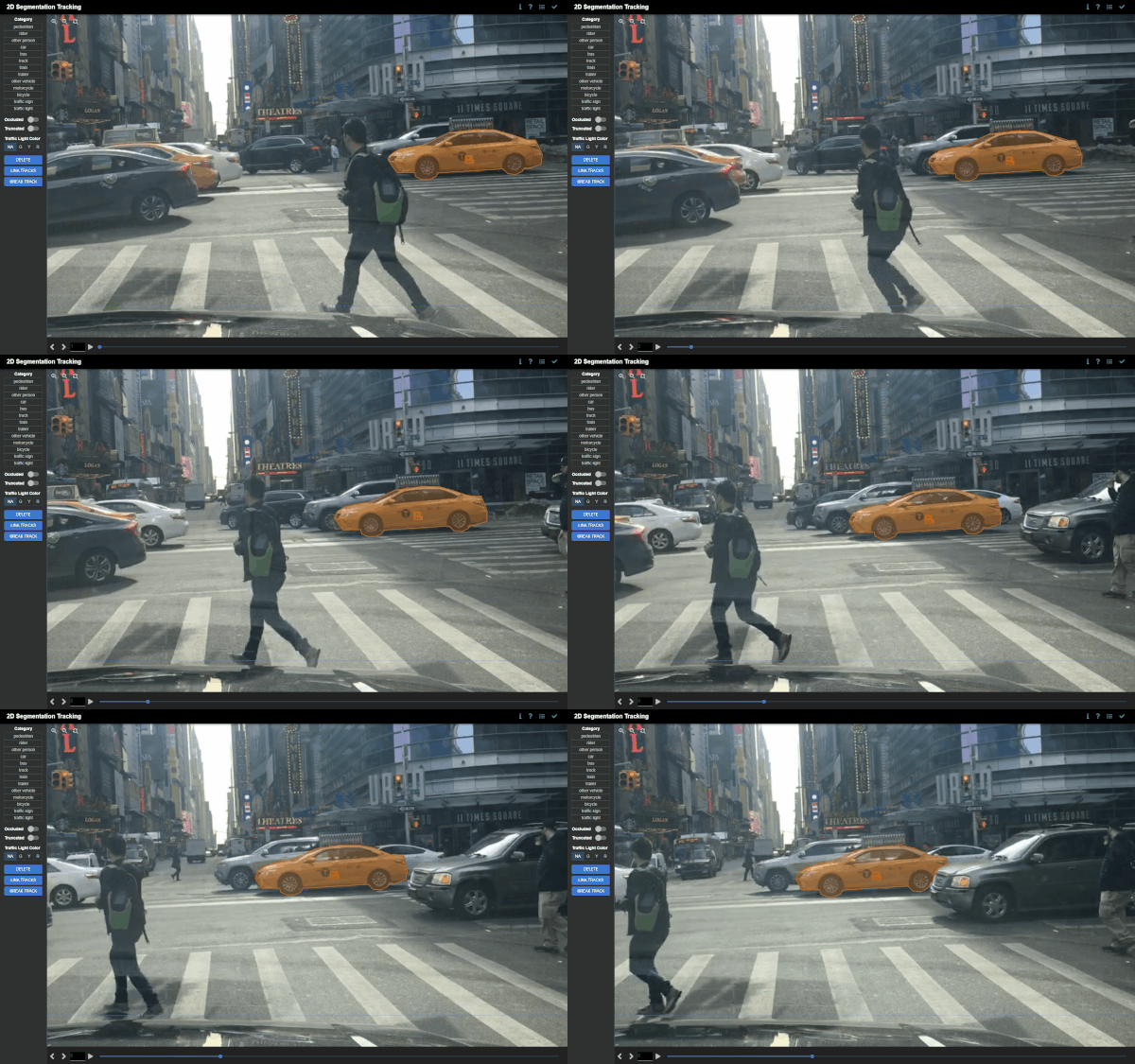
Polygons are interpolated between keyframes if the position, orientation, or scale of the polygons differ. This is useful for tracking objects that move between keyframes.
3D bounding box detection and tracking annotation on point clouds
- Multi-sensor view for side-by-side comparison with corresponding 2D images
- Simple four-point click to generate 3D bounding boxes
- Supporting undo and panning functions during annotation for added precision
- Tracking interpolation between keyframes
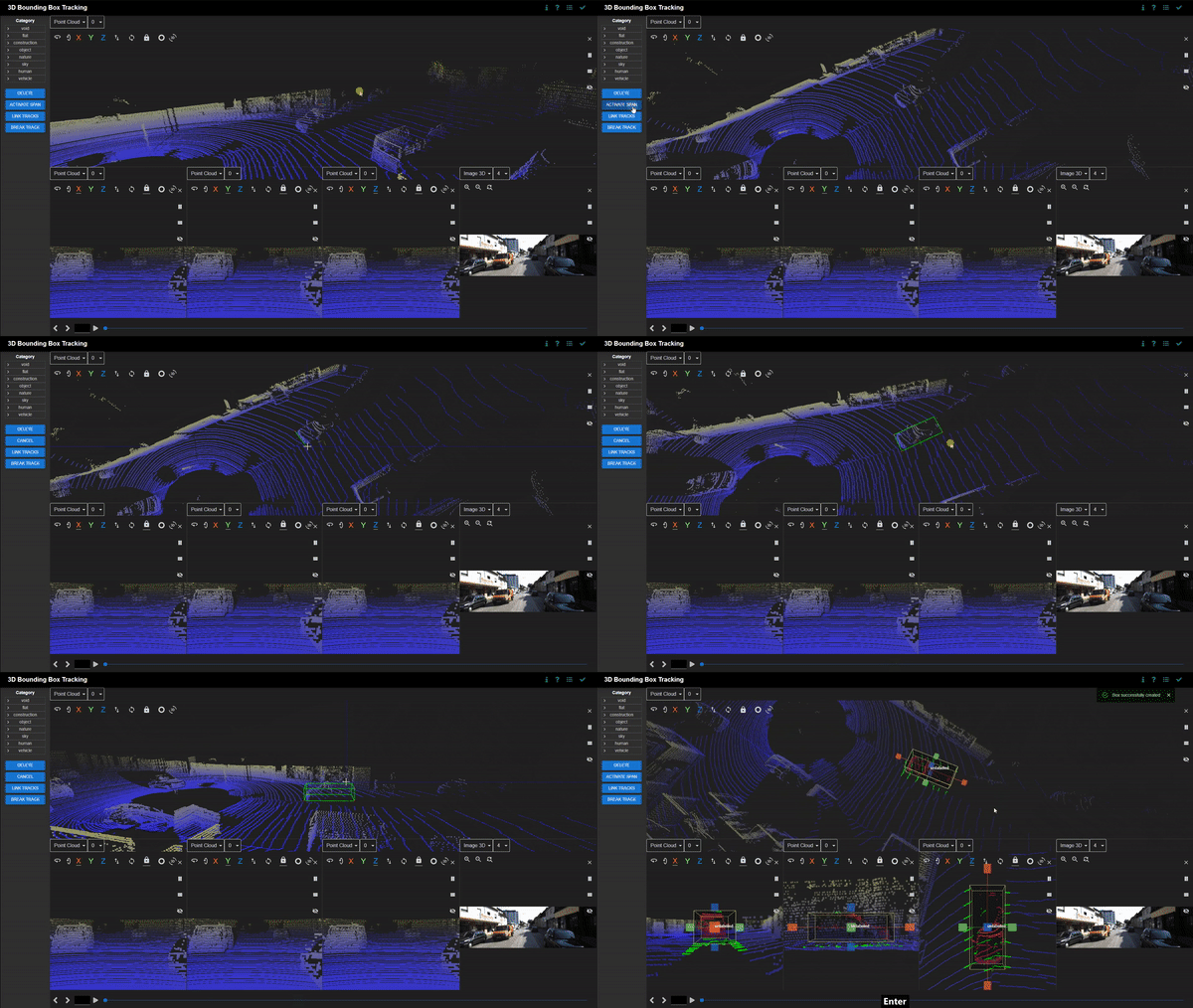
Click on the canvas to define the length, breadth, and height of the 3D bounding box. There is an in-built ground plane prediction that aligns the 3D bounding box with the ground. Bounding boxes can be freely adjusted and moved around. Categories and attributes of the bounding boxes can be customised. Bounding boxes can be linked between frames if the object disappears and reappears in subsequent frames. Linked bounding boxes are colour-coded to indicate the link.
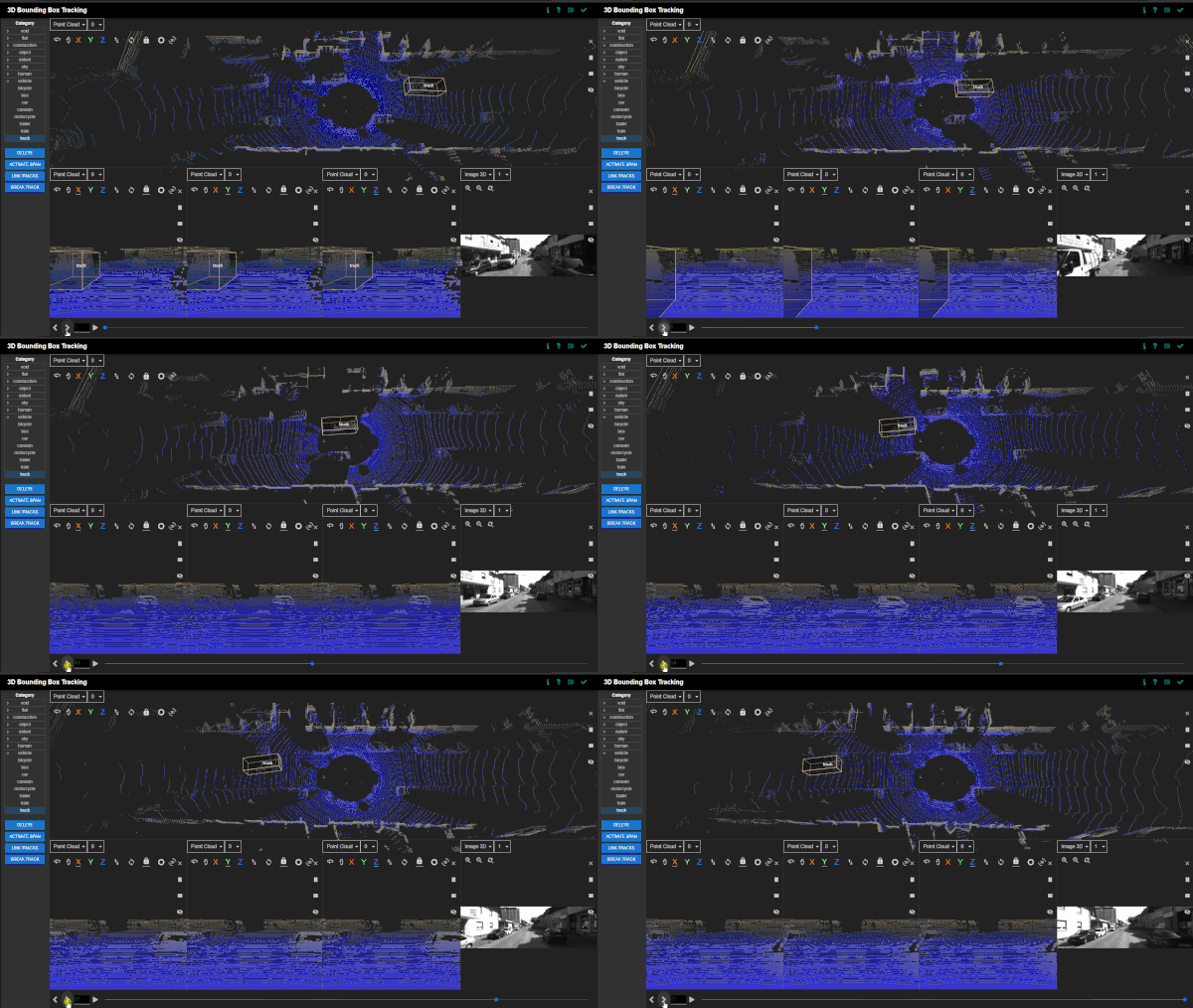
Bounding boxes are interpolated between keyframes if the position, orientation, or scale of the bounding boxes differ. This is useful for tracking objects that move between keyframes.
Real-time session synchronization for seamless collaboration
Multiple sessions can be initialised by opening new windows or tabs. Each session synchronises its changes in labels and tags with the other sessions in real-time. Tracking changes are also updated in real-time as well.
Semi-automatic annotation with label pre-loading
Deep learning models can be used to assist annotation for large batches of data. New models can be trained on a subset of the data, and the remaining data can be uploaded for Scalabel to label automatically. The labels can be preloaded in the backend and can also be manually adjusted in the interface.
Python API for label handling and visualization
- Providing convenience scripts for converting from and to other popular formats, such as COCO, KITTI, Waymo
- Supporting evaluation of various tasks with the Scalabel format
- Image tagging
- Detection
- Pose estimation
- Instance segmentation
- Semantic segmentation
- Panoptic segmentation
- Boundary detection
- Bounding box tracking
- Segmentation tracking
- Contains a visualizer to easily visualize annotations as well as model predictions in Scalabel format
Python backend provides a convenient API for label handling and visualization. For compatibility with Scalabel's interface, datasets can be converted to the appropriate formats via scripts. Algorithms can be evaluated for each task by uploading the predictions and corresponding ground truth annotations in the Scalabel format. The labels can be easily visualised using the Python interface.
Contributors
Scalabel is currently supported by ETH VIS Group. Many contributors have contributed to the project.
Tag summary
Content type
Image
Digest
sha256:3094ce346…
Size
1 GB
Last updated
about 4 years ago
docker pull scalabel/www