scavin/phpservermonitor
PHP Server Monitor in Docker 3.3.2(dev tag: v3.4)
100K+
scavin/phpservermonitor repository overview
PHPServerMonitor in Docker (Last version 3.3.2)
Last update : 03/12/2019 . Created repository with version 3.3.2
PHPServerMonitor
PHPServerMonitor is a script that checks whether your websites and servers are up and running. It comes with a web based user interface where you can manage your services and websites, and you can manage users for each server with a mobile number and email address.
https://github.com/phpservermon/phpservermon
Docker Compose
First create a local file named config.php and chown it to www-data chown 33:33 config.php
docker-compose up -d
crontab config
Default: 5 minutes and 10 seconds
Edit file crontab:
*/5 * * * * /usr/local/bin/php /var/www/html/cron/status.cron.php --timeout=310
http://docs.phpservermonitor.org/en/latest/install.html#setting-up-a-cronjob
Database configuration
If you used my docker-compose.yml file you have to :
- Go on phpmyadmin : http://ip_of_your_server:81 (If you don't want to use phpmyadmin for security reasons you can just delete the container in my docker-compose.yml file and create your database with the command line from the container MySQL.)
- Create a database : monitor (you can use another name)
- Go on PhpServerMonitor : http://ip_of_your_server
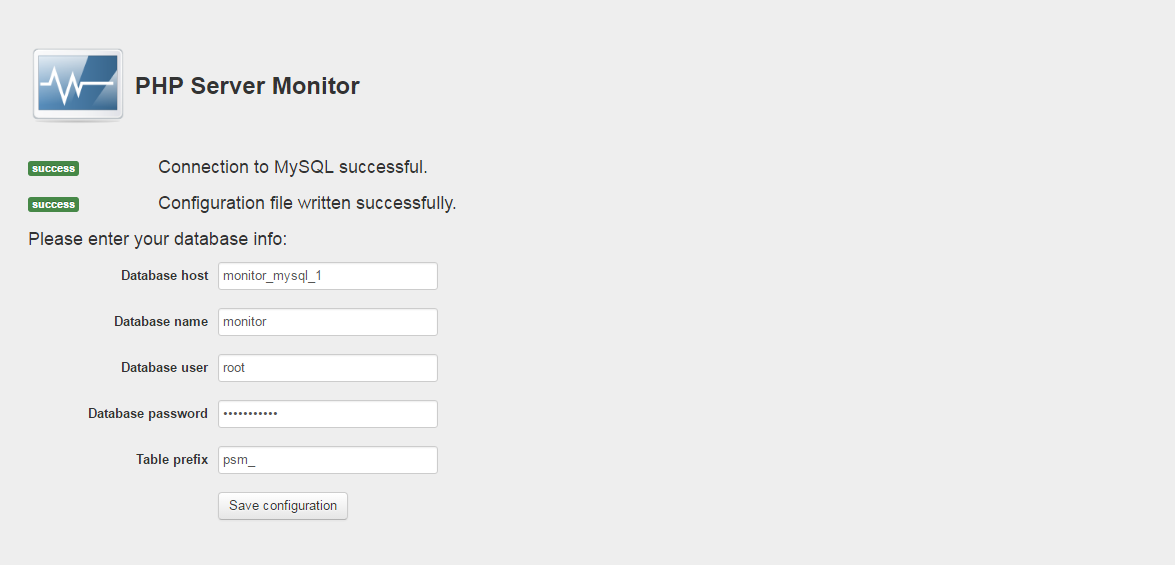
- Database Host: mysql_container_name
- Database Name: monitor
- Database User: root
- Data Password: your_password
- Table Previx: psm_
THANKS
Tag summary
Content type
Image
Digest
Size
165 MB
Last updated
about 6 years ago
docker pull scavin/phpservermonitor