scommons/admin
Easy applications, users and permissions management
Image
0
613
scommons/admin repository overview


scommons-admin
Easy applications, users and permissions management
How to Setup DB
To setup the Postgres DB, please, follow the instructions here
How to Run App using pre-built Docker image
docker run -d --name scommons-admin -p 9000:9000 \
  -e "POSTGRES_PASSWORD=mysecretpassword" \
  -e "ADMIN_DB_HOST=172.17.0.1" \
  -e "ADMIN_DB_PORT=5432" \
  -e "ADMIN_DB_USER=admin" \
  -e "ADMIN_DB_PASSWORD=admin" \
  -e "ADMIN_DB_ADMIN_USER=admin_admin" \
  -e "ADMIN_DB_ADMIN_PASSWORD=superadmin" \
  -e "JAVA_OPTS=-Dlogger.resource=/logback.prod.xml -Xmx448M -XX:MaxMetaspaceSize=128m -XX:+PrintCommandLineFlags" \
  scommons/admin
How to Build and Run locally
To build and run ALL tests use the following command:
sbt -mem 2048 clean "project scommons-admin-server" test it:test && sbt -mem 2048 ";project scommons-admin-server ;set Test / test := {} ;project scommons-admin" test
How to Run Server locally in DEV mode
Before you can run server, please, make sure you have PostgreSQL DB up and running.
To start the application server locally in development mode with refresh workflow:
sbt -mem 2048 clean ';project scommons-admin-server ;set Assets / WebKeys.exportedMappings := Seq()' run
Admin Client UI
To see the Admin Client UI in browser:
http://localhost:9000/scommons-admin/admin.html
REST API Documentation
To see the Swagger REST API documentation page and try endpoints in browser:
http://localhost:9000/scommons-admin/swagger.html
Documentation
You can find more documentation here
Screenshots
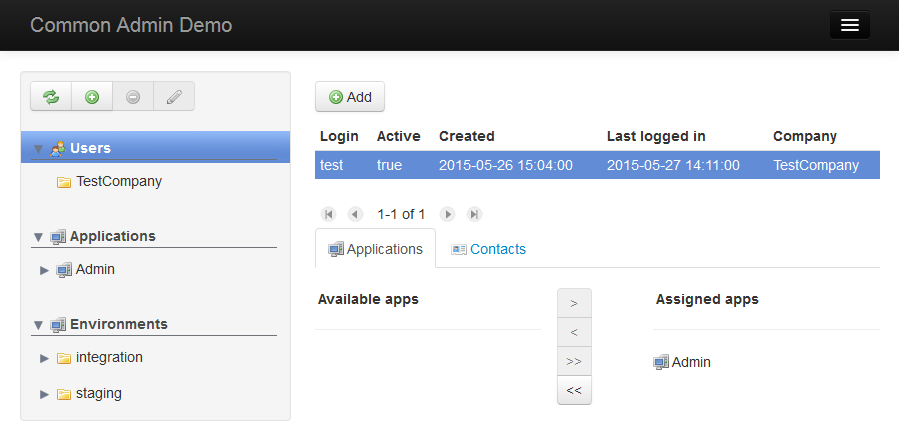
Assign users to applications
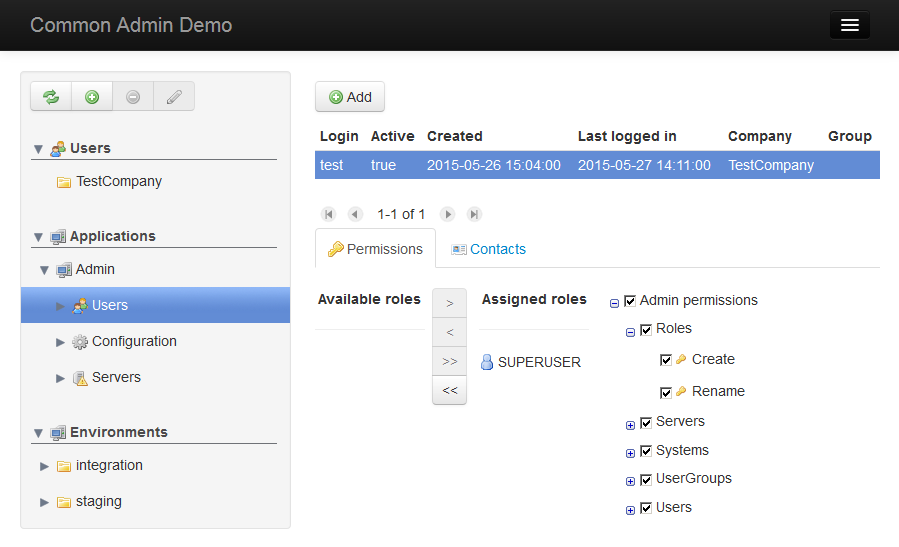
Assign roles to users
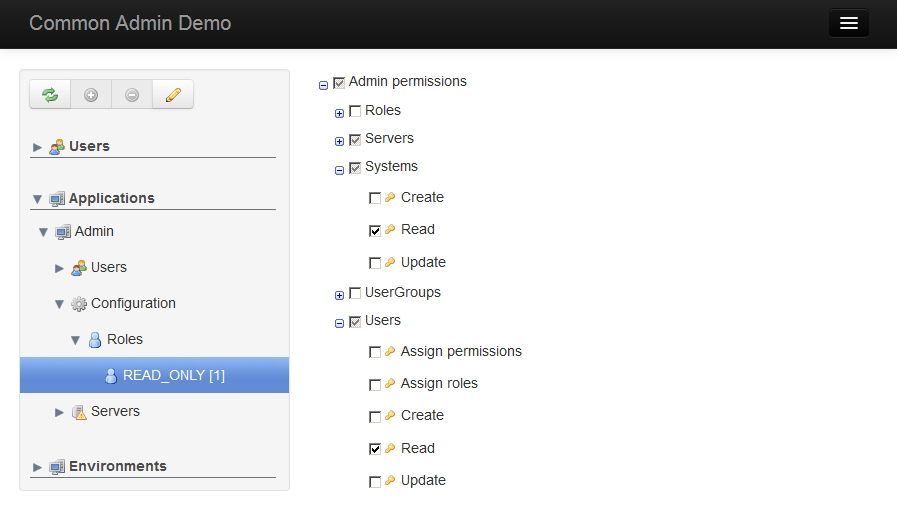
Assign permissions to roles
Tag summary
Content type
Image
Digest
sha256:2e76dc39b…
Size
236.2 MB
Last updated
almost 4 years ago
docker pull scommons/admin