sea5kg/ctf01d
Jury System for attack-defence ctf game (ctf-scoreboard). Or you can use it for training.
1.2K
sea5kg/ctf01d repository overview
ctf01d






Jury System for attack-defense ctf game (ctf-scoreboard). Also you can use it for training.
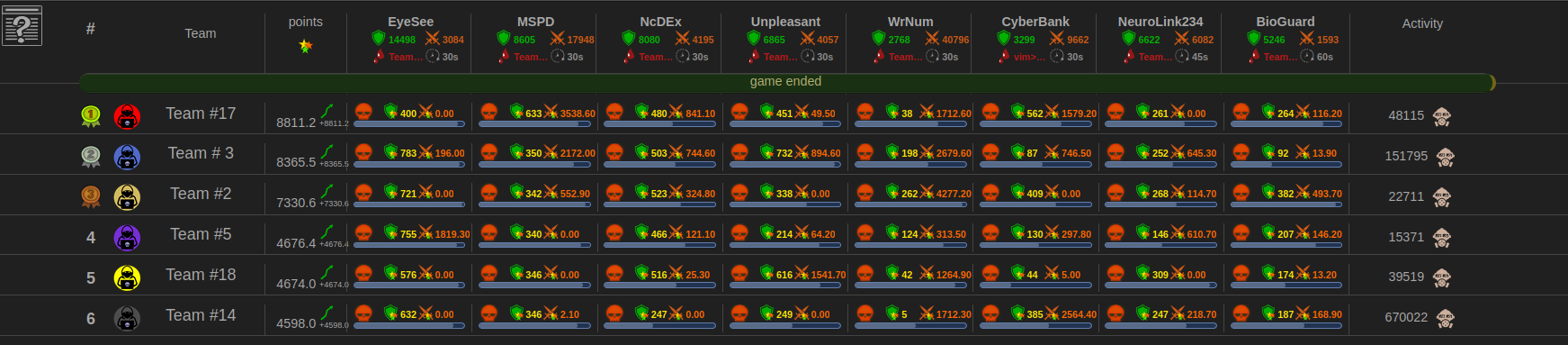
Easy way to start/init it (based on docker-compose)
Requirements:
- docker
- docker-compose
Create a folder with your game:
$ mkdir ~/my-first-game
$ cd ~/my-first-game
Create a ~/my-first-game/docker-compose.yml file with the following content:
version: '3'

services:
  ctf01d_jury:
    container_name: ctf01d_jury_my_game
    image: sea5kg/ctf01d:latest
    volumes:
      - "./data:/usr/share/ctf01d"
    environment:
      CTF01D_WORKDIR: "/usr/share/ctf01d"
      CTF01D_USER: 1000  # automatically will be changed rights to folder and files.
      CTF01D_PORT: 8080
    expose:
      - "8080"
    ports:
      - "8080:8080"
    # restart: always
    networks:
      - ctf01d_net

networks:
  ctf01d_net:
    driver: bridge
First start:
$ docker-compose up
After successful start, you will see logs similar to the following:
ctf01d_jury_1  | 2021-05-17 03:05:29.680, 0x00007f10cd69b700 [WARN] Checker: another_some   example_service2 :  => service is down
ctf01d_jury_1  | 2021-05-17 03:05:29.680, 0x00007f10cd69b700 [INFO] Checker: another_some   example_service2 : Elapsed milliseconds: 106ms
ctf01d_jury_1  | 2021-05-17 03:05:29.684, 0x00007f10ce69d700 [WARN] Checker: another_some   example_service1 :  => service is down
ctf01d_jury_1  | 2021-05-17 03:05:29.684, 0x00007f10cde9c700 [WARN] Checker: so_some        example_service1 :  => service is down
ctf01d_jury_1  | 2021-05-17 03:05:29.685, 0x00007f10cde9c700 [INFO] Checker: so_some        example_service1 : Elapsed milliseconds: 105ms
ctf01d_jury_1  | 2021-05-17 03:05:29.685, 0x00007f10cce9a700 [WARN] Checker: so_some        example_service2 :  => service is down
ctf01d_jury_1  | 2021-05-17 03:05:29.685, 0x00007f10cce9a700 [INFO] Checker: so_some        example_service2 : Elapsed milliseconds: 109ms
ctf01d_jury_1  | 2021-05-17 03:05:29.685, 0x00007f10ce69d700 [INFO] Checker: another_some   example_service1 : Elapsed milliseconds: 110ms
ctf01d_jury_1  | 2021-05-17 03:05:29.685, 0x00007f10bf7fe700 [WARN] Checker: another_some   example_service3 :  => service is down
ctf01d_jury_1  | 2021-05-17 03:05:29.686, 0x00007f10bf7fe700 [INFO] Checker: another_some   example_service3 : Elapsed milliseconds: 110ms
ctf01d_jury_1  | 2021-05-17 03:05:29.690, 0x00007f10bdffb700 [WARN] Checker: so_some        example_service3 :  => service is down
ctf01d_jury_1  | 2021-05-17 03:05:29.690, 0x00007f10bdffb700 [INFO] Checker: so_some        example_service3 : Elapsed milliseconds: 111ms
ctf01d_jury_1  | 2021-05-17 03:05:29.694, 0x00007f10bcff9700 [WARN] Checker: another_some   example_service4 :  => service is down
ctf01d_jury_1  | 2021-05-17 03:05:29.694, 0x00007f10bcff9700 [INFO] Checker: another_some   example_service4 : Elapsed milliseconds: 108ms
ctf01d_jury_1  | 2021-05-17 03:05:29.694, 0x00007f10affff700 [WARN] Checker: so_some        example_service4 :  => service is down
ctf01d_jury_1  | 2021-05-17 03:05:29.695, 0x00007f10affff700 [INFO] Checker: so_some        example_service4 : Elapsed milliseconds: 107ms
And you can also find dashboard on http://localhost:8080/
So now press Ctrl+C to stop docker-compose.
Edit config
Change config file:
$ sudo chown $USER:$USER data
$ sudo chown $USER:$USER data/config.yml
Edit via any editor data/config.yml
And start ctf01d again:
$ docker-compose up
Prod
Uncomment:
# restart: always
And start like a daemon:
$ docker-compose up -d
Scoreboard
url: http://{HOST}:{PORT}/
Where
- {HOST} - host or ip, where jury system started
- {PORT} - configured scoreboard/flag port of the jury system
Service statuses
- up - the flag putting/checking into the service is successful
- down - service is not available (maybe blocked port or service is down)
- corrupt - service is available (available tcp connection) but it's impossible to put/get the flag
- mumble - checker-script worked long time than allowed (this state will be set by ctf01d)
- shit - problems in checker (this state will be set by ctf01d), for checker developers
Acceptance of the flag
- Acceptance of the flag: http://{HOST}:{PORT}/flag?teamid={TEAMID}&flag={FLAG}
Where
- {HOST} - host or ip at which the jury is available
- {PORT} - configured scoreboard/flag port of the jury system
- {TEAMID} - number, your unique team-id (see scoreboard)
- {FLAG} - uuid, so that the jury knows that this is a flag from an enemy server
Example of sending a flag (via curl):
$ curl http://192.168.1.10:8080/flag?teamid=keva&flag=c01d4567-e89b-12d3-a456-426600000010
http-code responses:
- 400 - wrong parameters
- 200 - flag is accepted
- 403 - flag is not accepted (probable reasons: old, already accepted, not found), reason looking in http-body response
Example of sending a flag (via python):
r = requests.get("http://192.168.1.10:8080/flag?teamid=keva&flag=c01d4567-e89b-12d3-a456-426600000010")
if r.status_code == 200:
  print("OK (flag accepted) ", r.text)
  sys.exit(0)
elif r.status_code == 403:
  print("FAIL " + flag + " " + r.text)
  sys.exit(0)
elif r.status_code == 400:
  print("FAIL Request incorrect. " + r.text + "\n" + flag)
  sys.exit(1)
else:
    print("FAIL Something went wrong. " + str(r.status_code) + ", response"+ r.text)
Flag format description:
Flag example: c01d1fd2-133a-4713-9587-1f6a00000001
              c01d...random-data-flag.....time
              ^ prefix                    ^ timestamp is the last 8 digits
              always c01d                   (how many seconds have passed
                                            since the start of the game)
Jury API requests list
http://{HOST}:{PORT}/flag- send flaghttp://{HOST}:{PORT}/api/v1/game- info about the gamehttp://{HOST}:{PORT}/api/v1/game/current-time- info about the gamehttp://{HOST}:{PORT}/api/v1/teams- list of teamshttp://{HOST}:{PORT}/api/v1/services- list of serviceshttp://{HOST}:{PORT}/api/v1/scoreboard- scoreboard table teams-serviceshttp://{HOST}:{PORT}/team-logo/{TEAMID}- team logoshttp://{HOST}:{PORT}/api/v1/my-ip- client ip
Rules
1. Basic
flag_lifetime_in_seconds:
- EN: flag lifetime (by default: 60 seconds, but not more then 1500 seconds)
- RU: время жизни флага (по умолчанию: 60 секунд, но не более 1500 секунд)
flag_cost_in_points:
- EN: Basic cost of stolen flag (by default: 100 point)
- RU: Базовая стоимость украденного флага (по умолчанию: 100 поинт)
2. Acception of the defense flag / Принятие флага защиты
EN:
Only the defense flag from the service is counted if:
- the flag was successfully put into the service
- the flag existed in the service throughout its lifetime
- the flag was not stolen by other team(s)
- the cost of the defenses flag is fixed and equal to 1.0 points
RU:
Засчитываются только тот флаг защиты с сервиса, если:
- флаг был успешно запулен на сервис
- флаг просуществовал на сервисе все время своей жизни
- флаг не был украден другой командой (командами)
- стоимость флага защиты фиксирована и равна 1,0 очка
3. Acception of the attack flag / Принятия флага атаки
EN:
The attack flag counts if:
- the flag has the correct format
- the flag does not belong to your team (not from your service)
- the flag from the same type of the service as yours, but your service must be in UP state
- the flag is dealt by your team for the first time (the same flag can be dealt by different teams)
- the flag is still alive (the flag has not expired)
- only during the game (flags are not accepted during coffee breaks)
RU:
Засчитывается флаг атаки, если:
- флаг имеет правильный формат
- флаг не принадлежит вашей команде (не с вашего сервиса)
- флаг с того же типа сервиса что и ваш, но ваш сервис должен быть в состоянии UP
- флаг сдается первый раз вашей командой (может сдаваться разными командами один и тот же флаг)
- флаг еще жив (не закончилось время жизни флага)
- только во время объявленной игры (во время кофебрейка флаги не принимаются)
Attack Flag Cost Calculation System
basic_flag_points = 1.0
motivation = 1.0
if victim_place_in_scoreboard > thief_place_in_scoreboard:
    motivation -= (victim_place_in_scoreboard - thief_place_in_scoreboard) / (m_nTeamCount - 1);
attack_points_by_service1 = basic_flag_points * motivation
Team points are counted as:
team_points = team_points + SLA_1 * (service1_defense_points + service1_attack_points)
team_points = team_points + SLA_2 * (service2_defense_points + service2_attack_points)
...
team_points = team_points + SLA_N * (serviceN_defense_points + serviceN_attack_points)
Download and basic configuration
$ sudo apt install git-core
$ cd ~
$ git clone http://github.com/sea5kg/ctf01d.git ctf01d.git
$ nano ~/ctf01d.git/data_sample/config.yml
Config files (see comments in file):
~/ctf01d.git/data_sample/config.yml- one config
Third Party
c++ webserver
- ithewei/libhv (v1.3.3) - BSD 3-Clause License. Copyright (c) 2020, ithewei
database
- SQLITE (v3.49.1) - SQLite is in the Public Domain
C source code as an amalgamation
json
- nlohmann/json (v3.12.0) - Reader/Writer for json format
datetime
- HowardHinnant/date (v3.0.4) - Parser for datetime
Icons
SPECIAL THANKS
Tag summary
Content type
Image
Digest
sha256:3091dee18…
Size
163.8 MB
Last updated
4 months ago
docker pull sea5kg/ctf01d