secretboard/nginx
Nginx image with a modified conf.d file
1M+
secretboard/nginx repository overview
Secret Board

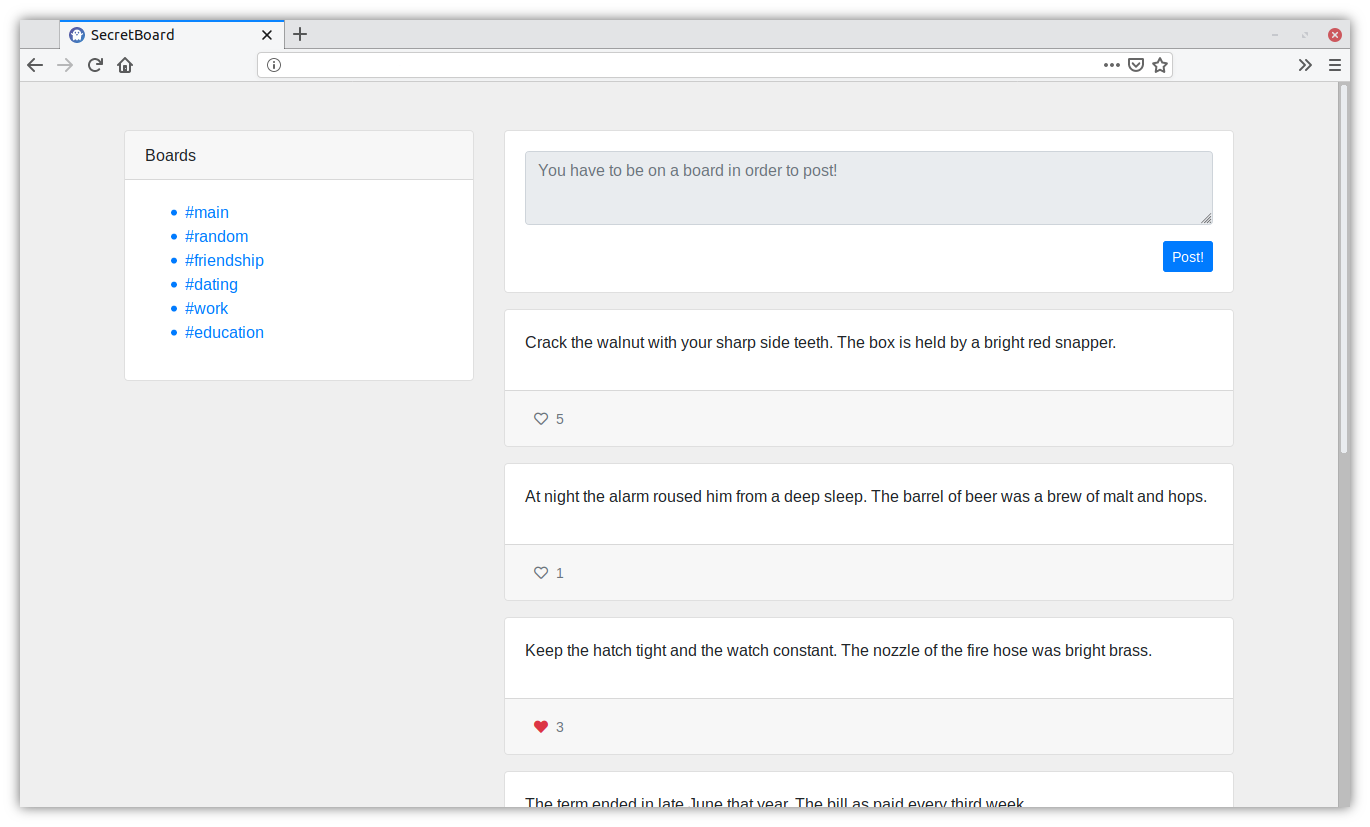
Secret Board is an anonymous secret-sharing website written in Python using the Django web framework.
Once you enter the website an anonymous user account is automatically generated for you. SecretBoard does not keep track of you in any way, you're only linked to your session token and a randomly generated username.
You can post secrets on a variety of boards such as #random, #work or #dating. You can also interact with posts by liking them.
Screenshot
Setting up your own instance of SecretBoard
If you want to set up your own instance of SecretBoard, the easiest way to do so would be by using Docker.
1. Clone the repository or just download the docker-compose.yml file.
git clone github.com/thecodeah/secret-board
2. Set up the two environment variables that SecretBoard requires.
SB_SECRET_KEY Django secret key : https://docs.djangoproject.com/en/2.1/ref/settings/#secret-key
SB_DB_PASSWORD The password that the Django project will use to connect to the database, and the PostgreSQL service will use to create an account.
3. Start it up!
Note : You have to be in the same directory as where the docker-compose.yml file resides.
docker-compose up
Tag summary
Content type
Image
Digest
Size
50.8 MB
Last updated
over 6 years ago
docker pull secretboard/nginx