serpapi/apptrail
Open-source mobile app visibility tracker supporting App Store, Google Play, and AI search.
864
serpapi/apptrail repository overview
AppTrail
Open-source app visibility tracking across the App Store, Google Play, and AI search.
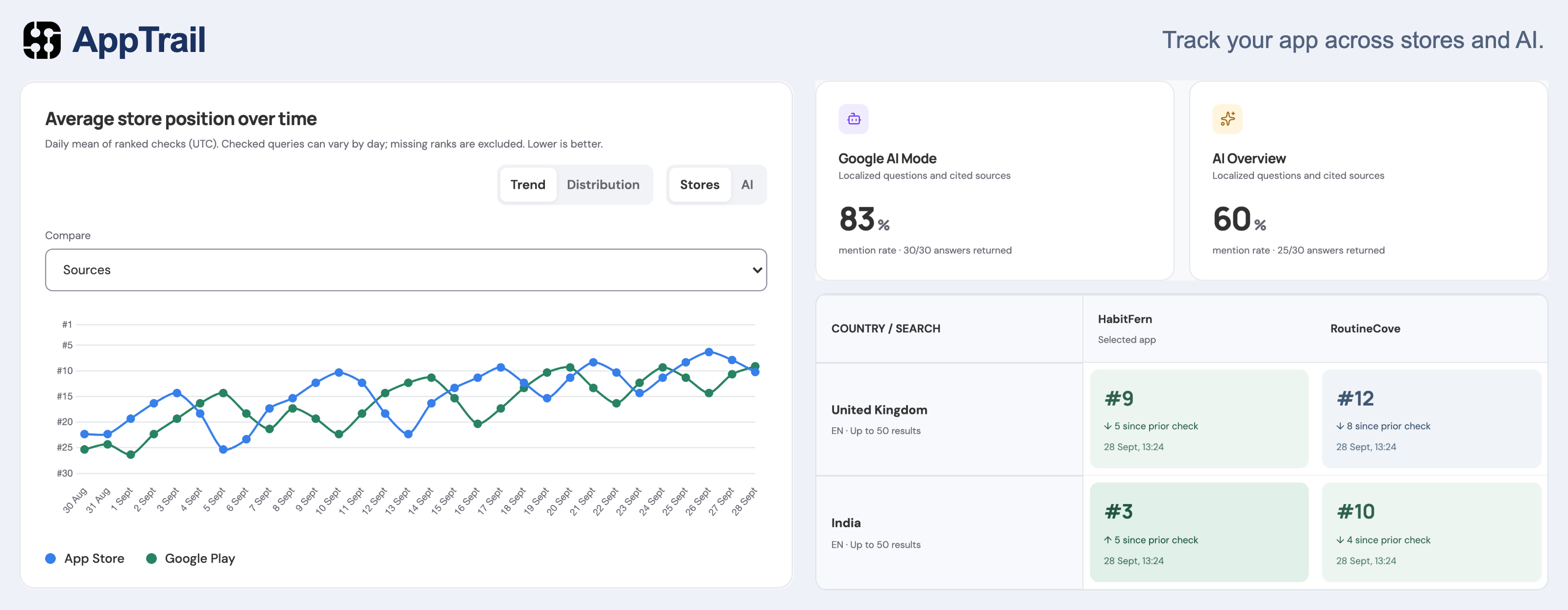
Track where your app appears, compare competitors, and keep a history of changes. AppTrail runs on your own machine or server and uses your SerpApi account to collect results.
Features
- Store rankings: Track keywords across the App Store and Google Play.
- AI visibility: Follow mentions and citations in Google AI Mode, Google AI Overviews, and Bing Copilot.
- Competitor comparisons: Compare apps within the same searches.
- Country comparisons: Follow store rankings and Google AI visibility across markets.
- Listing history: Track changes to titles, descriptions, pricing, icons, and screenshots.
- Ranking alerts: Receive in-app notifications when your app loses ground.
- Scheduled checks: Run checks manually or schedule them daily, weekly, every two weeks, or monthly.
- Exports and backups: Export results as CSV and download workspace backups.
Quick start
You need Docker and a SerpApi API key.
docker run -d --name apptrail \
  -p 80:80 \
  -v apptrail-data:/data \
  --restart unless-stopped \
  --stop-timeout 360 \
  serpapi/apptrail:latest
Read the one-time setup code:
docker logs apptrail
Open localhost, or http://SERVER_IP for a remote server. Use the setup code to create your owner account, then sign in and connect SerpApi.
If port 80 is already in use, change the mapping to -p 8080:80 and open http://localhost:8080.
Searches and listing checks use credits from your SerpApi account. AppTrail shows estimated usage before you start tracking.
Persistent data
Mount persistent storage at /data. The named volume in the command above preserves your account, settings, credentials, and history when the container is replaced.
Keep the container running for scheduled checks. You can close the browser while tracking continues.
The image supports linux/amd64 and linux/arm64, includes an HTTP health check at /healthz, and runs as a non-root user. Run one instance per data volume.
Updates
Download a backup from Settings, then pull the latest image and remove the stopped container:
docker pull serpapi/apptrail:latest
docker stop apptrail
docker rm apptrail
Run the quick-start command again, keeping the same data volume and any custom port or environment settings.
Documentation and support
- Source code and full documentation
- Self-hosting guide, including Docker Compose, CapRover, Coolify, HTTPS, and backups
- Report an issue
- MIT license
Tag summary
Content type
Image
Digest
sha256:0f87db63d…
Size
63.8 MB
Last updated
20 days ago
docker pull serpapi/apptrail