shantanuo/keras-flask-deploy-webapp repository overview
Deploy Keras Model with Flask as Web App in 10 Minutes


A pretty and customizable web app to deploy your DL model with ease
Getting started in 10 minutes
- Clone this repo
- Install requirements
- Run the script
- Check http://localhost:5000
- Done! :tada:
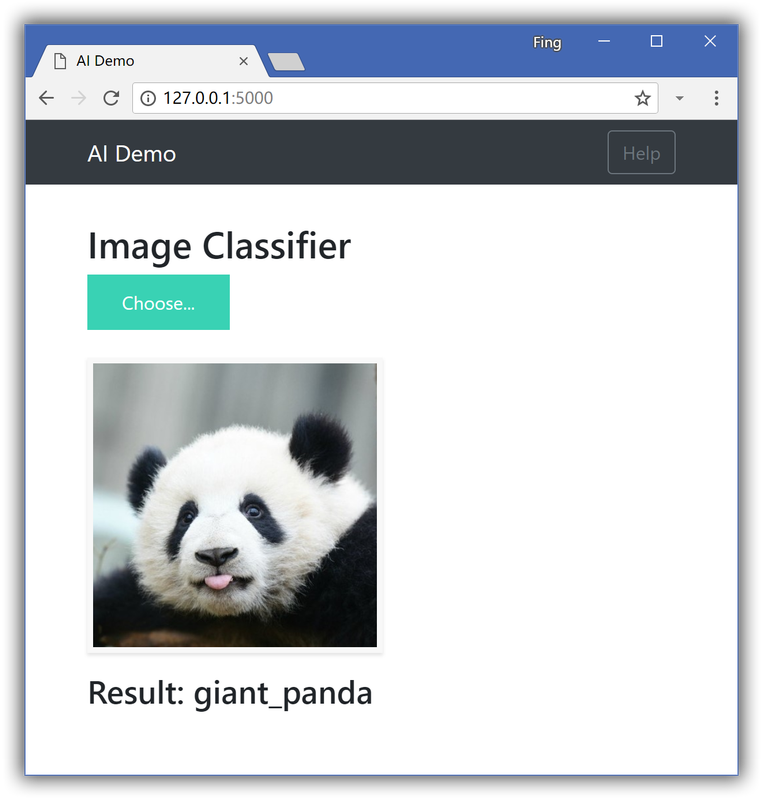
:point_down:Screenshot:
Docker Installation
Build and run an image for keras-application pretrained model
$ cd keras-flask-deploy-webapp
$ docker build -t keras_flask_app .
$ docker run -d -p 5000:5000 keras_flask_app
Build and run an image from your model into the containeri.
After build an image as above, and
$ docker run -e MODEL_PATH=/mnt/models/your_model.h5 -v volume-name:/mnt/models -p 5000:5000 keras_flask_app
Pull an built-image from Docker hub
For your convenience, can just pull the image instead of building it.
$ docker pull physhik/keras-flask-app:2
$ docker run -d -p 5000:5000 physhik/keras-flask-app:2
Open http://localhost:5000 after waiting for a minute to install in the container.
Local Installation
Clone the repo
$ git clone https://github.com/mtobeiyf/keras-flask-deploy-webapp.git
Install requirements
$ pip install -r requirements.txt
Make sure you have the following installed:
- tensorflow
- keras
- flask
- pillow
- h5py
- gevent
Run with Python
Python 2.7 or 3.5+ are supported and tested.
$ python app.py
Play
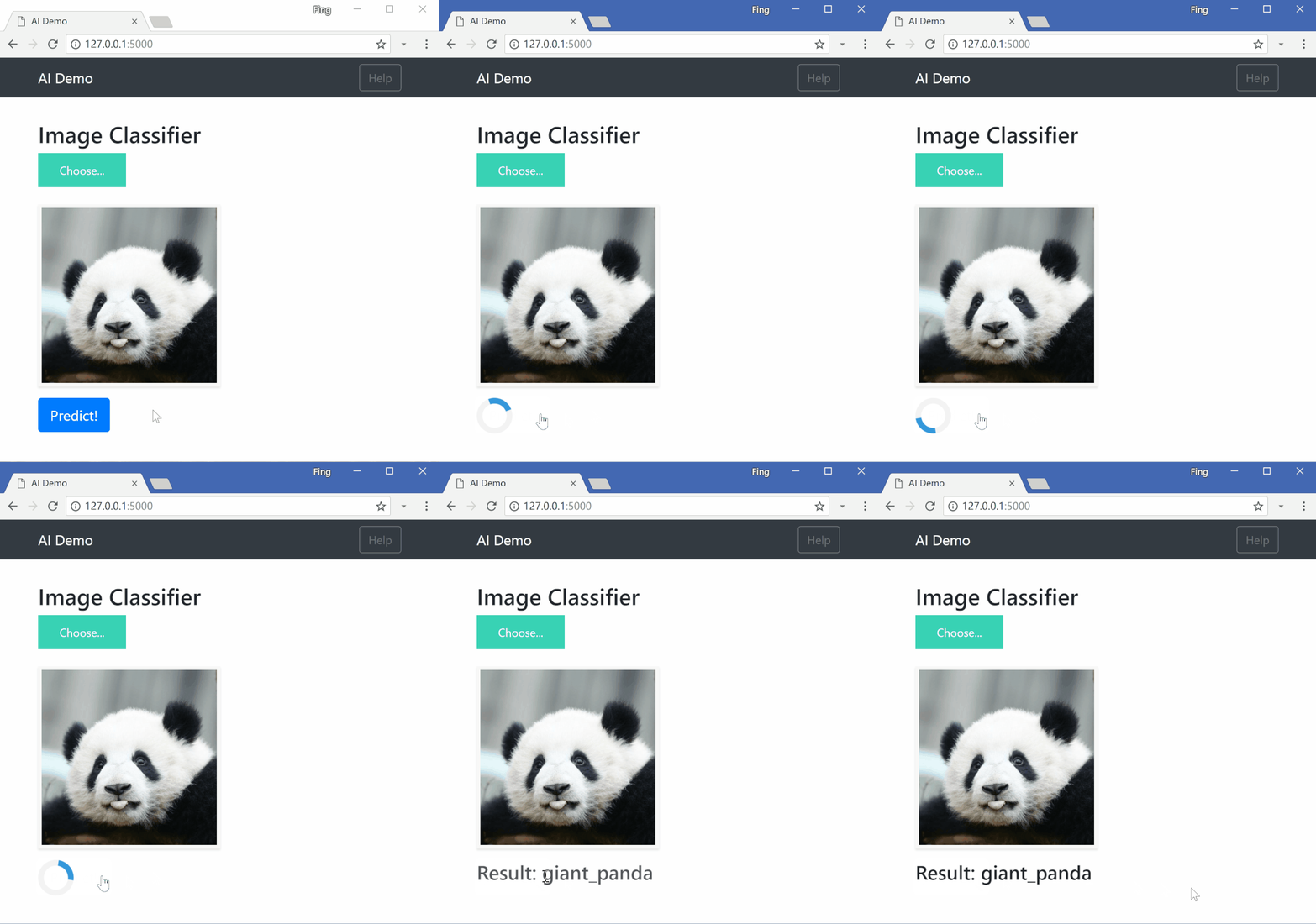
Open http://localhost:5000 and have fun. :smiley:
Customization
Use your own model
Place your trained .h5 file saved by model.save() under models directory.
Check the commented code in app.py.
Use other pre-trained model
See Keras applications for more available models such as DenseNet, MobilNet, NASNet, etc.
Check this section in app.py.
UI Modification
Modify files in templates and static directory.
index.html for the UI and main.js for all the behaviors
Deployment
To deploy it for public use, you need to have a public linux server.
Run the app
Run the script and hide it in background with tmux or screen.
$ python app.py
You can also use gunicorn instead of gevent
$ gunicorn -b 127.0.0.1:5000 app:app
More deployment options, check here
Set up Nginx
To redirect the traffic to your local app.
Configure your Nginx .conf file.
server {
    listen  80;

    client_max_body_size 20M;

    location / {
        proxy_pass http://127.0.0.1:5000;
    }
}
More resources
Check Siraj's "How to Deploy a Keras Model to Production" video. The corresponding repo.
Tag summary
Content type
Image
Digest
Size
359.7 MB
Last updated
over 7 years ago
docker pull shantanuo/keras-flask-deploy-webapp