shivkumar56/answerai
Answer AI Learning Assistant
189
shivkumar56/answerai repository overview
AnswersAi-Backend
AnswersAi-Backend is a scalable RESTful API built with Node.js, Express.js, and TypeScript, designed to provide AI-generated answers to user questions. It utilizes Prisma as an ORM, Docker for containerization, LangChain for AI-powered question answering, Anthropic API for chat functionality, and Supabase for PostgreSQL database management.
- GitHub: https://github.com/Shivkumar-Raghuwanshi/Shivkumar-Raghuwanshi-AnswerAI-Backend
- AWS architecture Design: https://miro.com/app/board/uXjVKOwtQaM=/?share_link_id=591420014426
- Scalable Docker Architecture on AWS: https://www.youtube.com/watch?v=pI1j8HpePNM
- AnswersAi-Backend API: https://www.youtube.com/watch?v=SvV9BUQbA9g
- Run Docker: https://www.youtube.com/watch?v=Wzp4Lh-KBDs
Tech Stack
- Node.js: Node.js is a JavaScript runtime built on Chrome’s V8 engine. It allows you to execute JavaScript code outside of a web browser, making it ideal for server-side applications.
- Express.js: Express.js is a lightweight and flexible web application framework for Node.js. It simplifies the process of creating robust APIs and web services. Use Express.js to define routes, handle middleware, and manage HTTP requests and responses. It’s great for building RESTful APIs.
- TypeScript: TypeScript is a statically typed superset of JavaScript. It adds optional static typing, which enhances code quality, maintainability, and developer productivity.
- Prisma: Prisma is a next-generation ORM (Object-Relational Mapping) that provides type-safe database access. It allows us to interact with your database using a declarative and intuitive API.Prisma simplifies database operations, including querying, migrations, and data modeling. It ensures type safety and reduces the risk of runtime errors.
- Docker: Docker is a containerization platform that allows us to package applications and their dependencies into lightweight, isolated containers.Use Docker to create consistent development, testing, and production environments. Containers ensure that your application runs consistently across different systems
- LangChain: LangChain is a novel framework for building applications using large language models (LLMs). It enables natural language understanding and generation. With LangChain, we can create chatbots, language-based search engines, or any application that leverages advanced language models.
- Anthropic API: The Anthropic API provides access to Anthropic’s advanced language models. These models excel at tasks like text generation, summarization, and question answering.
- Supabase: Supabase combines a PostgreSQL database with authentication services. It simplifies backend development by providing a ready-to-use database and user management system.
API Endpoints
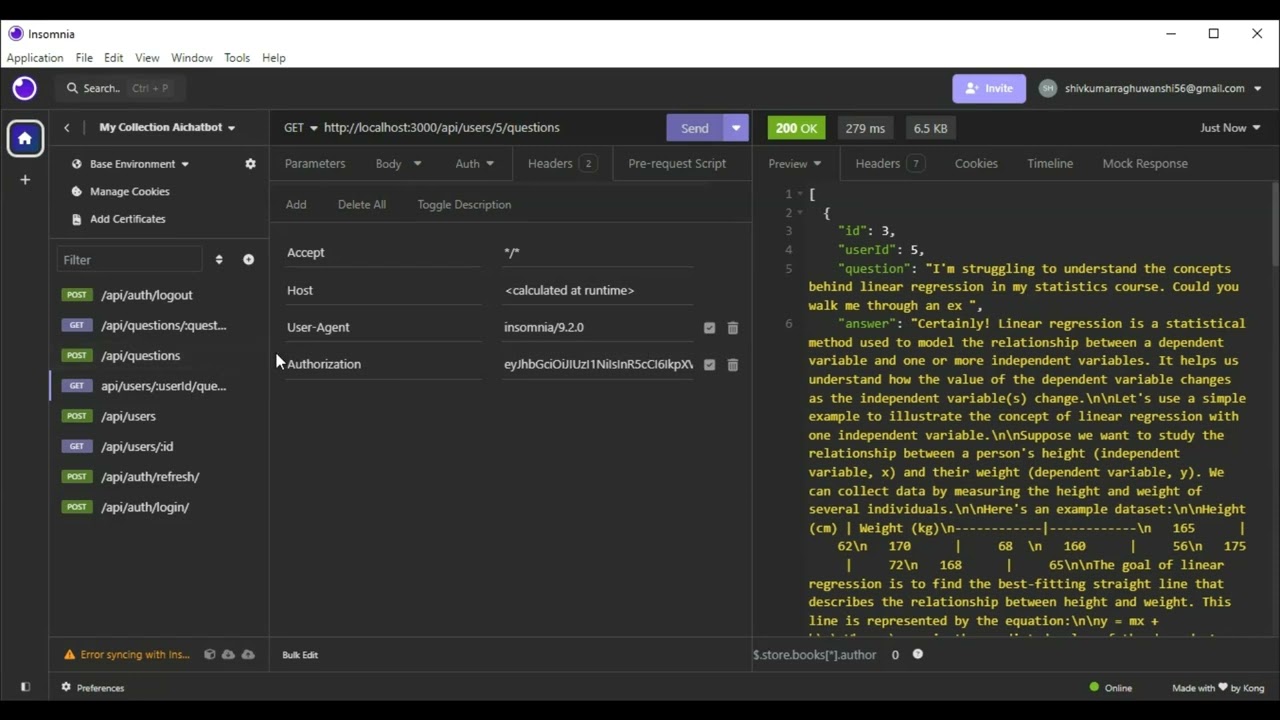
Watch the video by clicking on the thumbnail below:
Users
- POST /api/users:Create a new user account.
- Request:
{ "username": "John", "email": "[email protected]", "password": "12345678" } - Response:
{
  "message": "User registered successfully"
}
- Request:
Authentication
-
POST /api/auth/login:User login endpoint.
- Request:
{ "email": "[email protected]", "password": "12345678" } - Response:
{
  "message": "Login successful",
  "accessToken": "eyJhbGciOiJIUzI1NiIsInR5cCI6IkpXVCJ9.eyJ1c2VySWQiOjcsImlhdCI6MTcxODgxMTI2NCwiZXhwIjoxNzE4ODEyMTY0fQ.qcXn9CFItBftWpfeOvxa1PQ4CBEFx8LC4HYjP93c4Ew",
  "refreshToken": "eyJhbGciOiJIUzI1NiIsInR5cCI6IkpXVCJ9.eyJ1c2VySWQiOjcsImlhdCI6MTcxODgxMTI2NiwiZXhwIjoxNzE5NDE2MDY2fQ.0c_YsDvYYgoUuXmlgoiq8Lxb7l2SNnkKmfVi9M2X_hQ"
}
- Request:
-
POST /api/auth/refresh:Refresh access token endpoint.
- Request:
- Parameter:
refreshToken: eyJhbGciOiJIUzI1NiIsInR5cCI6IkpXVCJ9.eyJ1c2VySWQiOjcsImlhdCI6MTcxODgxMTI2NiwiZXhwIjoxNzE5NDE2MDY2fQ.0c_YsDvYYgoUuXmlgoiq8Lxb7l2SNnkKmfVi9M2X_hQ - Header:
Authorization: "accessToken": "eyJhbGciOiJIUzI1NiIsInR5cCI6IkpXVCJ9.eyJ1c2VySWQiOjcsImlhdCI6MTcxODgxMTQ2NiwiZXhwIjoxNzE4ODEyMzY2fQ.5z_M67PqEMsDQVEAoXntqnev-Z3pnqXFOr4SbMPzeZQ"
- Parameter:
- Response:
{
  "message": "Tokens refreshed successfully",
  "accessToken": "eyJhbGciOiJIUzI1NiIsInR5cCI6IkpXVCJ9.eyJ1c2VySWQiOjcsImlhdCI6MTcxODgxMTQ2NiwiZXhwIjoxNzE4ODEyMzY2fQ.5z_M67PqEMsDQVEAoXntqnev-Z3pnqXFOr4SbMPzeZQ",
  "refreshToken": "eyJhbGciOiJIUzI1NiIsInR5cCI6IkpXVCJ9.eyJ1c2VySWQiOjcsImlhdCI6MTcxODgxMTQ2NywiZXhwIjoxNzE5NDE2MjY3fQ.p-Nb4diIs5uSBYVkQlufVvlxGn_N72PPRR3xKRBlovo"
}
- Request:
-
POST /api/auth/logout:User logout endpoint.
- Request:
- Parameter:
refreshToken: eyJhbGciOiJIUzI1NiIsInR5cCI6IkpXVCJ9.eyJ1c2VySWQiOjcsImlhdCI6MTcxODgxMTI2NiwiZXhwIjoxNzE5NDE2MDY2fQ.0c_YsDvYYgoUuXmlgoiq8Lxb7l2SNnkKmfVi9M2X_hQ - Header:
Authorization: "accessToken": "eyJhbGciOiJIUzI1NiIsInR5cCI6IkpXVCJ9.eyJ1c2VySWQiOjcsImlhdCI6MTcxODgxMTQ2NiwiZXhwIjoxNzE4ODEyMzY2fQ.5z_M67PqEMsDQVEAoXntqnev-Z3pnqXFOr4SbMPzeZQ"
- Parameter:
- Response:
{
  "message": "Logout successful"
}
- Request:
-
GET /api/users/:userId:Retrieve a user profile with a given userId.
- Request:
- Header:
Authorization: "accessToken": "eyJhbGciOiJIUzI1NiIsInR5cCI6IkpXVCJ9.eyJ1c2VySWQiOjcsImlhdCI6MTcxODgxMTQ2NiwiZXhwIjoxNzE4ODEyMzY2fQ.5z_M67PqEMsDQVEAoXntqnev-Z3pnqXFOr4SbMPzeZQ"
- Header:
- Response:
{
  "username": "Shivkumar",
  "email": "[email protected]"
}
- Request:
-
GET /api/users/:userId/questions:Retrieve all questions asked by a user with a given userId
- Request:
- Header:
Authorization: "accessToken": "eyJhbGciOiJIUzI1NiIsInR5cCI6IkpXVCJ9.eyJ1c2VySWQiOjcsImlhdCI6MTcxODgxMTQ2NiwiZXhwIjoxNzE4ODEyMzY2fQ.5z_M67PqEMsDQVEAoXntqnev-Z3pnqXFOr4SbMPzeZQ"
- Header:
- Response:
[
  {
    "id": 1,
    "userId": 1,
    "question": "Who is your developer?",
    "answer": "My developer is Shivkumar Raghuwanshi.",
    "createdAt": "2024-06-18T21:00:26.582Z",
    "updatedAt": "2024-06-18T21:00:26.582Z"
  }
]
- Request:
Questions
-
POST /api/questions:Accept a user question and return an AI-generated answer
- Request:
{ "question": "Who is your developer?", "userId": 1 }- Header:
Authorization: "accessToken": "eyJhbGciOiJIUzI1NiIsInR5cCI6IkpXVCJ9.eyJ1c2VySWQiOjcsImlhdCI6MTcxODgxMTQ2NiwiZXhwIjoxNzE4ODEyMzY2fQ.5z_M67PqEMsDQVEAoXntqnev-Z3pnqXFOr4SbMPzeZQ"
- Header:
- Response:
[
  {
    "id": 1,
    "userId": 1,
    "question": "Who is your developer?",
    "answer": "My developer is Shivkumar Raghuwanshi.",
    "createdAt": "2024-06-18T21:00:26.582Z",
    "updatedAt": "2024-06-18T21:00:26.582Z"
  }
]
- Request:
-
GET /api/questions/:questionId:Retrieve a specific question and its answer by question ID.
- Request:
- Header:
Authorization: "accessToken": "eyJhbGciOiJIUzI1NiIsInR5cCI6IkpXVCJ9.eyJ1c2VySWQiOjcsImlhdCI6MTcxODgxMTQ2NiwiZXhwIjoxNzE4ODEyMzY2fQ.5z_M67PqEMsDQVEAoXntqnev-Z3pnqXFOr4SbMPzeZQ"
- Header:
- Response:
{
  "id": 1,
  "userId": 1,
  "question": "Who is your developer?",
  "answer": "My developer is Shivkumar Raghuwanshi.",
  "createdAt": "2024-06-18T21:00:26.582Z",
  "updatedAt": "2024-06-18T21:00:26.582Z"
}
- Request:
Database Design
The application uses a relational database schema to store questions, user data, and authentication tokens. The schema is designed to ensure scalability and support for hundreds of thousands of concurrent users.
The database schema includes the following tables:
- Users: Stores user information such as username, email, password (hashed), and other profile details.
- Questions: Stores user questions and AI-generated answers. Each question is associated with a specific user.
- AccessTokens: Stores access tokens for user authentication and authorization. Each access token is associated with a specific user.
- RefreshTokens: Stores refresh tokens for obtaining new access tokens after expiration. Each refresh token is associated with a specific user.
The use of a relational database with ACID guarantees ensures data integrity and consistency, even in high-concurrency scenarios. Prisma ORM provides type-safe access to the database and simplifies database operations.
The schema defines the following relationships:
- One-to-Many: A user can have multiple questions, access tokens, and refresh tokens.
- Many-to-One: Each question, access token, and refresh token is associated with a single user.
This database design allows for efficient querying of user data, questions, and authentication tokens while maintaining data integrity and scalability.
Containerization (Docker)
The application is containerized using Docker for easy deployment and scalability. A Dockerfile is provided in the project root, containing instructions for building the Docker image.
If you want to run the project using Docker, you can pull the Docker image from Docker Hub and run it:
- docker pull shivkumar56/answerai:latest
- docker run -d -p 3000:3000 shivkumar56/answerai
Watch the video by clicking on the thumbnail below:
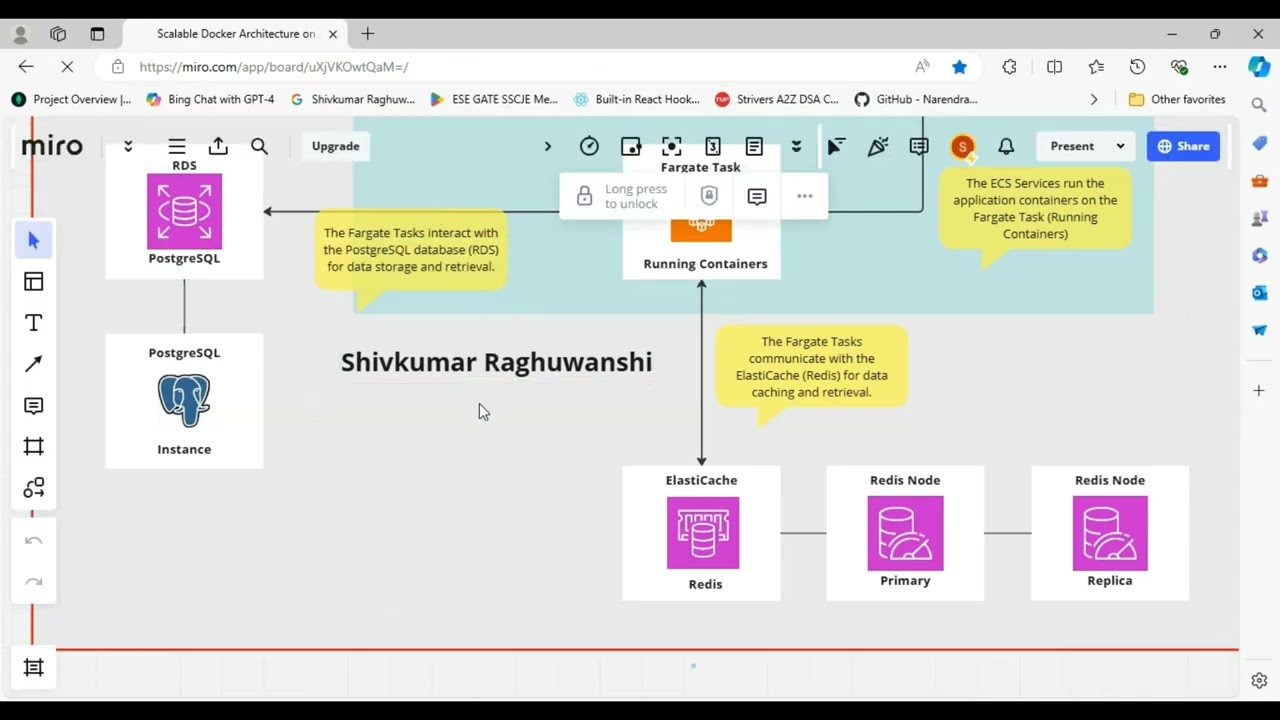
AWS architecture Design
The detailed pictorial view of the scalable architecture for Docker containerization on AWS with ECR, ECS (Fargate), ELB, Redis, ElastiCache and PostgreSQL, along with the pipeline flow indicated by numbered steps:
Click on the miro board link below
Watch the video by clicking on the thumbnail below:
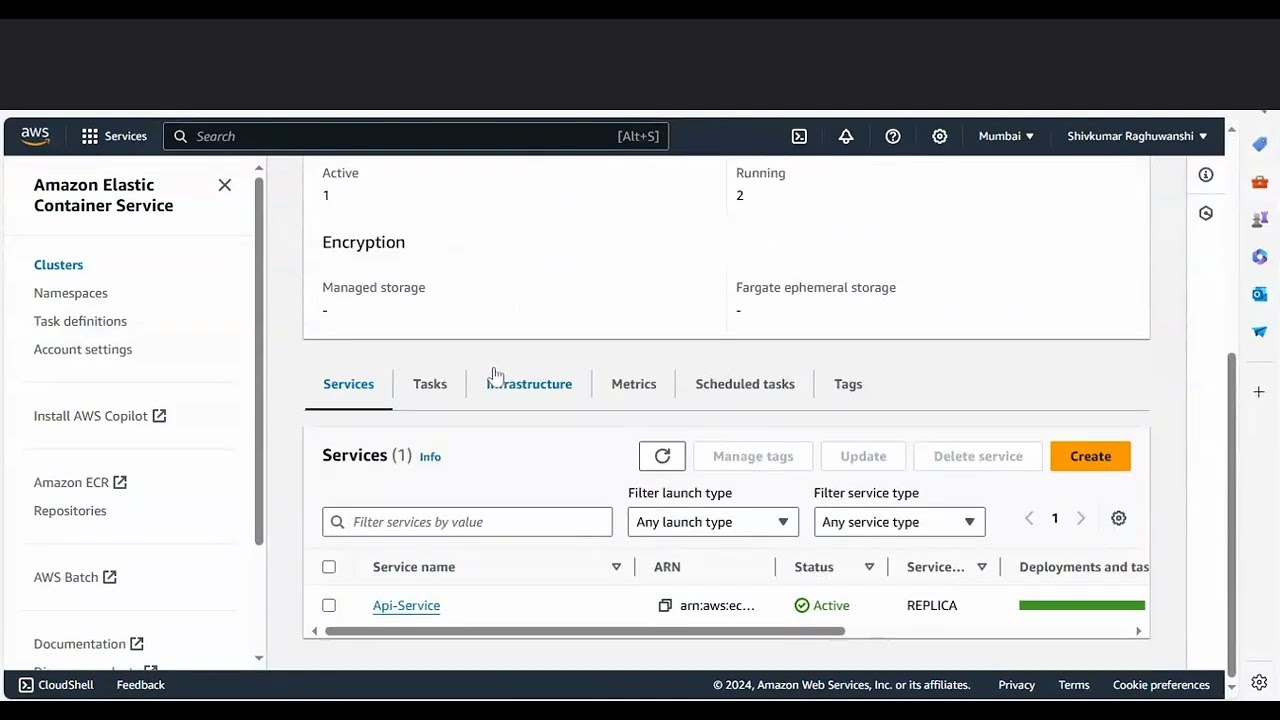
The numbered steps indicate the pipeline flow as follows:
- Docker images are pulled from the ECR (Docker Registry) to the ECS (Container Cluster).
- The ECS cluster retrieves the container images from ECR.
- The ECS cluster manages and runs the ECS Services using the Fargate Service Type with the container images The ALB (Application Load Balancer) distributes incoming traffic to these running ECS Services.
- The ECS Services run the application containers on the Fargate Task (Running Containers).
- The Fargate Tasks communicate with the ElastiCache (Redis) for data caching and retrieval.
- The Fargate Tasks interact with the PostgreSQL database (RDS) for data storage and retrieval.
- In this architecture, all ECS Services are using the Fargate Service Type, which means that AWS manages the underlying compute resources (without the need for EC2 instances). The Fargate Tasks are launched and managed by AWS to run the containers for each ECS Service.
Setup and Running Instructions
-
Clone the repository:
- git clone https://github.com/Shivkumar-Raghuwanshi/Shivkumar-Raghuwanshi-AnswersAi-Backend.git
- cd AnswersAi-Backend
-
Install dependencies:
- npm install
-
Set up environment variables:
- DATABASE_URL="postgresql://username:password@localhost:5432/answersai"
- JWT_SECRET="your_jwt_secret"
- ANTHROPIC_API_KEY="your_anthropic_api_key"
-
Run database migrations:
- npx prisma migrate dev
-
Compile TypeScript to JavaScript:
- npx tsc
-
Start the development server:
- node dist/app.js The server will start running at http://localhost:3000
Docker Setup
If you want to run the project using Docker, follow these steps:
-
Build the Docker image:
- docker build -t answersai-backend .
-
Run the Docker container:
- docker run -p 3000:3000 -e DATABASE_URL="postgresql://username:[email protected]:5432/answersai" -e JWT_SECRET="your_jwt_secret" -e ANTHROPIC_API_KEY="your_anthropic_api_key" answersai-backend
Tag summary
Content type
Image
Digest
sha256:e21a1a0fb…
Size
551 MB
Last updated
over 2 years ago
docker pull shivkumar56/answerai