shuaiscott/kindle-gui
Kindle App 1.17 GUI containerized
Image
0
298
shuaiscott/kindle-gui repository overview
Volumes:
<path to your config>:/prefix32/drive_c/users/root/Local Settings/Application Data/Amazon/Kindle<path to your downloads>:/root/prefix32/drive_c/users/root/My Documents/My Kindle Content<path to your kindle keys>:/root/kindlekeys/
kindle-gui:
    image: shuaiscott/kindle-gui
    container_name: kindle-gui
    restart: always
    ports:
      - 8080:8080
    volumes:
      - "./kindle-gui/config:/root/prefix32/drive_c/users/root/Local Settings/Application Data/Amazon/Kindle"
      - "./kindle-gui/keys:/root/kindlekeys/"
      - "/data/downloads/books:/root/prefix32/drive_c/users/root/My Documents/My Kindle Content"
docker-compose up -d
docker exec -it kindle-gui sh grabKindleKey.sh
wine-x11-novnc-docker
Not a very good name, is it?
Ever wanted to containerize your wine applications and access them via a web browser? No? Neither did I!
This container runs:
- Xvfb - X11 in a virtual framebuffer
- x11vnc - A VNC server that scrapes the above X11 server
- noNVC - A HTML5 canvas vnc viewer
- Fluxbox - a small window manager
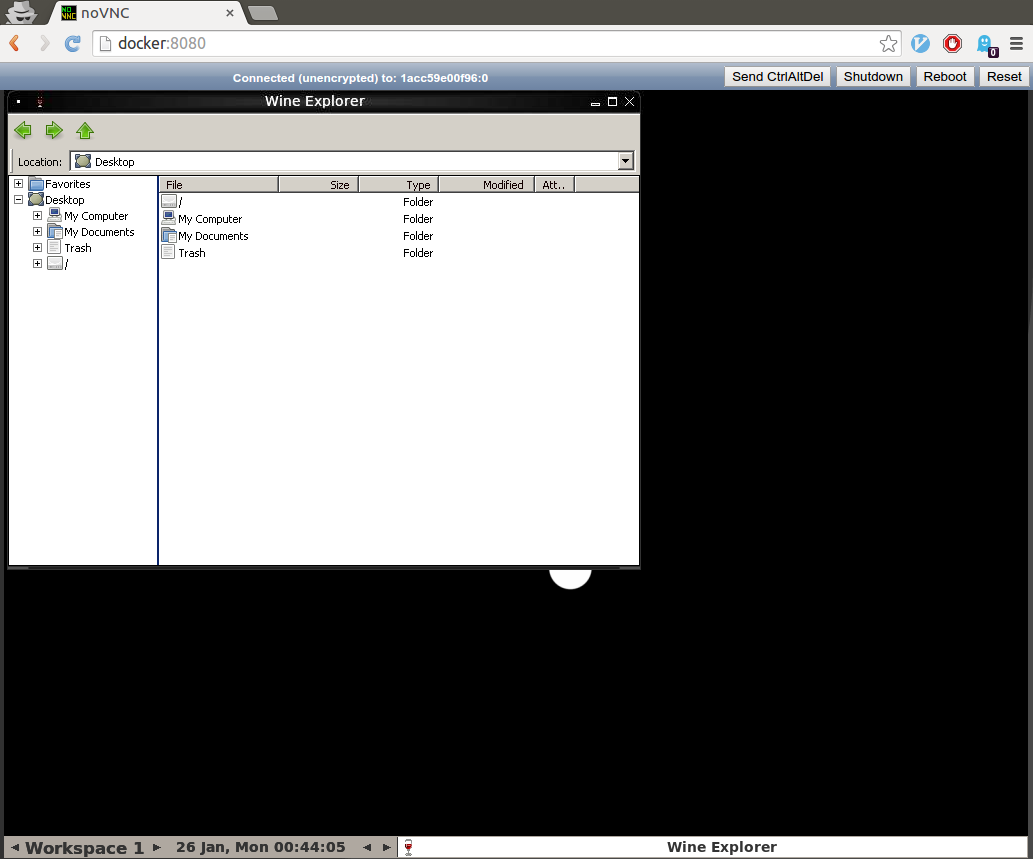
- Explorer.exe - to demo that it works
This is a trusted build on the Docker Hub.
Run It
docker run --rm -p 8080:8080 solarkennedy/wine-x11-novnc-docker
xdg-open http://localhost:8080
In your web browser you should see the default application, explorer.exe:
Modifying
This is a base image. You should fork or use this base image to run your own wine programs?
Issues
- Wine could be optimized a bit
- Fluxbox could be skinned or reduced
Tag summary
Content type
Image
Digest
Size
1.2 GB
Last updated
about 5 years ago
docker pull shuaiscott/kindle-gui