sierratecnologia/pgadmin4
Imagem do docker para o pgadmin4
10K+
sierratecnologia/pgadmin4 repository overview
pgAdmin 4
This is a simple Docker image for running pgAdmin 4 in a container. It is not intended for production use (it runs in "desktop mode", so authentication is disabled).
IMPORTANT: As of version 1.0, this image uses an unprivileged user, and uses port
5050instead of80. To access the web-interface on port80, use port-mapping;-p 80:5050.
Example use
Quick start
To see this image in action, run the following command;
$ docker run --rm -p 5050:5050 thajeztah/pgadmin4
This starts a one-off container in non-detached mode, and container logs are
printed in your terminal. After the container has finished starting, visit
http://[your-docker-host]:5050 in your browser to try pgAdmin 4.
To exit and remove the container, press CTRL+C in your terminal.
Practical example
This example uses a custom network, and runs a PostgreSQL container.
# create a custom network for easier connecting
$ docker network create pg

# start a postgres container
$ docker run -d -e POSTGRES_PASSWORD=password --net pg --name postgres postgres

# start pgAdmin container
$ docker run -d -p 5050:5050 --name pgadmin --net pg thajeztah/pgadmin4
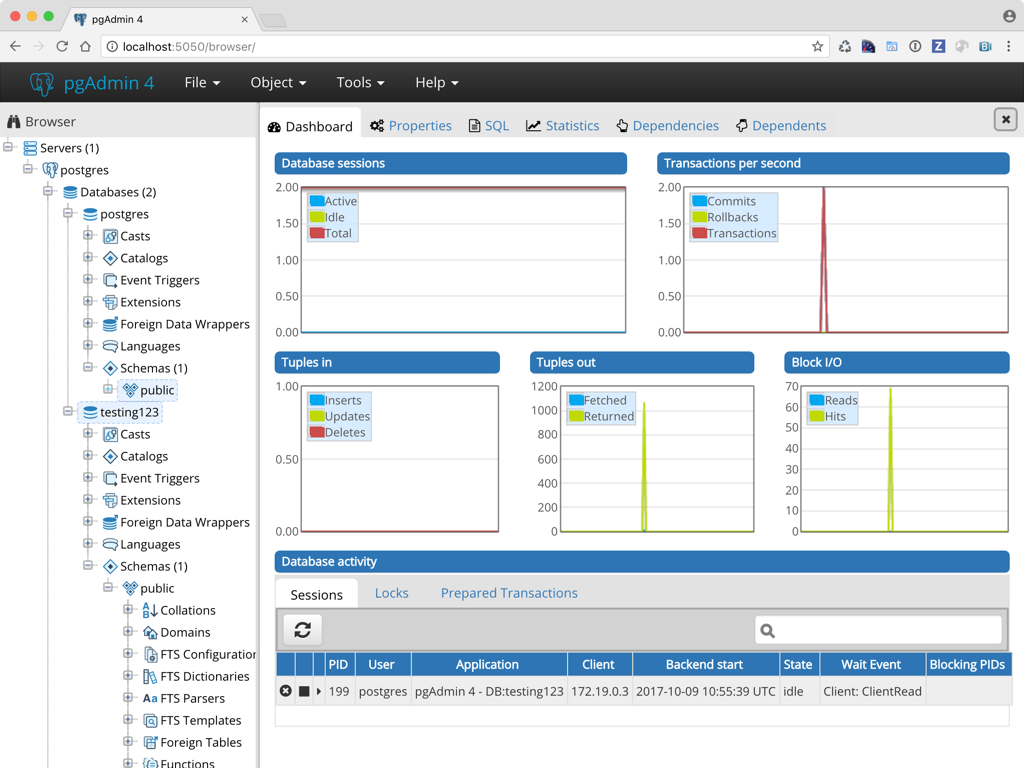
Now visit http://[your-docker-host]:5050 in your browser. You can add the
postgres database (hostname is postgres, password is password) to test
if everything is working.
Persistent data
Persistent data is stored in a volume, located at /pgadmin/. This allows
you to upgrade the container to a new version without losing configuration.
The following directories can be found inside the volume;
/pgadmin/config/pgadmin4.db- SQLite configuration database/pgadmin/storage/- other storage
You can override the storage location by setting the PG_ADMIN_DATA_DIR
environment variable
Unprivileged user
pgAdmin runs as an unprivileged user (pgadmin) with uid:gid 1000:50.
The uid:gid is selected for compatibility with Docker Toolbox, and allows
you to bind-mount a local directory inside the container for persistent
storage
For example, to bind-mount the /Users/me/pgadmin directory as storage directory;
$ docker run -d -p 5050:5050 -v /Users/me/pgadmin:/pgadmin thajeztah/pgadmin4
Run the image with a read-only filesystem
This image can be run with a read-only filesystem. To do so, specify the
--read-only flag when starting the container.
$ docker run -d -p 5050:5050 --name pgadmin --read-only thajeztah/pgadmin4
Runtime configuration
This image can be configured at runtime, by setting environment variables;
PG_ADMIN_DATA_DIRdirectory to use for storing data (defaults to/pgadmin/)PG_ADMIN_PORTport to listen on (defaults to5050)DEBUGenable debug mode (detaults toFalse)
More information on pgAdmin 4 development can be found here;
Tag summary
Content type
Image
Digest
Size
97.2 MB
Last updated
almost 9 years ago
docker pull sierratecnologia/pgadmin4