siliconmeadow/docker-github-pages
This is a variation on Starefossen/docker-github-pages.
1.0K
siliconmeadow/docker-github-pages repository overview
Alpine Docker GitHub Pages 
Alpine Docker image for running GitHub Pages / Jekyll projects. Only 70 MB.
Supported tags and respective Dockerfile links
What is GitHub Pages
GitHub Pages are public webpages hosted and published directly through your GitHub repository.
How to use this image
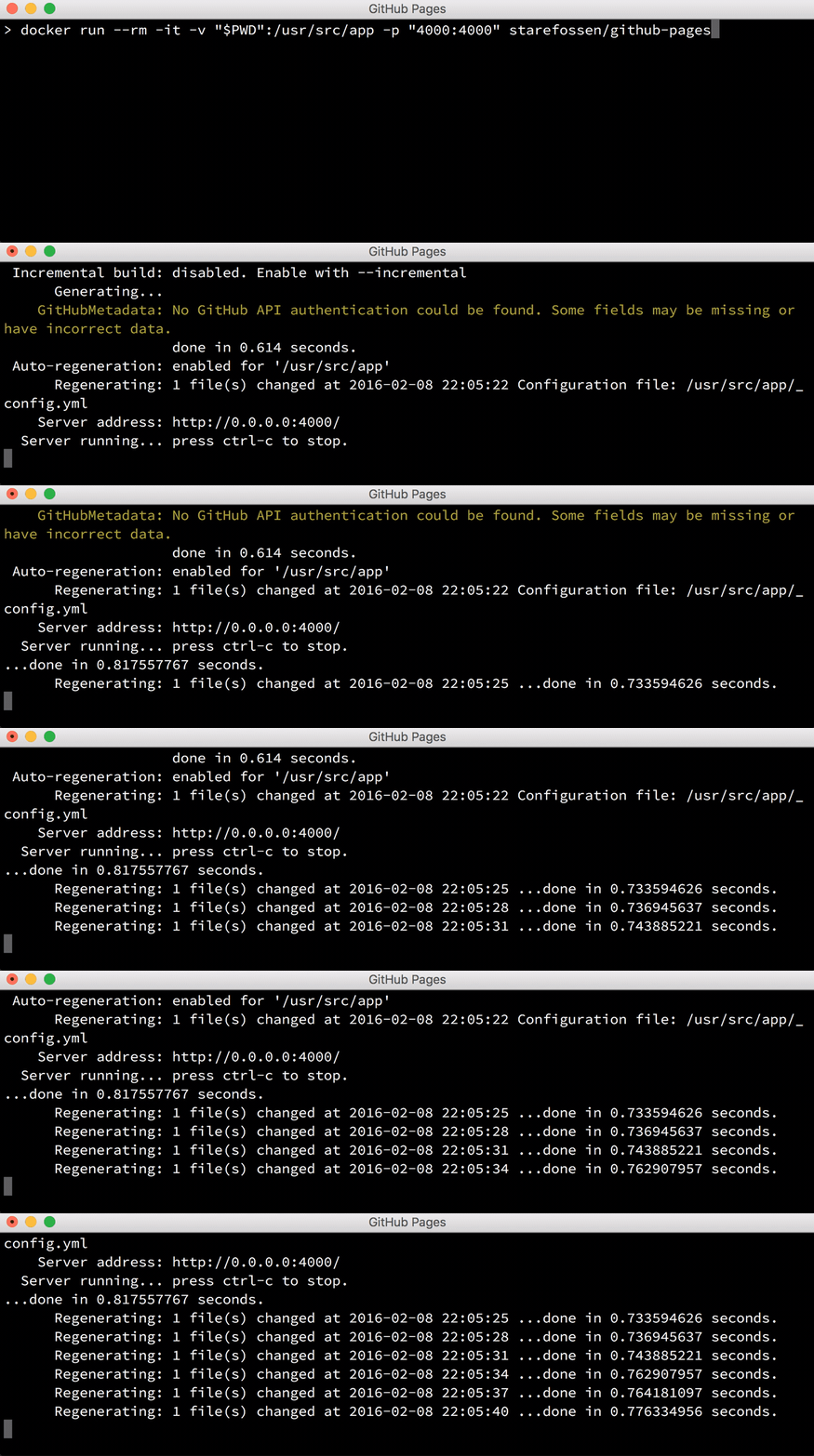
This image makes it easy to run your GitHub Pages page locally while developing –
refreshing changes automatically as you make them. All you need to do is to mount
your page in a volume under /usr/src/app like this:
$ docker run -t --rm -v "$PWD":/usr/src/app -p "4000:4000" starefossen/github-pages
Your Jekyll page will be available on http://localhost:4000.
Remember to add all the plugin gems to both your Gemfile and the
_config.yml file in order to install the gems during docker run and to
get all the different things to work correctly in Jekyll.
*** Are there some gems brought in that users do not need to explicitly declare? Can we list those here? ***
repository: your/repo

gems:
- jekyll-github-metadata
- jekyll-mentions
- jekyll-redirect-from
- jekyll-sitemap
- jemoji
For example, to add the jekyll-seo-tag plugin, add the gem to your Gemfile:
gem 'jeyll-seo-tag'
and to your _config.yml:
gems:
- jekyll-seo-tag
Then the next time your container is run, the gem will be installed by bundler
and jekyll pages with the {% seo %} markup will be treated correctly.
If bundler fails to install your gems, it's worth deleting the Gemfile.lock
file and restarting the container to resolve the dependencies from scratch.
Also, in order for the {{ site.github }} metadata variables to be populated
you need to set the JEKYLL_GITHUB_TOKEN environment variable with your GitHub
token.
$ docker run \
  -t --rm \
  -v "$PWD":/usr/src/app \
  -e JEKYLL_GITHUB_TOKEN=my-github-token \
  -p "4000:4000" starefossen/github-pages
Image Variants
The starefossen/github-pages images come in two flavors, each designed for a
specific use case.
starefossen/github-pages:<version>
This is the defacto image. If you are unsure about what your needs are, you probably want to use this one. It is designed to be used both as a throw away container (mount your source code and start the container to start your app), as well as the base to build other images off of.
starefossen/github-pages:onbuild
This image makes building derivative images easier. For most use cases, creating
a Dockerfile in the base of your project directory with the line FROM starefossen/github-pages:onbuild will be enough to create a stand-alone image
for your project.
License
This Docker image is licensed under the MIT License.
Software contained in this image is licensed under the following:
- github-pages gem: MIT License
- github-metadata gem: MIT License
- jekyll: MIT License
- ruby: 2-clause BSDL
- iojs: MIT License
Supported Docker versions
This image is officially supported on Docker version v17.
Support for older versions (down to v1.0) is provided on a best-effort basis.
User Feedback
Documentation
Issues
If you have any problems with or questions about this image, please contact us through a GitHub issue.
Contributing
You are invited to contribute new features, fixes, or updates, large or small; we are always thrilled to receive pull requests, and do our best to process them as fast as we can.
Before you start to code, we recommend discussing your plans through a GitHub issue, especially for more ambitious contributions. This gives other contributors a chance to point you in the right direction, give you feedback on your design, and help you find out if someone else is working on the same thing.
Tag summary
Content type
Image
Digest
Size
80.5 MB
Last updated
about 9 years ago
docker pull siliconmeadow/docker-github-pages