singli/hubot-rocketchat repository overview

hubot-rocketchat
Run your bots on Rocket.Chat!
About



Quickstart guide for bot writers
Follow the quick start guide below to launch your bot.
You will need:
- node.js
- git
- docker
First, clone this project.
git clone https://github.com/RocketChat/hubot-rocketchat.git
Change into the directory and install the dependencies.
cd hubot-rocketchat
npm install
Configure your bot - see Additonal details below.
Run the docker container, and your bot is LIVE!
docker run -it --rm -v $PWD:/home/hubot/node_modules/hubot-rocketchat -v $PWD/scripts:/home/hubot/scripts singli/hubot-rocketchat
Verify your bot is working
Try:
rocketbot ping
And:
rocketbot help
The example bot under scripts directory respeonds to:
rocketbot report status
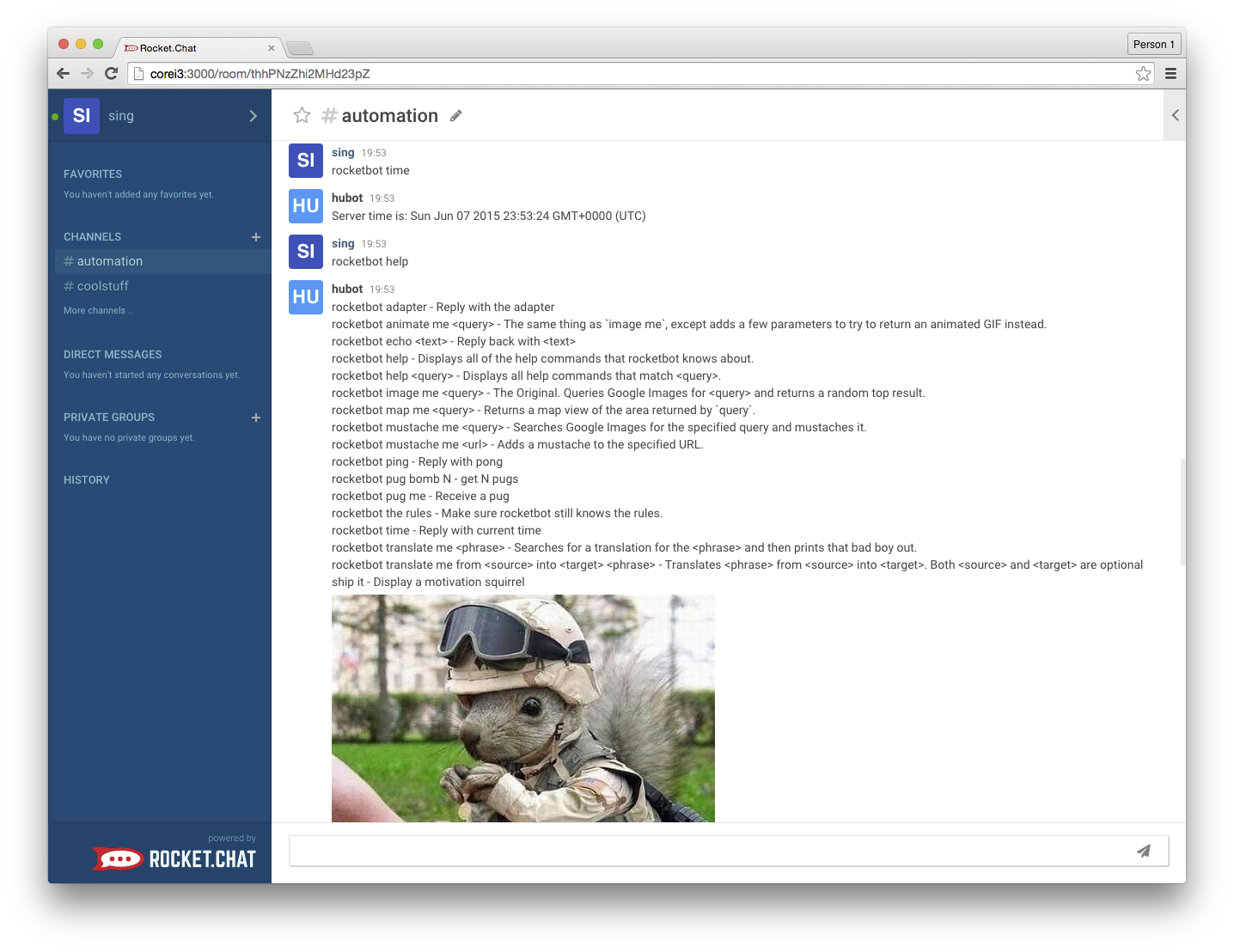
Here is a sample run:
Additional details
Look under the scripts directory, you will find a very basic bot there.
Just add your own bot in the directory to have it loaded. If you are new to bot writing, this single page contains everything you need to know.
Obviously, you also need:
- a user in Rocket.Chat that the bot will run under
- a room including the bot user as a member
Edit the src/rocketchat.coffee file to set:
| Variable | Environment Variable | Description |
|---|---|---|
| RocketChatURL | ROCKETCHAT_URL | the IP and port where Rocket.Chat is running |
| RocketChatUser | ROCKETCHAT_USER | the bot user's name |
| RocketChatPassword | ROCKETCHAT_PASSWORD | the bot user's password |
| RocketChatRoom | ROCKETCHAT_ROOM | the channel that the bot should join, take a look at the end of your URL while inside a channel to get the id |
Alternatively, you can use -e "<environment var name> = <value>" to set the corresponding environment variable when you run the docker container.
We are continually enhancing this adapter, any bot you write should remain compatible as we add capabilities.
If you find a bug or compatibility problem, please open an issue.
If you have any enhancements or feature requests, create an issue. If you like what you see, please star the repo.
Finally, if you have created a bot that other users may find useful, please contribute it.
Some important notes
- The first time you run the docker container, the image needs to be pulled from the public docker registry and it will take some time. Subsequent runs are super fast.
- If you are not running Linux (i.e. if you are on a Mac or PC), you cannot use $PWD to mount the volumes. Instead, read this note here (the 2nd note on the page: If you are using Boot2Docker...) to determine the absolute path where you must place the git-cloned directory.
CONTRIBUTORS WANTED
While it is functional, the current adapter is very basic. We need all the help we can get to add capabilities.
Become part of the project, just pick an issue and file a PR.
The adapter code is under the src directory. To test modified adapter code, exit (ctrl-c) the container and run it again.
FAQ
Q: I am not trying to stage a denial of service attack, why would I ever want to write a bot?
A: There are many positive and productive use cases for bots. Imagine a customer service support chat. As soon as a customer enters the support channel, a bot immediately identifies the customer and then:
- fetches recent sales information from the sales dept server
- fetches personal information from the customer data base
- fetches latest notes made by her/his salesperson from the CRM system
- scans the customer's facebook and twitter posts
- obtains details of the last support ticket for this customer
Putting it altogether and then private message the service rep with the information.
Another use-case is a load test bot, imagine a bot that accepts the command:
rocketbot loadtest europe 25, asia 50, usa 100, canada 10
This command specifies a distribution of test bot instances, to be created across globally located data centers.
Once received, the bot:
- parses the distribution
- concurrently ssh to remote Kubernetes controllers and spawns the specified number of test bot instances to start the load test
Q: The architecture of hubot-rocketchat looks interesting, can you tell me more about it?
A: Sure, it is based on hubot-meteorchat. hubot-meteorchat is the hubot integration project for Meteor based chats and real-time messaging systems. Its driver based architecture simplifies creation and cusotmization of adapter for new systems. For example, the hubot-rocketchat integration is just hubot-meteorchat + rocketchat driver.
Learn more about hubot-meteorchat and other available drivers at this link.
If for some reasons, you can not run docker. You can still perform bot development or launch a bot using the classic hubot method based on npm.
Just follow the very detailed instructions here. Our npm module name is hubot-rocketchat and you need to start your hubot instance specifying the adapter name via -a:
hubot -a rocketchat
Tag summary
Content type
Image
Digest
sha256:282a698ae…
Size
296.6 MB
Last updated
almost 11 years ago
docker pull singli/hubot-rocketchat