skyfay/dbackup
A self-hosted database backup automation tool for MySQL, PostgreSQL & more.
100K+
skyfay/dbackup repository overview

DBackup
Self-hosted backup automation for databases and files, with encryption, compression, and smart retention.





Website • Documentation • Quick Start • API Reference • Changelog • Roadmap
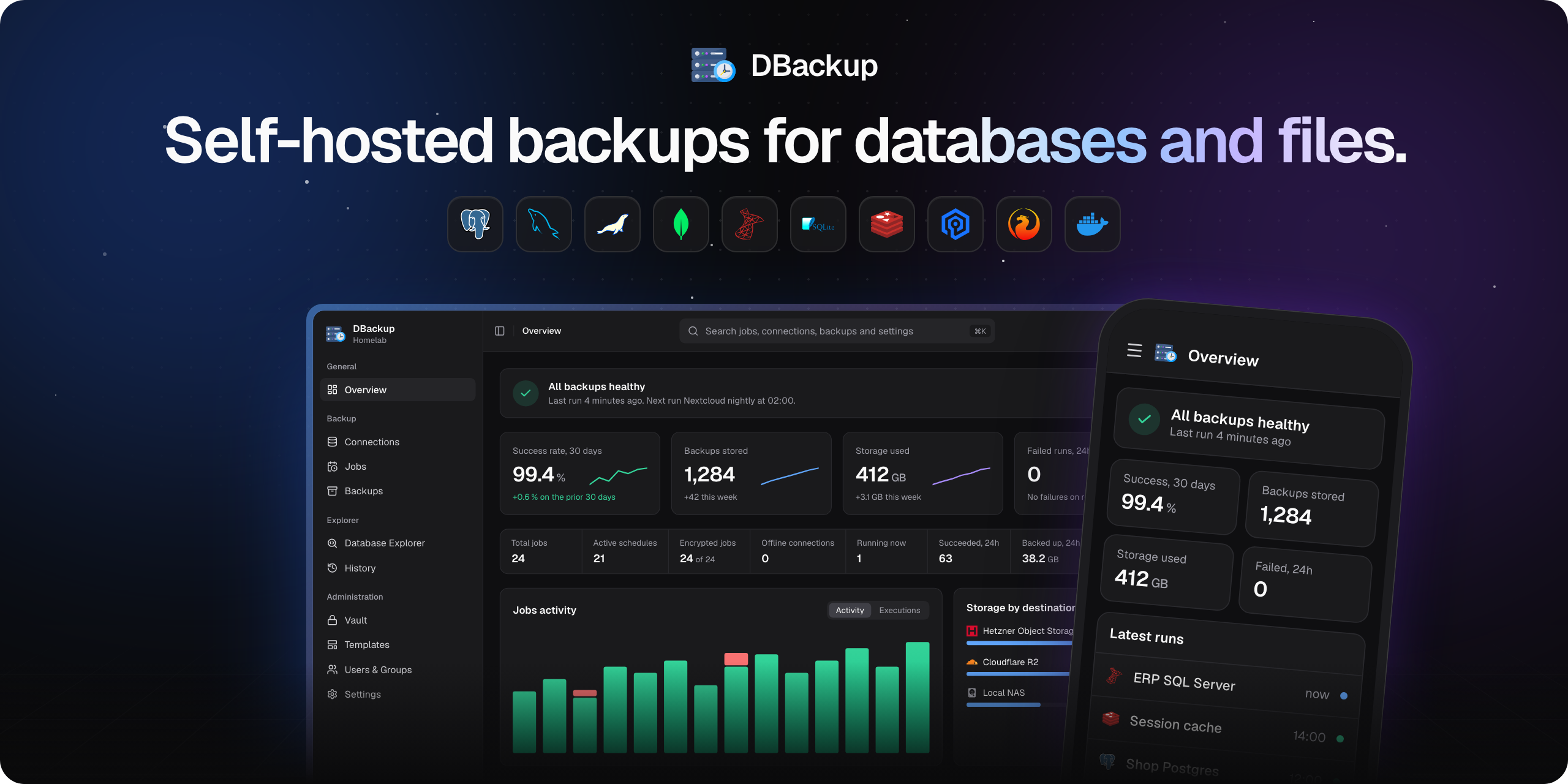
What is DBackup?
DBackup backs up your databases and the files that belong to them on a schedule, encrypts them and sends them to the storage you choose. A restore takes a few clicks. It runs as one Docker container and needs no agent on your servers: it connects to a database directly, or runs the backup tools on the server over SSH.
Nothing locks you in. Every database backup is a standard dump and every file backup a plain TAR archive, encrypted with open AES-256-GCM. The format is documented byte by byte, and the Recovery Kit restores a backup with a single Node.js script and your key, without DBackup.
✨ Highlights
- Databases and files in one job - the dumps and the directories of an application land in one archive and share a restore point
- 10 databases, direct or over SSH - from MySQL and PostgreSQL to SQL Server, Redis and Firebird
- 13 kinds of storage - S3 and S3-compatible, cloud drives, SFTP, SMB, WebDAV and more, with several destinations per job
- Encrypted and open - AES-256-GCM with managed keys and a Recovery Kit for offline decryption
- Incremental backups and smart retention - store only what changed, and keep daily, weekly, monthly and yearly backups
- Restore what you need - a whole database, a database under a new name, or a single file from a folder backup
- Know what happens - live progress, a history of every run, storage alerts and nine notification channels
- Built for teams - SSO through OIDC, groups with fine-grained permissions, 2FA and passkeys, an audit log and a REST API with scoped keys
🗄️ Supported
| Database | Versions | Connection | Restore |
|---|---|---|---|
| PostgreSQL | 12 to 18 | Direct, SSH | Yes |
| MySQL | 5.7, 8.x, 9.x | Direct, SSH | Yes |
| MariaDB | 10.x, 11.x | Direct, SSH | Yes |
| MongoDB | 4.x to 8.x | Direct, SSH | Yes |
| Redis | 2.8+ | Direct, SSH | Guided |
| Valkey | 7.2+ | Direct, SSH | Guided |
| SQLite | 3.x | Local, SSH | Yes |
| Microsoft SQL Server | 2017, 2019, 2022, Azure SQL Edge | Direct, SSH | Yes |
| Azure SQL Database (beta) | Single database, elastic pool | Direct | Yes, drops the target first |
| Firebird (beta) | 3.x, 4.x, 5.x | Direct, SSH | Yes, through configured aliases |
Destinations: local filesystem, Amazon S3 and S3-compatible storage like Cloudflare R2, Hetzner, MinIO or Wasabi, Google Drive, Dropbox, OneDrive, SFTP, FTP/FTPS, WebDAV, SMB and rsync over SSH. Each of them can also be a source for file backups, and so can Docker volumes.
Notifications: Discord, Slack, Microsoft Teams, Telegram, Gotify, ntfy, webhooks, SMS through Twilio and email.
Every one of them has a setup guide in the documentation.
🚀 Quick Start
# docker-compose.yml
services:
  dbackup:
    image: skyfay/dbackup:latest
    container_name: dbackup
    restart: always
    ports:
      - "3000:3000"
    environment:
      - ENCRYPTION_KEY=       # openssl rand -hex 32
      - BETTER_AUTH_URL=https://localhost:3000
      - BETTER_AUTH_SECRET=   # openssl rand -base64 32
    volumes:
      - ./data:/data          # All persistent data
      - ./backups:/backups    # Optional, for local backups
docker compose up -d
Open https://localhost:3000 and create the admin account. The first visit warns about the self-signed certificate. The installation guide covers every environment variable, reverse proxies and updates. Images are built for AMD64 and ARM64.
💖 Sponsors
DBackup is free and open source. Sponsoring it keeps it that way, and from $15 a month or $100 once your name shows up here by itself.

One-time Sponsors
🏆 Patrons · $500 once

Kay van Aarssen

🛠️ Contributing
Pull requests go into the dev branch, never into main. CONTRIBUTING.md explains the setup and the workflow, and the Developer Guide the architecture, the adapters and the tests.
💬 Community & Support
- 💬 Discord: dc.skyfay.ch
- 🐛 Issues: bugs and feature requests on GitHub Issues
- 📧 Support: [email protected]
- 🔒 Security: report vulnerabilities privately as described in SECURITY.md, never in a public issue
🤖 AI Development Transparency
The architecture, the technology stack and the feature specifications of DBackup were designed and directed by a human system engineer. The code is written by AI coding agents that follow those specifications and the guidelines of the project. Every feature is tested by hand, backed by unit tests, checked against real databases and storage servers in a test lab, and audited for security by AI agents.
A formal security audit by an external firm has not been done yet. Independent security researchers have reviewed parts of the code and reported vulnerabilities privately. Every report was fixed in a release and published as an advisory that credits the reporter, see Security Advisories. The encryption and the backup format are publicly documented to make a full review easy. If you review code or work in security, your findings are very welcome, see SECURITY.md for how to report them.
📝 License
Tag summary
Content type
Image
Digest
sha256:55427d436…
Size
458 MB
Last updated
18 days ago
docker pull skyfay/dbackup